惯性聚合 高效追踪和阅读你感兴趣的博客、新闻、科技资讯
阅读原文 在惯性聚合中打开

推荐订阅源

S
Schneier on Security
雷峰网
雷峰网
S
Securelist
V
Vulnerabilities – Threatpost
S
SegmentFault 最新的问题
T
The Exploit Database - CXSecurity.com
A
About on SuperTechFans
T
Threat Research - Cisco Blogs
Attack and Defense Labs
L
LangChain Blog
Cyberwarzone
Cyberwarzone
Engineering at Meta
Engineering at Meta
Google DeepMind News
H
Hackread – Cybersecurity News, Data Breaches, AI and More
V
V2EX
Y
Y Combinator Blog
云风的 BLOG
云风的 BLOG
L
Lohrmann on Cybersecurity
S
Security Affairs
S
Secure Thoughts
P
Privacy & Cybersecurity Law Blog
T
Tailwind CSS Blog
Cyber Security Advisories - MS-ISAC
C
CXSECURITY Database RSS Feed - CXSecurity.com
Threat Intelligence Blog | Flashpoint
Application and Cybersecurity Blog
Cisco Talos Blog
Cisco Talos Blog
Spread Privacy
Spread Privacy
让小产品的独立变现更简单 - ezindie.com
Microsoft Security Blog
博客园 - 叶小钗
H
Heimdal Security Blog
L
LINUX DO - 热门话题
月光博客
月光博客
Apple Machine Learning Research
D
Darknet – Hacking Tools, Hacker News & Cyber Security
C
CERT Recently Published Vulnerability Notes
钛媒体:引领未来商业与生活新知
钛媒体:引领未来商业与生活新知
J
Java Code Geeks
Google Online Security Blog
WordPress大学
WordPress大学
D
DataBreaches.Net
N
Netflix TechBlog - Medium
The Hacker News
The Hacker News
N
News and Events Feed by Topic
C
Check Point Blog
博客园_首页
Scott Helme
Scott Helme
T
Troy Hunt's Blog
U
Unit 42

Mysql - 标签 - cywhat's blog

Linux忘记mysql密码解决办法 Failing Package Is: Mysql Community Libs Compat 5.7.37 1.el7 Django连接Mysql配置 Mysql连接以及增删改查语句 Centos7安装mysql5.7.41亲测可用
Mac安装mysql5.7
cywhat · 2022-04-24 · via Mysql - 标签 - cywhat's blog

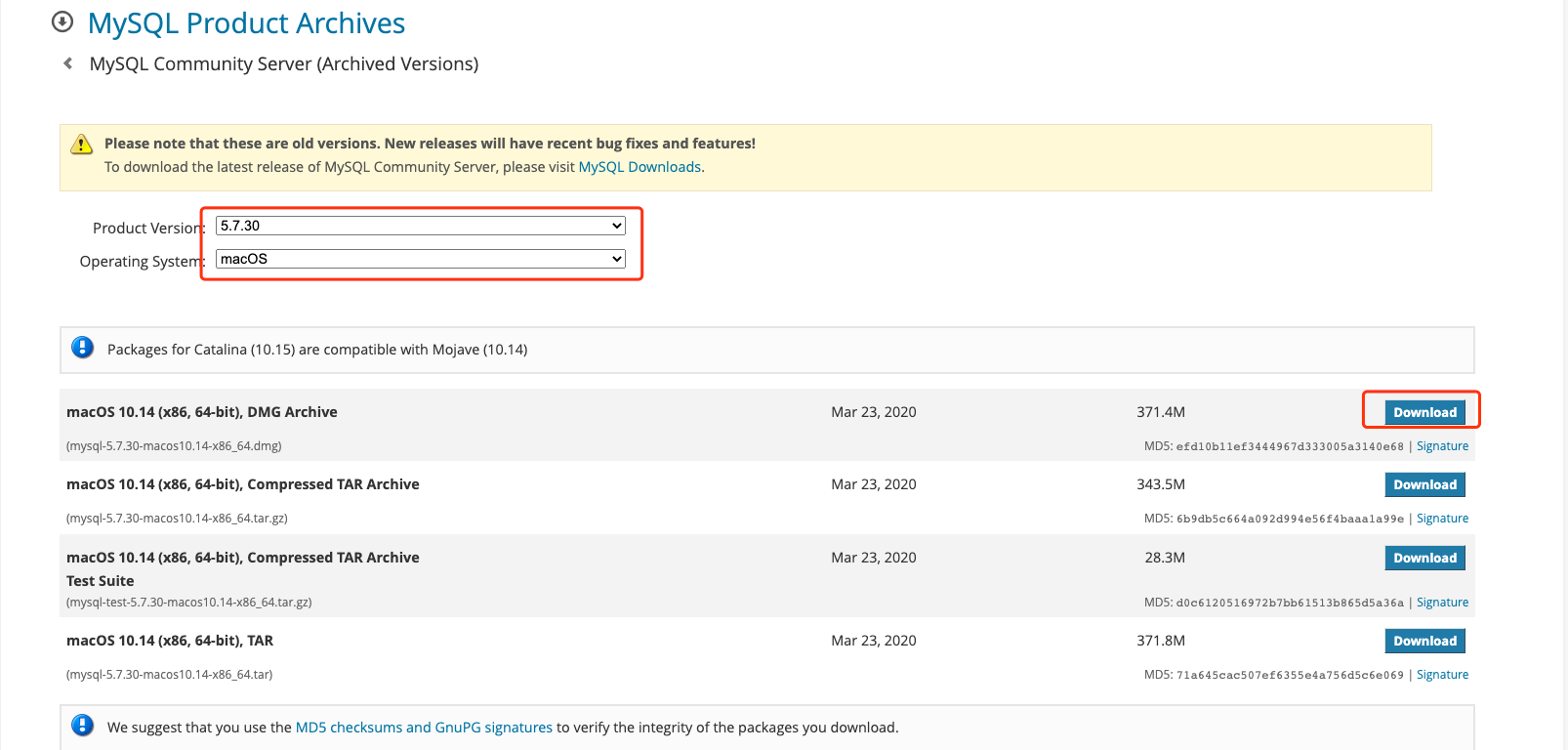
1.下载Dmg安装包

安装包下载

我选择的Mysql版本是5.7.30

/img/img55.png

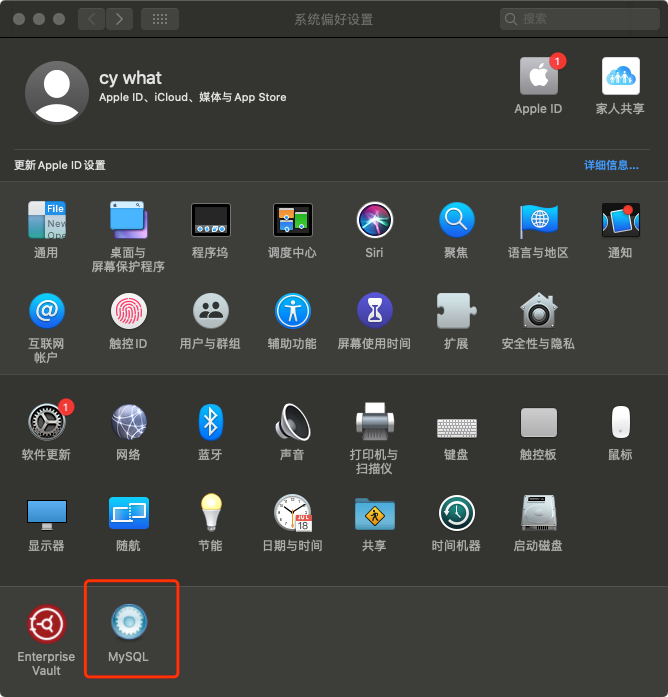
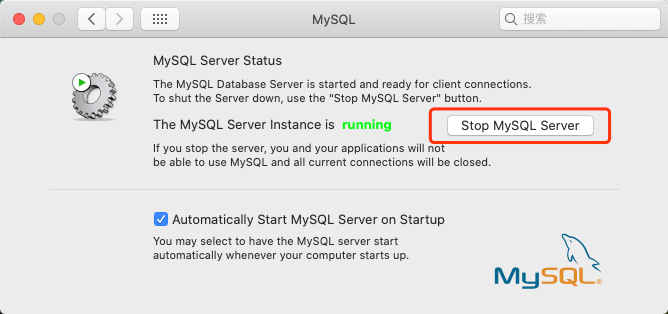
2.安装并启动

/img/img56.png

/img/img57.png

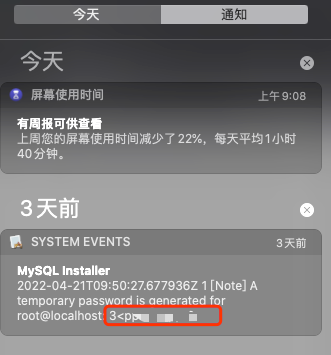
3.记录Mysql初始密码

/img/img58.png

4.设置别名

1
2
alias mysql=/usr/local/mysql/bin/mysql
alias mysqladmin=/usr/local/mysql/bin/mysqladmin

5.重置密码

1
2
3
mysqladmin -u root -p password `新密码`   #回车后输入临时密码

mysql -u root -p  #输入新密码即可命令行登录

6.本地Navicat客户端登录

连接不上(报错): 2059 - Authentication plugin 'caching_sha2_password' cannot be loaded: dlopen(

原因:

由于从mysql5.7版本之后 验证方式默认从原来的mysql_native_password改成了caching_sha2_password

解决:

1
ALTER USER 'root'@'localhost' IDENTIFIED WITH mysql_native_password BY '新密码';   #即可用客户端连接

关注一下再走吧

公众号 小程序

赞赏支持

微信打赏 支付宝打赏