惯性聚合 高效追踪和阅读你感兴趣的博客、新闻、科技资讯
阅读原文 在惯性聚合中打开

推荐订阅源

Hugging Face - Blog
Hugging Face - Blog
Jina AI
Jina AI
宝玉的分享
宝玉的分享
奇客Solidot–传递最新科技情报
奇客Solidot–传递最新科技情报
让小产品的独立变现更简单 - ezindie.com
人人都是产品经理
人人都是产品经理
博客园 - 聂微东
OSCHINA 社区最新新闻
OSCHINA 社区最新新闻
J
Java Code Geeks
博客园 - 【当耐特】
小众软件
小众软件
博客园 - Franky
S
SegmentFault 最新的问题
WordPress大学
WordPress大学
雷峰网
雷峰网
The Cloudflare Blog
酷 壳 – CoolShell
酷 壳 – CoolShell
量子位
Last Week in AI
Last Week in AI
博客园_首页
月光博客
月光博客
IT之家
IT之家
阮一峰的网络日志
阮一峰的网络日志
Webroot Blog
Webroot Blog
Stack Overflow Blog
Stack Overflow Blog
腾讯CDC
云风的 BLOG
云风的 BLOG
cs.AI updates on arXiv.org
W
WeLiveSecurity
Recent Commits to openclaw:main
D
Docker
The Last Watchdog
The Last Watchdog
有赞技术团队
有赞技术团队
Hacker News - Newest:
Hacker News - Newest: "LLM"
D
DataBreaches.Net
S
Security @ Cisco Blogs
Blog — PlanetScale
Blog — PlanetScale
GbyAI
GbyAI
TaoSecurity Blog
TaoSecurity Blog
S
Security Affairs
Y
Y Combinator Blog
O
OpenAI News
罗磊的独立博客
MongoDB | Blog
MongoDB | Blog
钛媒体:引领未来商业与生活新知
钛媒体:引领未来商业与生活新知
Forbes - Security
Forbes - Security
P
Palo Alto Networks Blog
freeCodeCamp Programming Tutorials: Python, JavaScript, Git & More
K
Kaspersky official blog
Cloudbric
Cloudbric

Comments for MotoPress

Free WordPress Schedule Plugin for Events - MotoPress Hotel Booking + Addons to Extend Booking Website - MotoPress Hotel Booking And Divi Integration Addon - MotoPress Submit Your Property to Google Hotels & Vacation Rentals through Hotel Booking 5.5.1 Custom Ready-Made WordPress Website - MotoPress WordPress Booking Calendar Plugin - MotoPress Pass Payment Processing Fees to Guests: New in MotoPress Hotel Booking (​​5.4.0) Multi-Property Availability View: New in MotoPress Hotel Booking Plugin! WordPress Hotel Booking Plugin - MotoPress Premium Bed and Breakfast WordPress Theme for B&Bs and Rentals - Booklium - MotoPress
Hotel Booking PriceLabs Integration - MotoPress
Reza Saiedi · 2025-11-09 · via Comments for MotoPress

The all-in-one solution for dynamic pricing on your WordPress hotel website. Sync prices with PriceLabs easily.
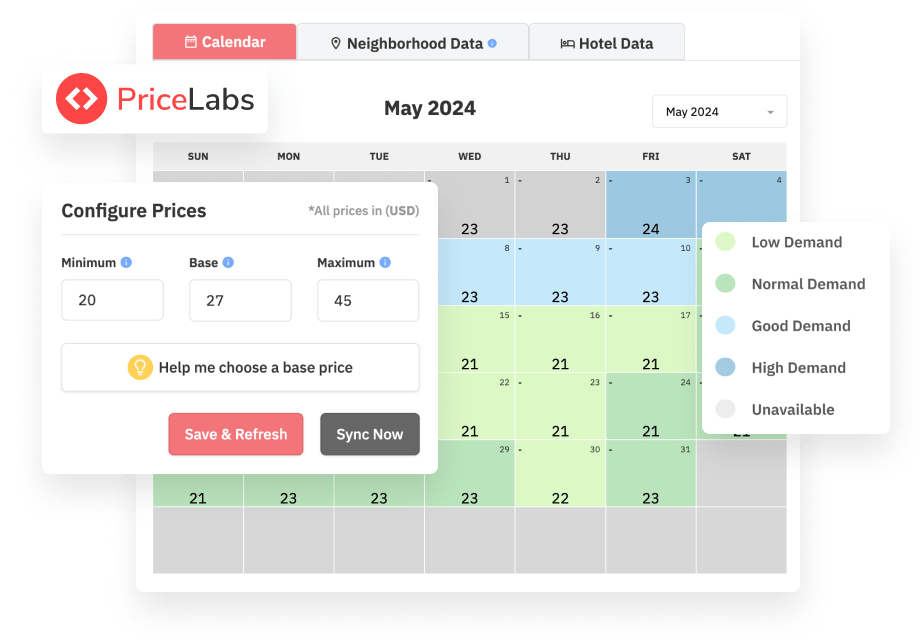
Simplify Pricing & Maximize Profits with PriceLabsSimplify Pricing & Maximize Profits

  • PriceLabs works with 100+ PMSes and channel managers in over 100 countries.
  • PriceLabs automatically factors in seasonal fluctuations so you don’t have to create and manage individual rates.
  • One of the best-rated price optimization services for hotels and vacation rentals.
  • PriceLabs gives you price optimization, revenue, and occupancy prediction instruments in one account.
  • Smoothly works for multi-unit accommodations and vacation rentals alike.

Have the Best Property Rate Every Day, Dynamically Updated

Want to better manage your rates to maximize your income without having to manually keep an eye on your rates? Sync prices with PriceLabs!

PriceLabs analyzes competitor prices, local market trends, and demand to set optimal prices for your rental property, updating your rates to the best everyday price automatically.
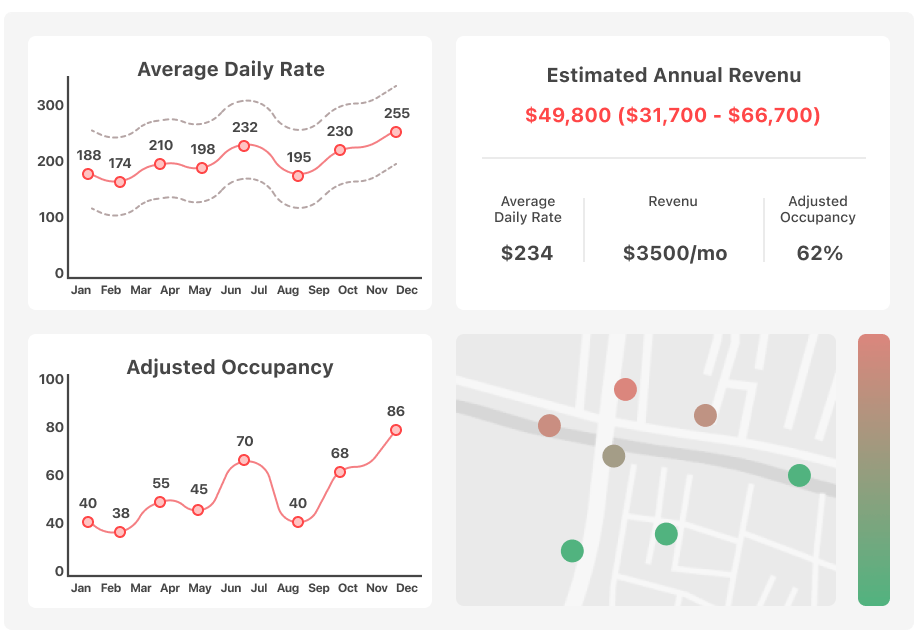
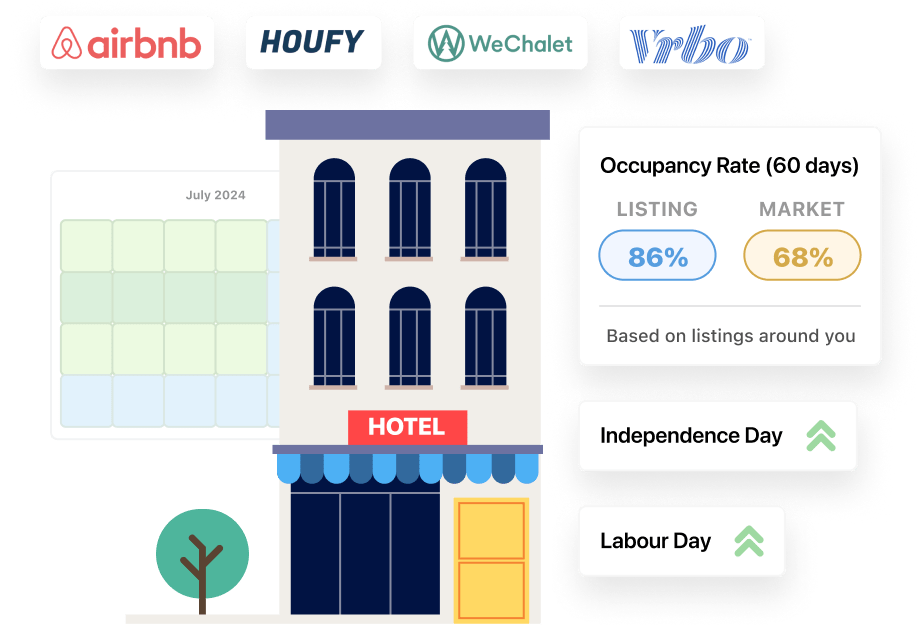
Save Hours, Maximize Revenue & Predict OccupancySave Hours, Maximize Revenue & Predict Occupancy

PriceLabs’ geolocation-powered algorithm ensures you’re priced competitively to attract guests, maximizing your profits for every rental property.

PriceLabs doesn’t just take care of the time-consuming task of price management saving you hours of work, it comes with multiple smart instruments for predicting revenue and occupancy, among others.
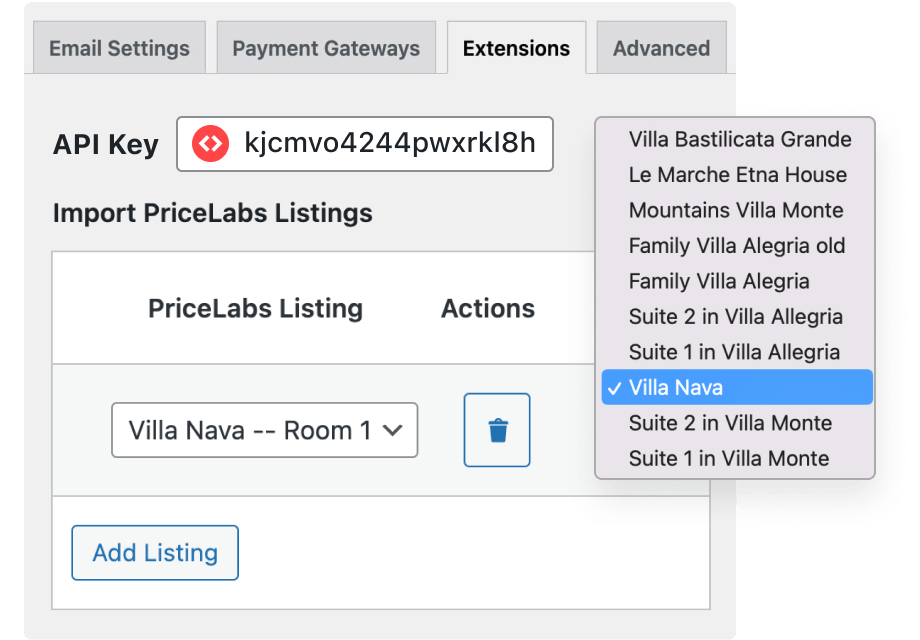
Seamless Integration with Hotel Booking PluginSeamless Integration with Hotel Booking Plugin

This dedicated extension connects PriceLabs smoothly with your WordPress hotel website powered by the Hotel Booking plugin, ensuring automated price syncing and updates.

Your guests will see PriceLabs rates wherever your Hotel Booking listings display rates, including the property directory, availability calendars, property search results, and more.

How to Use Pricelabs with Hotel Booking Plugin to Sync Prices

  1. Go to your PriceLabs account.
  2. Go to your Account Settings → API Details. You need to activate it, but note that the setting is only available on request – please reach out to the PriceLabs support team at [email protected] and ask to enable custom API. More details.
  3. When it’s activated, click ‘Copy API key’ in the same menu.
  4. After getting the key, go to your WordPress dashboard → Accommodation → Settings → Extensions → PriceLabs.
  5. Insert the key into the PriceLabas API key field and save the changes.
  6. Before connecting your listings from PriceLabs to Hotel Booking, make sure that the currency in your Hotel Booking plugin (Accommodation → Settings → General → Currency) matches the currency set in PriceLabs.
  7. To add every new listing, click ‘Add listing’ → select the matching accommodations from the PriceLabs and Accommodation Type drop-downs → save changes. You can map the same PriceLabs listing to any number of accommodation types in Hotel Booking. Note: you’re mapping PriceLabs’ listings to ‘accommodation types’ in Hotel Booking (not ‘accommodations’).
  8. Prices on your WordPress site update automatically twice a day. A message below your listings shows the last sync time and possible errors. You can also manually sync prices by clicking “Start import now” – you might want to use this if you, for example, have just updated prices via PriceLabs and want these changes to be reflected on your direct booking website.

Also note:

  • PriceLabs prices are not displayed via the Rates menu in Hotel Booking.
  • If PriceLabs is activated, rates created via the Rates menu are ignored by the plugin for the properties you’ve mapped with PriceLabs (PriceLabs’ rates take priority). If you don’t want to create rates via the Hotel Booking plugin at all, you still need to set up ‘Seasons’ to show properties in the search results when a guest searches for available dates.
  • You can manually customize prices via PriceLabs.

Requirements:

FAQ

What does this PriceLabs integration do?

This extension allows you to receive prices from PriceLabs for your listings that are already syncing to other channels/PMS like Airbnb; it then automatically updates rates on your direct booking website made with the MotoPress Hotel Booking plugin. So, this extension requires existing listings in your PriceLabs account connected to external OTAs/PMSes. If you are already using PriceLabs, this addon will help you populate rates automatically without a need to periodically copy them to your WordPress site.

Why use PriceLabs?

On the MotoPress Hotel Booking plugin for WordPress, you can easily create various rates based on the time of the year, the number of people staying, as well as the length of stay. Why would you need to use PriceLabs with Hotel Booking then? If you have just one or a few properties with basic rates, without the complexity of rules, or if you want the prices to update dynamically without your control, by intelligently analyzing competitors, this is the solution. PriceLabs will help you set up the min, base, and max prices for every unit – which will be dynamically updated on your WordPress site by using the Hotel Booking PriceLabs extension. In fact, many MotoPress Hotel Booking customers who already use PriceLabs asked for a smooth plugin integration with this price optimization service, which ultimately inspired the creation of this extension.

How does PriceLabs work?

In your PriceLabs account, you are offered to connect your listings from any integrated PMSes or channel managers, there are 100+ of them (Airbnb, Vrbo, WeChalet, Guesty, Lodgify, Houfy, etc.). PriceLabs uses a powerful geolocation data algorithm to analyze competitor prices nearby and provide you with intelligent price recommendations based on many details, including where your property is located.

How much does PriceLabs cost?

There are various pricing plans depending on the features you need, starting at $19.99/mo/listing for dynamic pricing. You can calculate your invoice based on your property price type (fixed or percentage), region, property type, and the number of listings.

How to use PriceLabs for Airbnb?

Connect PriceLabs to your Airbnb account using a channel manager or a Property Management System (PMS). If you use a PMS to manage your Airbnb properties, connect PriceLabs to your PMS when you sign into your PriceLabs account. PriceLabs integrates with 100+ PMSes.