惯性聚合 高效追踪和阅读你感兴趣的博客、新闻、科技资讯
阅读原文 在惯性聚合中打开

推荐订阅源

腾讯CDC
Schneier on Security
B
Blog RSS Feed
aimingoo的专栏
aimingoo的专栏
P
Proofpoint News Feed
A
About on SuperTechFans
Recorded Future
Recorded Future
Recent Announcements
Microsoft Security Blog
L
LangChain Blog
Hugging Face - Blog
Hugging Face - Blog
The GitHub Blog
The GitHub Blog
Google DeepMind News
T
Tailwind CSS Blog
Vercel News
Vercel News
H
Hackread – Cybersecurity News, Data Breaches, AI and More
MyScale Blog
MyScale Blog
V2EX - 技术
V2EX - 技术
N
Netflix TechBlog - Medium
F
Fortinet All Blogs
V
Visual Studio Blog
Martin Fowler
Martin Fowler
K
KPMG report finds enterprise disconnect between AI and its ROI | CIO
博客园 - Franky
freeCodeCamp Programming Tutorials: Python, JavaScript, Git & More
T
The Exploit Database - CXSecurity.com
F
Full Disclosure
Scott Helme
Scott Helme
H
Heimdal Security Blog
博客园 - 叶小钗
Google DeepMind News
Cyberwarzone
Cyberwarzone
Application and Cybersecurity Blog
V
Vulnerabilities – Threatpost
Blog — PlanetScale
Blog — PlanetScale
Security Latest
Security Latest
WordPress大学
WordPress大学
Cyber Security Advisories - MS-ISAC
T
Troy Hunt's Blog
S
SegmentFault 最新的问题
Forbes - Security
Forbes - Security
Jina AI
Jina AI
S
Securelist
小众软件
小众软件
Simon Willison's Weblog
J
Java Code Geeks
AWS News Blog
AWS News Blog
N
News and Events Feed by Topic
博客园 - 三生石上(FineUI控件)
量子位

Lovestu

WordPress 发布7.0:AI功能多,实则依托 - Lovestu AeroCore 自带小组件展示 - Lovestu Vite 8 性能实测:底层换上 Rust 后,前端构建到底有多狂? 【WordPress优化插件】WPOPT v2.5.7 - Lovestu AeroCore 主题发布 - Lovestu CoreNext 正式版 1.7.9 发布 - Lovestu 粒子导航 - 一款独立的导航源码 1.4.95 - Lovestu Core AI Power 1.1.0 - WordPress AI 增强插件 NodeJS 使用copy-dir 快速复制内容 - Lovestu
使用WPOPT高级缓存功能为WordPress加速 - Lovestu
applek · 2026-03-04 · via Lovestu

WPOPT提供优秀的缓存功能。配合Redis,可以实现非常强大的缓存,并且本功能超越了目前市面上主流的缓存插件,Redis Object Cache等。

是一款站长必备的WordPress插件。

下面本教程以宝塔为准教如何配置

安装环境

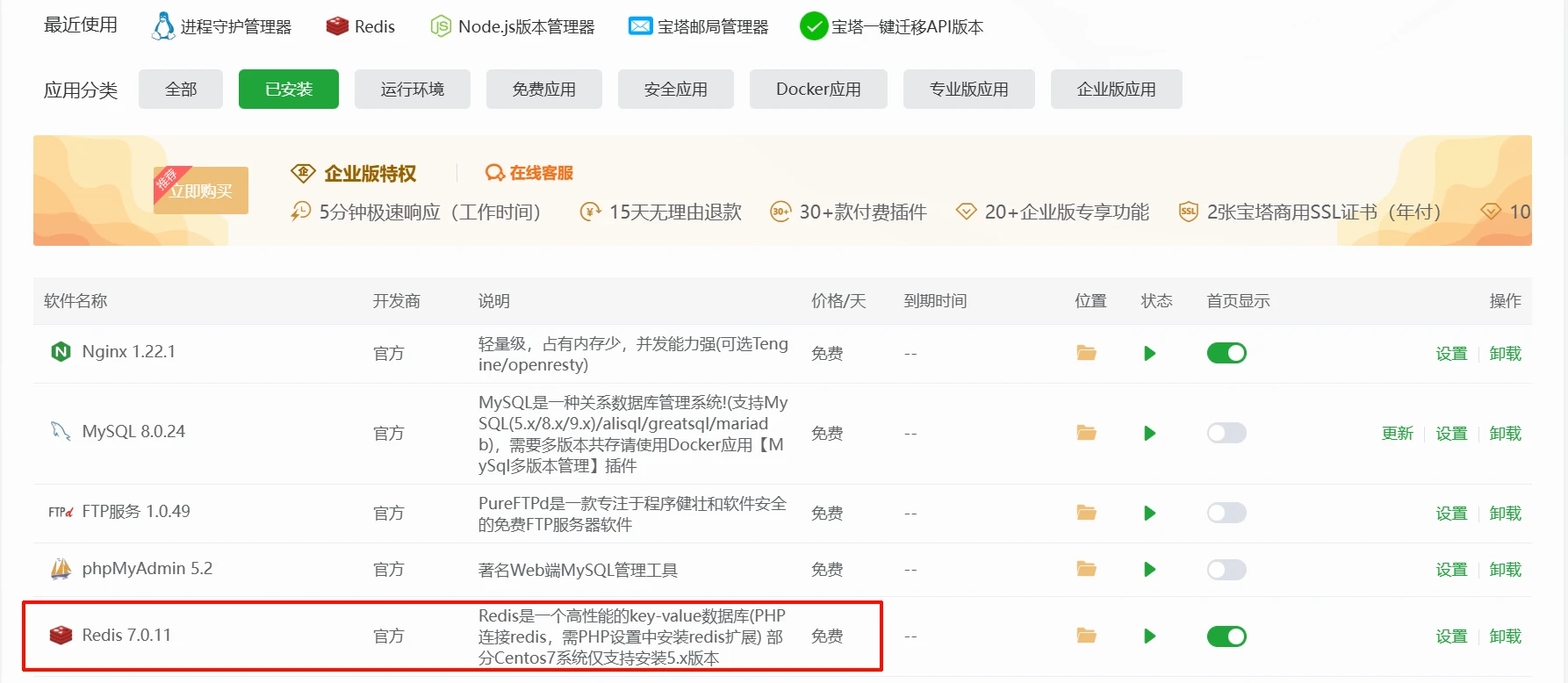
首先,进入宝塔的环境面板,安装本插件

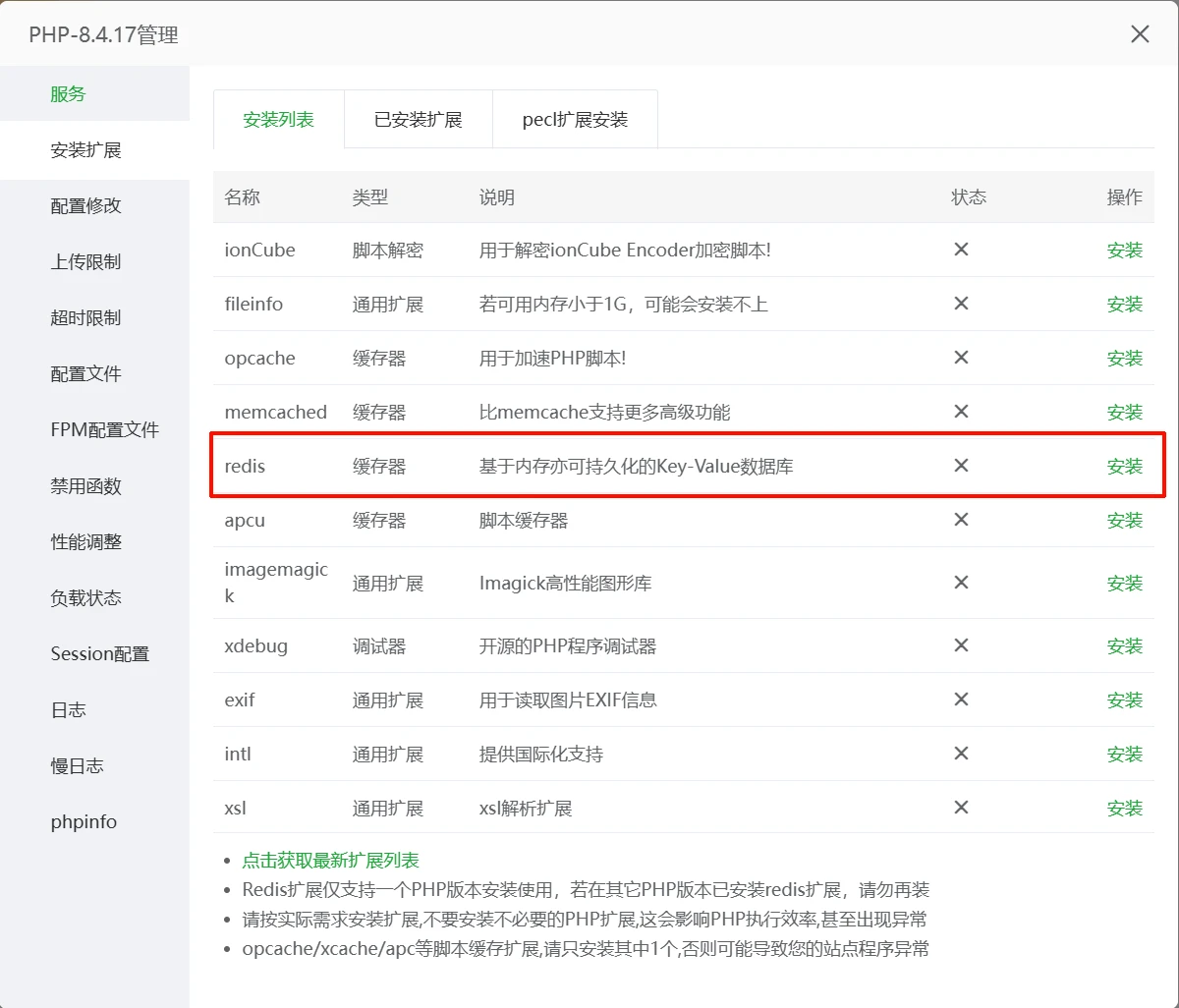
安装好以后,找到你网站的的PHP版本,点击安装扩展,找到Redis拓展。
程序配置

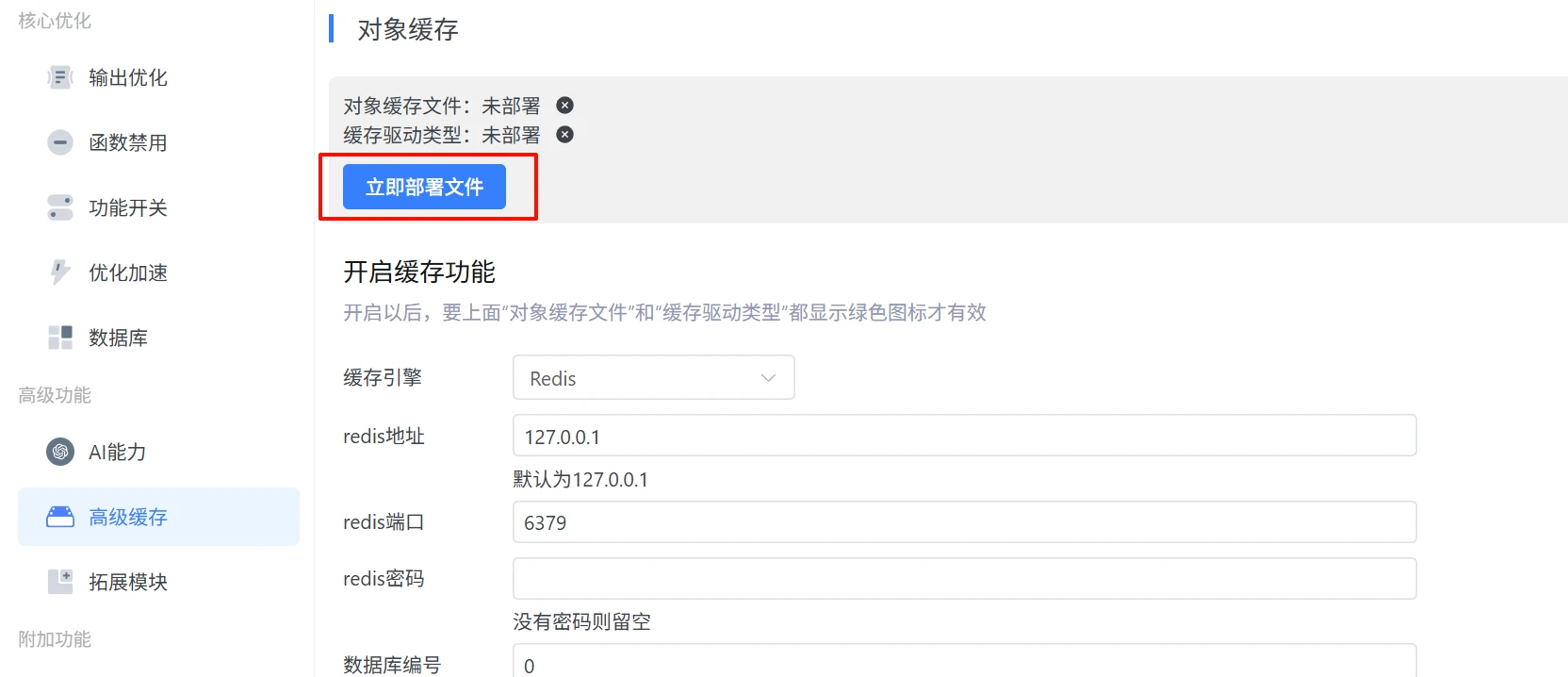
安装完成以后,进入插件,点击立即部署文件,都部署成功则可以继续使用。

部署成功后,缓存引擎选择Redis,其他的默认即可。点击获取Redis按钮,如果返回成功,则正常连接。
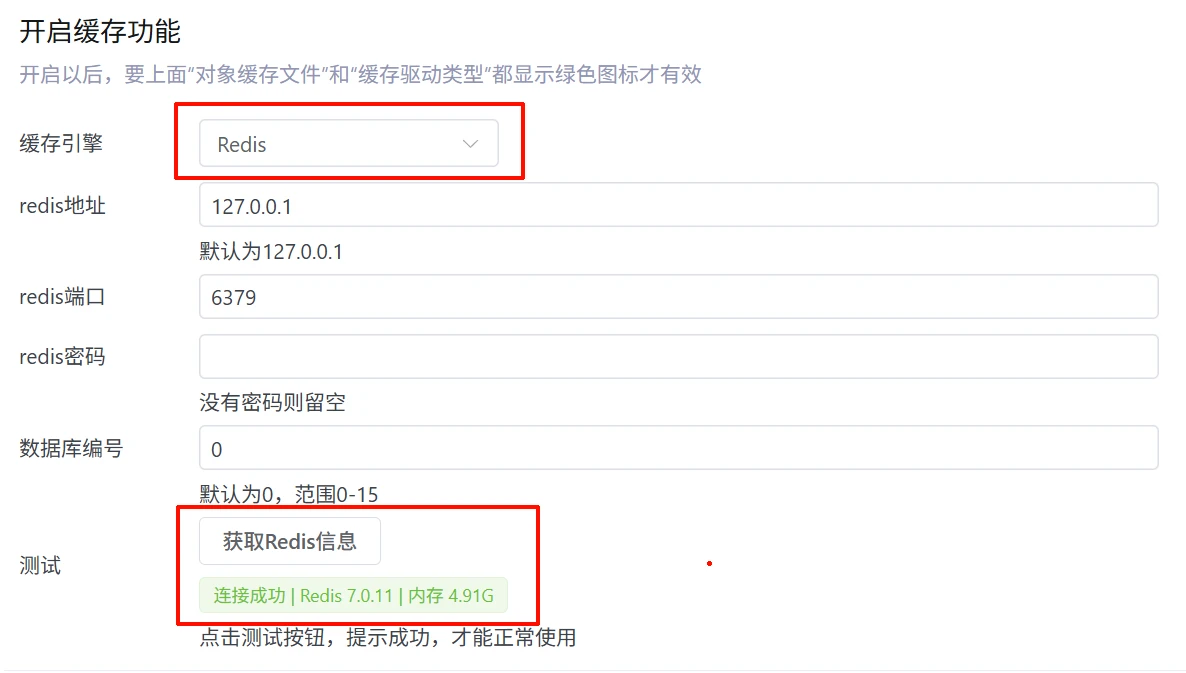
提示,数据库编号,,一般Redis提供多个数据库,你服务器有多个网站要缓存的话,可以设置不同的编号,比如当前网站设置了0,那么你另一个网站,就要设置1、2、3之类的,不能设置同样的编号,以免数据混乱。

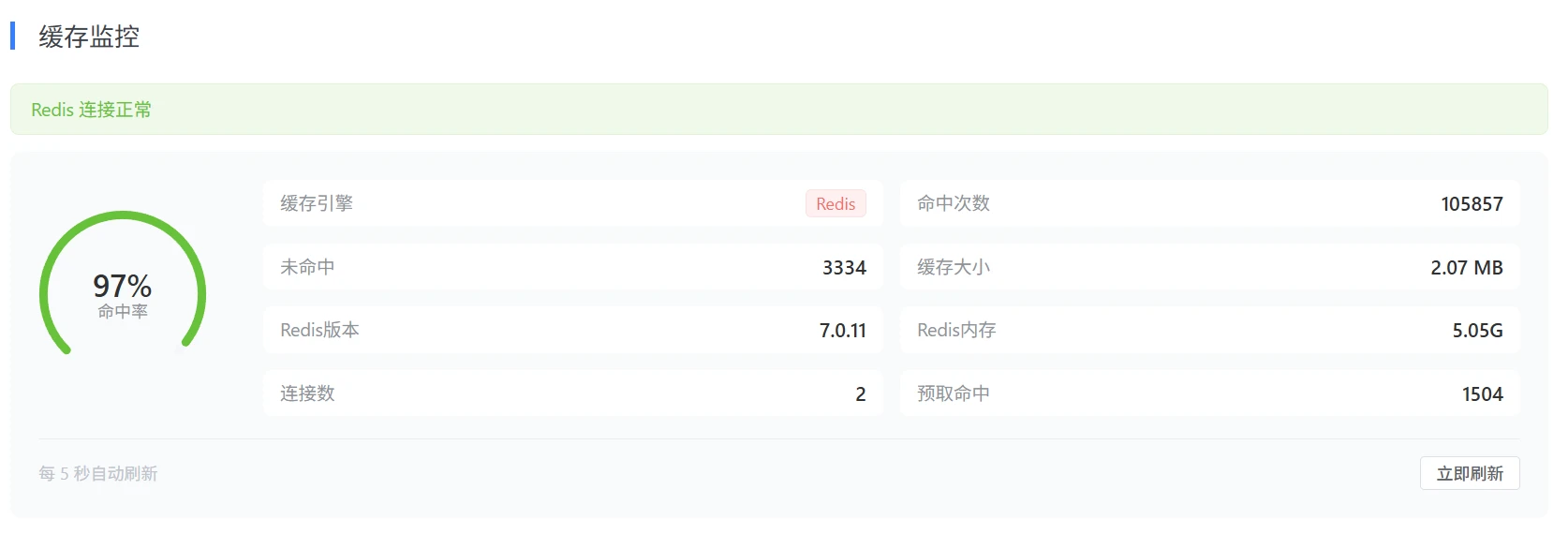
开启以后,下面的缓存监控会实时显示本站的当前Redis信息
更多配置

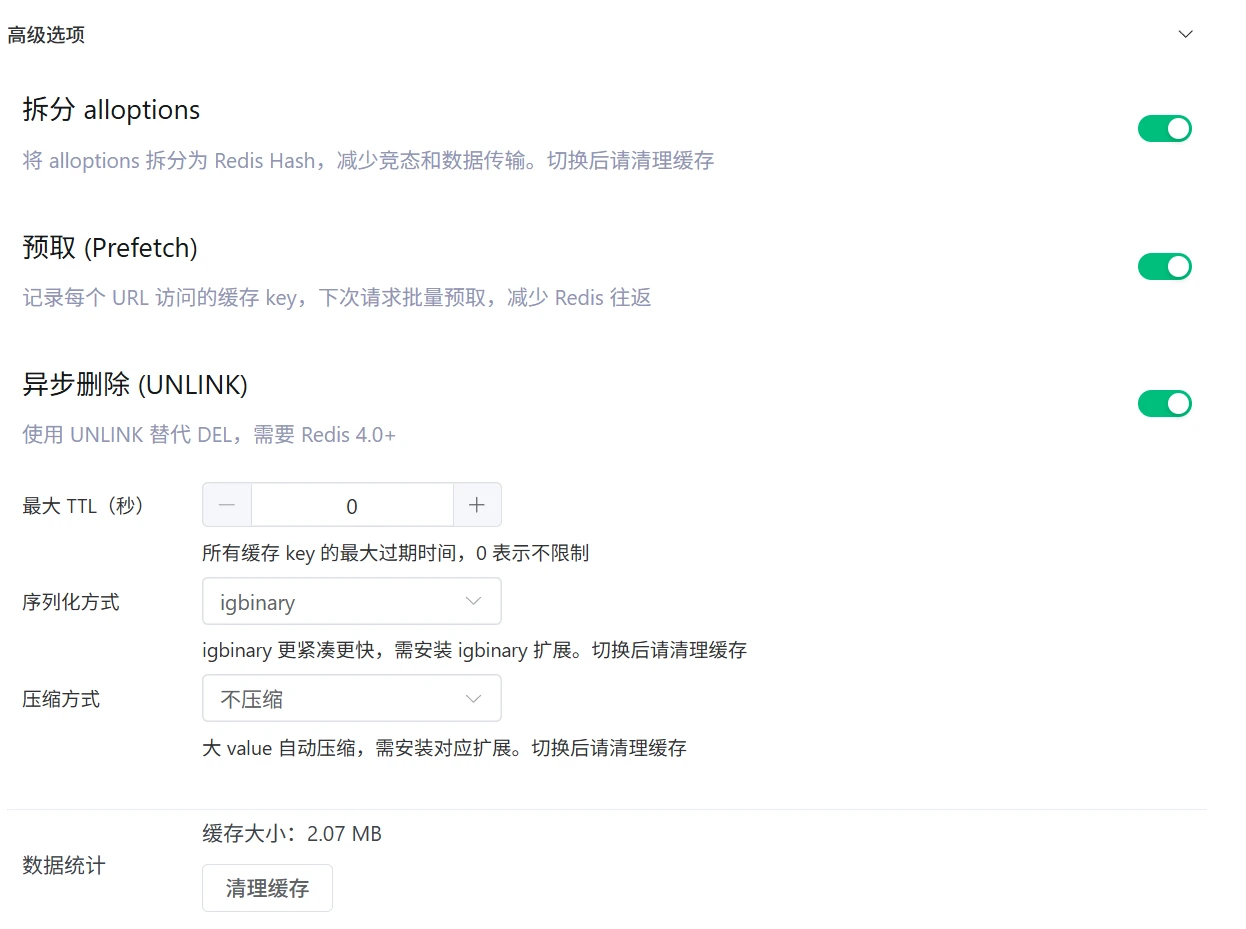
插件提供了高级设置,高级选项,按需设置。如果看不懂,可保持默认即可。

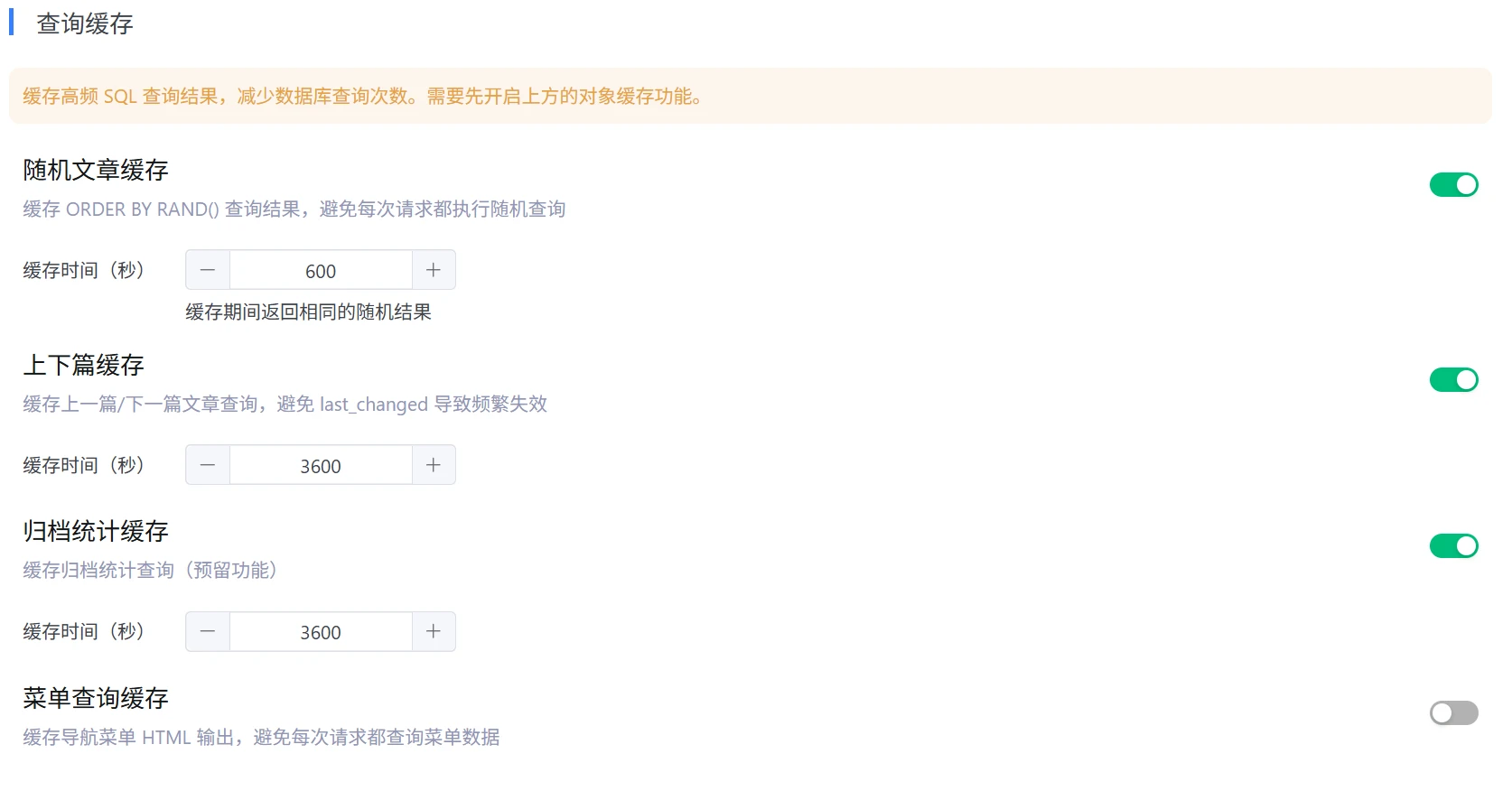
拉到下面,还有一些选项可以帮助缓存,都可以勾选,如果勾选菜单缓存,前台菜单显示异常的话,要关闭。
调试

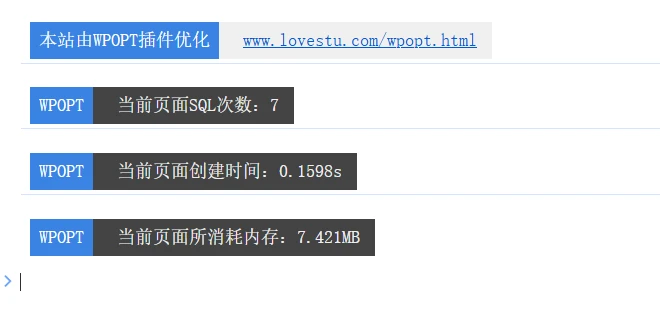
开启了不知道效果如何,可以进入插件的开发与调试,勾选输出查询次数

未开启缓存展示次数
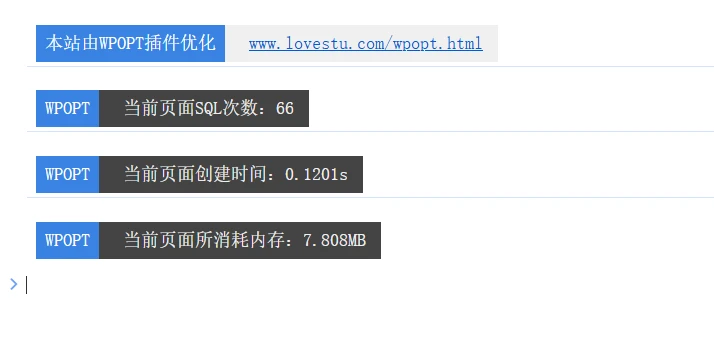
开启以后,次数明显减少