



惯性聚合 高效追踪和阅读你感兴趣的博客、新闻、科技资讯
阅读原文 在惯性聚合中打开

推荐订阅源

爱范儿
爱范儿
WordPress大学
WordPress大学
C
Check Point Blog
GbyAI
GbyAI
U
Unit 42
Google DeepMind News
B
Blog RSS Feed
Blog — PlanetScale
Blog — PlanetScale
J
Java Code Geeks
I
InfoQ
freeCodeCamp Programming Tutorials: Python, JavaScript, Git & More
Hugging Face - Blog
Hugging Face - Blog
Vercel News
Vercel News
博客园 - 【当耐特】
美团技术团队
小众软件
小众软件
S
SegmentFault 最新的问题
Jina AI
Jina AI
阮一峰的网络日志
阮一峰的网络日志
让小产品的独立变现更简单 - ezindie.com
The Cloudflare Blog
Last Week in AI
Last Week in AI
OSCHINA 社区最新新闻
OSCHINA 社区最新新闻
V
Visual Studio Blog

Obsidian Blog

Obsidian Sync audits by Cure53 and Trail of Bits The future of Obsidian plugins Obsidian October 2025 Less is safer: how Obsidian reduces the risk of supply chain attacks Obsidian is now free for work 2024 Gems of the year winners 2024 Gems of the year nominations Second audit of Obsidian apps completed by Cure53 Obsidian Softwear: new Fractal t-shirts and hoodies Save the web Obsidian October 2024 Obsidian Sync now starts at $4 per month with the new Standard plan Announcing JSON Canvas: an open file format for infinite canvas data 2023 Gems of the year winners New security page and independent audit completed by Cure53 2023 Gems of the year nominations New Obsidian Sync plans: bigger, better, faster, smoother Goodbye legacy editor Obsidian October 2023 Free your notes How to verify Obsidian Sync's end-to-end encryption The new Obsidian icon New developer documentation site Obsidian Publish now offers more for less: a lower price, with new features, improved SEO and accessibility 2022 Gems of the year winners I’m joining Obsidian full-time as CEO New Code of Conduct for our community 2022 Gems of the year nominations Obsidian October 2022 winners Obsidian October 2022
Obsidian Importer now converts Apple Notes to portable, d...
kepano · 2023-10-19 · via Obsidian Blog

Obsidian Importer allows you to convert your data from a variety of proprietary formats to portable, durable files. These files work with any Markdown app, so you have control over your data, and are not locked into any tool.

Today we’re excited to share that Importer now works with Apple Notes, and is compatible with its many content types — including internal links added in iOS 17. See our guide: How to convert your Apple Notes to Obsidian.

Three months ago, we introduced Importer as an open-source project. Thanks to contributions from the Obsidian community, Importer supports converting your data from Notion, Evernote, Google Keep, Microsoft OneNote, Bear, Roam Research, HTML files, and more.

The latest version of Importer tackles the most challenging format to date: Apple Notes.

Unfortunately, Apple Notes is one of the few note-taking apps that does not have a built-in export feature. Because Apple Notes uses a proprietary format, it makes data complicated to migrate, and nearly impossible to use in conjunction with other tools.

Apple Notes supports content such as tables, images, drawings, scans, and PDFs. As of iOS 17 it also supports links between notes. This breadth of content makes the conversion process more challenging. Here’s the good news: all of these content types can now be extracted using Obsidian Importer.
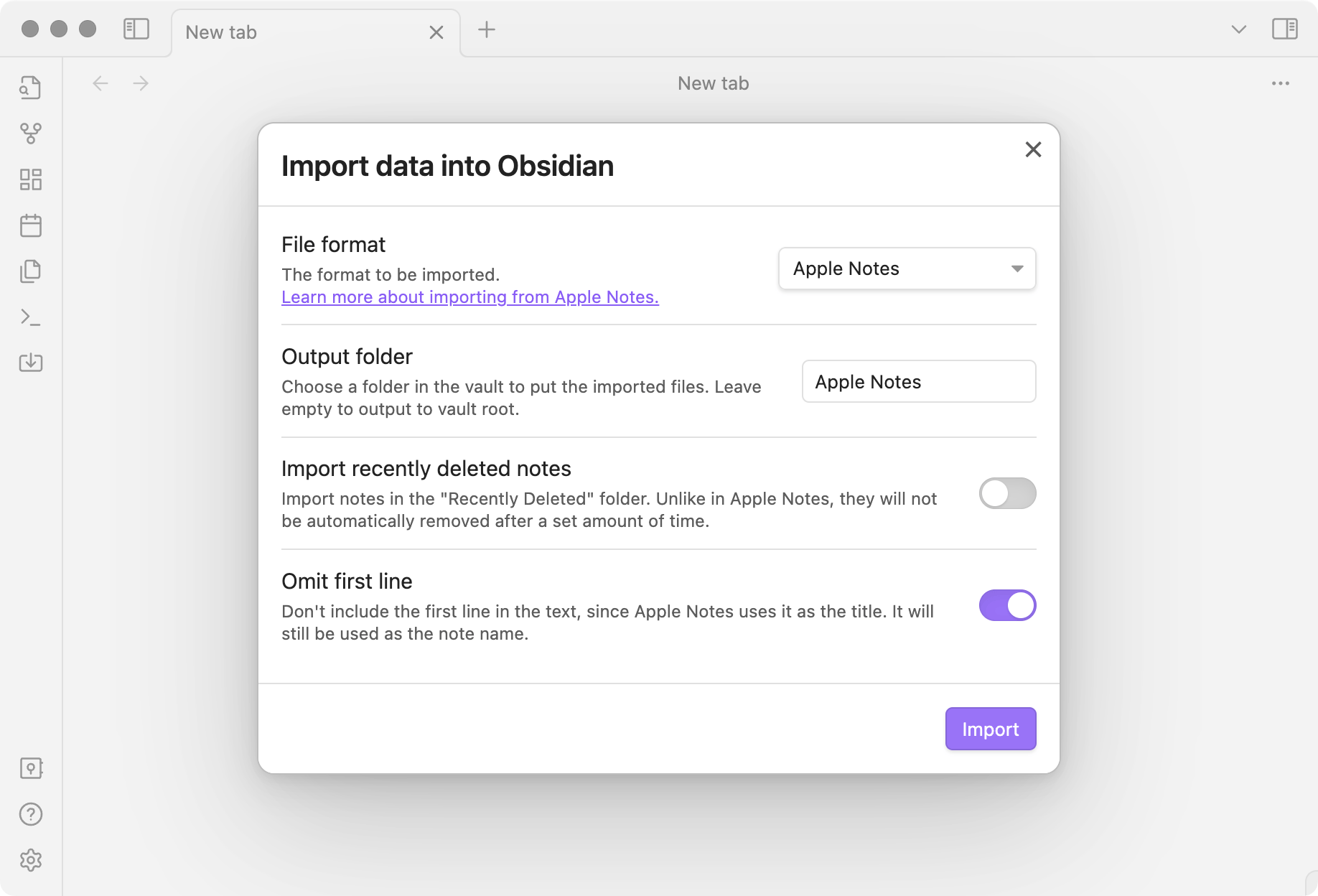
Obsidian Importer showing Apple Notes import

So, how does it work? Apple Notes stores your data in a local SQLite database. This data is in an undocumented format, but it’s possible to decode how it is stored and convert it. Decoding the Protocol Buffers stored in the Apple Notes database was made possible by the work of Jon Baumann from Ciofeca Forensics and its adaptation for Obsidian by Mir Novov.

Whether you’re planning to migrate away from Apple Notes or just want to back up your data, the new Obsidian Importer gives you the freedom to easily convert your Apple Notes to portable, durable files.