惯性聚合 高效追踪和阅读你感兴趣的博客、新闻、科技资讯
阅读原文 在惯性聚合中打开

推荐订阅源

F
Fortinet All Blogs
爱范儿
爱范儿
V
Visual Studio Blog
Engineering at Meta
Engineering at Meta
B
Blog
云风的 BLOG
云风的 BLOG
G
Google Developers Blog
MongoDB | Blog
MongoDB | Blog
博客园 - Franky
U
Unit 42
Cyber Security Advisories - MS-ISAC
WordPress大学
WordPress大学
D
DataBreaches.Net
B
Blog RSS Feed
小众软件
小众软件
人人都是产品经理
人人都是产品经理
I
InfoQ
P
Proofpoint News Feed
博客园 - 聂微东
让小产品的独立变现更简单 - ezindie.com
J
Java Code Geeks
The GitHub Blog
The GitHub Blog
OSCHINA 社区最新新闻
OSCHINA 社区最新新闻
奇客Solidot–传递最新科技情报
奇客Solidot–传递最新科技情报

Tasker and Join

Where Innovation Meets Classic Casino Thrills in 2024 – Tasker and Join Tasker 6.6 – Live Update Notifications, Sunset/Sunrise, Java Code, Shizuku and More! – Tasker and Join Tasker 6.5 – AI Generator, Receive Shares, Calendar and More! – Tasker and Join Tasker 6.4 – Widget v2, Remote Action Execution and More! – Tasker and Join Tasker 6.3 – New UI Preview, WebUI, Device Owner Actions and More! – Tasker and Join Tasker 6.2 – Matter Home Automation, HTTP Server, Work Profile Management and more! – Tasker and Join Tasker 6.1 – New App Icons, Keep Accessibility Alive, Quick Setting Tiles, Flashlight and more! – Tasker and Join Tasker Made Simple – Tasker and Join Tasker 5.15 – Android 13 Icon, Custom Toasts, Clipboard images and more! – Tasker and Join Tasker 5.14 – Scenes +, Screen Recording, Public TaskerNet Shares and more! – Tasker and Join
AutoInput Actions v2 – Single Action Total UI Automation ...
joaomgcd · 2023-03-31 · via Tasker and Join

AutoInput 3.0 is out and with it comes a new action that will help you fully automate your device’s UI!

The Helper
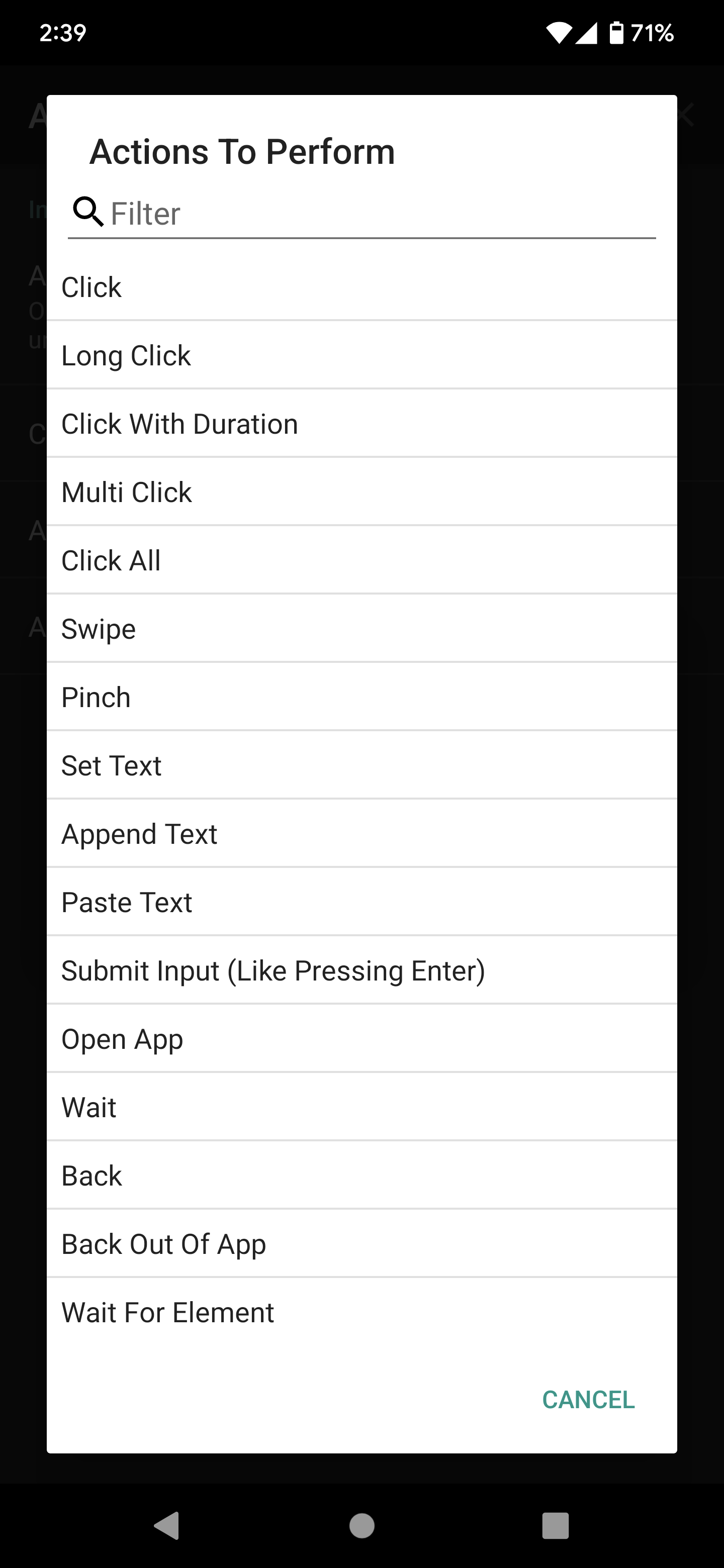
When you use the new AutoInput Actions v2 Tasker action, you’ll get access to a new Helper.

This helper will guide you through the process of setting up your UI automation actions.

For example, let’s say you want to automate opening an app and then clicking something in it. You’d use the helper to

  • add the Open App action
  • the helper would open the app for you and ask you if you want to add more actions
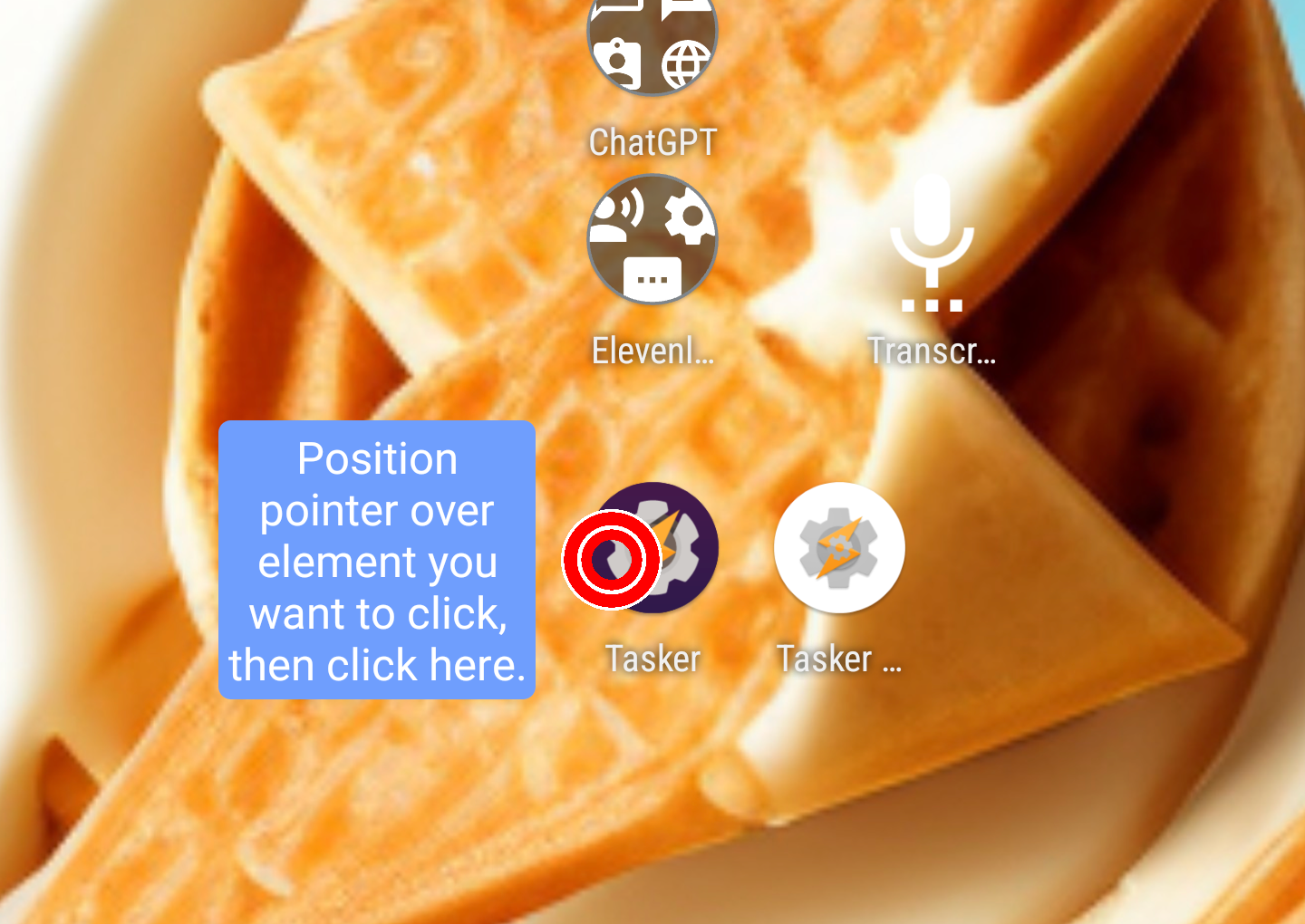
  • you’d then add the Click action where the helper would ask you where you want to click: 
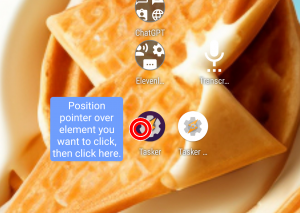
  • the helper would then click it for you so you’re sure that it works
  • after all actions are added the helper will take you back to Tasker where your action will be configured!
A Single Action For Each Automation

As mentioned, you can add as many UI-automation actions in a single Tasker action as you want! The example above would consist of one single action instead of the 2 you’d normally get with AutoInput!

Super Fast Running

AutoInput now interacts with the UI even faster than before! It’ll go through all of the actions provided as fast as it can and can often be much faster that the legacy AutoInput action!

New Action Demos

Check out some demos of what you can do with the new AutoInput Actions v2 Tasker action!

Discuss

You can comment on this release here

Enjoy!

A new version of Tasker is out! Download it here! This version should be on Google Play any minute now, but if you […]

In Android Oreo notification categories were introduced which is great for users! These allow users to fully control how their app’s notifications […]

You can now control any of the thousands of Alexa compatible home automation devices right from Tasker! Here’s a full tutorial on […]

The Google Assistant API is not public yet (it will be in december) but IFTTT got early access to it. Because of […]