



惯性聚合 高效追踪和阅读你感兴趣的博客、新闻、科技资讯
阅读原文 在惯性聚合中打开

推荐订阅源

腾讯CDC
Schneier on Security
B
Blog RSS Feed
aimingoo的专栏
aimingoo的专栏
P
Proofpoint News Feed
A
About on SuperTechFans
Recorded Future
Recorded Future
Recent Announcements
Microsoft Security Blog
L
LangChain Blog
Hugging Face - Blog
Hugging Face - Blog
The GitHub Blog
The GitHub Blog
Google DeepMind News
T
Tailwind CSS Blog
Vercel News
Vercel News
H
Hackread – Cybersecurity News, Data Breaches, AI and More
MyScale Blog
MyScale Blog
V2EX - 技术
V2EX - 技术
N
Netflix TechBlog - Medium
F
Fortinet All Blogs
V
Visual Studio Blog
Martin Fowler
Martin Fowler
K
KPMG report finds enterprise disconnect between AI and its ROI | CIO
博客园 - Franky
freeCodeCamp Programming Tutorials: Python, JavaScript, Git & More
T
The Exploit Database - CXSecurity.com
F
Full Disclosure
Scott Helme
Scott Helme
H
Heimdal Security Blog
博客园 - 叶小钗
Google DeepMind News
Cyberwarzone
Cyberwarzone
Application and Cybersecurity Blog
V
Vulnerabilities – Threatpost
Blog — PlanetScale
Blog — PlanetScale
Security Latest
Security Latest
WordPress大学
WordPress大学
Cyber Security Advisories - MS-ISAC
T
Troy Hunt's Blog
S
SegmentFault 最新的问题
Forbes - Security
Forbes - Security
Jina AI
Jina AI
S
Securelist
小众软件
小众软件
Simon Willison's Weblog
J
Java Code Geeks
AWS News Blog
AWS News Blog
N
News and Events Feed by Topic
博客园 - 三生石上(FineUI控件)
量子位

秋記Autumn - 卸载工具

暂无文章

火绒强力卸载工具Beta版 Huorong Uninstaller v1.0.0.3
秋記Autumn · 2026-03-29 · via 秋記Autumn - 卸载工具


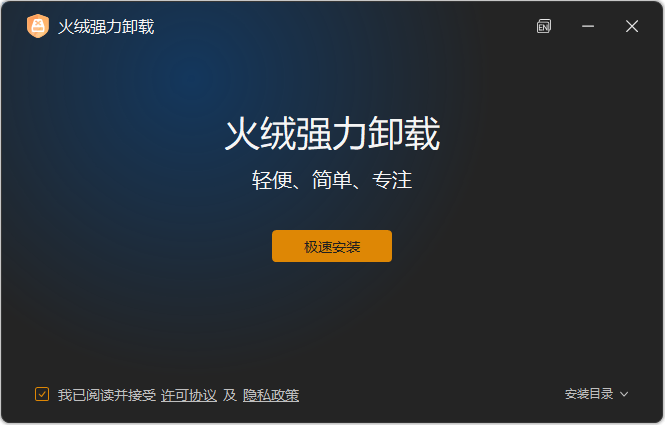
火绒强力卸载工具 Beta (Huorong Uninstaller) 是火绒安全于 2026 1 月推出的一款 免费、独立、无广告 的专业软件卸载工具,主打彻底清除卸载残留与顽固软件。

一、基本信息:

1.  当前版本:1.0.0.3 (Beta)
2.  
安装包大小:约 7.4MB
3.  
系统支持:Windows 7 / 8 / 8.1 / 10 / 11Windows Server 2008 R2 及以上
4.  
授权:完全免费,无广告,不捆绑
5.  
独立性:无需安装火绒安全软件,可独立运行

二、核心功能:
1.  
双模式卸载
普通卸载:调用软件自带卸载程序,适合正常软件。
一键卸载:深度模式,通过 规则库 + 扫描引擎 强力清除文件、注册表、服务等所有残留,专治顽固 / 损坏软件。
2.  
安装行为监控
后台运行时,可记录新软件的所有安装路径与写入操作。
卸载时依据记录精准清理,彻底无残留。
3.  
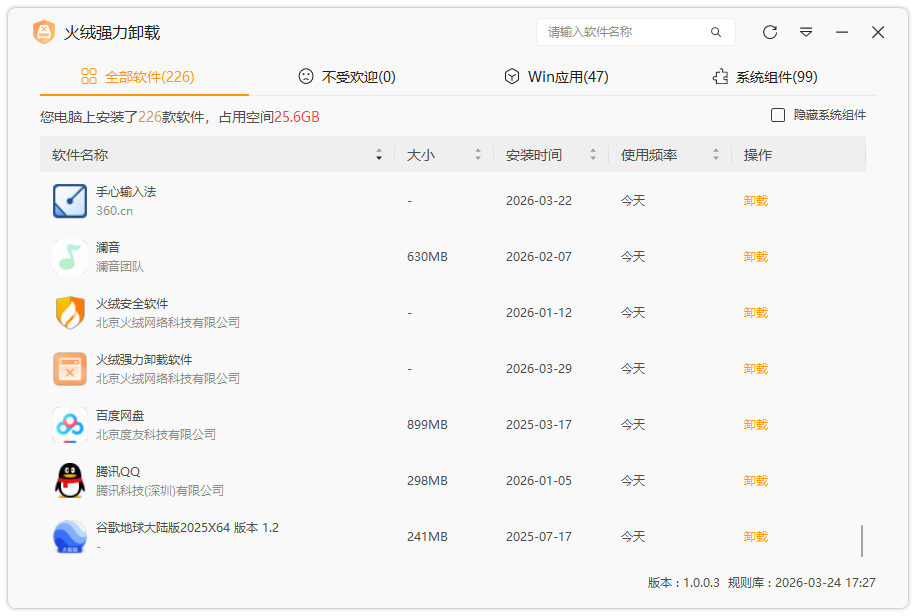
智能软件管理
分类列表:全部 / 不常用 / Win 应用 / 系统组件。
显示软件大小、安装时间、使用频率,支持快速搜索。
4.  
安全机制
禁止一键卸载安全类软件,防止误删。
处理占用文件时采用后置解除,避免系统崩溃。

三、使用建议:

1.  日常卸载:使用 普通卸载,安全稳定。
2.  
顽固软件 / 清理残留:优先使用 一键卸载。
3.  
最佳实践:安装新软件前,提前打开火绒强力卸载 并开启监控,后续卸载最干净。
4.  
注意:Beta 版暂不支持卸载Windows Apps (UWP)火绒安全
5. 
请注意删除文件操作操作存在风险
6. 
建议在虚拟环境中进行试用

蓝奏云分享
下载链接:https://wwbrr.lanzouw.com/b00yatykze 提取码:52pj