惯性聚合 高效追踪和阅读你感兴趣的博客、新闻、科技资讯
阅读原文 在惯性聚合中打开

推荐订阅源

S
Secure Thoughts
罗磊的独立博客
T
The Blog of Author Tim Ferriss
人人都是产品经理
人人都是产品经理
博客园 - 叶小钗
Last Week in AI
Last Week in AI
美团技术团队
Google Online Security Blog
Application and Cybersecurity Blog
D
Docker
G
Google Developers Blog
大猫的无限游戏
大猫的无限游戏
酷 壳 – CoolShell
酷 壳 – CoolShell
小众软件
小众软件
月光博客
月光博客
L
LINUX DO - 最新话题
cs.AI updates on arXiv.org
CTFtime.org: upcoming CTF events
W
WeLiveSecurity
H
Heimdal Security Blog
Vercel News
Vercel News
SecWiki News
SecWiki News
Forbes - Security
Forbes - Security
Blog — PlanetScale
Blog — PlanetScale
Google DeepMind News
Exploit-DB.com RSS Feed
www.infosecurity-magazine.com
TaoSecurity Blog
TaoSecurity Blog
T
Troy Hunt's Blog
A
About on SuperTechFans
C
Check Point Blog
S
Security Affairs
Hacker News - Newest:
Hacker News - Newest: "LLM"
AI
AI
WordPress大学
WordPress大学
K
KPMG report finds enterprise disconnect between AI and its ROI | CIO
Help Net Security
Help Net Security
博客园_首页
The Last Watchdog
The Last Watchdog
S
SegmentFault 最新的问题
Hugging Face - Blog
Hugging Face - Blog
Security Archives - TechRepublic
Engineering at Meta
Engineering at Meta
cs.CV updates on arXiv.org
I
Intezer
K
Kaspersky official blog
M
MIT News - Artificial intelligence
J
Java Code Geeks
G
GRAHAM CLULEY
P
Palo Alto Networks Blog

相逢一场

再次 - 相逢一场 阴天 - 相逢一场 放假 - 相逢一场 六月 - 相逢一场 内耗 - 相逢一场 假期 - 相逢一场 久违 - 相逢一场 工作 - 相逢一场 搞笑 - 相逢一场 忙碌 - 相逢一场 新年快乐 - 相逢一场 游戏 - 相逢一场 fuck makeding - 相逢一场 梦 - 相逢一场
adobe Illustrator 莫名卡顿解决方法 - 相逢一场
相逢一场 · 2026-06-19 · via 相逢一场

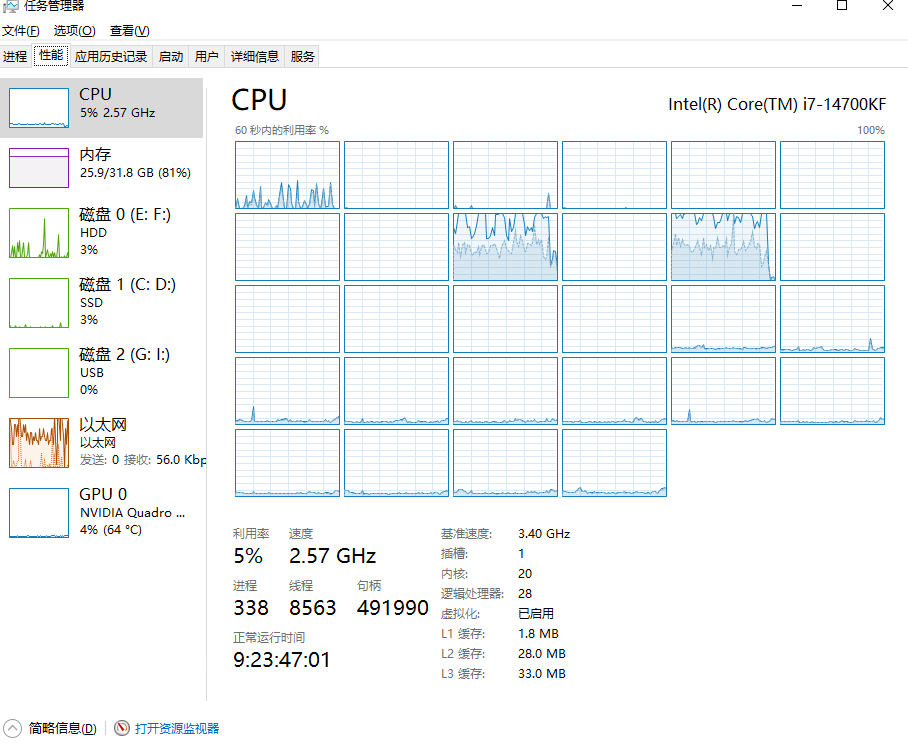
明明电脑配置很高,
cpu和内存占用不满,
但是ai读写文件、导出图片还是卡卡的。
2026-06-19T08:04:56.png

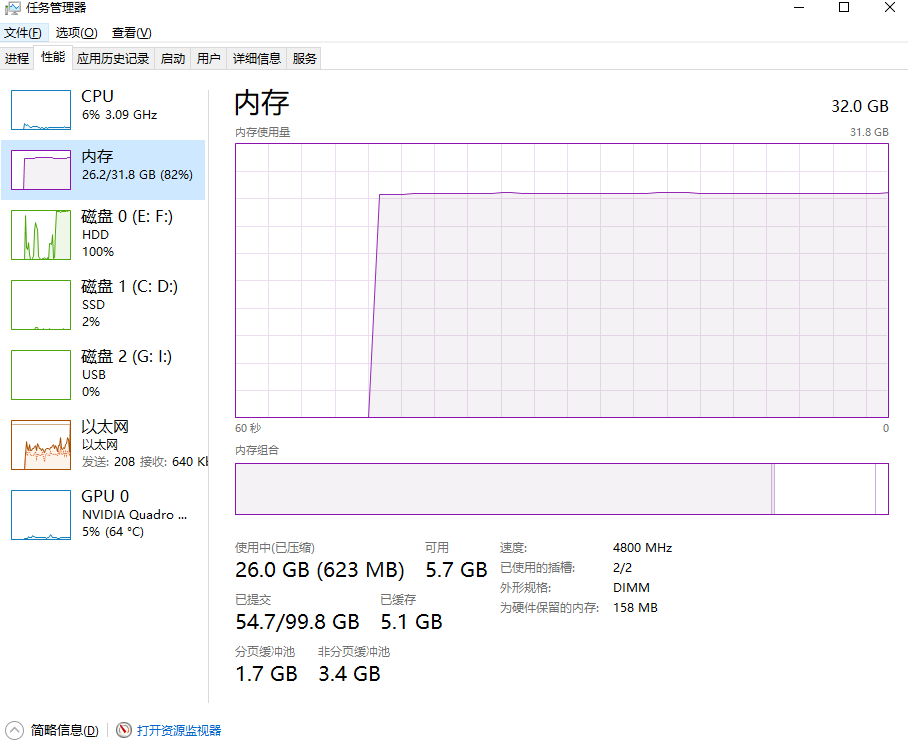
可能问题1 可能是硬盘瓶颈,Illustrator在读写文件,

导出图片,渲染时候会疯狂占用暂存盘,

之前默认的是机械硬盘,读写大文件时候是这样。
2026-06-19T08:08:01.png
机械盘直接100%占用,导致电脑 特别的卡。

解决方案1

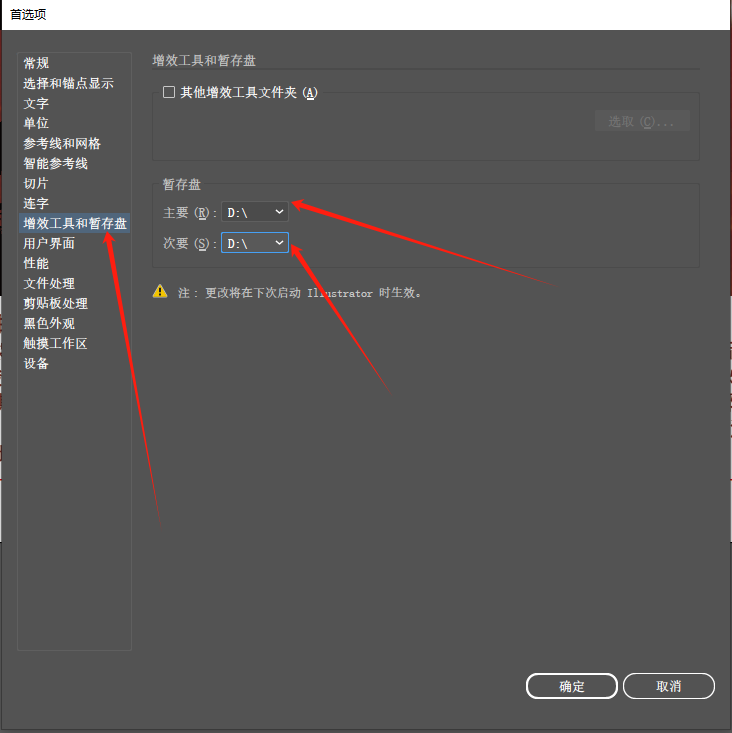
1.打开Illustrator 按Ctrl+K 打开首选项, 把暂存盘设置为固态硬盘。
2026-06-19T08:11:59.png

2.还有文件处理,把文件储存选项的位置也更改为固态硬盘位置, 自动储存恢复数据的时间间隔 也根据电脑性能酌情修改,我这里是5分钟。
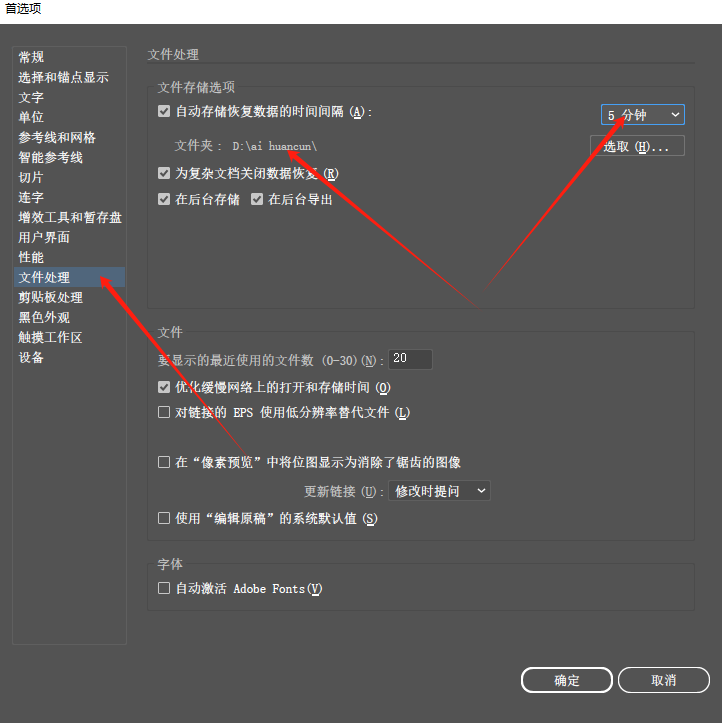
2026-06-19T08:13:05.png

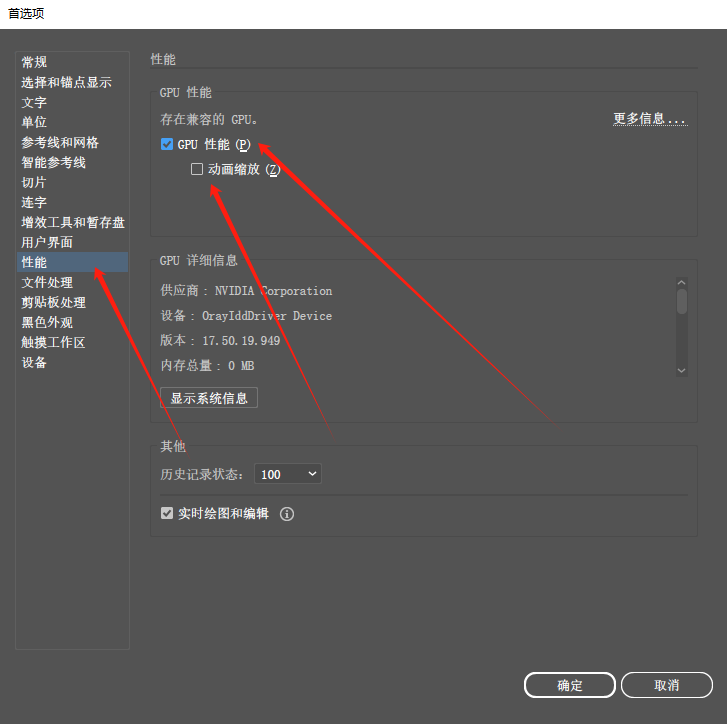
3.点到性能,打开GPU性能。 下面的动画缩放我不习惯使用,就没有勾选。

2026-06-19T08:15:17.png

就这样,应该能解决大部分软件卡顿。

基于adobe Illustrator2024发布。