










去年年底,阿里云悄咪咪上线了一个 Supabase 平台,最吸引人的就是阿里云原生数据仓库 AnalyticDB PostgreSQL版 下多了免费的1核2G PostgreSQL 数据库。
当然,每人只能创建一台。

介绍也一如既往鸡贼,跟ESA免费版一样,注明了仅用于开发测试。信他就是对羊毛党的不尊重,薅它就完事了。

打开:https://gpdbnext.console.aliyun.com/gpdb/cn-hangzhou/supabase
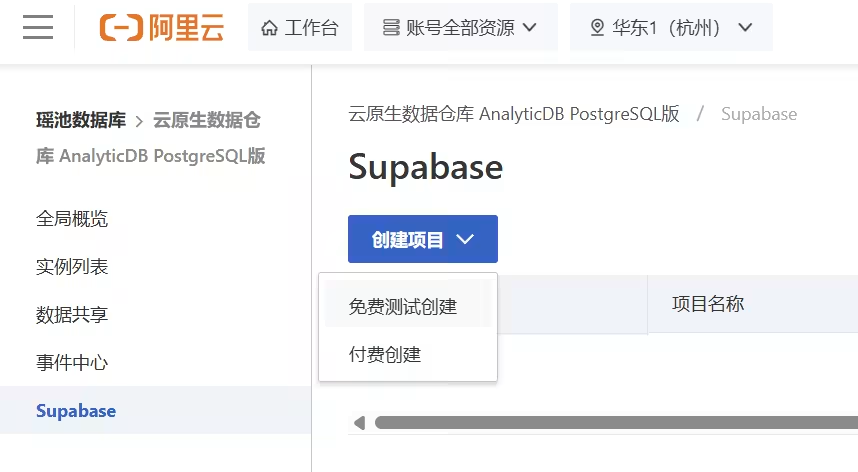
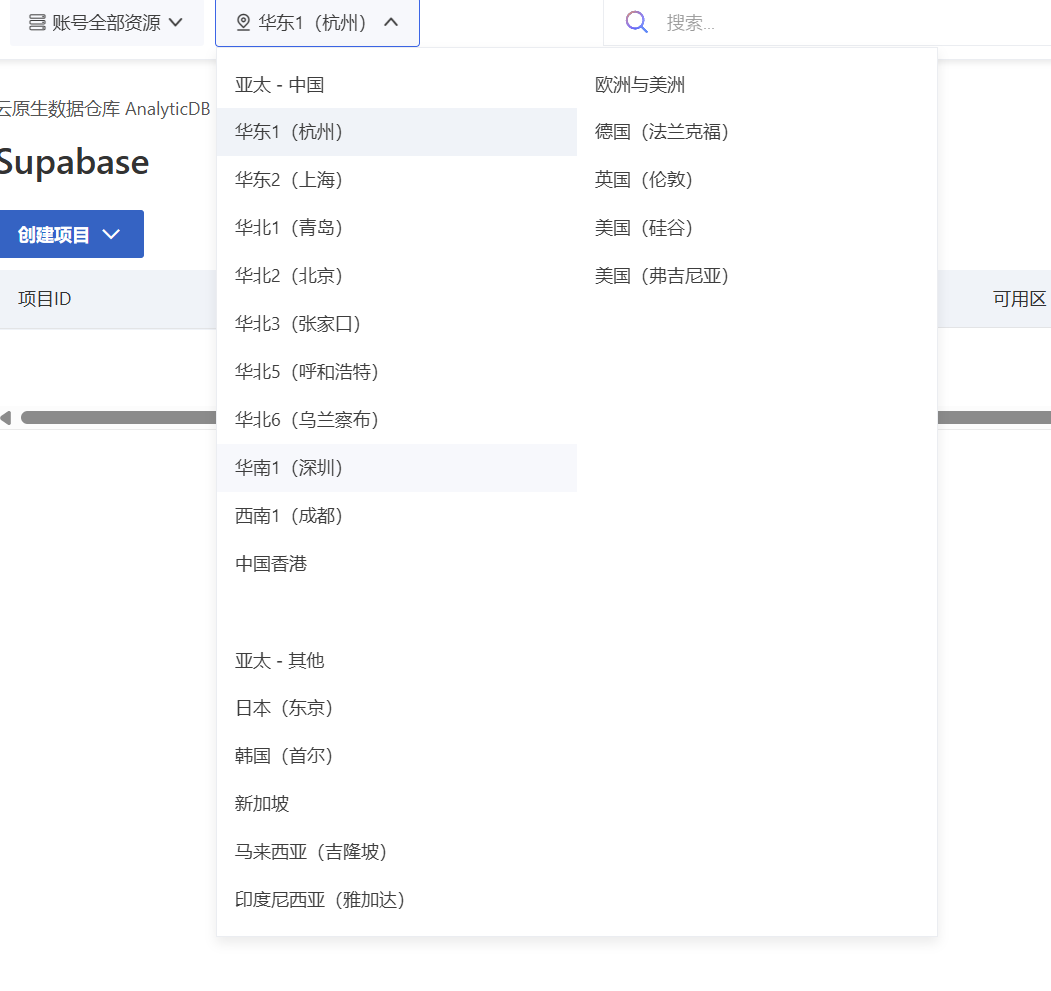
注意要选择地区,首批 Supabase PostgreSQL 支持的地区不全,比如就没有广州地区,无伤大雅,直接离服务器最近的。
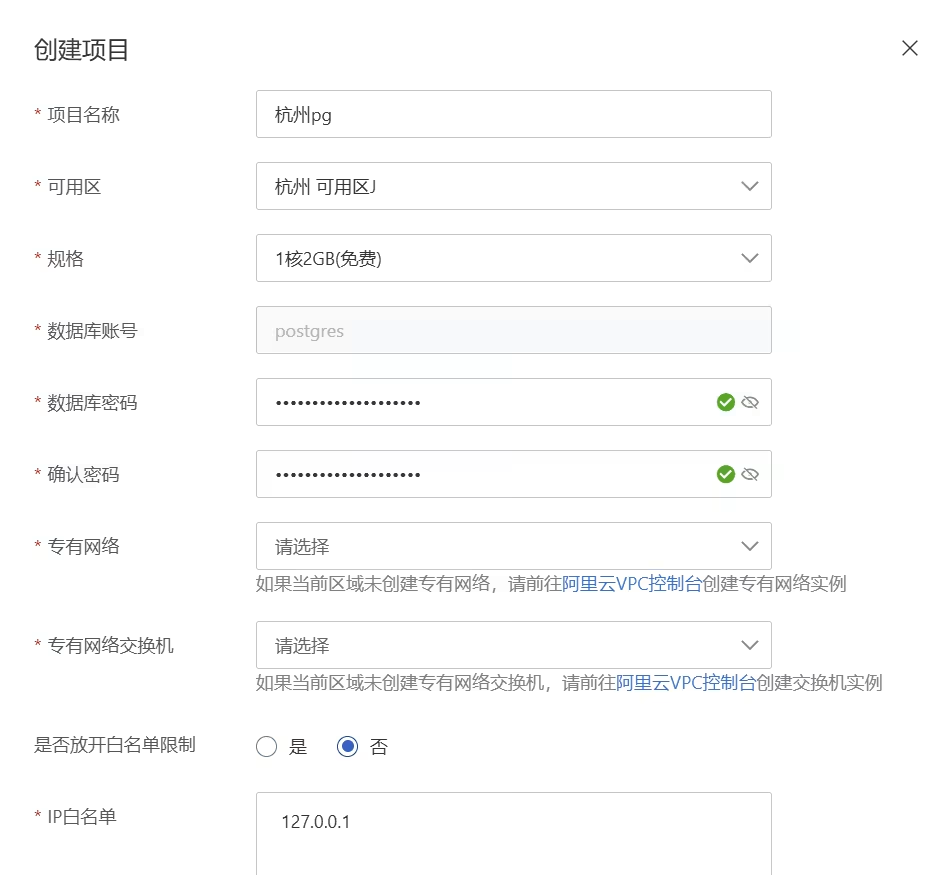
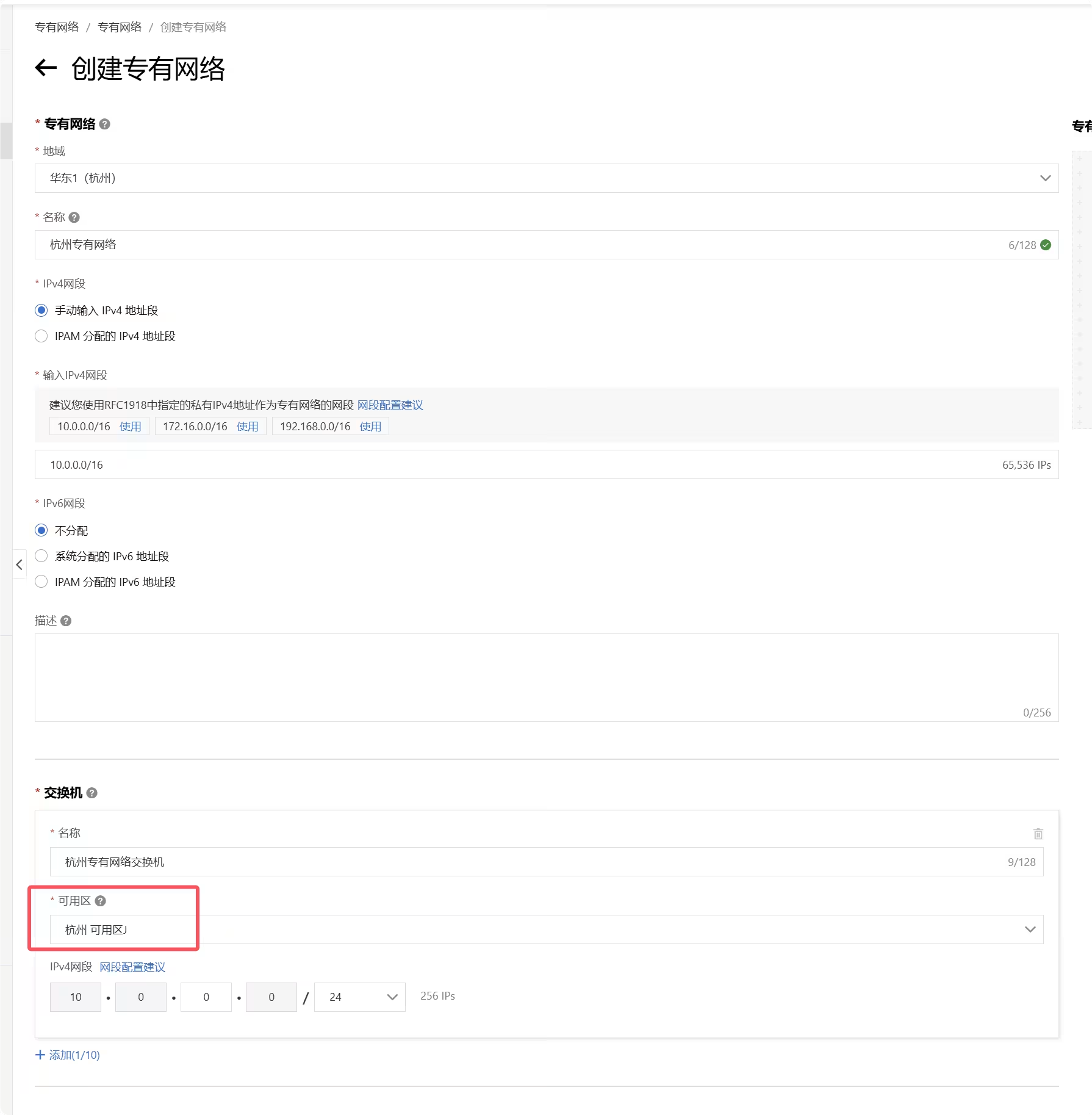
一般来说,如果没有杭州地区的阿里云服务器,专有网络和专有网络交换机是空的,需要去阿里云VPC控制台创建,要记住这里的可用区(杭州 可用区J)。
创建专有网络,可用区要与上方一样
回到创建项目,就可以看到专有网络存在了,ip白名单填写自己服务器IP。
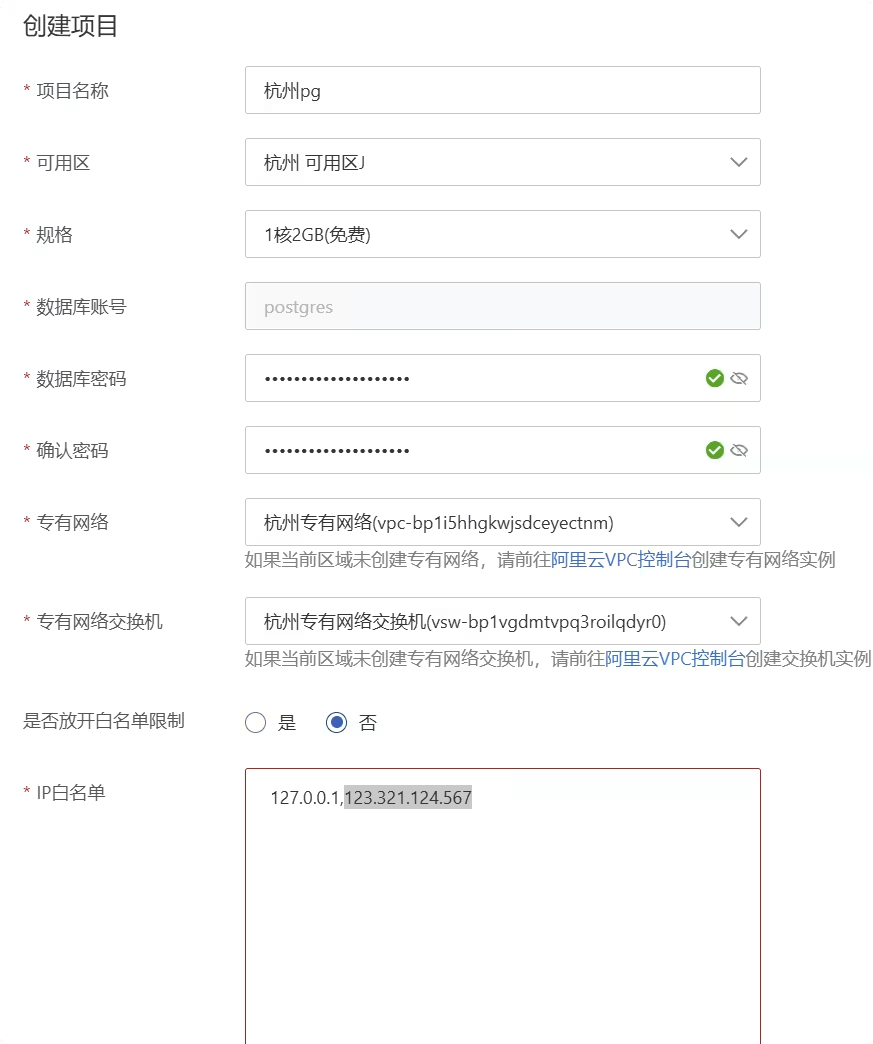
如果服务器也是在同一个专有网络里,就可以走内网连接,速度非常块。
也可以不设白名单,直接0.0.0.0暴露公网,给其他不确定IP的服务使用,如Vercel、Dokploy...
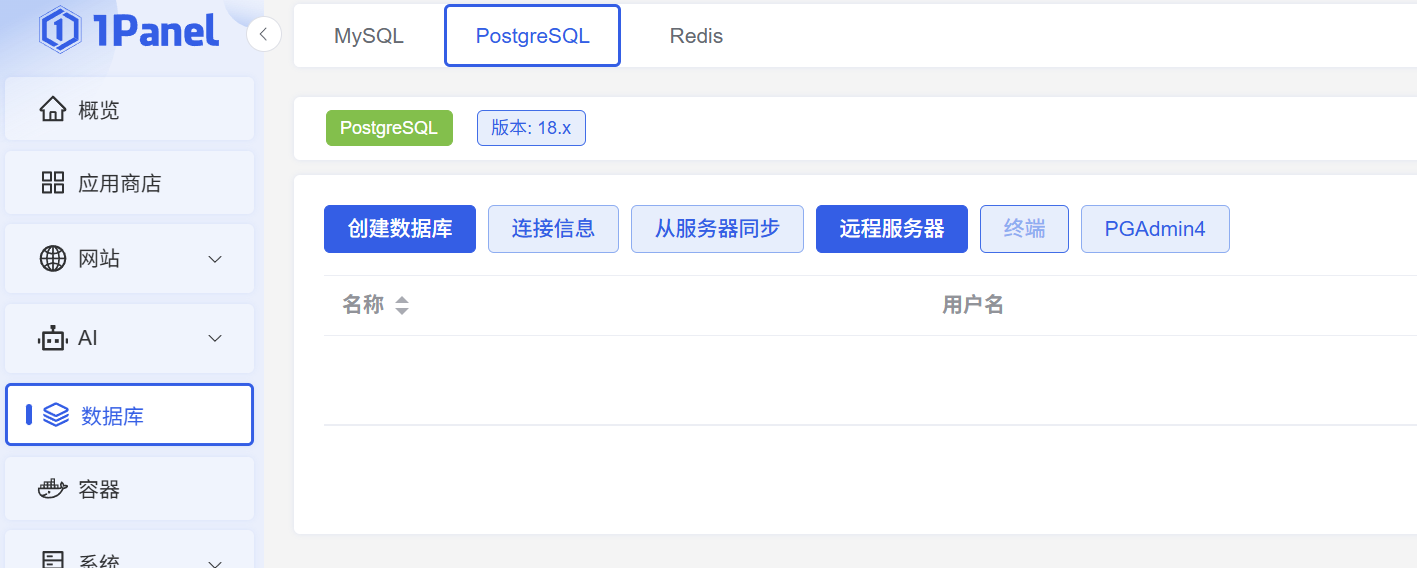
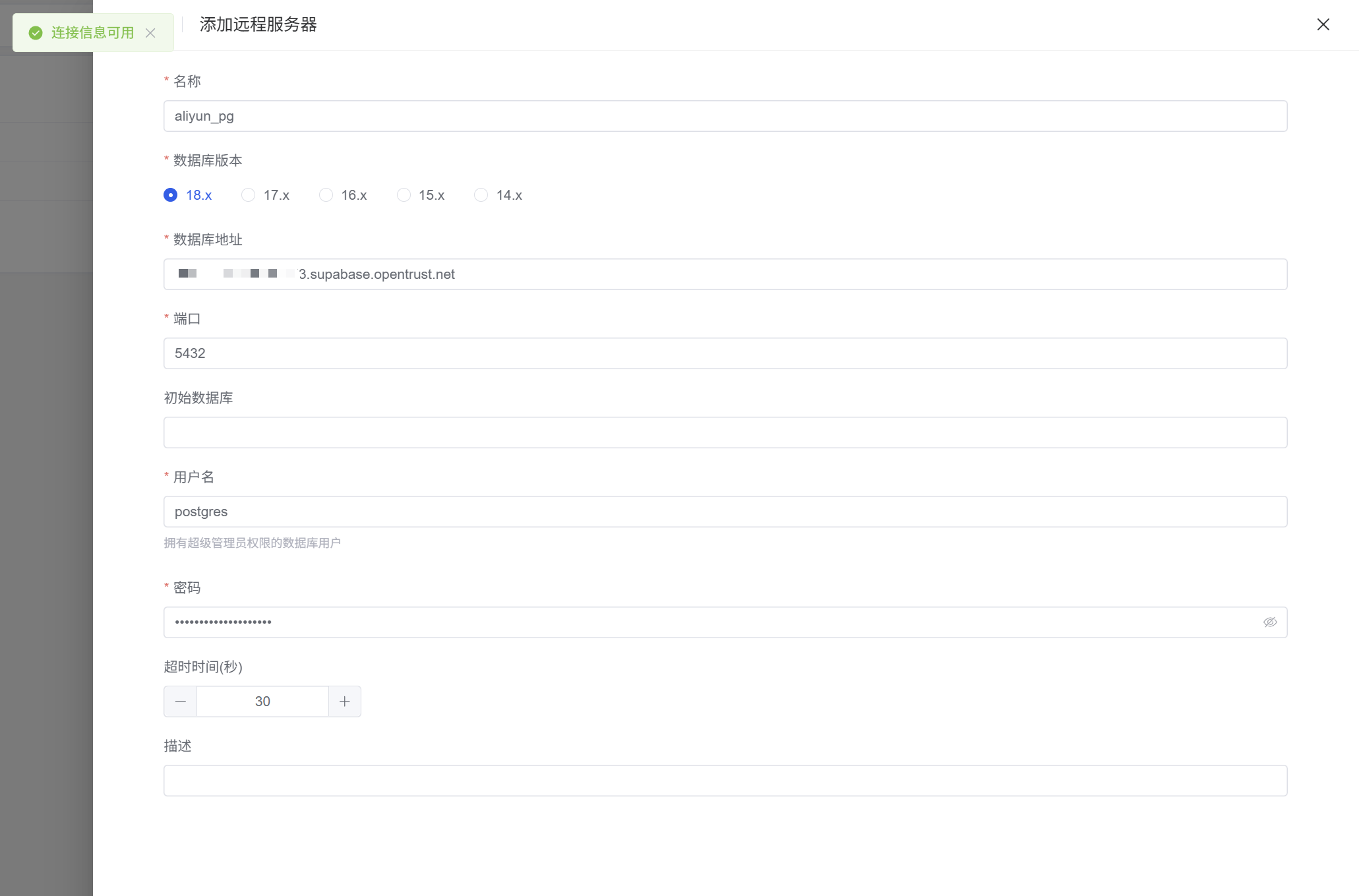
用户名默认是:postgres
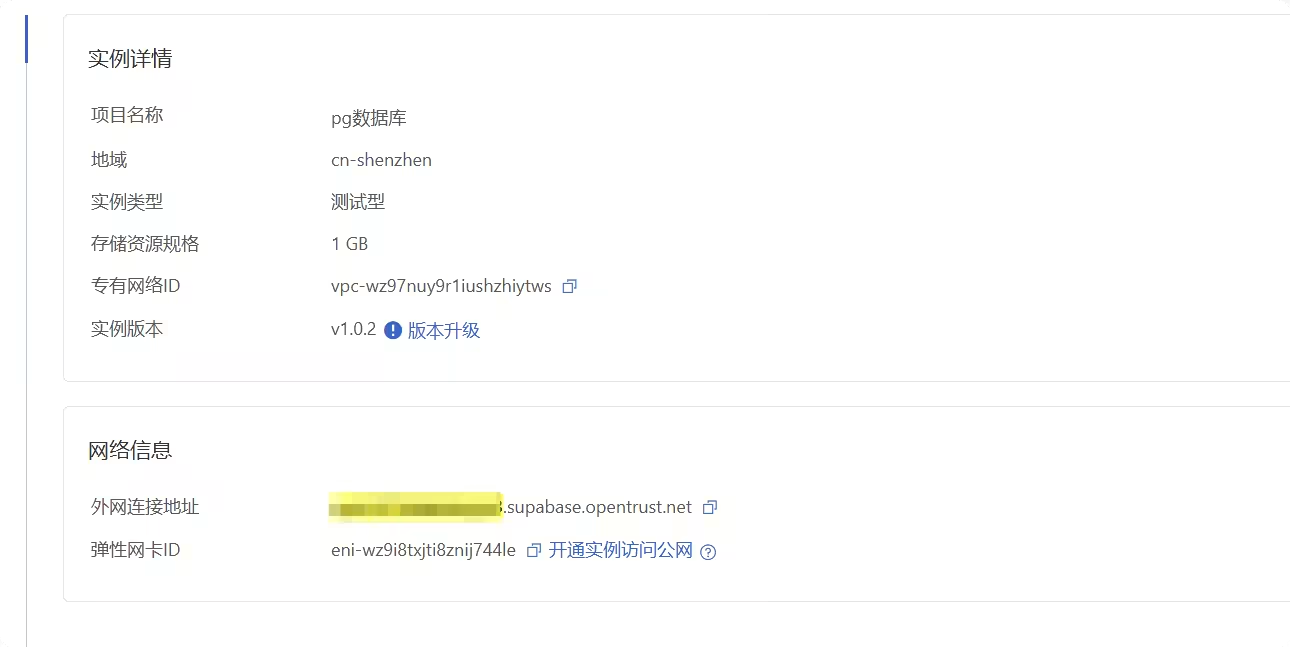
数据库地址填外网连接地址,可以在阿里云Supabase PostgreSQL 基本信息里查看。
项目ID.supabase.opentrust.net
毕竟是免费,公网连接,网络物理延迟是性能的瓶颈,Debuff叠满了,测试仅供图一乐。
pgbench -h spb-*.supabase.opentrust.net -p 5432 -U postgres -c 10 -j 2 -T 30 -P 5 test
Password:

pgbench (18.1, server 15.8)
starting vacuum...end.
progress: 5.0 s, 38.4 tps, lat 233.286 ms stddev 95.465, 0 failed
progress: 10.0 s, 42.2 tps, lat 236.762 ms stddev 56.552, 0 failed
progress: 15.0 s, 42.4 tps, lat 236.857 ms stddev 48.884, 0 failed
progress: 20.0 s, 42.4 tps, lat 235.358 ms stddev 52.196, 0 failed
progress: 25.0 s, 42.4 tps, lat 236.359 ms stddev 49.955, 0 failed
progress: 30.0 s, 42.4 tps, lat 235.453 ms stddev 41.865, 0 failed
transaction type: <builtin: TPC-B (sort of)>
scaling factor: 1
query mode: simple
number of clients: 10
number of threads: 2
maximum number of tries: 1
duration: 30 s
number of transactions actually processed: 1261
number of failed transactions: 0 (0.000%)
latency average = 235.723 ms
latency stddev = 59.334 ms
initial connection time = 398.050 ms
tps = 42.248489 (without initial connection time)
如果是公网链接,并不适合做读写频繁的业务,42 TPS拉到裤子里了。
pgbench -h spb-*.supabase.opentrust.net -p 5432 -U postgres -S -c 20 -T 30 test
Password:

pgbench (18.1, server 15.8)
starting vacuum...end.
transaction type: <builtin: select only>
scaling factor: 1
query mode: simple
number of clients: 20
number of threads: 1
maximum number of tries: 1
duration: 30 s
number of transactions actually processed: 51865
number of failed transactions: 0 (0.000%)
latency average = 10.917 ms
initial connection time = 1715.783 ms
tps = 1832.048180 (without initial connection time)
只读性能倒是非常优秀,适合SQL轻写入的项目。
目前,该免费版本目前 没有试用时长或次数限制 ,但阿里云保留未来调整免费策略的权利,并会通过公告等方式提前通知。
且用且珍惜吧。
此内容由惯性聚合(RSS阅读器)自动聚合整理,仅供阅读参考。 原文来自 — 版权归原作者所有。