







接上篇优化,我们使用Laravel的方式改造
首先编辑.env,修改广播驱动为pusher
# BROADCAST_DRIVER=log
BROADCAST_DRIVER=pusher

PUSHER_APP_ID=1122467
PUSHER_APP_KEY=7b7a4b68e07138fc3b11
PUSHER_APP_SECRET=af7******aadbc26a4
PUSHER_APP_CLUSTER=ap3

MIX_PUSHER_APP_KEY="${PUSHER_APP_KEY}"
MIX_PUSHER_APP_CLUSTER="${PUSHER_APP_CLUSTER}"
前端创建一个vue组件, Add按钮:往push服务端发送信息 同时,打开页面时监听广播并显示push服务端传回来的信息
resources/js/components/ExampleComponent.vue
vue
<template>
    <div class="container">
        <div class="row justify-content-center">
            <div class="col-md-8">
                <div class="card">
                    <div class="card-header">Example Component</div>
                    <div class="card-body">
                        <button @click="add">Add</button>

                        <ul>
                            <li v-for="(item, index) in items" :key="index">{{ item.name }} -- {{ item.data }}</li>
                        </ul>
                    </div>
                </div>
            </div>
        </div>
    </div>
</template>

<script>
export default {
    data() {
        return {
            items: []
        }
    },
    methods: {
        add() {
            axios.post('/task/demo')
        }
    },
    mounted() {
        let that = this;
        Echo.channel('task-event')
            .listen('TaskEvent', (e) => {
                console.log(e);
                that.items.push(e)
            });
    }
}
</script>
resources/js/app.js Vue.component('example-component', require('./components/ExampleComponent.vue').default);
后端
php artisan make:event TaskEvent
打开 app/Events/TaskEvent.php 并编辑
php
<?php

namespace App\Events;

use Illuminate\Broadcasting\Channel;
use Illuminate\Broadcasting\InteractsWithSockets;
use Illuminate\Contracts\Broadcasting\ShouldBroadcast;
use Illuminate\Foundation\Events\Dispatchable;
use Illuminate\Queue\SerializesModels;

class TaskEvent implements ShouldBroadcast
{
    use Dispatchable, InteractsWithSockets, SerializesModels;

    public $task;


    /**
     * TaskEvent constructor.
     * @param $task
     */
    public function __construct($task)
    {
        //
        $this->task = $task;
        // 这行很重要,有时候我们一条广播信息,我们只希望通知给其他监听者,自己不用接收
        // 比如我们添加一条记录,本身就可以push到当前列表,同时又要显示广播来的记录,就会重复显示
        // $this->dontBroadcastToCurrentUser();
    }

    /**
     * Get the channels the event should broadcast on.
     *
     * @return \Illuminate\Broadcasting\Channel|array
     */
    public function broadcastOn()
    {
        return new Channel('task-event');
    }

    public function broadcastWith()
    {
        return $this->task;
    }
}
添加测试路由
routes/web.php
php
Route::get('/task', 'TaskController@index')->name('task');

Route::post('/task/demo', function () {
    event(
        (new App\Events\TaskEvent(['name' => 'foo', 'data' => rand(1000, 9999)]))
    );
});
这里省略了 TaskController 和 view 的代码
浏览器打开 http://laravel6.test/task
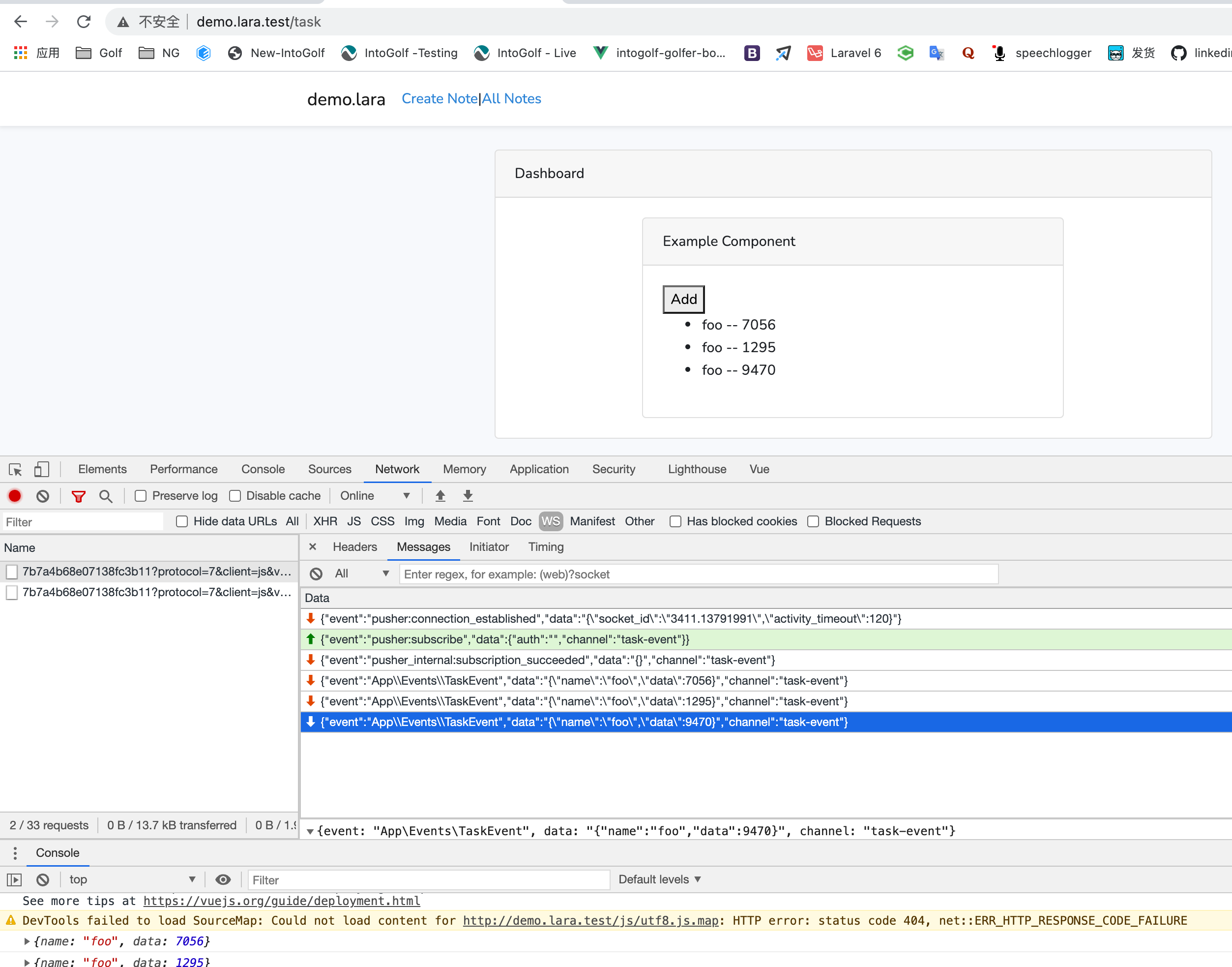
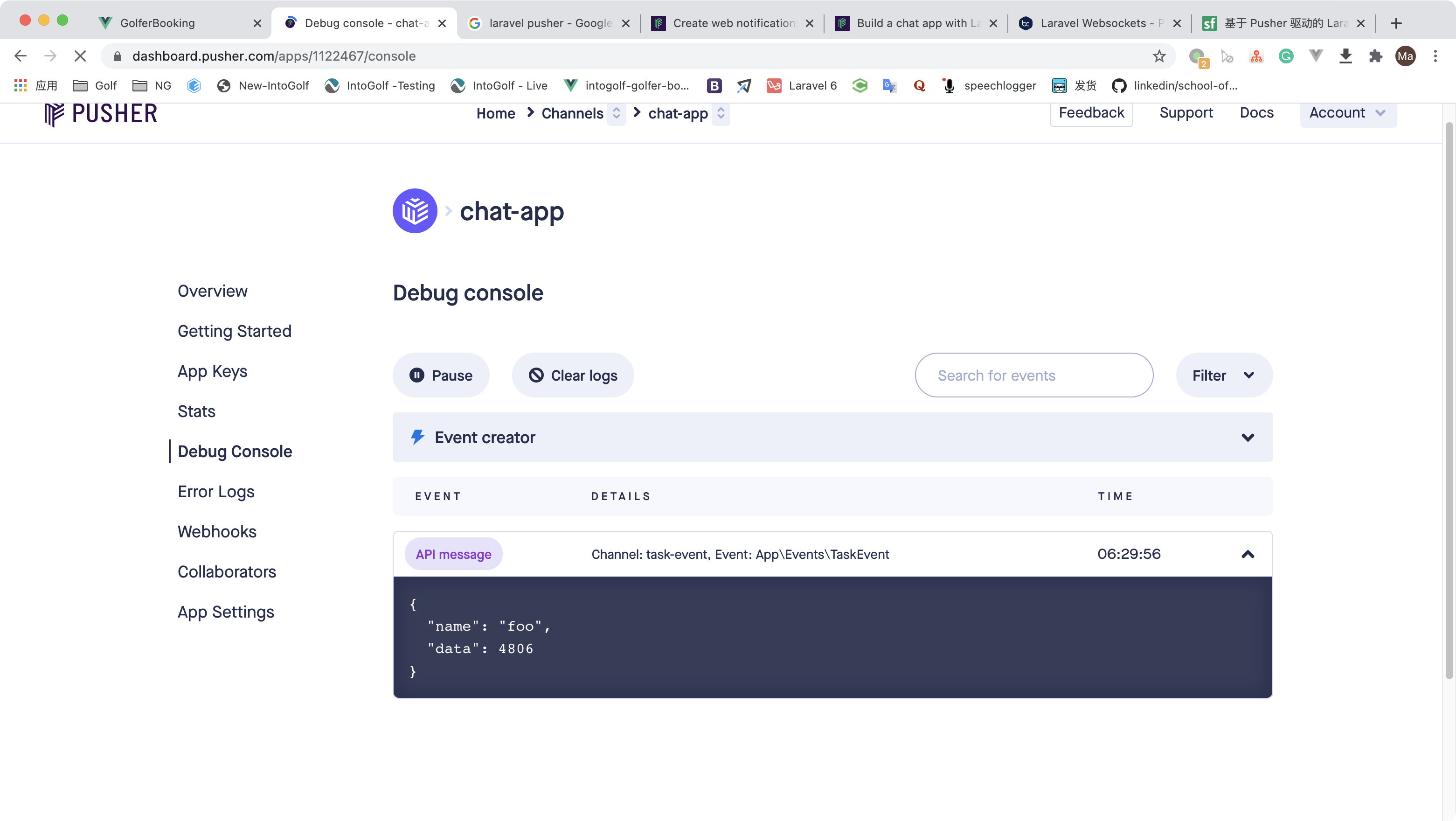
点add,打开pusher后台,会看到调试日志,非常方便
完整代码
https://github.com/mafeifan/chat-api-main/tree/echo-server