惯性聚合 高效追踪和阅读你感兴趣的博客、新闻、科技资讯
阅读原文 在惯性聚合中打开

推荐订阅源

博客园_首页
量子位
D
DataBreaches.Net
博客园 - 司徒正美
J
Java Code Geeks
博客园 - 【当耐特】
OSCHINA 社区最新新闻
OSCHINA 社区最新新闻
aimingoo的专栏
aimingoo的专栏
B
Blog
The Cloudflare Blog
D
Docker
I
InfoQ
爱范儿
爱范儿
MongoDB | Blog
MongoDB | Blog
腾讯CDC
月光博客
月光博客
Hugging Face - Blog
Hugging Face - Blog
Microsoft Azure Blog
Vercel News
Vercel News
阮一峰的网络日志
阮一峰的网络日志
小众软件
小众软件
S
SegmentFault 最新的问题
GbyAI
GbyAI
有赞技术团队
有赞技术团队

mafeifan 的编程技术分享

mafengwo-mp3-downloader | mafeifan 的编程技术分享 示例页面 | mafeifan 的编程技术分享 mafeifan 的编程技术分享 mafeifan 的编程技术分享 mafeifan 的编程技术分享 mafeifan 的编程技术分享 mafeifan 的编程技术分享 mafeifan 的编程技术分享 mafeifan 的编程技术分享 mafeifan 的编程技术分享 mafeifan 的编程技术分享 查看 default namespace 下的 default service account名称 mafeifan 的编程技术分享 检查日志 | mafeifan 的编程技术分享 bridge fdb show dev flannel.1 mafeifan 的编程技术分享 mafeifan 的编程技术分享 mafeifan 的编程技术分享 mafeifan 的编程技术分享 mafeifan 的编程技术分享 mafeifan 的编程技术分享 mafeifan 的编程技术分享 mafeifan 的编程技术分享 mafeifan 的编程技术分享 mafeifan 的编程技术分享 mafeifan 的编程技术分享 mafeifan 的编程技术分享 mafeifan 的编程技术分享 mafeifan 的编程技术分享 mafeifan 的编程技术分享
mafeifan 的编程技术分享
2026-01-16 · via mafeifan 的编程技术分享

Java 网络启动协议(JNLP) 是一种允许客户端启动托管在远程Web服务器上的应用程序的协议。 通过 JNLP 协议增加 agent 比较简单,步骤如下:

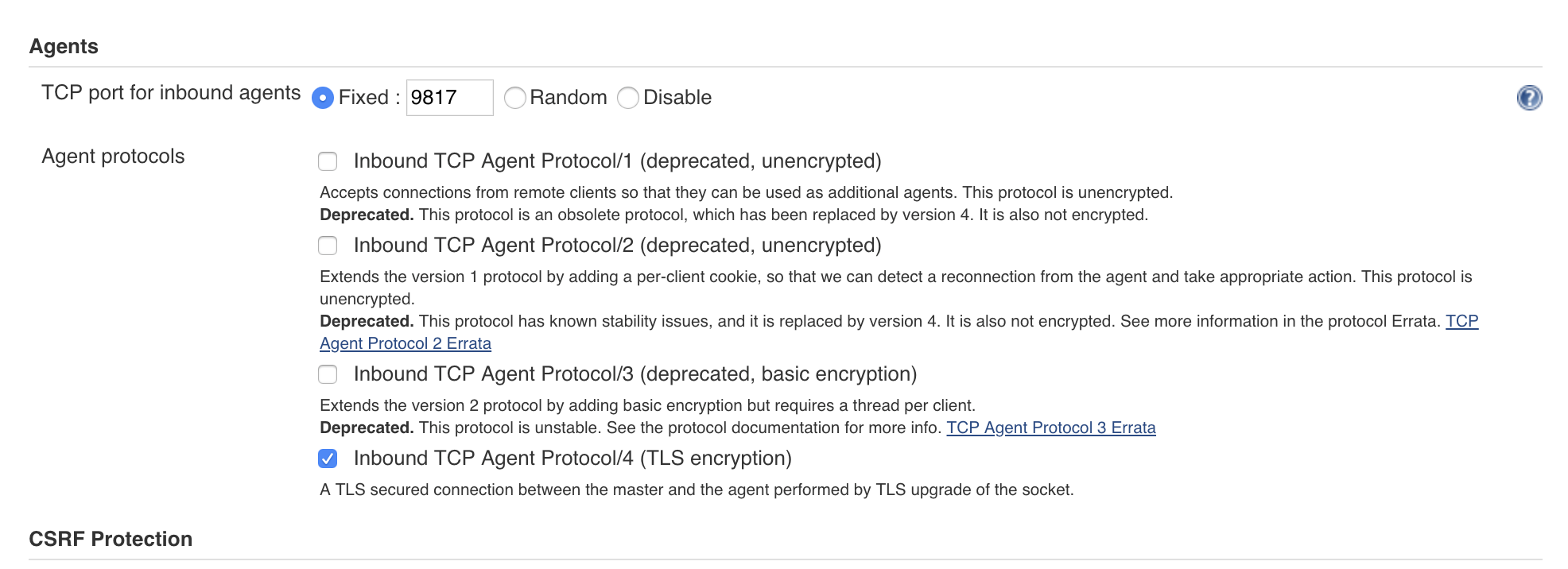
  1. 进入 Manage Jenkins 页面 -> Configure Global Security -> Agents 勾选固定端口,填一个端口数字

image.png

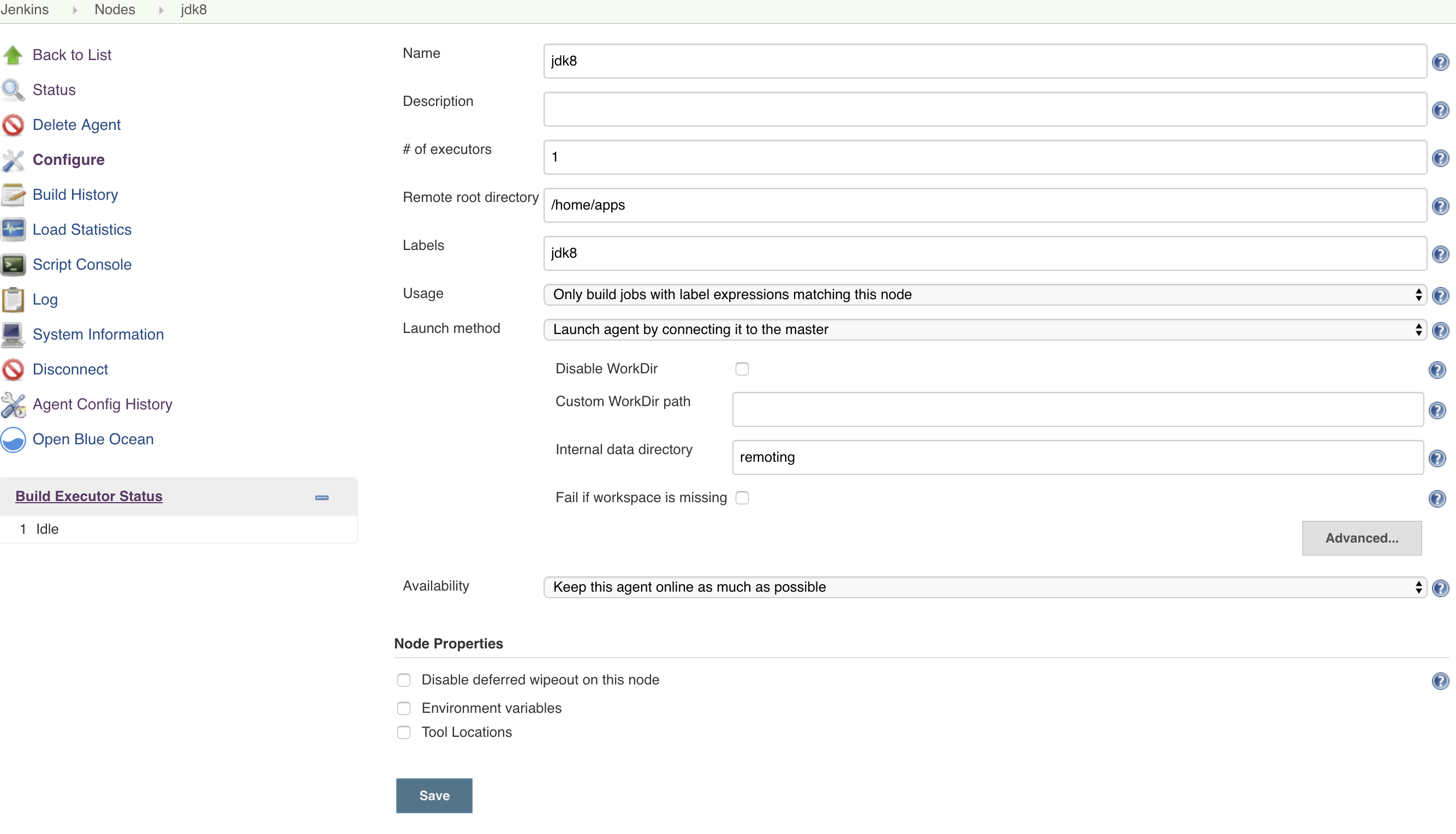
  1. 进入 Manage Jenkins -> Manage Nodes -> New Node 勾选 Permanent Agent ,即设置为固定节点

  2. 配置页面 Remote root directory 远程根目录,指连接 slave节点后使用的目录,相关文件会存放于此 Launch method 选择 "Launch agent by connecting it to the master"

image.png

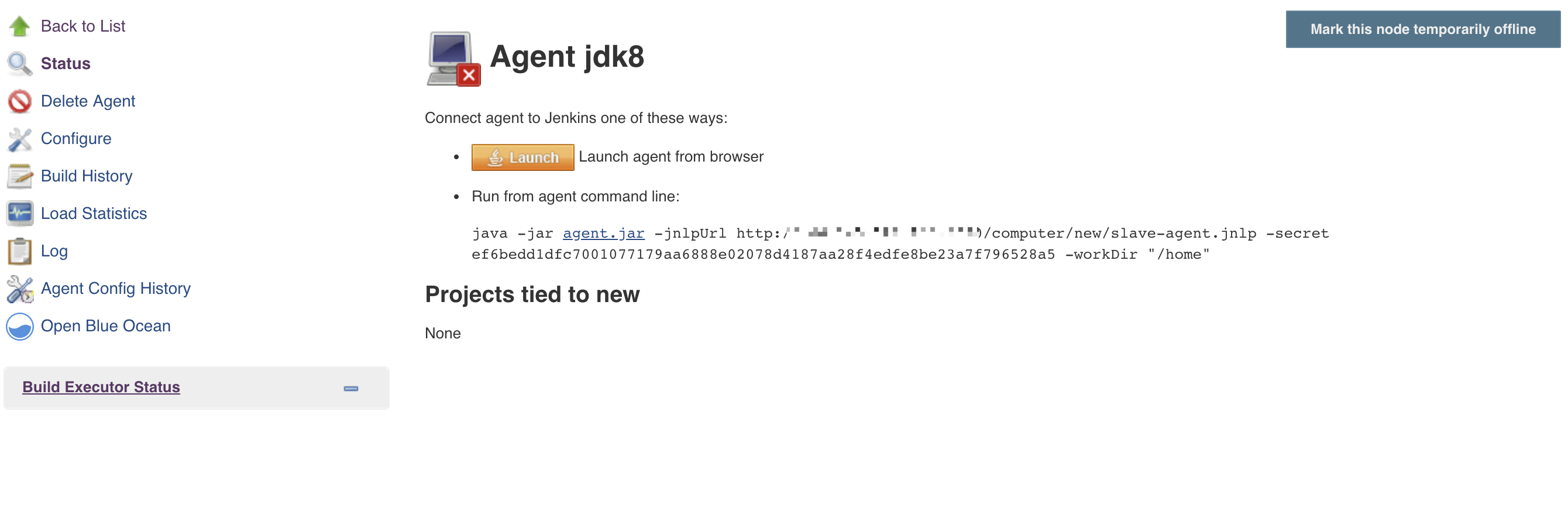
  1. 添加节点后,点击名称进入连接页面

提示连接agent有两种方式:

  • 直接在 agent 的浏览器上打开此页面,单击 Launch 按钮
  • slave 需要安装java,复制页面上的地址 sudo nohup java -jar agent.jar -jnlpUrl http://xx.xx.xx.xx:xx/computer/new/slave-agent.jnlp -secret ef6bedd1dfc7001077179aa6888e02078d4187aa28f4edfe8be23a7f796528a5 -workDir "/home" & 然后运行

image.png

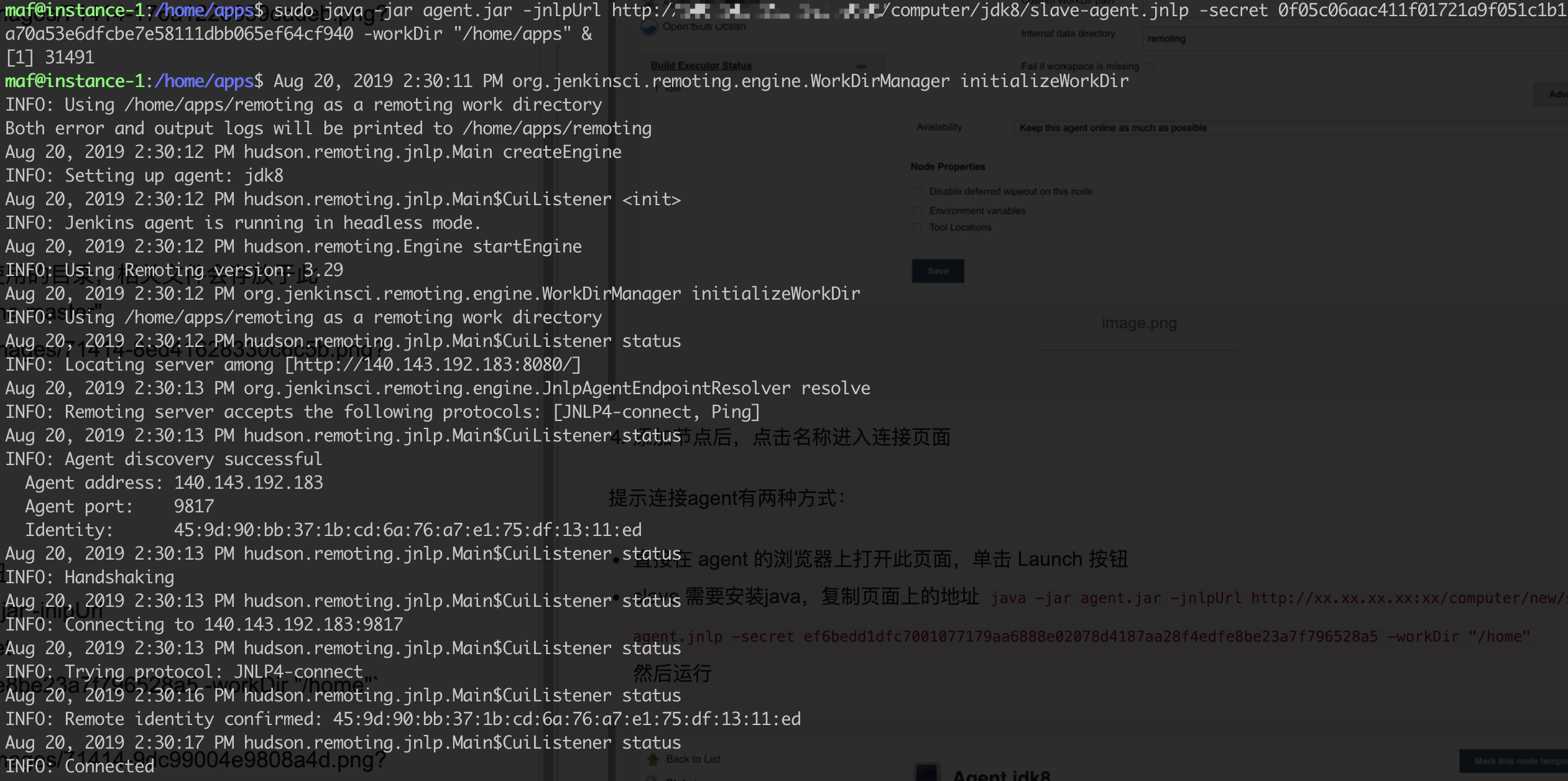
SSH 登录 slave 机器上,然后运行master上提供的连接命令

image.png

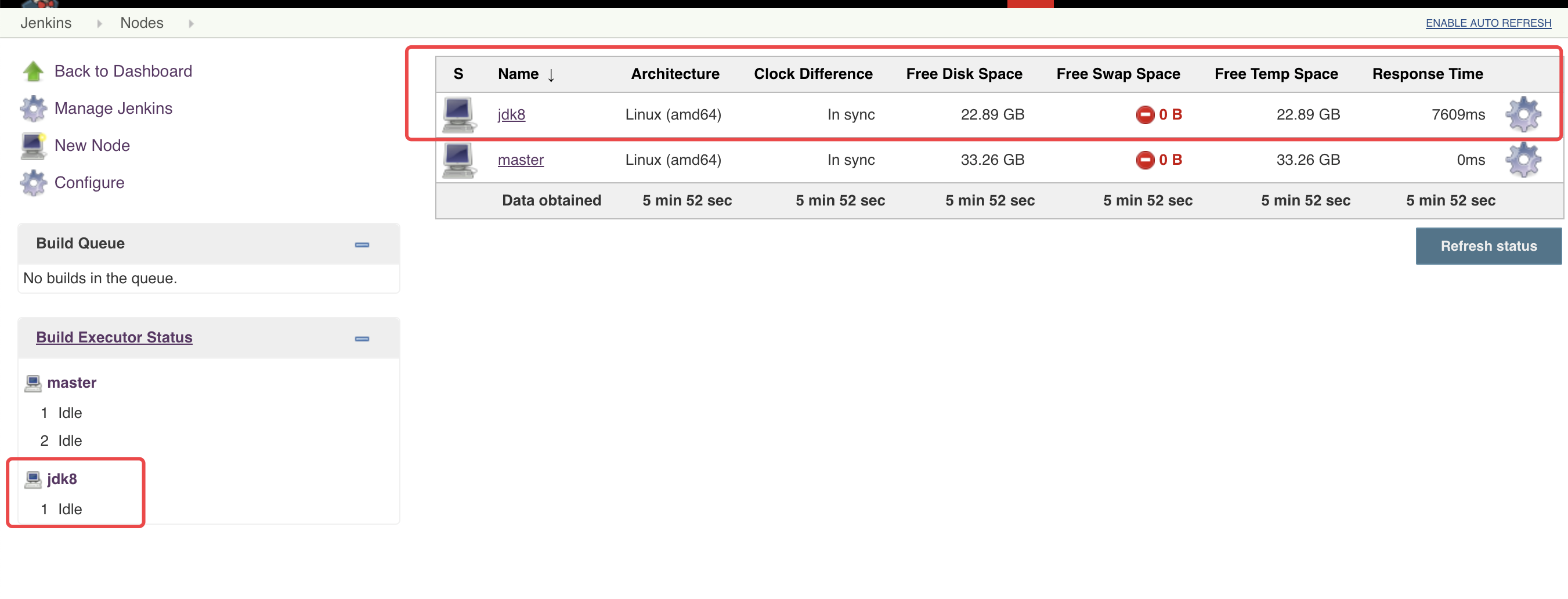
连接成功

image.png