









有时候我们希望网页中只更新某一小块区域 比如有一个developer list列表,旁边有一个refresh按钮,点击后只刷新列表 抛开前后台分离,用Laravel也可以很方便的实现。
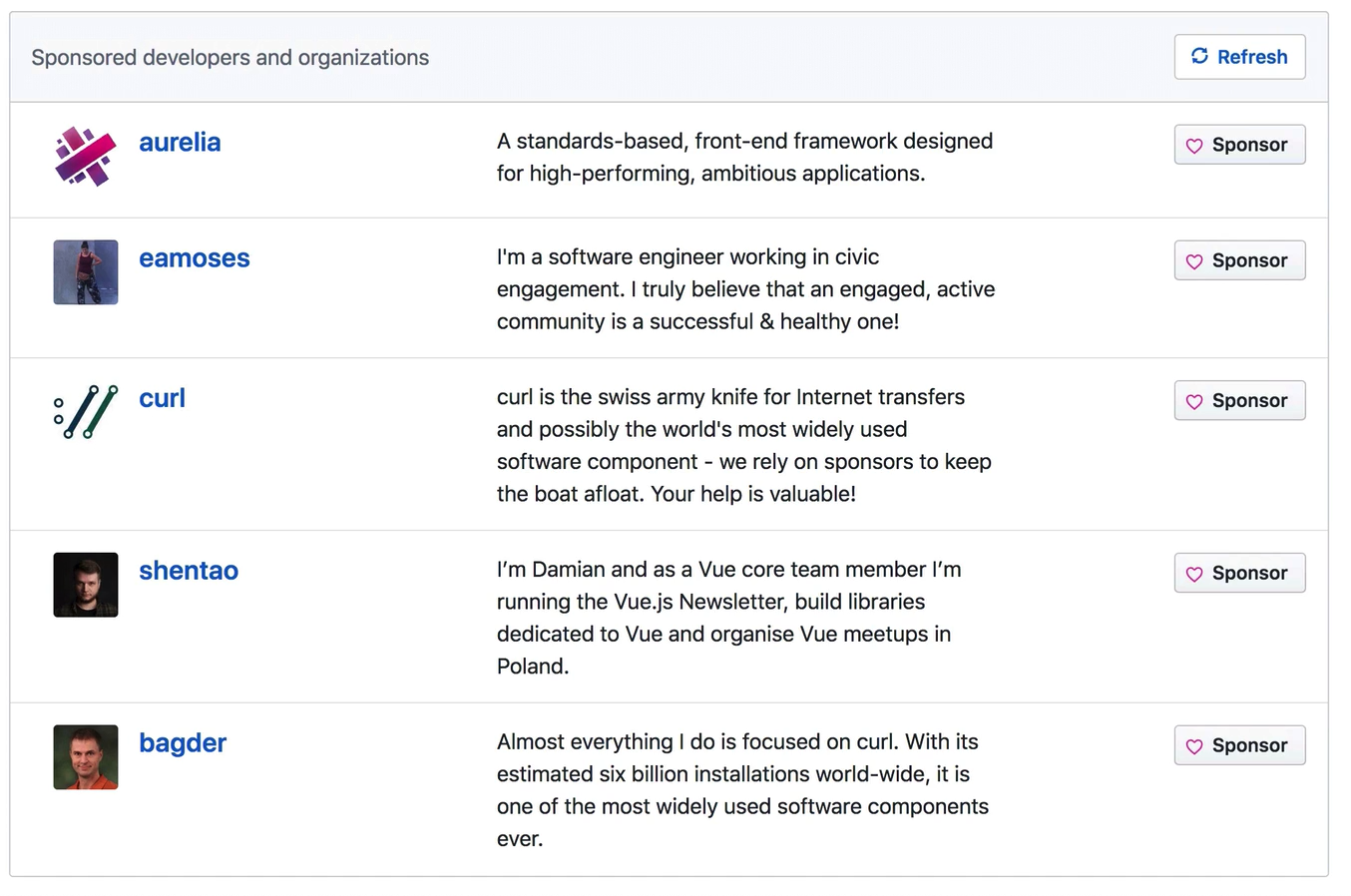
大致思路
服务器只返回某一html片段 客户端接收,利用JS的innerHTML替换为最新的HTML
关键代码
定义一个路由,每次请求随机查询5个用户,并且把用户信息放到view中,并返回这个view视图片段
web.php
php
Route::get('/partials/developers', function () {
    $users = App\User::inRandomOrder()->limit(5)->get();

    return view('_developers', ['users' => $users]);
});
resource/view/_develop.blade.php
php
@foreach ($users as $user)
    <li class="list-group-item">
        <div class="row justify-content-between">
            <div class="col-3 d-flex">
                <a href="#" class="font-weight-bold ml-3"><h5>{{ $user->username }}</h5></a>
            </div>

            <div class="col-4">{{ $user->email }}</div>

            <div class="col-2">
                <button class="btn btn-light btn-block"><i class="fa fa-heart text-danger"></i> Sponsor</button>
            </div>
        </div>
    </li>
@endforeach
home.blade.php
@extends('layouts.app')
@section('content')
......
<div class="card">
<div class="card-header d-flex justify-content-between align-items-center">
<span class="text-muted">Sponsored developers and organizations</span>
<button class="btn btn-outline-primary" onclick="fetchDevelopers()"><i class="fa fa-refresh"></i> Refresh</button>
</div>
<ul class="list-group list-group-flush" id="js-developers-partial-target">
<!-- -->
</ul>
</div>
<script>
function fetchDevelopers() {
fetch('/partials/developers')
.then(response => response.text())
.then(html => {
document.querySelector('#js-developers-partial-target').innerHTML = html
})
}
fetchDevelopers()
</script>
@endsection延伸
关于客户端替换功能,如果不想老是写script标签,重复的替换代码。 可以使用一个js包include-fragment-element
import '@github/include-fragment-element'
// 或者
<script src="https://unpkg.com/@github/include-fragment-element"></script>

<div class="tip">
  <include-fragment src="/tips">
    <p>Loading tip…</p>
  </include-fragment>
</div>
当页面加载时候,include-fragment会请求src中的地址,并且把结果解析为HTML,然后把整个include-fragment替换掉
参考
https://github.com/calebporzio/laracasts-server-fetched-partials