注意:本说明并没有详细谈及各参数的调整
对于多卡训练,只需要将python tools/trainxxxx改为:
python -m paddle.distributed.launch --selected_gpus 0,1,2,3 tools/trainxxxxxx
其中0,1,2,3参数是因为有4张卡,若是两张卡训练,此处应写0,1
你可以通过nvidia-smi查询显卡数量
以百度飞浆推出的PaddleDetection目标检测开发套件为例
项目架构
这是其Github项目文件
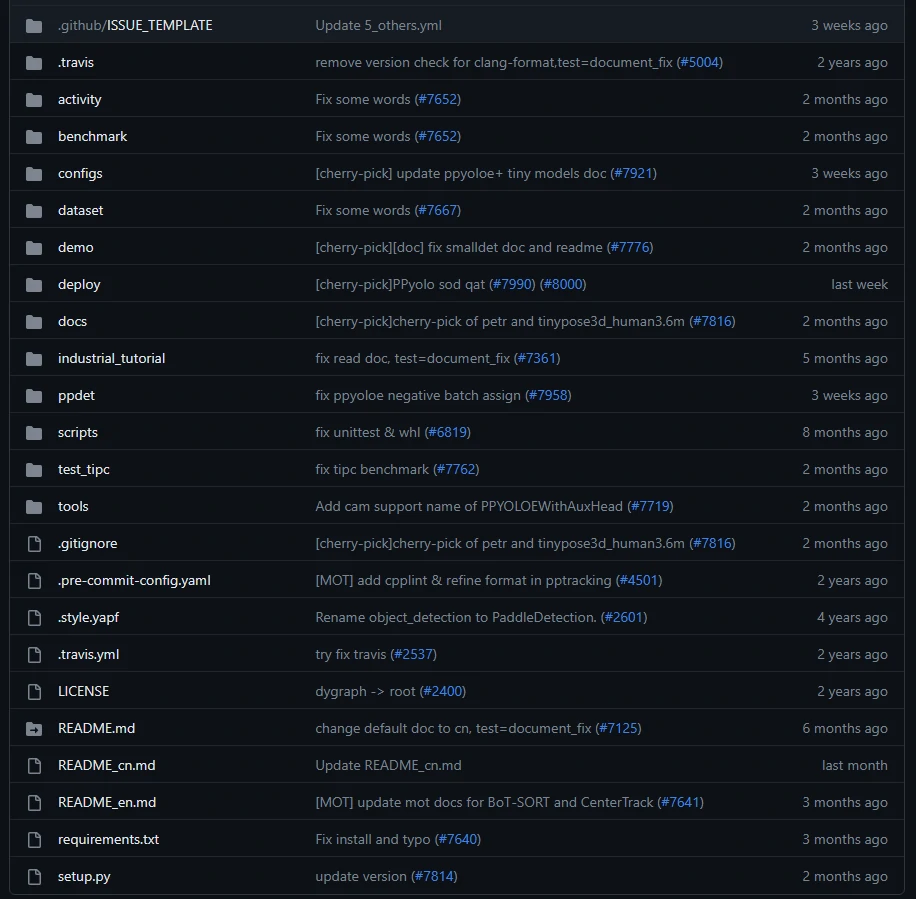
我们将要用到的基本架构如下:
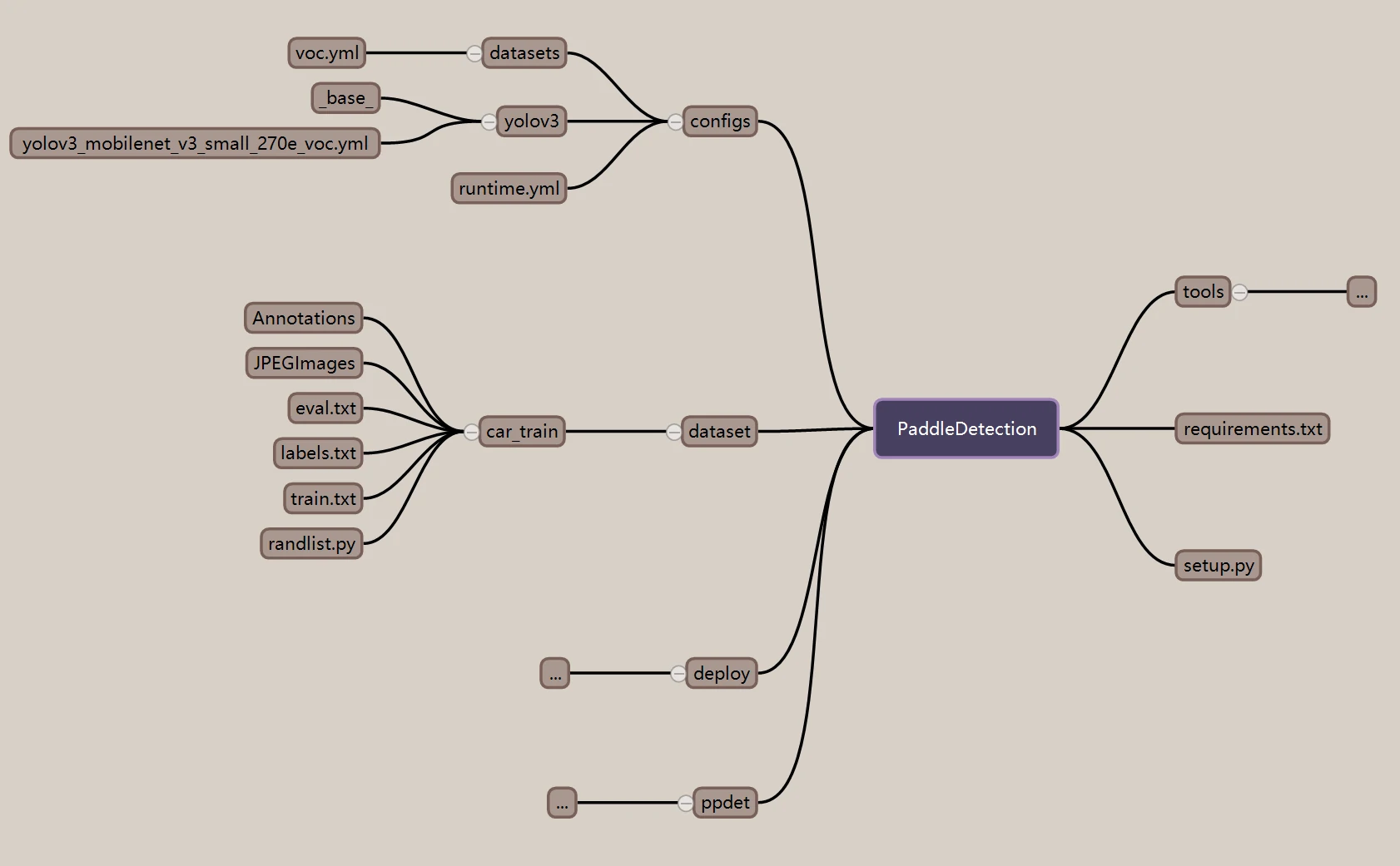
对于数据集
其中,car_train是我们自己的数据集,这里的数据集格式为VOC
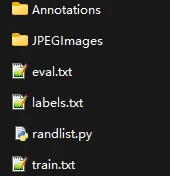
JPEGImages存放所有数据集图片,Annotations中存放所有标注文件
你可以通过labelimg软件进行数据的标注
当我们有了这样的数据集后,就可以准备进行模型训练了
模型训练前的准备
我们这里使用的是yolov3模型,你可以在克隆下来的PaddleDetection的:PaddleDetection/configs/中找到它
但是可以发现,在这些yml中,没有我们想要的yolov3_mobilenet_v3_small_270e_voc
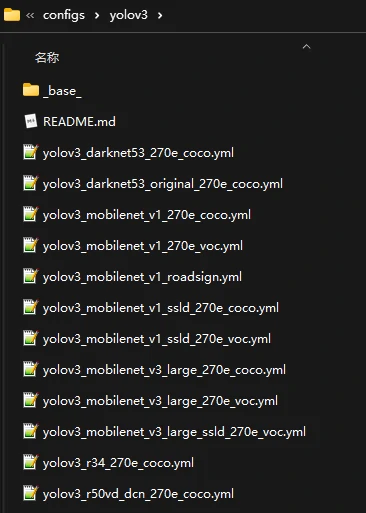
我们复制yolov3_mobilenet_v3_large_270e_voc.yml 将其更名为yolov3_mobilenet_v3_small_270e_voc.yml
cp yolov3_mobilenet_v3_large_270e_voc.yml yolov3_mobilenet_v3_small_270e_voc.yml
更改复制好的small_270e中的内容:
改前: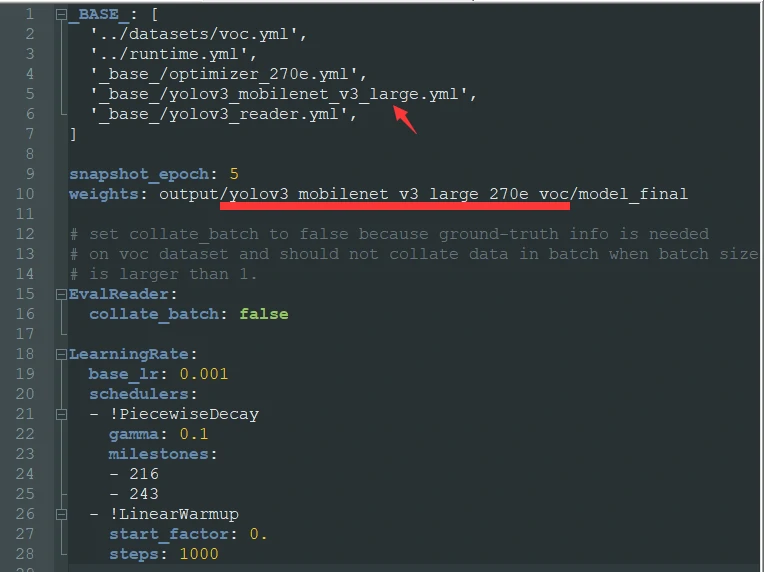
改后: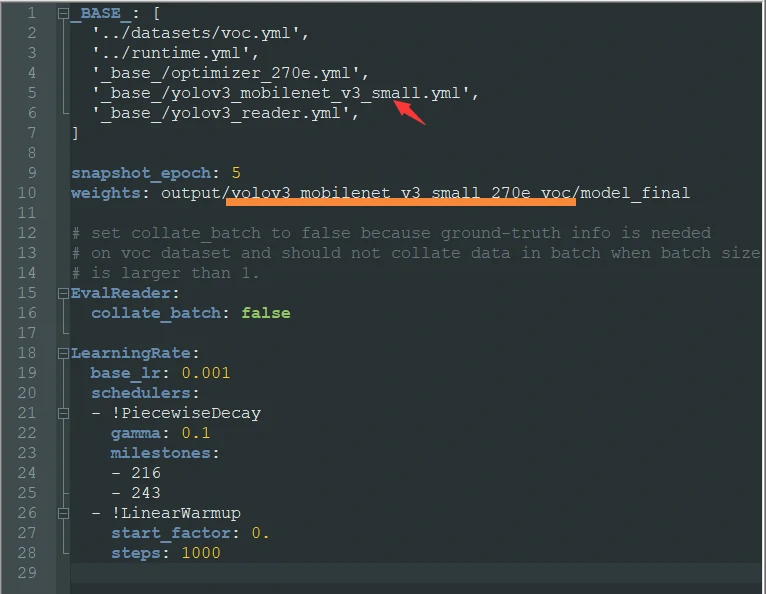
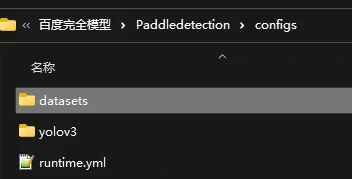
随后,我们需要修改与yolov3同一目录下datasets中的文件voc.yml
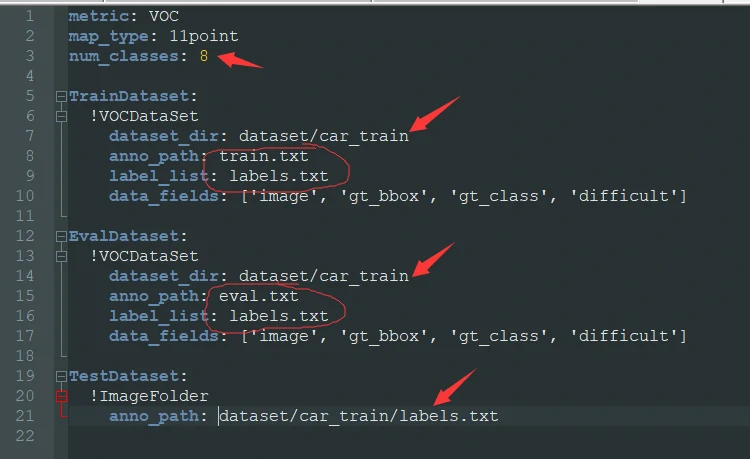
注意这里的dataset_dir要改成我们数据集的路径
**这里的num_classes要着重注意!**其大小应与我们的标签数一致
TrainDataset中的anno_path是每次训练时要用到的文件,其格式可以点我查看
EvalDataset中的anno_path是每次检验模型时要用到的文件,其格式可以点我查看
label_list的格式可以点我查看
1
2
3
4
5
6
7
8
9
10
11
12
13
14
15
16
17
18
19
20
21
| metric: VOC
map_type: 11point
num_classes: 8TrainDataset:
!VOCDataSet
dataset_dir: dataset/car_train
anno_path: train.txt
label_list: labels.txt
data_fields: ['image', 'gt_bbox', 'gt_class', 'difficult'] EvalDataset:
!VOCDataSet
dataset_dir: dataset/car_train
anno_path: eval.txt
label_list: labels.txt
data_fields: ['image', 'gt_bbox', 'gt_class', 'difficult'] TestDataset:
!ImageFolder
anno_path: dataset/car_train/labels.txt
|
模型训练
当你完成以上步骤:
PaddleDetection的下载
数据集的准备(包括图片文件,图片数据标注文件,训练文件train.txt 测试文件eval.txt 标签文件labels.txt)
训练config的配置
恭喜,你可以进行模型训练了
模型训练
1
| python tools/train.py -c configs/yolov3/yolov3_mobilenet_v3_small_270e_voc.yml --use_vdl=True --eval
|
断点训练
1
| python tools/train.py -c configs/yolov3/yolov3_mobilenet_v3_small_270e_voc.yml -r output/yolov3_mobilenet_v3_small_270e_voc/100
|
注意这里的100需要根据你的中断点而调整,比如上一次训练被我停止在了第19次
(该文件的位置位于之前yolov3_mobilenet_v3_small_270e_voc.yml中设置的weight目录路径中)
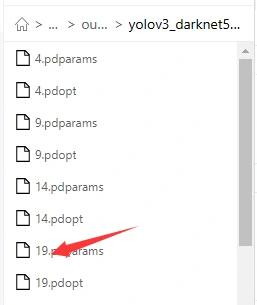
那这里就需要填写19
模型评估
1
| python tools/eval.py -c configs/yolov3/yolov3_mobilenet_v3_small_270e_voc.yml -o weights=output/yolov3_mobilenet_v3_small_270e_voc/best_model
|
模型导出
1
| python tools/export_model.py -c configs/yolov3/yolov3_mobilenet_v3_small_270e_voc.yml --output_dir=./inference_model -o weights=output/yolov3_mobilenet_v3_small_270e_voc/best_model
|
模型预测
1
| python deploy/python/infer.py --model_dir=./inference_model/yolov3_mobilenet_v3_small_270e_voc --image_file=./street.jpg --device=GPU --threshold=0.2
|
杂项解析
train.txt格式
1
2
3
4
| 第一列为图片路径, 第二列为图片对应的xml文件路径
JPEGImages/4457.jpg Annotations/4457.xml
JPEGImages/212.jpg Annotations/212.xml
JPEGImages/642.jpg Annotations/642.xml
|
eval.txt格式
与train.txt一致
labels.txt格式
1
2
3
4
5
6
7
8
9
| bump
cone
bridge
granary
CrossWalk
tractor
corn
pig
|
randlist.py代码
1
2
3
4
5
6
7
8
9
10
11
12
13
14
15
16
17
18
19
20
21
22
23
24
25
26
27
28
29
30
31
32
33
34
35
36
37
38
39
40
41
42
43
44
45
46
47
48
49
50
51
52
53
54
55
56
57
58
59
60
| import os
import random
import xml.dom.minidomlst = ['bump', 'cone', 'bridge', 'granary', 'CrossWalk', 'tractor', 'corn', 'pig']
def ReadFileDatas():
FileNamelist = []
file = open('train.txt','r+')
for line in file:
line = line.strip('\n')
FileNamelist.append(line)
#print('len ( FileNamelist ) = ' ,len(FileNamelist))
file.close()
return FileNamelist def WriteDatasToFile(listInfo):
file_handle_train = open('train.txt',mode='w')
file_handle_eval = open("eval.txt",mode='w')
i = 0
for idx in range(len(listInfo)):
str = listInfo[idx] ndex = str.rfind('_')
str_Result = str + '\n'
if(i%6 != 0):
file_handle_train.write(str_Result)
else:
file_handle_eval.write(str_Result)
i += 1
file_handle_train.close()
file_handle_eval.close() path = './Annotations/'
res = os.listdir(path) def WriteDataToFile(DataList):
file_handle_train = open('train.txt',mode='w')
file_handle_eval = open("eval.txt",mode='w')
i = 0
for idx in range(len(DataList)):
str = DataList[idx]
if(i%6 != 0):
file_handle_train.write(str+'\n')
else:
file_handle_eval.write(str+'\n')
i += 1
file_handle_train.close()
file_handle_eval.close() dataList = []
for i in res:
#print("./Images/"+ str(i[0:-4:1]) + ".jpg "+ path + str(i))
dataList.append("./JPEGImages/"+ str(i[0:-4:1]) + ".jpg "+ path + str(i))
WriteDataToFile(DataList=dataList) listFileInfo = ReadFileDatas()
random.shuffle(listFileInfo)# 打乱
WriteDatasToFile(listFileInfo)
|