惯性聚合 高效追踪和阅读你感兴趣的博客、新闻、科技资讯
阅读原文 在惯性聚合中打开

推荐订阅源

W
WeLiveSecurity
T
The Exploit Database - CXSecurity.com
C
CXSECURITY Database RSS Feed - CXSecurity.com
S
Security @ Cisco Blogs
T
Threat Research - Cisco Blogs
TaoSecurity Blog
TaoSecurity Blog
Recent Commits to openclaw:main
cs.AI updates on arXiv.org
腾讯CDC
Exploit-DB.com RSS Feed
OSCHINA 社区最新新闻
OSCHINA 社区最新新闻
T
The Blog of Author Tim Ferriss
Microsoft Azure Blog
罗磊的独立博客
F
Full Disclosure
博客园 - 【当耐特】
C
CERT Recently Published Vulnerability Notes
Engineering at Meta
Engineering at Meta
Application and Cybersecurity Blog
T
Threatpost
I
Intezer
V2EX - 技术
V2EX - 技术
H
Hackread – Cybersecurity News, Data Breaches, AI and More
The Hacker News
The Hacker News
小众软件
小众软件
Google DeepMind News
T
Tailwind CSS Blog
D
Darknet – Hacking Tools, Hacker News & Cyber Security
B
Blog RSS Feed
Microsoft Security Blog
N
News | PayPal Newsroom
MyScale Blog
MyScale Blog
AI
AI
Vercel News
Vercel News
Spread Privacy
Spread Privacy
美团技术团队
CTFtime.org: upcoming CTF events
The GitHub Blog
The GitHub Blog
V
Vulnerabilities – Threatpost
Schneier on Security
Cyberwarzone
Cyberwarzone
G
GRAHAM CLULEY
Help Net Security
Help Net Security
Hacker News: Ask HN
Hacker News: Ask HN
Google DeepMind News
MongoDB | Blog
MongoDB | Blog
L
LINUX DO - 热门话题
U
Unit 42
L
LangChain Blog
Recent Announcements

宋浩志的博客

Windows安装nacos Edge用户登录一直转圈 SpringBoot整合Socket 使用coding持续集成SpringBoot项目 使用acme.sh来申请SSL证书 CentOS安装Nginx ruoyi-vue项目集成flyway实现自动创建表 Docker常用命令记录 vue学习笔记四-列表渲染 vue学习笔记三条件渲染 vue学习笔记二模板语法 vue学习笔记一创建项目
使用Windows内置虚拟机Hyper-v安装CentOS
宋浩志 · 2022-09-08 · via 宋浩志的博客

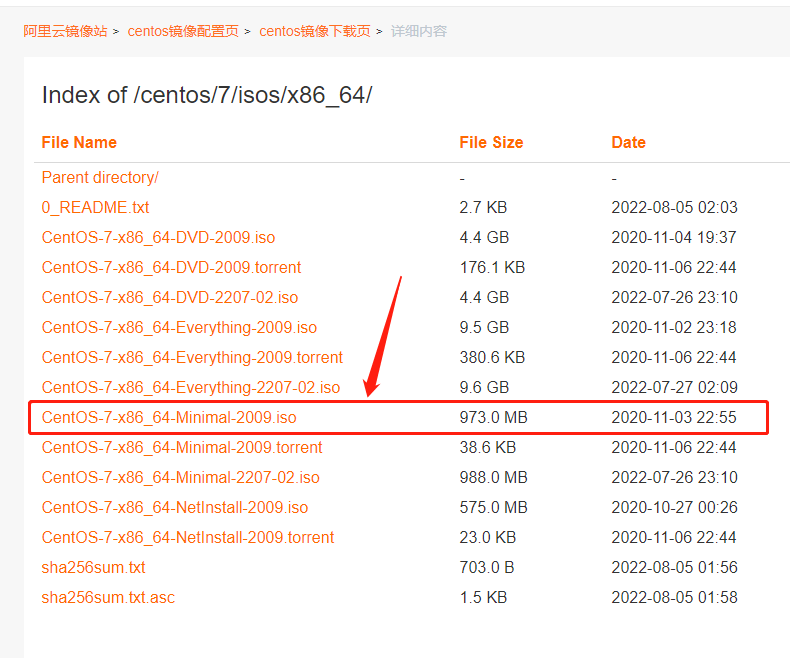
http://mirrors.aliyun.com/centos/7/isos/x86_64/
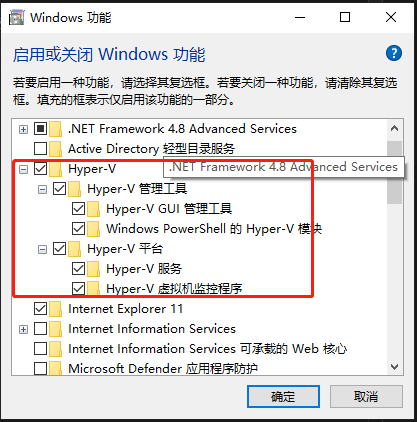
开启Hyper-V

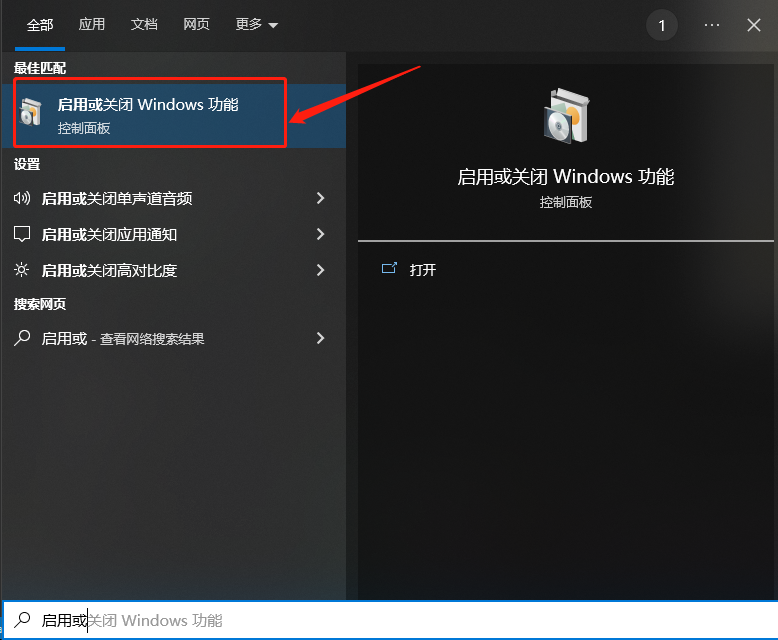
在Windows中搜索启用或关闭Windows功能并打开

勾选Hyper-V
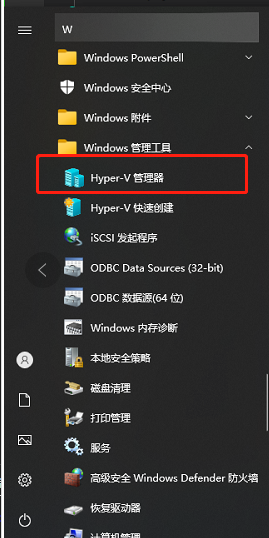
在应用程序中找到hyper-v管理器
虚拟交换机

网上其他文章在新建虚拟机之前会先创建虚拟交换机,但是我操作的时候,创建完虚拟交换机以后,本机会出现无网络的情况
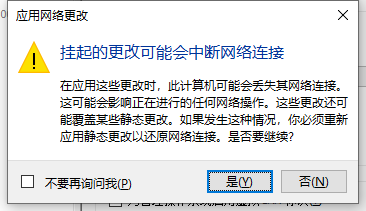
所以我就不创建虚拟交换机了
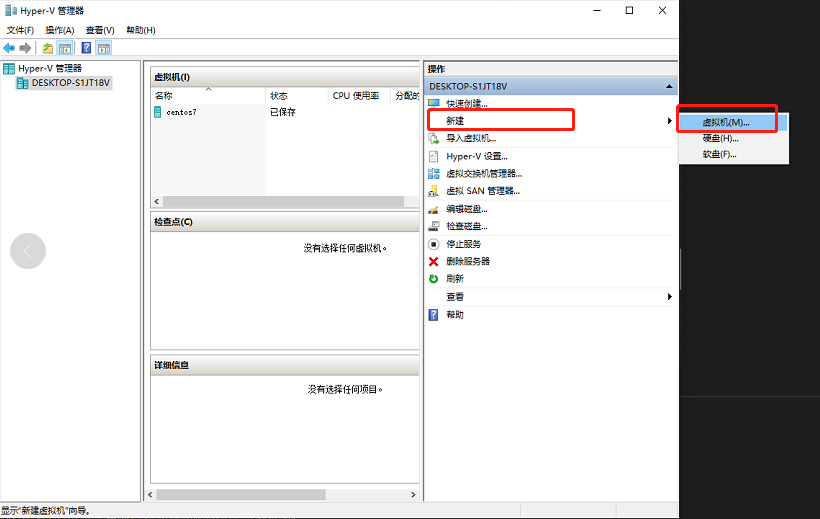
新建虚拟机

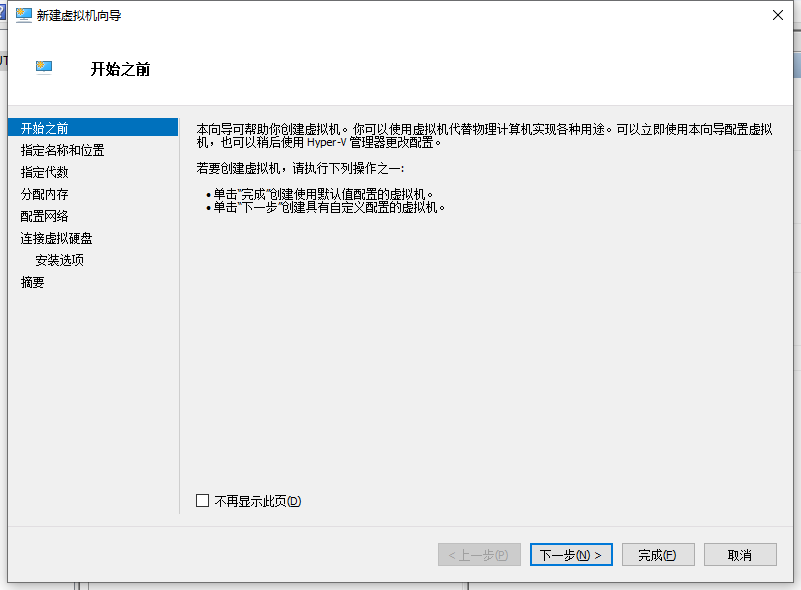
直接点击下一步

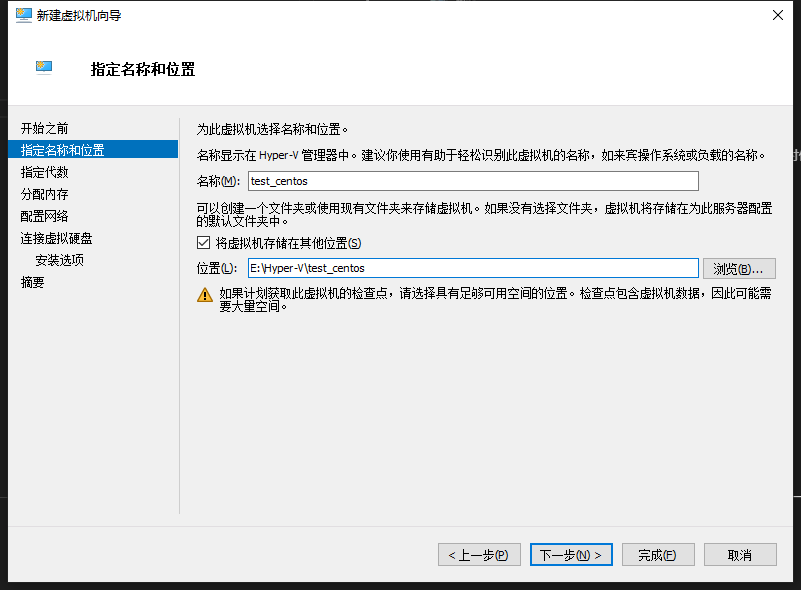
设置虚拟机名称以及存放位置

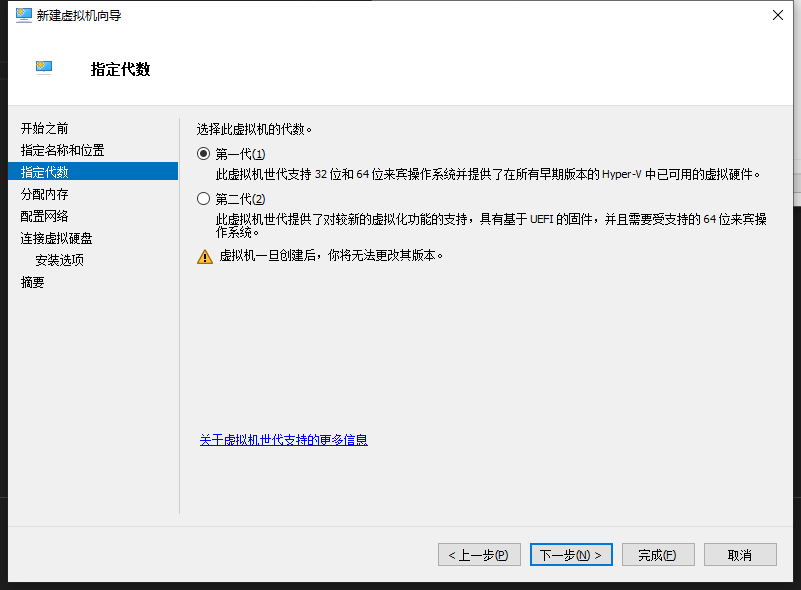
选择第一代

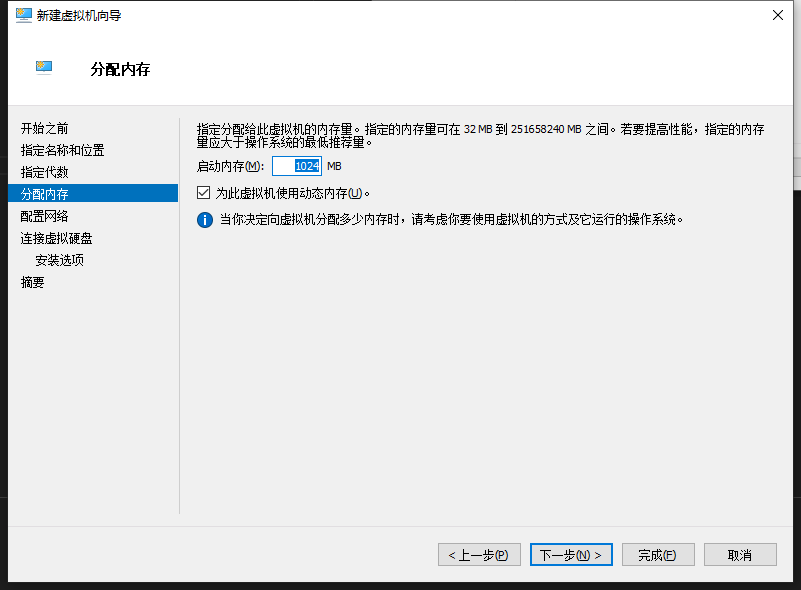
分配内存大小,按你的需求进行分配
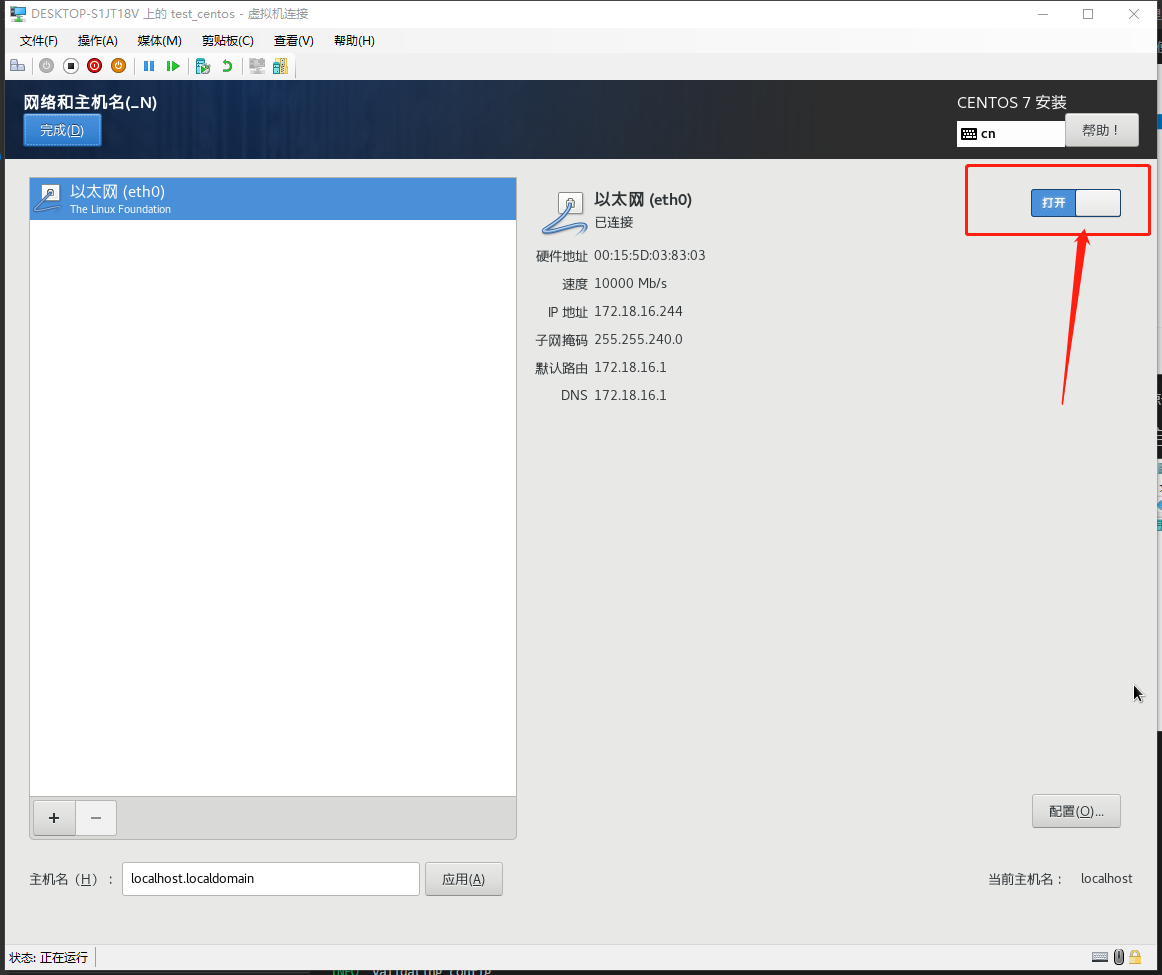
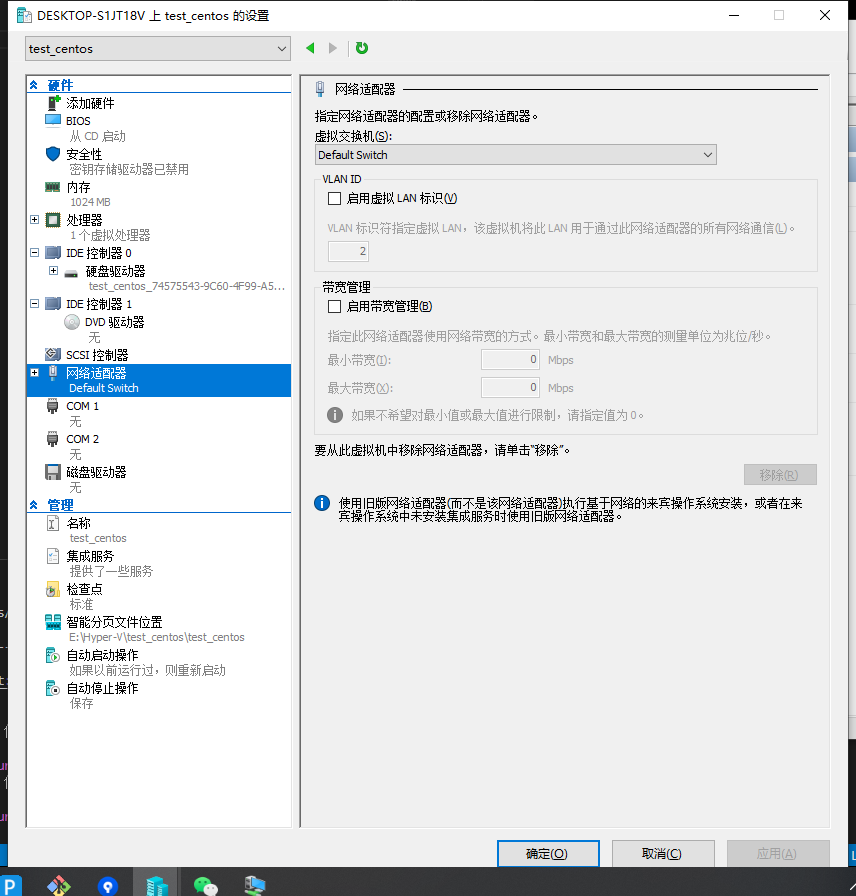
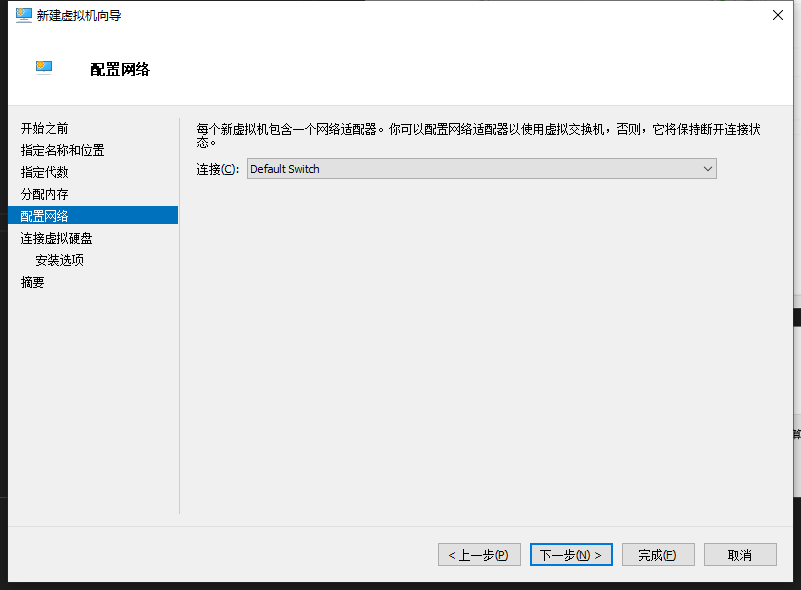
网络连接如果是新建了虚拟交换机就选择新建的,我这里采用默认的
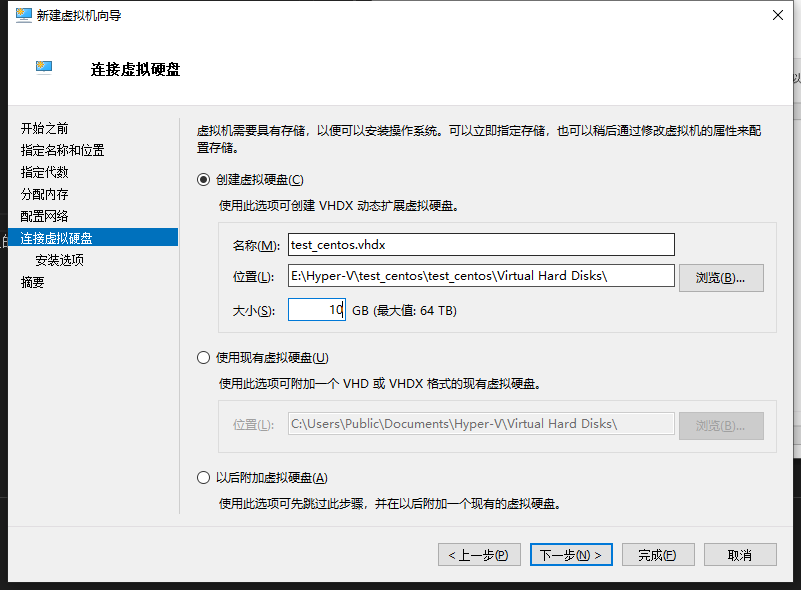
创建虚拟硬盘,大小按你需求设置
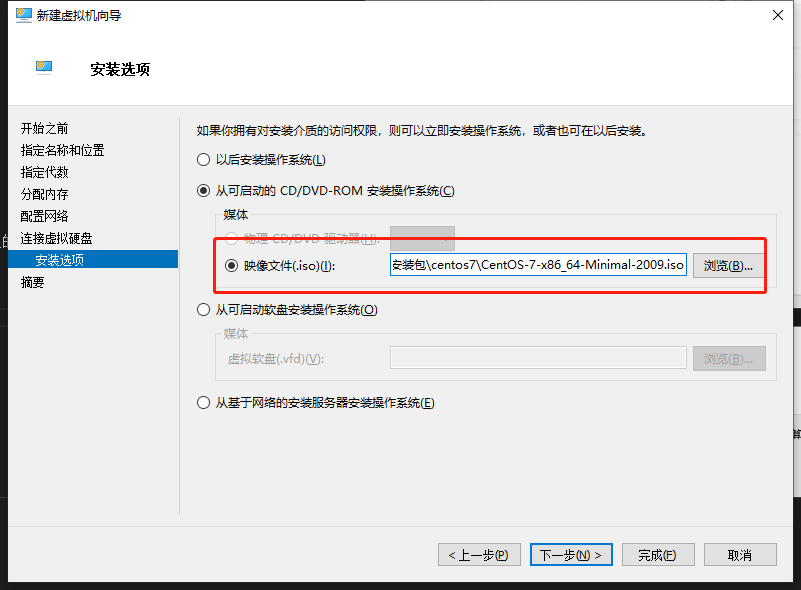
选择你下载的CentOS
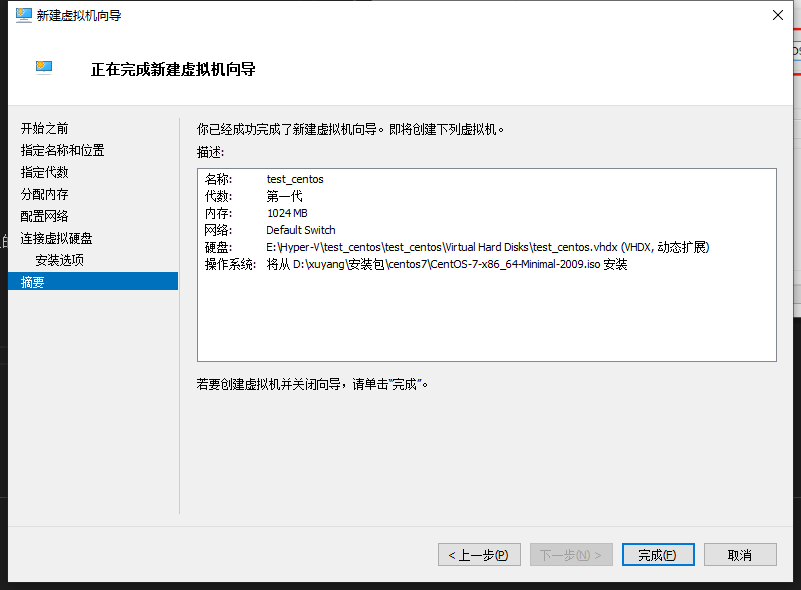
点击完成
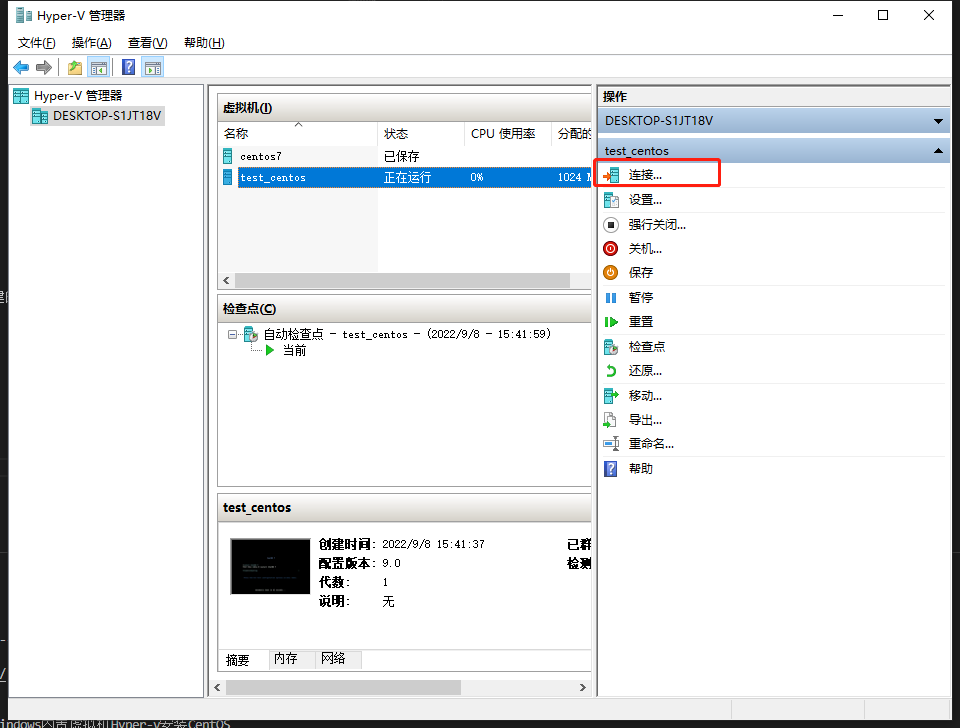
启动系统

连接虚拟机

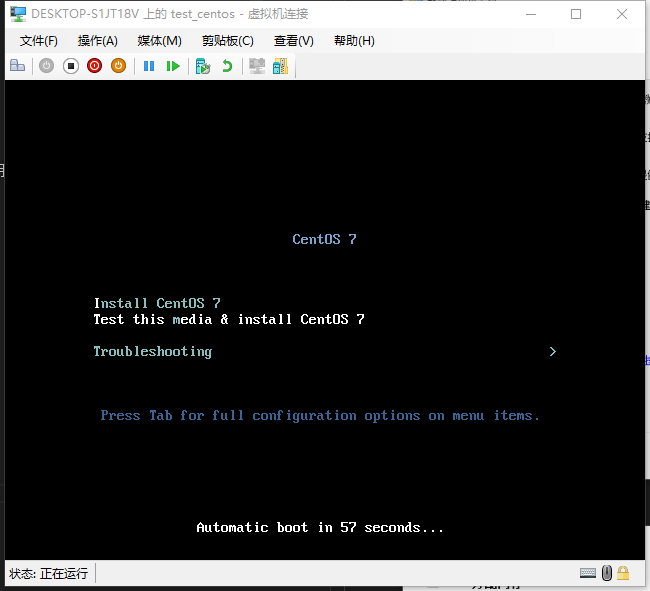
直接回车

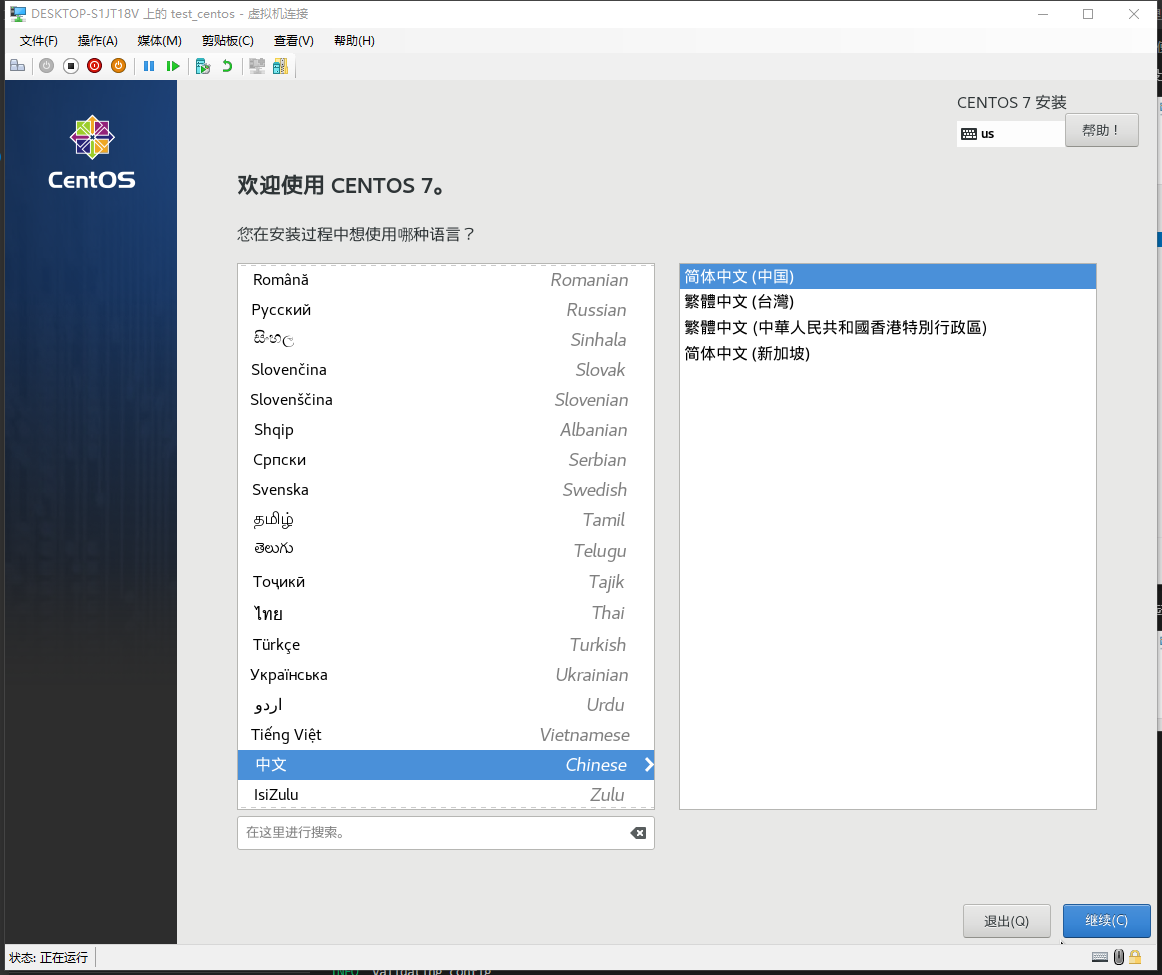
选择中文简体


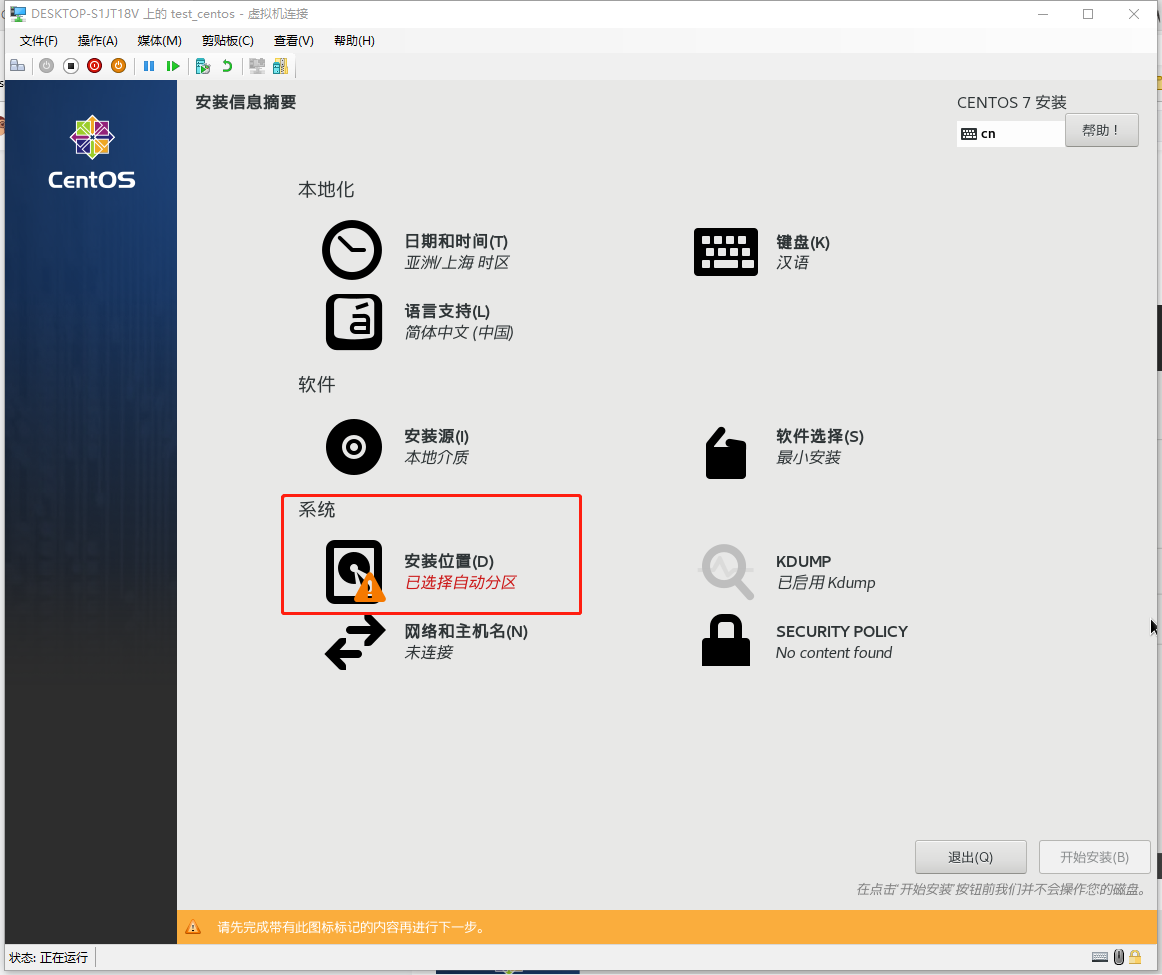
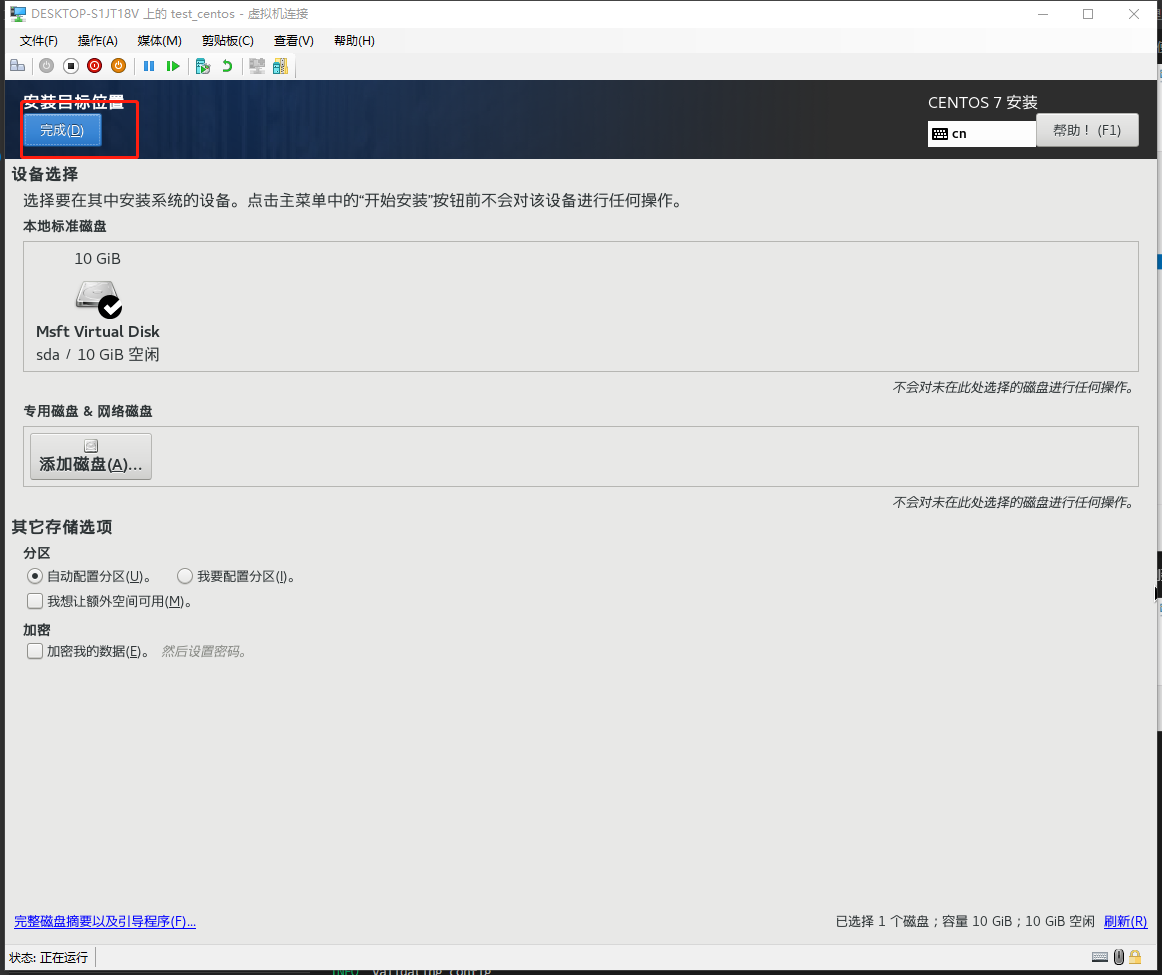
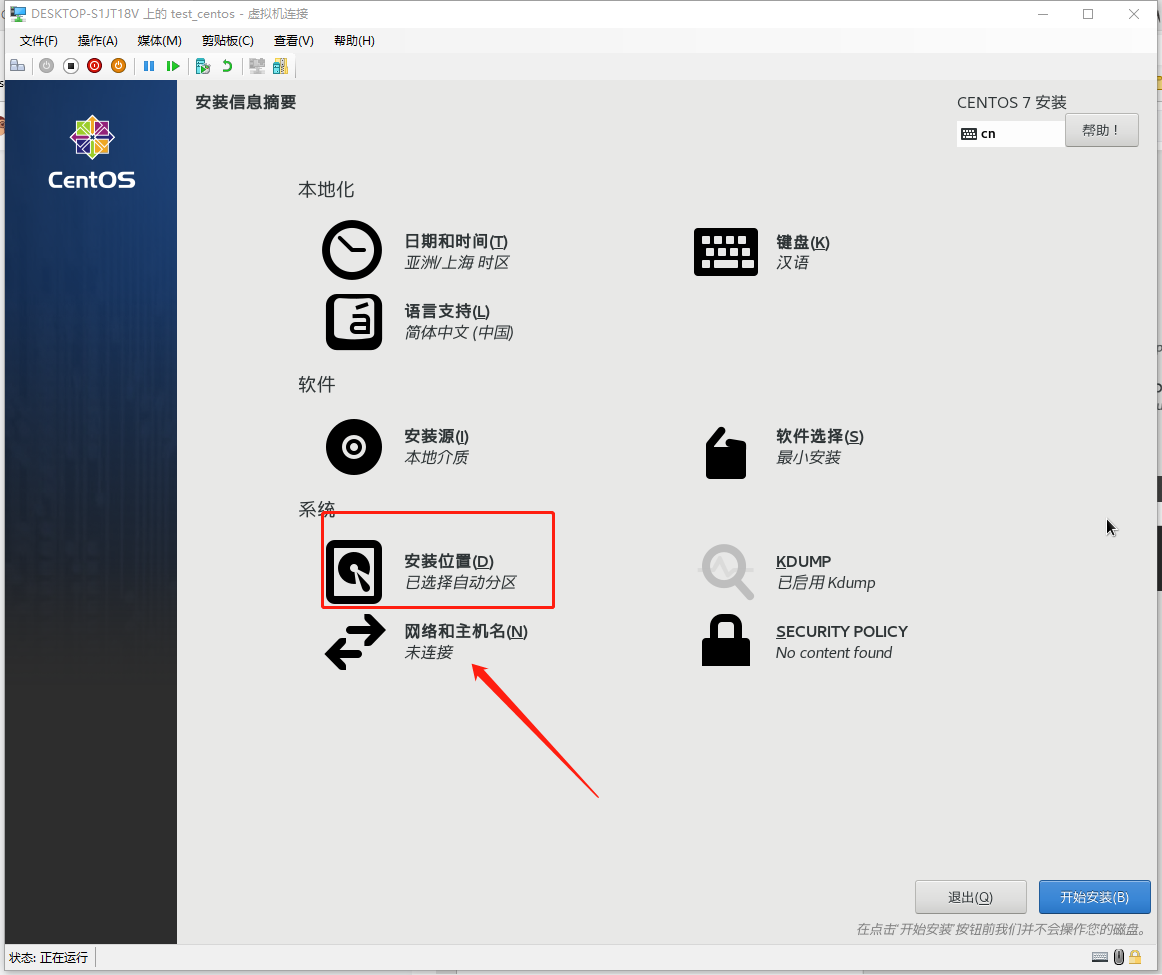
点击开始安装

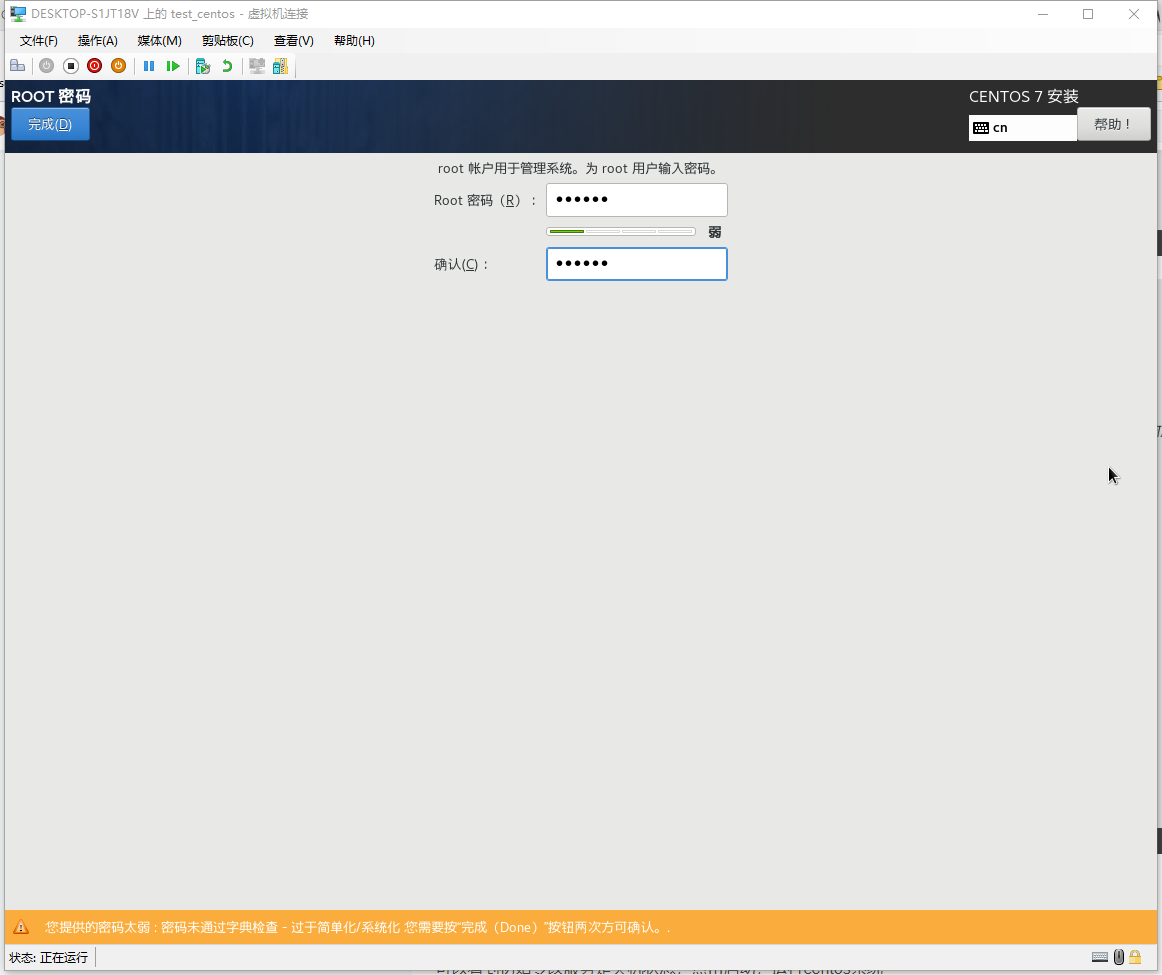
设置root用户密码
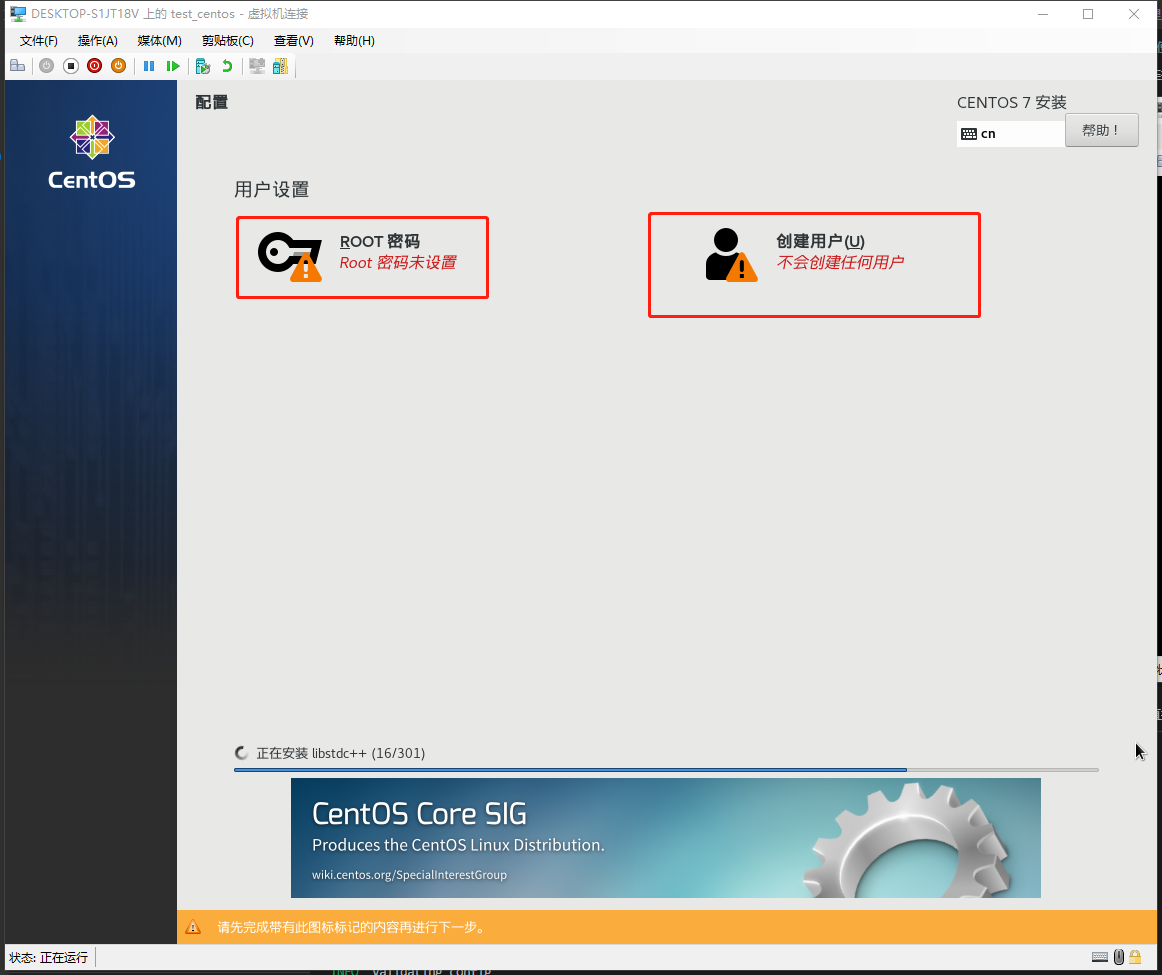
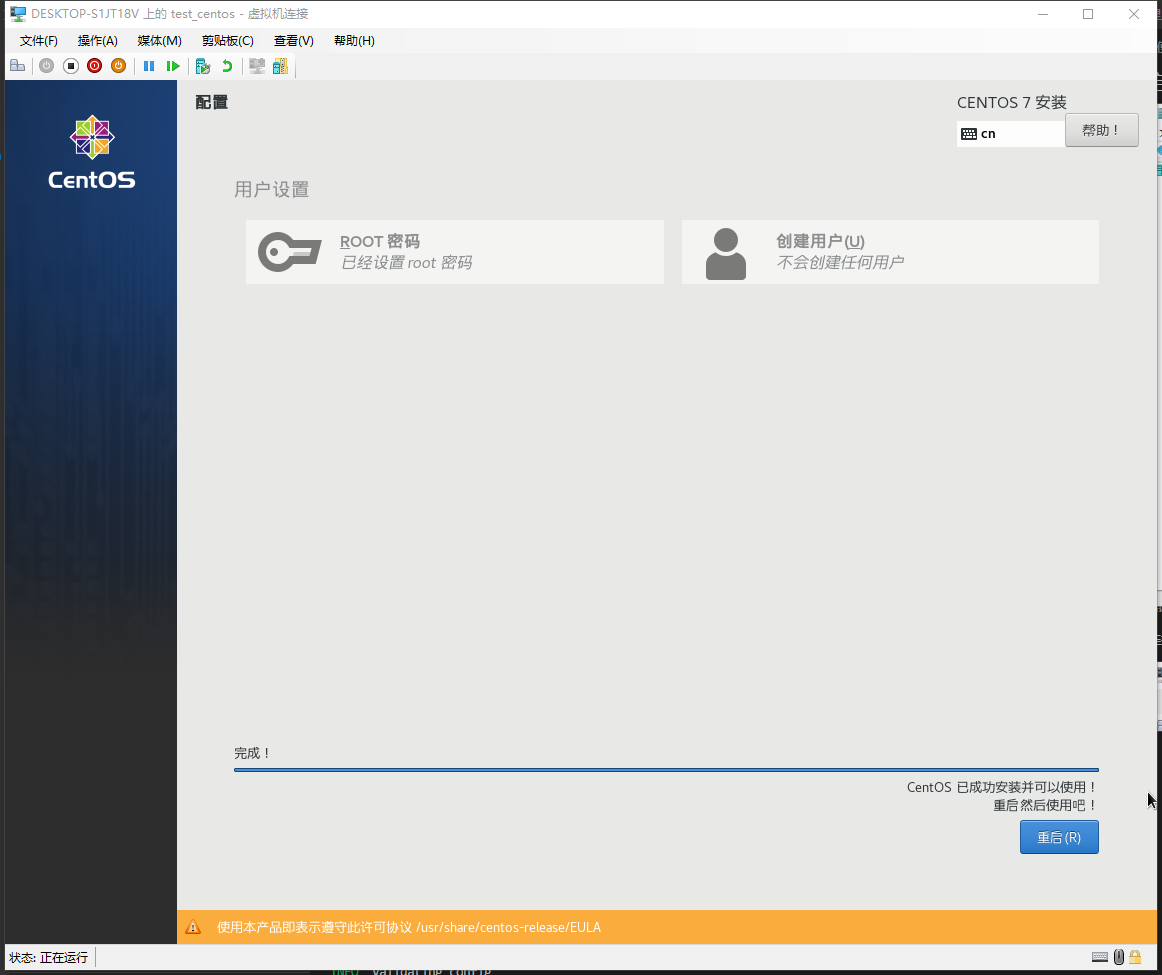
等待安装完成
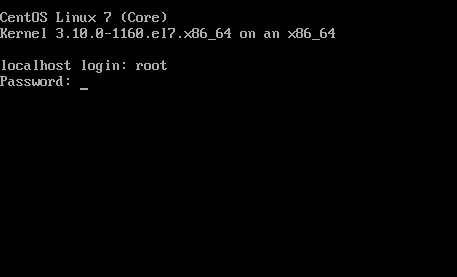
重启以后,输入账号密码
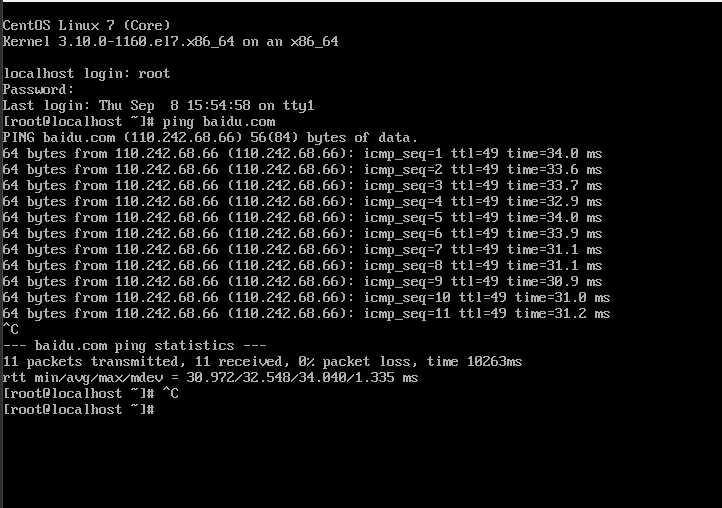
测试网络

其他问题

Hyper-V:无法打开虚拟机XXX,因为虚拟机监控程序未运行

https://zhuanlan.zhihu.com/p/20408480

https://www.jianshu.com/p/624093c28051

参考

https://blog.csdn.net/qq_36077437/article/details/123980445