






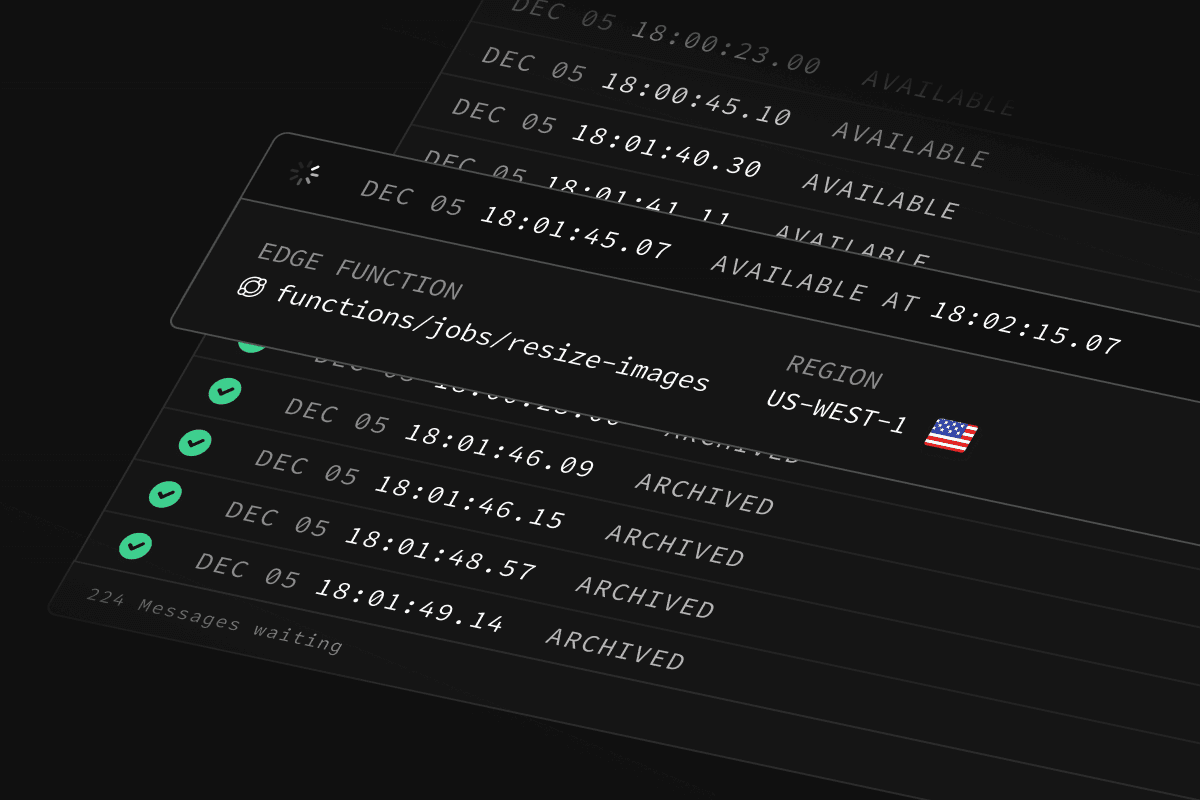
Today we're releasing Supabase Queues, for durable background task processing.
Supabase Queues is a Postgres-native, durable Message Queue with guaranteed delivery, improving the scalability and resiliency of your applications. It's designed to work seamlessly with the entire Supabase platform.
- Postgres Native: Built on top of the open source
pgmqdatabase extension, create and manage Queues with any Postgres tooling. - Granular Authorization: Control client-side consumer access to Queues with API permissions and Row Level Security (RLS) policies.
- Guaranteed Message Delivery: Messages added to Queues are guaranteed to be delivered to your consumers.
- Exactly Once Message Delivery: A Message is delivered exactly once to a consumer within a customizable visibility window.
- Queue Management and Monitoring: Create, manage, and monitor Queues and Messages in the Supabase Dashboard.
- Message Durability and Archival: Messages are stored in Postgres and you can choose to archive them for analytical or auditing purposes.
A Queue is used to manage and process tasks asynchronously. Typically, you use a Queue for long-running tasks to ensure that your application is robust.
For example, sending emails:
Let's say you want to send a welcome email to a user after they register on your website. Instead of sending the email immediately within the registration process - which could slow down the user's experience - you can place the “email task” into a Queue.A separate email service can then process this task, sending the email without affecting the registration flow. Even better: if the email bounces then the task could "reappear" in the Queue to get processed again.
In this scenario, Queues have improved your application's performance and resilience. Other cases include:
- Process tasks asynchronously: offload time-consuming operations, like sending emails, processing images, and generating embeddings.
- Communication between services: decouple your services by passing messages through a central queue.
- Load Balancing: Distribute tasks evenly across multiple workers.
Queues can be created in the Dashboard or using SQL / database migrations.
Types of Queues#
There are several types of queues available:
Basic Queues: Simple, reliable queues with core functionality, ideal for most use cases. Messages are stored and processed within Postgres using standard transactional guarantees.
Unlogged Queues: Optimized for performance, unlogged queues avoid writing messages to disk, making them faster but less durable in case of a database crash. Suitable for transient or less critical workloads.
Partitioned Queues (coming soon): Designed for high throughput and scalability, partitioned queues distribute messages across multiple partitions, enabling parallel processing and more efficient load handling.
Queues with Postgres Row-Level Security#
Supabase Queues are compatible with Postgres Row-Level Security (RLS), providing fine-grained access control to Messages. RLS Policies restrict which users or roles can insert, select, update, or delete messages in specific queues.
Once your Queue is configured you can begin adding Messages.
From the Dashboard#
Let's create a new Basic Queue and add a Message.
From the server#
If you're connecting to your Postgres database from a server, you can add messages using SQL from any Postgres client:
_10
select * from pgmq.send(
_10
queue_name => 'foo',
_10
msg => '{ "hello": "world" }'
_10
);
From the client#
We have provided several functions that can be invoked from the client libraries if you need to add messages from a browser or mobile app. For example:
_15
import { createClient } from '@supabase/supabase-js'
_15
_15
const url = 'SUPABASE_URL'
_15
const key = 'SUPABASE_ANON_KEY'
_15
_15
const queues = createClient(url, key, {
_15
db: { schema: 'pgmq_public' },
_15
})
_15
_15
const { data, error } = await queues.rpc('send', {
_15
queue_name: 'foo',
_15
message: { hello: 'world' },
_15
})
_15
_15
console.log('Message: ', data)
For security, this feature is disabled by default. There are several functions defined in the pgmq_public schema: send, send_batch, read, pop, archive, delete. You can find more details in the docs.
By default, Queues are only accessible via SQL and not exposed over the Supabase Data API. You can manage this in the Data API settings by exposing the pgmq_public schema. If you expose this schema, you must use Row Level Security (RLS) to manage access to your queues.
Beyond RLS, Postgres roles can be granted granular permissions to interact with Queues.
For example, the following permissions allow authenticated users can fully manipulate messages, whereas anonymous users can only retrieve messages:
The postgres and service_role roles receive permissions by default and should remain enabled for server-side operations.
You can use the Dashboard to inspect your Messages, including: status, number of retries, and payload. You can also postpone, archive, or delete messages at any time.
From the Queues page, just click on a Queue to inspect it. From there you can click on a message to see more details:
- Visit the Integrations page in your project.
- Enable the Queues Postgres Module.
- Create your first Queue.
Supabase Queues runs entirely in your database so there's no additional costs to use the functionality.
We recommend you configure your database's Compute and Disk settings appropriately to support your Queues workload.
Postgres for Everything#
Using Postgres for your Queue system keeps your stack lean and familiar. You can add Messages to Queues within the same transaction that modifies related data, preventing inconsistencies and reducing the need for additional coordination. Postgres' robust indexing, JSONB support, and partitioning also enable scalable, high-performance queue management directly in your database.
By eliminating the need for separate infrastructure like RabbitMQ or Kafka, you reduce costs, streamline deployments, and leverage existing Postgres tools for monitoring, backups, and security. Features like Row-Level Security, rich SQL querying, and built-in archiving make Postgres a powerful, unified solution for both data storage and messaging.