







This is our biggest and best release so far - today we are unloading a lot of awesome, highly requested features!
We are happy to ship audio support with a flexible API!
You can import one or multiple audio tracks into your project, cut, trim and align them in your composition. The volume can be controlled for the entirety of a track, or you can control it frame by frame to create fade effects and much more. Apply your React mindset - Remotion doesn't care how you render the audio tag, just that it's there. The mechanic of how we tell FFMPEG to mix the audio just like you hear it in the browser preview is really complex and was challenging to build - we are very proud of the outcome!
With newly introduced audio visualization APIs, you can make your visuals react to the frequency of the audio.
What you need are the new getAudioData() and visualizeAudio() APIs that have been published in it's own package.
Read more about audio visualization in the docs or watch a sample video (the source can be found here).
You can now also completely omit the video from the output and only emit an audio file. Yes, Remotion can also be used as an audio editing program! Pass mp3, aac or wav as a codec using the --codec flag or in your config file.
This is a new helper package which includes functions useful for dealing with audio. Besides audio visualization, you can also for example measure the duration of an audio or video source, which is really useful for making a composition duration dynamic. The functions included are getAudioData(), getAudioDuration(), getVideoMetadata(), getWaveformPortion(), visualizeAudio() and useAudioData().
All of them except the last one are completely independent from the ideas of Remotion, so they might be a great fit for your other non-Remotion projects as well! This package is MIT-licensed, so you everybody can use it without obtaining a company license.
With the normal timeline, you don't see the full picture of all the media that you have placed in your composition. The reason is that the visualization you see is based on what's currently rendered at the position of your playhead.
Introducing a new timeline mode: The rich timeline will render additional frames other than the current one to gather enough information to visualize a full timeline. Sequences which are normally not rendered because the playback head is not within the time range of the sequence, will appear because Remotion is doing an additional render at a time where the sequence is visible.
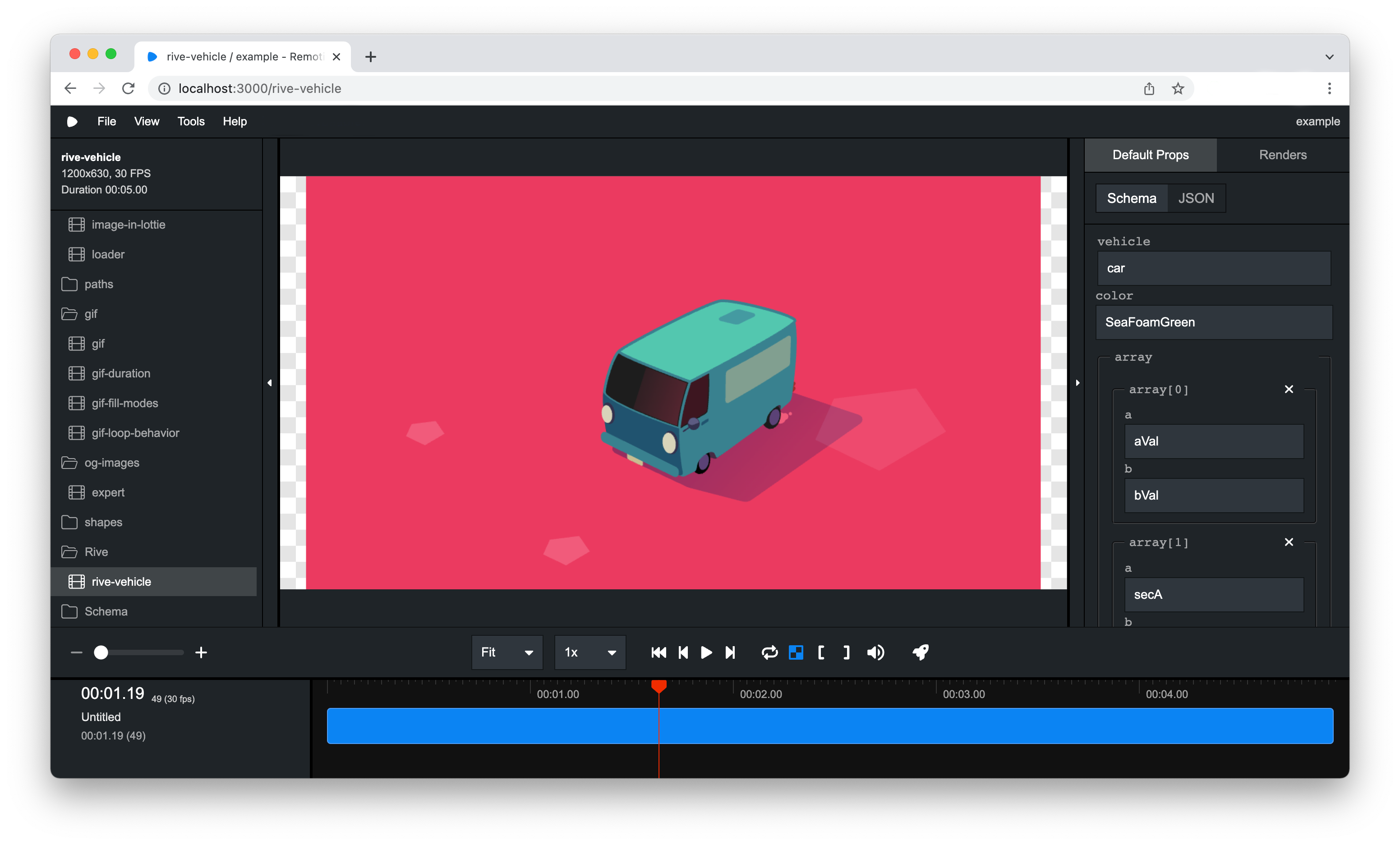
By default the rich timeline feature is disabled, but will be enabled by default if the feedback is good. You may switch between the rich timeline and simple timeline by clicking the icon with the three lines. Try it out and let us know what you think!

The traditional transpilation of Javascript and Typescript using babel-loader has been replaced by the faster esbuild-loader by default.
This will speed up bundling by a lot - hopefully you won't notice any other differences! If you for some reason need to go back to the previous behavior, you may override the Webpack config - we are releasing a helper that makes it easy.
Even though transpilation is done using ESBuild now, Webpack is still being used for bundling. We rely on Webpack features such as Hot Module Replacement, asset importing, it's strong loader ecosystem and now it's caching features.
When you run npm run build for the first time, you will get a message that a cache is building. From the second time on, bundling will be much faster, even if you change your code. You shouldn't have to ever do it, but you can opt out of caching.
Want to render partial video or a still for thumbnail? You can do that with Remotion 2.0. We introduced a new CLI flag --frames to render a subset or a still of a video.
--frames=0-9 (To select the first 10 frames) or --frames=50 (To render a still of the 51st frame).
Learn more about the --frames CLI option.
@remotion/gif componentA new GIF component released in the @remotion/gif package is now available. The <Gif /> component allows to load a local or remote GIF and synchronizes it with Remotions useCurrentFrame(). For that it parses the GIF using WebAssembly - basically it's really cool tech! Thanks a lot to @jeetiss for contributing this new component.
Learn more about the GIF component here.
In the editor, you can now resize the timeline as well as the left sidebar. Thanks a lot to Arthur Denner for this awesome contribution!
interpolate() now supports arrays with lengths bigger than 2. Really useful for a lot of scenarios - for example you can create a combined fade in/fade out transition with one line.
const opacity = interpolate(frame, [0, 10, durationInFrames - 10, durationInFrames], [0, 1, 1, 0]);While not strictly a new feature, this is definitely worth mentioning.
Calvin Falter, Jonas Brunner and Tobias Boner took Remotion as their project for their university seminar and contributed over 100 tests, strengthening the code and ironing out edge cases.
@cnnr contributed a really cool end-to-end test that tests the video seeking of Remotion and makes sure it is frame-accurate by matching the colors in each frame.
The remaining added tests are testing the tricky parts of audio rendering. Thanks to test-driven development, we've been able to catch regressions and ship really solid audio support.
The bottom line: In Remotion 1.5.4 we had total 43 tests, in Remotion 2.0 we added a total of 174 tests to come out at a total of 217.
<Video/> and <Audio/> have startFrom and endAt propsThese new props make it easier to cut the start or the end of the video. This is implemented using sequences, which was also possible before, but this is a convienient shorthand.
In Remotion 1.x, a <Video/> would not always perfectly synchronize with Remotions time during render. This is now fixed and validated by tests that scan the color of the output frames - however not in the most efficient way. Help on improving it further is still welcome.
Importing files into your webpack bundle that were of significant size (the problems started at around 40MB) led to slow renders and timeouts. This is now fixed by swapping out dependencies and making sure the whole stack supports the HTTP range header well. Now if you seek a video, only the necessary parts will be loaded from the filesystem rather than the whole file being read.
We've taken this opportunity of a major release to introduce some breaking changes that we think are beneficial for an awesome future of Remotion. Please take a moment to read through the 2.0 Migration guide and see if you are affected.
Most of the core functionality for making videos in React is now implemented. This gives us time to focus on improving all the areas around it - we are talking better documentation, developer experience, examples, abstractions on top or Remotion, improving speed and reliability of Remotion.
Furthermore, we want to provide a way to embed Remotion compositions in traditional web apps and to make server-side rendering easier - stay tuned!
此内容由惯性聚合(RSS阅读器)自动聚合整理,仅供阅读参考。 原文来自 — 版权归原作者所有。