惯性聚合 高效追踪和阅读你感兴趣的博客、新闻、科技资讯
阅读原文 在惯性聚合中打开

推荐订阅源

腾讯CDC
Engineering at Meta
Engineering at Meta
Last Week in AI
Last Week in AI
V
Visual Studio Blog
Stack Overflow Blog
Stack Overflow Blog
A
About on SuperTechFans
博客园 - 司徒正美
D
DataBreaches.Net
有赞技术团队
有赞技术团队
T
The Blog of Author Tim Ferriss
MyScale Blog
MyScale Blog
I
InfoQ
Cyber Security Advisories - MS-ISAC
月光博客
月光博客
Google DeepMind News
Recent Announcements
小众软件
小众软件
G
Google Developers Blog
博客园 - 【当耐特】
U
Unit 42
美团技术团队
B
Blog
D
Docker
Blog — PlanetScale
Blog — PlanetScale

Home on Alex Plescan

bigdraw: I made a collaborative drawing site Just for fun: animating a mosaic of 90s GIFs Two computers, one monitor, zero fiddling Placeholder names should be bad and unique Rebuilding this site Okay, I really like WezTerm GNU Parallel, where have you been all my life? Timeseries with PostgreSQL Easy SVG sparklines Using Declarative Shadow DOM to embed HTML emails on a web page Selling SaaS on Gumroad PDF: The Conjoined Triangles of Success Deploying Metabase to Fly.io The ".x" Files Xcode 8 managed signing: adding new device UUIDs to a provisioning profile How to use the San Francisco Mono typeface before macOS Sierra is released Disabling App Transport Security in your development environment Swift: A nicer way to tell if your app is running in Debug mode Development environment config overrides in Jekyll Setting up SwiftLint on Travis CI
Emojify your Wi-Fi (Netgear R6300 edition)
2016-08-16 · via Home on Alex Plescan

After reading Brian Jordan’s post Emojify your Wi-Fi where he adds emoji to his Wi-Fi SSID, I decided to blatantly rip him off I got inspired to do the same on my Netgear R6300 router.

Adding the emoji directly from the admin panel didn’t work though, when I tried to I got this alert:

Character not allowed alert dialog

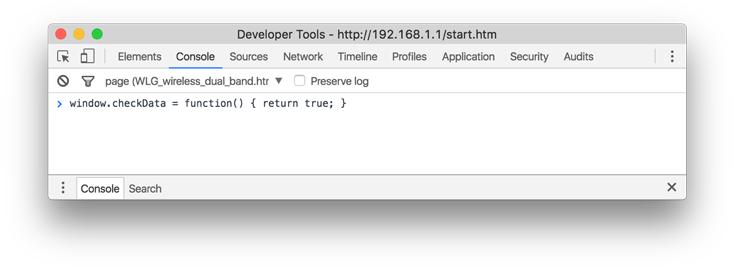
Following in Brian’s footsteps, I found the Javascript function which validates the characters in an SSID and overrode it to always return true. This was enough to get an emoji character accepted as part of the SSID!

To do this yourself you can follow these steps:

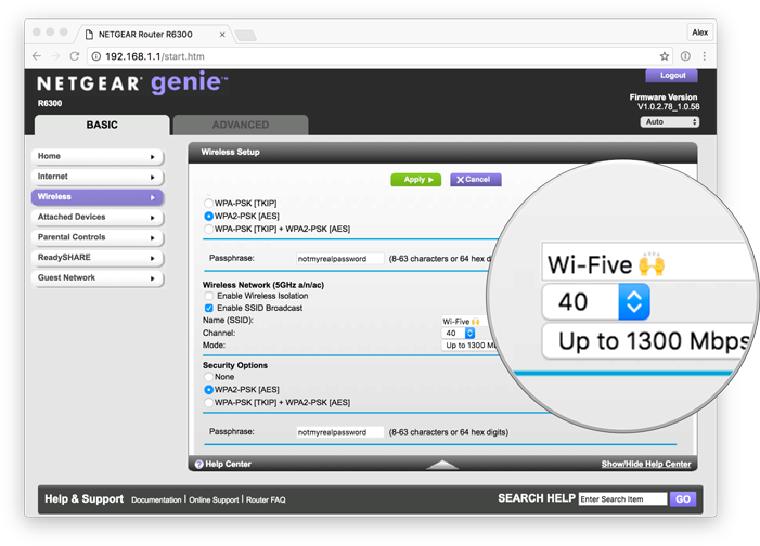
  1. Go to your Netgear admin panel and craft your beautiful emoji-enriched SSID Wi-fi admin panel
  2. Open up the developer console
  3. Override the validation function by typing in window.checkData = function() { return true; } (and then pressing Return) Dev console
  4. Craft your beautiful emoji-enriched SSID
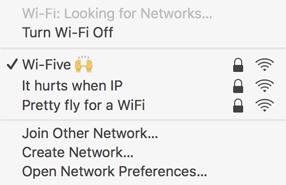
  5. Save and enjoy your new SSID… you finally fit in with the neighbours New SSID updated