

惯性聚合 高效追踪和阅读你感兴趣的博客、新闻、科技资讯
阅读原文 在惯性聚合中打开

推荐订阅源

OSCHINA 社区最新新闻
OSCHINA 社区最新新闻
雷峰网
雷峰网
Hugging Face - Blog
Hugging Face - Blog
IT之家
IT之家
H
Help Net Security
腾讯CDC
奇客Solidot–传递最新科技情报
奇客Solidot–传递最新科技情报
The GitHub Blog
The GitHub Blog
V
V2EX
M
MIT News - Artificial intelligence
Vercel News
Vercel News
WordPress大学
WordPress大学
博客园 - 三生石上(FineUI控件)
钛媒体:引领未来商业与生活新知
钛媒体:引领未来商业与生活新知
freeCodeCamp Programming Tutorials: Python, JavaScript, Git & More
Cyber Security Advisories - MS-ISAC
阮一峰的网络日志
阮一峰的网络日志
B
Blog RSS Feed
D
Docker
V
Visual Studio Blog
博客园 - 叶小钗
美团技术团队
S
SegmentFault 最新的问题
让小产品的独立变现更简单 - ezindie.com

KittenLabs

Casiomania Marantz UD5007 power supply replacement AnotterKiosk GPD Pocket 4 Speaker DSP IP-over-Toslink FX3 LVDS Frame grabber Extreme Pi Boot Optimization WiFi auth with OsmoHLR/SIM cards Windows 11 tweaks & usability improvements Using custom domains as a Fediverse redirect 25GBit/s on macOS & iOS Router overclocking Real gaming router Manage RDP certificates on Windows using SSH 20 port USB-C charger Reviving a dead Gigabyte MJ11-EC1 mainboard NVMe BIOS Option ROM 2.5GbE PCIe NIC mod board Blinkekatze ThinkPad T41/T43 USB-C HomeSwitch 4 DC UPS (Lithium) OLED nametag Thermal camera macro Blåmba LPT printer emulator PC104 ISA adapter Palm IIIc USB-C OtterCast Gigaset DECT debug adapter
SolarCamPi
By Manawyrm and tSYS | Thursday, July 14, 2022 · 2022-07-14 · via KittenLabs

Off-Grid solar-powered WiFi webcam

SolarCamPi RevB PCB, mounted on a Raspberry Pi Zero SolarCamPi PCB backside, with ATmega328 processor

What is it?

SolarCamPi is an off-grid webcam solution, that can take a picture using a Raspberry Pi Camera or a USB webcam every 5 minutes and send the image over a long-distance WiFi link.

Using a very specialised Linux image on the Raspberry Pis SD card, booting, taking a picture and sending it over WiFi can be done in under 15 seconds. This allows the Raspberry Pi to be powered off most of the time, saving energy.

A small 5W solar panel with a 16F, 16V ultracapacitor bank can run this setup permanently, even at night.

Technical specs:

  • 15s runtime with 200mA current draw
  • 15Ws energy per picture
  • Undervoltage lockout
  • Image upload via HTTP Post
  • Voltage reporting via HTTP Post
  • Configurable parameters via I2C
  • Wide input voltage range: 3V to 18V
  • Low idle/quiescence current: 11µA
  • Using ATmega328 (main MCU), INA119 (power measurement), TPS71533 (LDO), TPS63070 (buck boost)

Example installation

With a 7.2Ah lead-gel battery, this installation can run without any external power for several months.
Continuous operation, even with long-term exposures at night is possible with the small solar panel.

Weatherproof enclosure, with 7.2Ah lead-gel battery and SolarCamPi inside Mast, with solar panel, WiFi antenna and SolarCamPi enclosure mounted to it, in nature

Remote fleet management

SolarCamPi’s communicate with a cloud-hosted web panel, which can be used to view the captured images.
Device status (battery voltage, solar panel parameters, etc.) can be tracked as well.
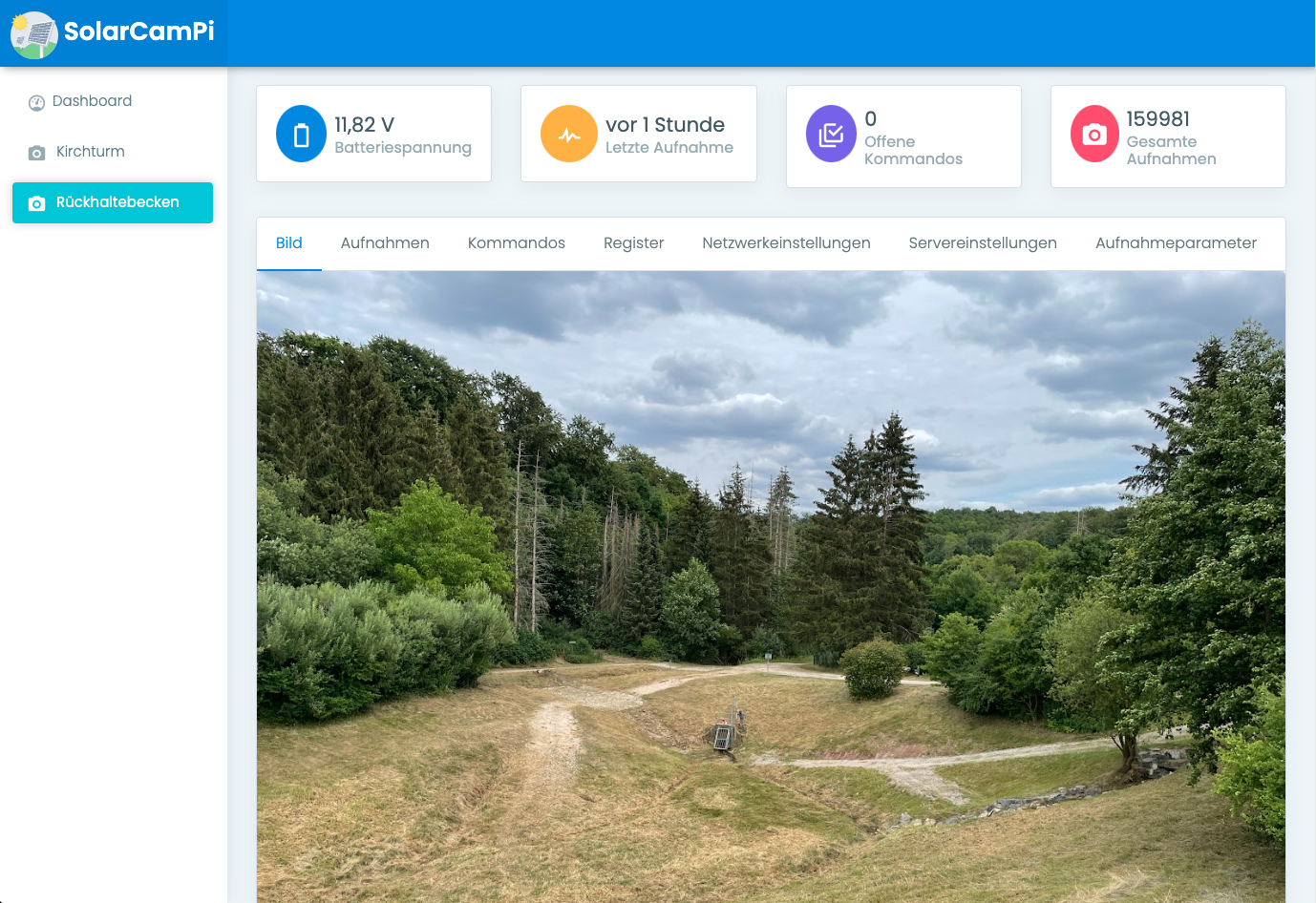
webinterface, showing an example picture

The web interface provides a list of all image uploads, with additional telemetry like the WiFi signal strength, custom image parameters, etc.
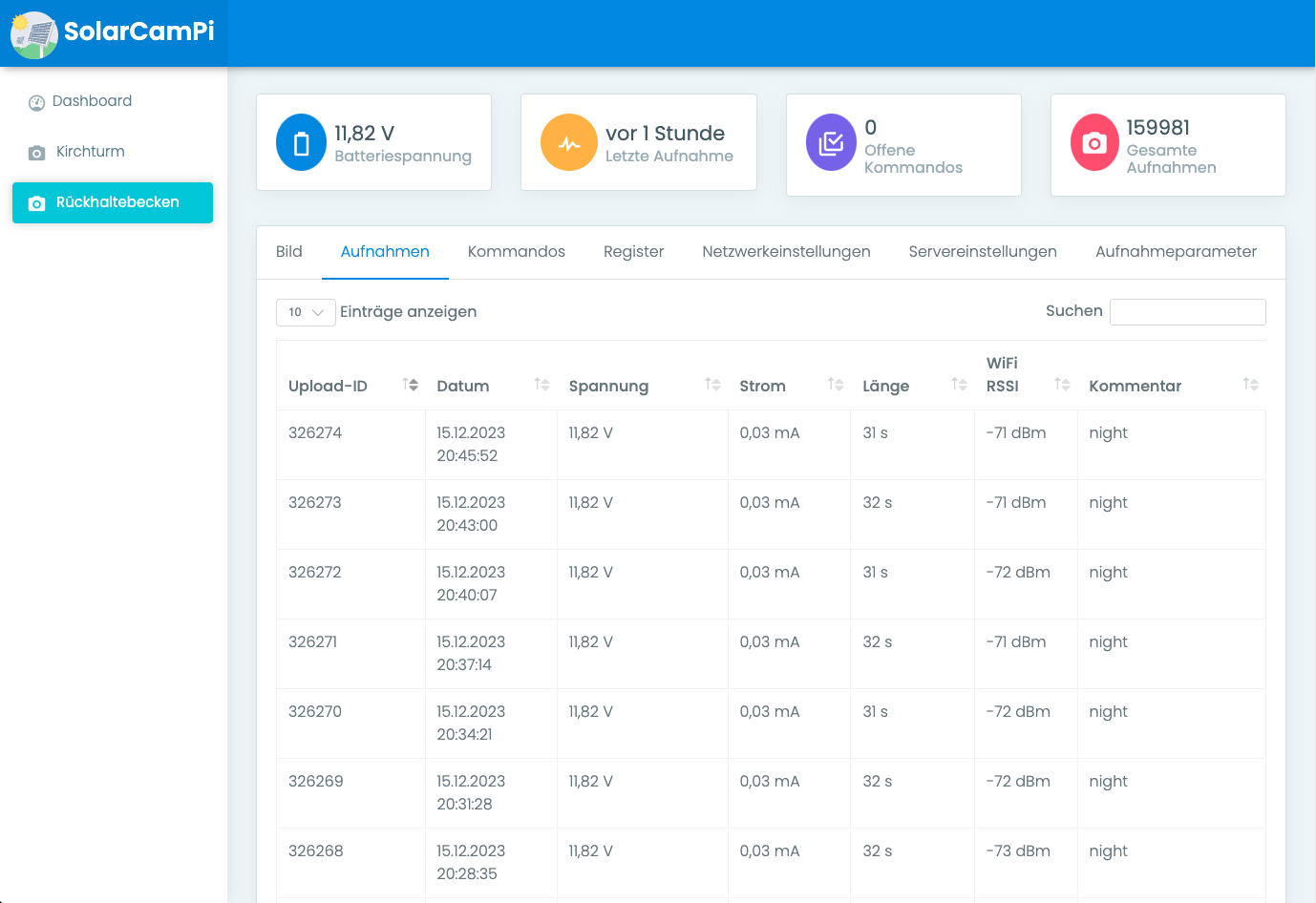
webinterface, showing the upload logs

Configuration (network settings, API keys, management tunnels, cutoff voltages, image intervals) can be remotely changed and will be applied at the next image upload:
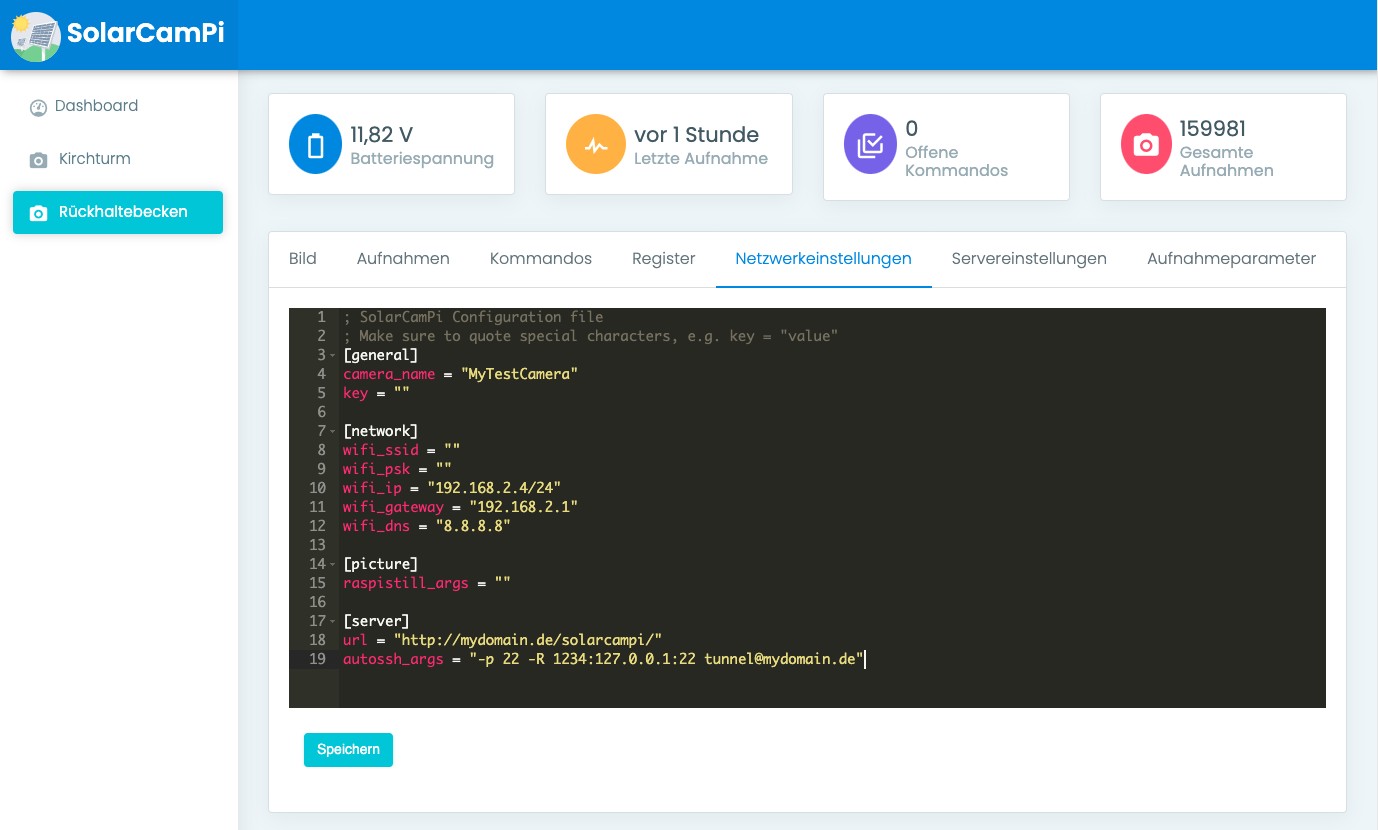
webinterface, showing the config file

On-device PHP interpreter allows for maximum flexibility even in tricky setups.
A user-defined PHP script takes parameters like the current time or external sensor inputs and can modify the image acquisition accordingly. This script can also return additional telemetry (like sensor values).
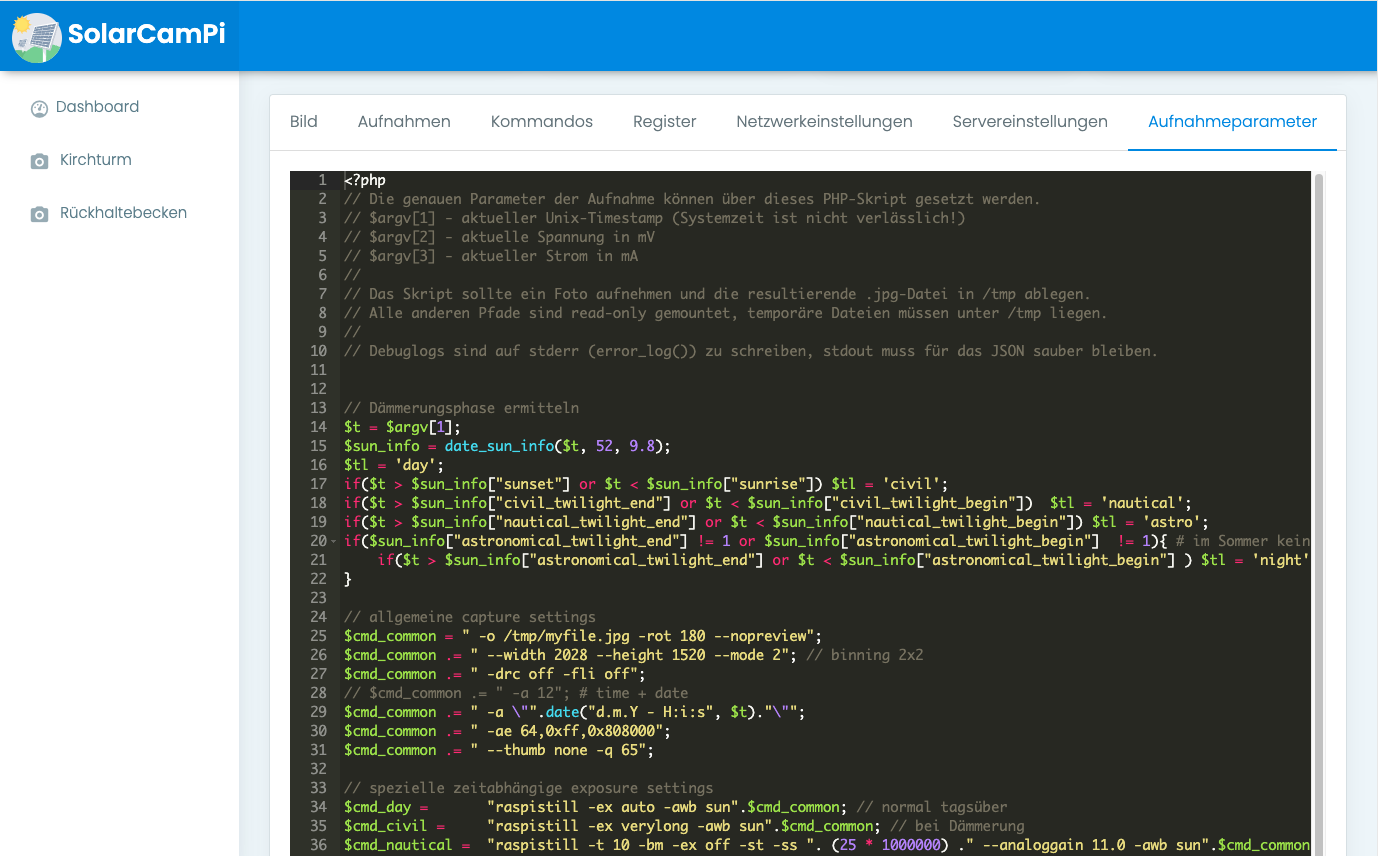
webinterface, showing custom PHP code

Commands (like configuration changes, firmware updates, register read/write) will get queued online and delivered with the next image upload cycle. After the next image upload has finished, the camera is sent a list of tasks to execute (like updating files, etc.):
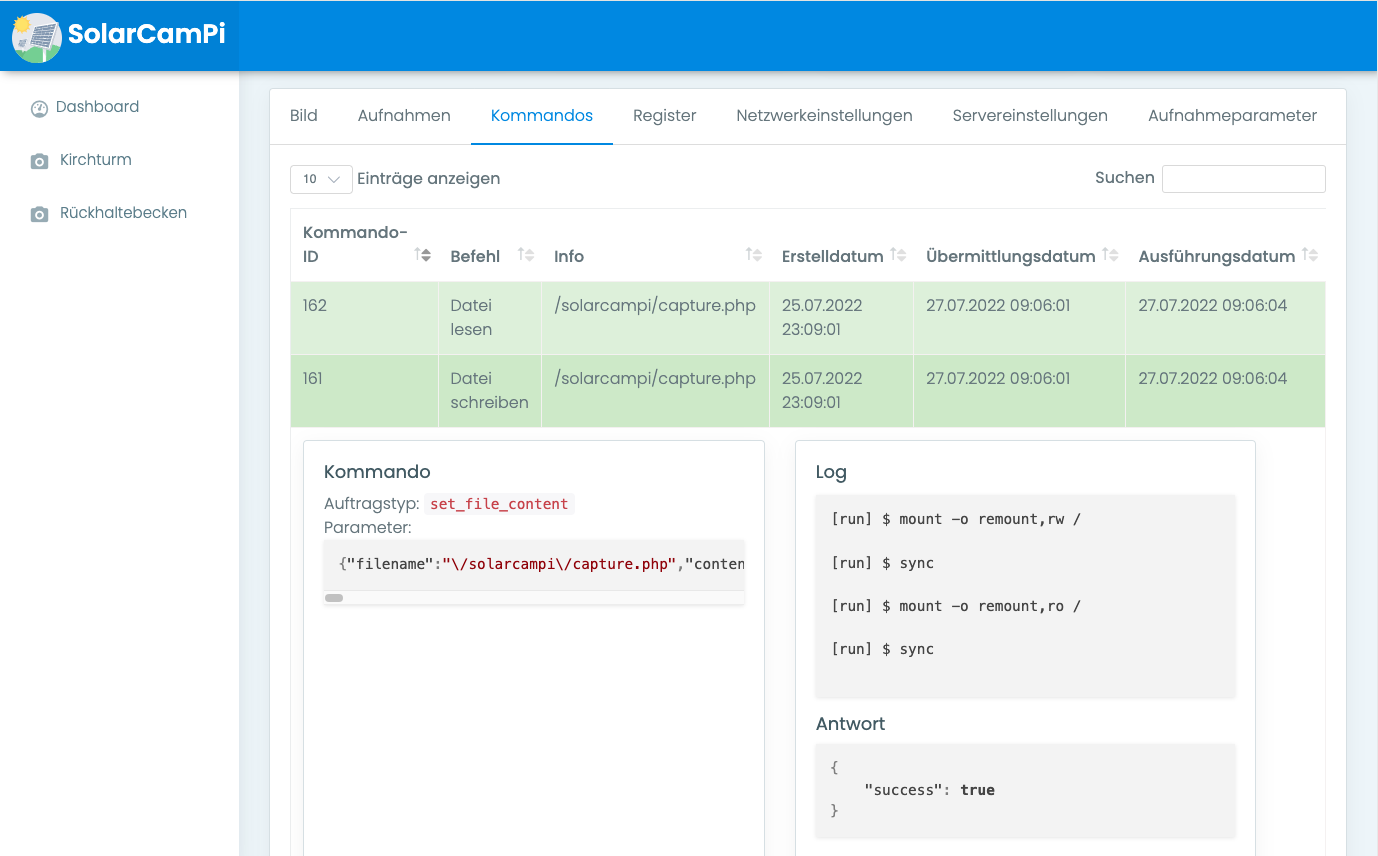
webinterface, showing the queue log

Early prototype hardware

SolarCamPi prototype, on protoboard, hand-wired SolarCamPi prototype, on protoboard, hand-wired, other angle