惯性聚合 高效追踪和阅读你感兴趣的博客、新闻、科技资讯
阅读原文 在惯性聚合中打开

推荐订阅源

W
WeLiveSecurity
T
Tenable Blog
Project Zero
Project Zero
C
Cybersecurity and Infrastructure Security Agency CISA
T
The Exploit Database - CXSecurity.com
P
Palo Alto Networks Blog
S
Schneier on Security
Scott Helme
Scott Helme
S
Securelist
Know Your Adversary
Know Your Adversary
Vercel News
Vercel News
IT之家
IT之家
V
V2EX
F
Fortinet All Blogs
Simon Willison's Weblog
K
Kaspersky official blog
博客园_首页
T
Tailwind CSS Blog
The GitHub Blog
The GitHub Blog
Spread Privacy
Spread Privacy
Microsoft Security Blog
Cisco Talos Blog
Cisco Talos Blog
The Register - Security
有赞技术团队
有赞技术团队
cs.CL updates on arXiv.org
Cyberwarzone
Cyberwarzone
Google DeepMind News
The Hacker News
The Hacker News
L
LINUX DO - 热门话题
Hugging Face - Blog
Hugging Face - Blog
博客园 - 三生石上(FineUI控件)
A
Arctic Wolf
Cyber Security Advisories - MS-ISAC
C
CXSECURITY Database RSS Feed - CXSecurity.com
让小产品的独立变现更简单 - ezindie.com
T
Threat Research - Cisco Blogs
P
Proofpoint News Feed
钛媒体:引领未来商业与生活新知
钛媒体:引领未来商业与生活新知
P
Privacy & Cybersecurity Law Blog
D
Darknet – Hacking Tools, Hacker News & Cyber Security
C
CERT Recently Published Vulnerability Notes
S
SegmentFault 最新的问题
AWS News Blog
AWS News Blog
freeCodeCamp Programming Tutorials: Python, JavaScript, Git & More
罗磊的独立博客
Apple Machine Learning Research
P
Proofpoint News Feed
The Cloudflare Blog
OSCHINA 社区最新新闻
OSCHINA 社区最新新闻
V
Vulnerabilities – Threatpost

In Pursuit of Simplicity

A Genius AI Product design: Reddit translation The Essence of Prompt Engineering is the Art of Asking Questions A Story About Bypassing Air Canada's In-flight Network Restrictions A Telegram Spam Blocker Bot Based On Bayesian Algorithm Reflections on Ten Years of Programming TIL: Git Conditional Configs Rewind your Github summary How to share resource between CDK stacks Topological Sort
TIL: Git Blame with Following
Ramsay Leung · 2024-04-14 · via In Pursuit of Simplicity

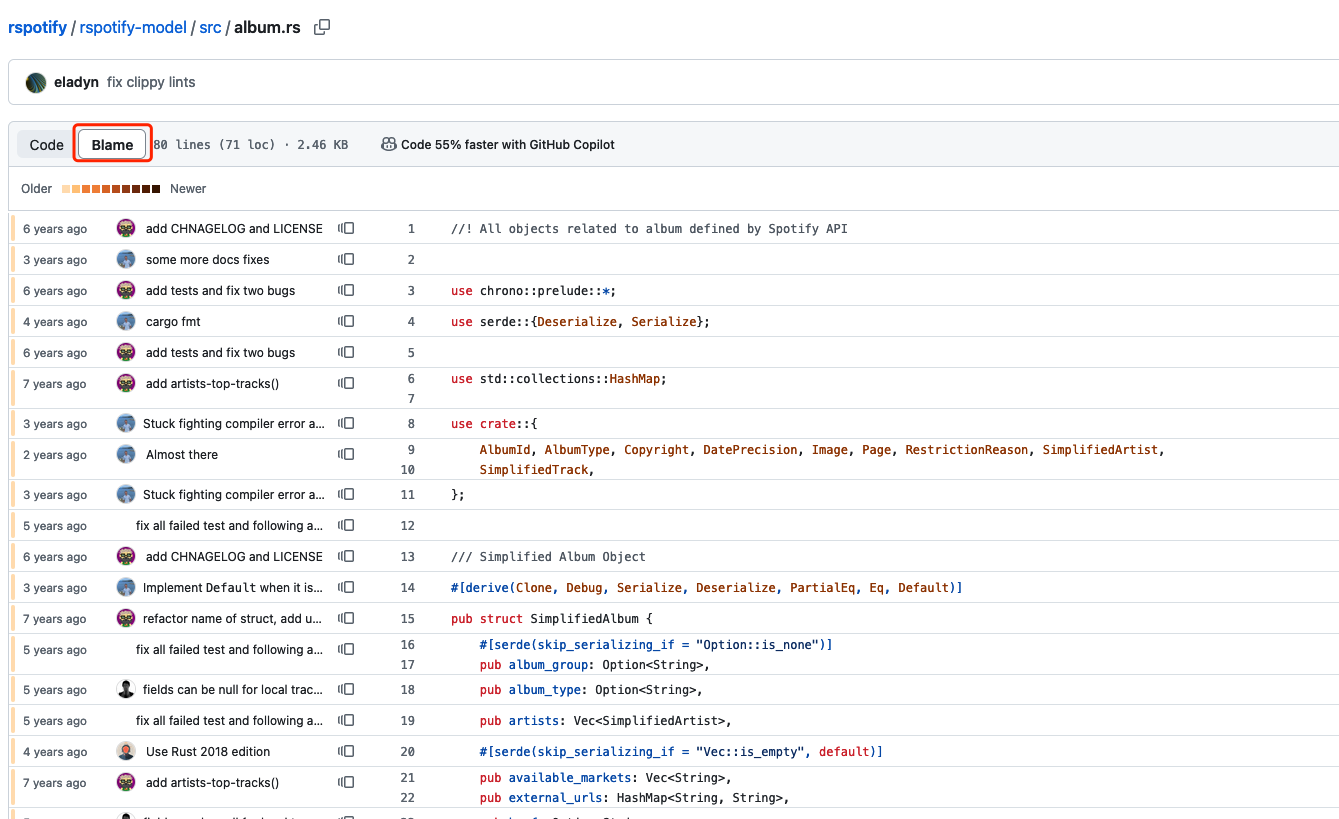
Developers usually use git blame in GUI tools like GitHub Blame
or using GitLens blame in VSCode:
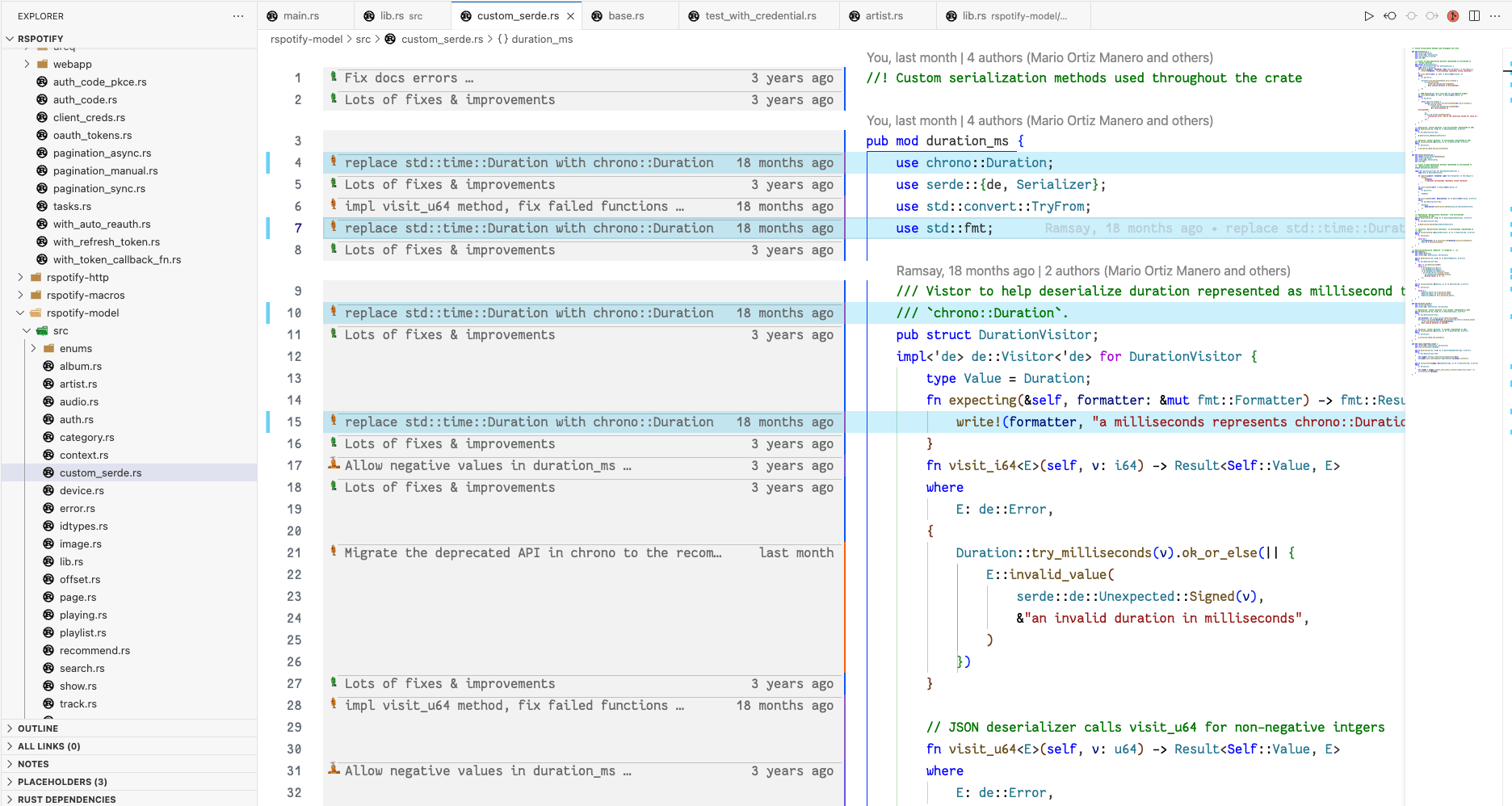
Even though GUI tools is intuitive, but the Git CLI has much more powerful tooling for finding something closer to the real story behind your code.

There are many scenarios that CLI is valuable, the first is ignoring the whitespace changes.

For example, if you formatted your C++ codebase with clang-format or Javascript codebase with prettier, you haven’t actually changed the codebase, but you’re the owner of tons of lines of code.

The git blame -w option will ignore these type of whitespace changes.

The other great option is -C which will look for code movement between files in a commit.

For example, if you refactor a function from one file to another, the normal git blame will simply show you as the author in the new file, but the -C option will follow that movement and show the last person who actually change those lines of code.

-C is extremely helpful when I need to find out the original author of some lines of code after file renames or refactors, to know more about the background and context behind this code

According to the git blame doc, you could pass -C up to three times to ask Git try even harder:

1
2
3
4
5
-C[<num>]
           In addition to -M, detect lines moved or copied from other files that were modified in the same commit.
           This is useful when you reorganize your program and move code around across files.
           When this option is given twice, the command additionally looks for copies from other files in the commit that creates the file.
           When this option is given three times, the command additionally looks for copies from other files in any commit.

(it’s a bit of odd design)

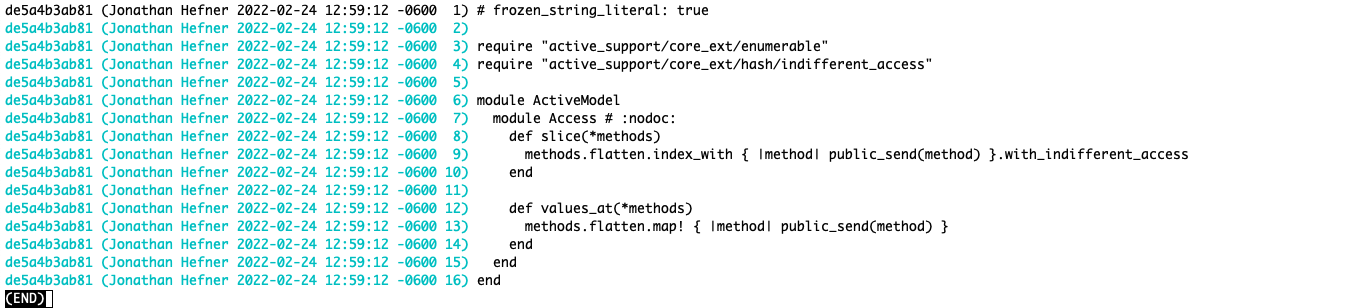
Let’s take the access.rb file of ActiveModel module in Rails framework for example:

1
git blame activemodel/lib/active_model/access.rb
Figure 1: Vanilla git blame

Figure 1: Vanilla git blame

Ok, it looks like Jonathan Hefner wrote all of this code it appears, let’s look at the same code with git blame -w -C -C -C activemodel/lib/active_model/access.rb

Figure 2: git blame -w -C -C -C

Figure 2: git blame -w -C -C -C

Now we can see that Git has followed this code from file to file over the course of multiple renames, it turns out Jonathan Hefner is the most recent file renamer, Guillermo Iguaran is the original author.

If we want to know the history about this file, it’s much better to ask Guillermo rather than Jonathan, which is beyond what the GUI blame or normal Git blame tool reveals