







AFFiNE is a powerful open-source alternative to Notion and Miro that prioritizes privacy and security by saving your notes locally. If you're looking for a knowledge management tool that combines document editing with whiteboard functionality while maintaining complete control over your data, AFFINE offers the perfect solution.
Built with Rust and TypeScript, AFFINE provides developers with maximum creative freedom while requiring minimal setup - just a single command runs the entire project. This comprehensive guide will walk you through deploying your own private AFFINE instance using Sealos, ensuring you maintain data privacy while enjoying all premium features completely free.
Unlike Miro and Notion which focus specifically on whiteboards and pages, AFFINE positions itself as an integrated KnowledgeOS. It uses kanban boards, tables, and rich text paragraphs as building blocks to create pages or whiteboards where you can perform document editing, data processing, or brainstorming in one unified environment.
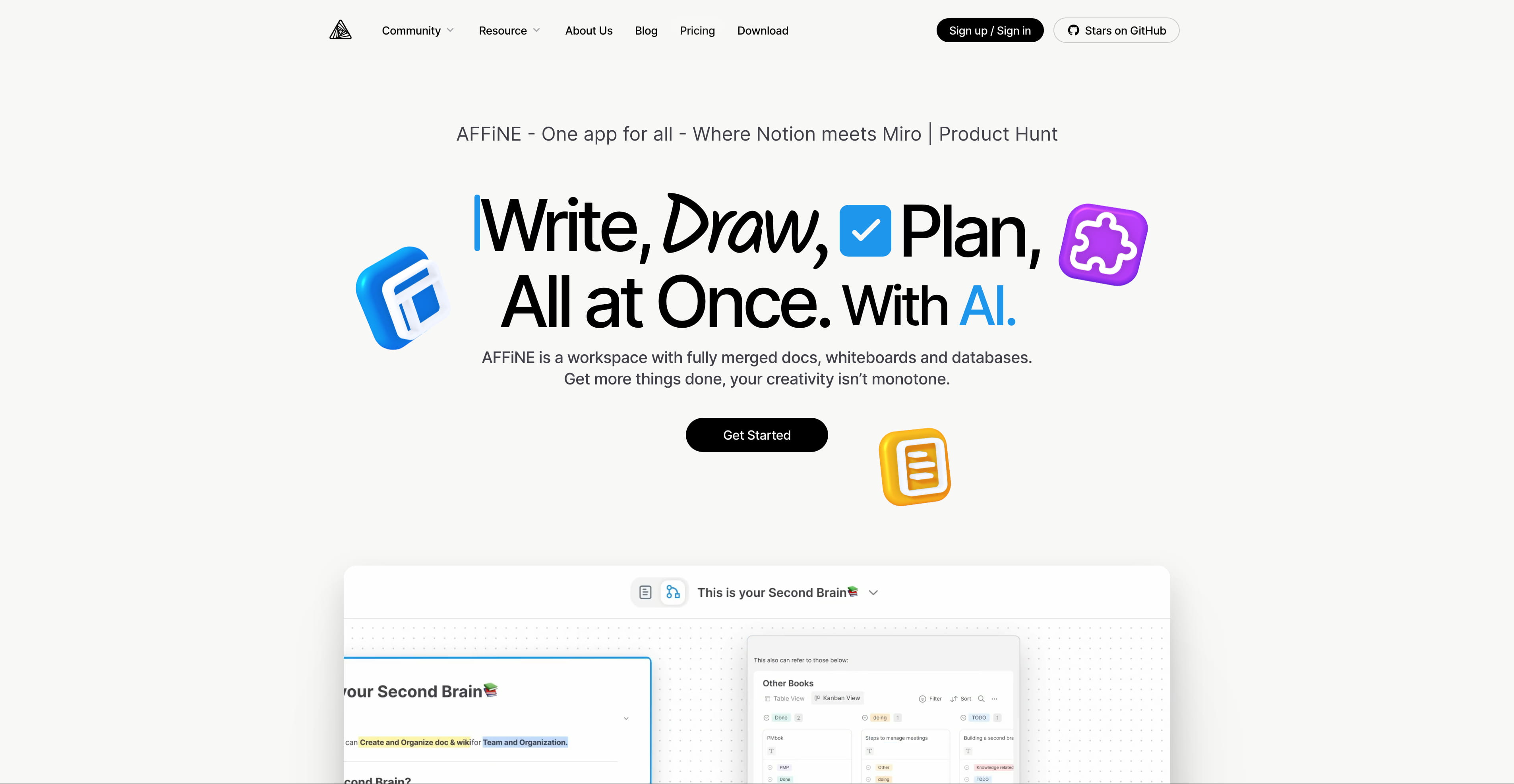 AFFINE main dashboard interface with document editor and whiteboard capabilities
Figure 1: AFFINE main interface showing document editing and knowledge management capabilities
While many editing applications claim to be productivity canvases, AFFINE stands out as one of the few that truly allows you to place any building block on an infinite canvas - from rich text and sticky notes to embedded webpages, multi-view databases, linked pages, and even slides.
Every page offers two distinct views, enabling you to access and edit fully-featured blocks anywhere in any format. This integration provides flexibility that neither Notion nor Miro can match on their own.
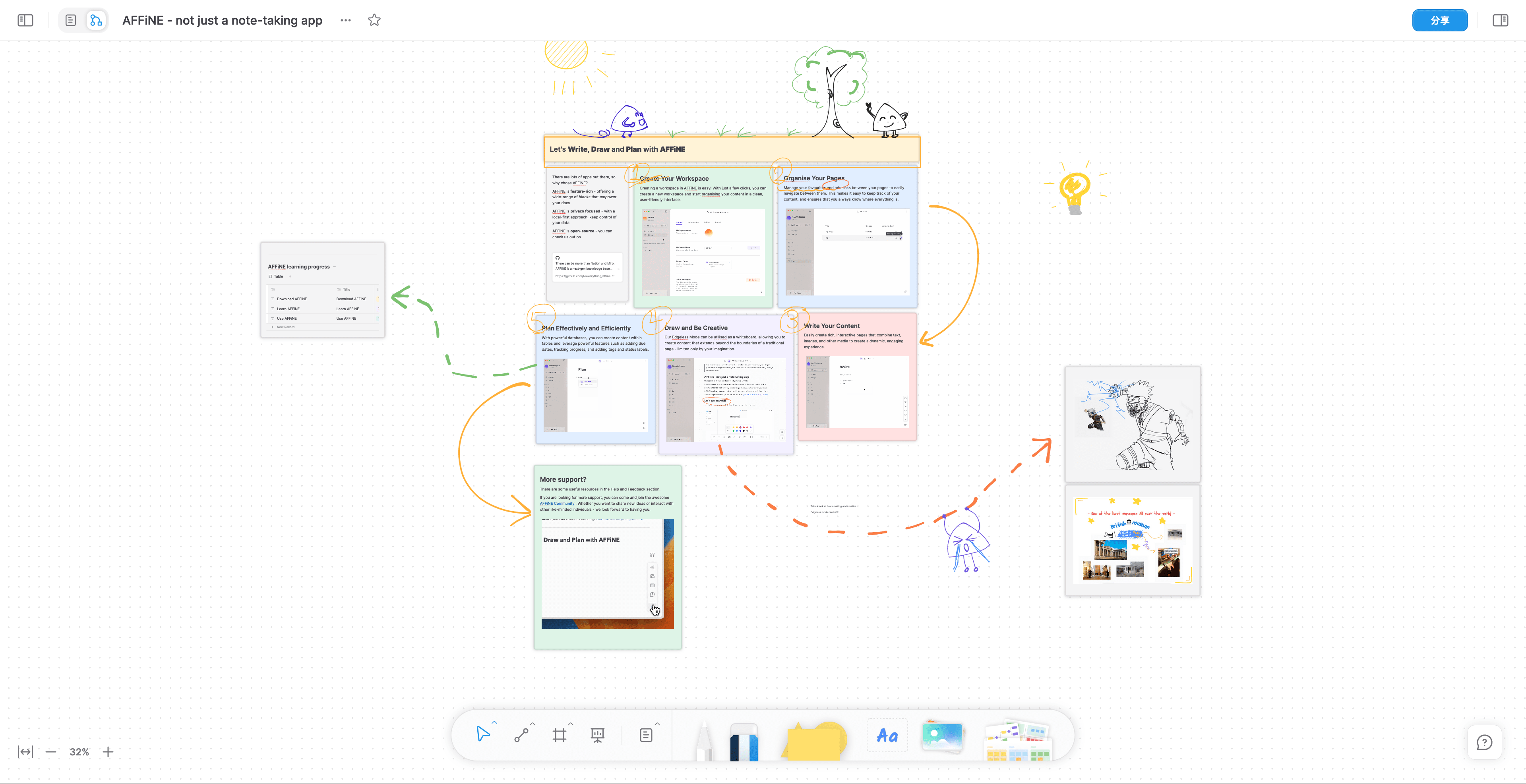 AFFINE Whiteboard feature supporting multiple view modes and collaborative editing
Figure 2: AFFINE's infinite canvas feature, enabling free organization and arrangement of content similar to Miro but with Notion's document capabilities
From drafting professional work reports to transforming outlines into expressive presentations, summarizing articles into well-structured mind maps, or even designing and coding prototype applications and websites with just a single prompt - AFFINE AI can do it all.
The AI assistant integrates seamlessly with both document and whiteboard modes, providing contextual help without requiring expensive add-on subscriptions like those offered by competing platforms.
AFFINE adheres to the local-first software principles, emphasizing data privacy while still enabling powerful collaboration features. You can completely opt out of using its cloud services and handle synchronization yourself, giving users more choices and flexibility compared to cloud-only solutions like Notion.
Users can freely fork and build custom versions of AFFINE or deploy it privately using the methods described in this guide. A plugin ecosystem and third-party modules are coming soon, providing extensibility that closed-source alternatives cannot match.
Among the many knowledge management tools available, AFFINE offers these distinctive advantages:
Open Source and Free
Enhanced Data Security
Comprehensive Integrated Features
Consistent Cross-Platform Experience
| Features | AFFINE | Notion | Miro |
|---|---|---|---|
| Document Editing | ✅ | ✅ | ❌ |
| Whiteboard Functionality | ✅ | ❌ | ✅ |
| Local-First | ✅ | ❌ | ❌ |
| Self-Hosting | ✅ | ❌ | ❌ |
| Real-Time Collaboration | ✅ | ✅ | ✅ |
| AI Assistant | ✅ | ✅ | ✅ |
| Price | Free and Open Source | Paid Subscription | Paid Subscription |
| Data Privacy Control | High | Limited | Limited |
| Customization Options | Extensive | Limited | Limited |
| Mobile Support | ✅ | ✅ | ✅ |
AFFINE's self-hosted deployment requires the following components:
However, the one-click deployment process with Sealos handles all these requirements automatically, making self-hosting accessible even for non-technical users.
The Sealos App Store offers a seamless deployment solution, allowing you to complete the entire setup with just a mouse click.
Visit the deployment link:

Click "Go to Sealos Deployment" to begin deployment
If you're a first-time Sealos user, you'll need to register and log in to a Sealos public cloud account. After logging in, you'll be automatically redirected to the template deployment page.
Once redirected, click "Deploy Application" in the top-right corner to start the deployment process. When deployment completes, simply click "Details" to access the application's details page.
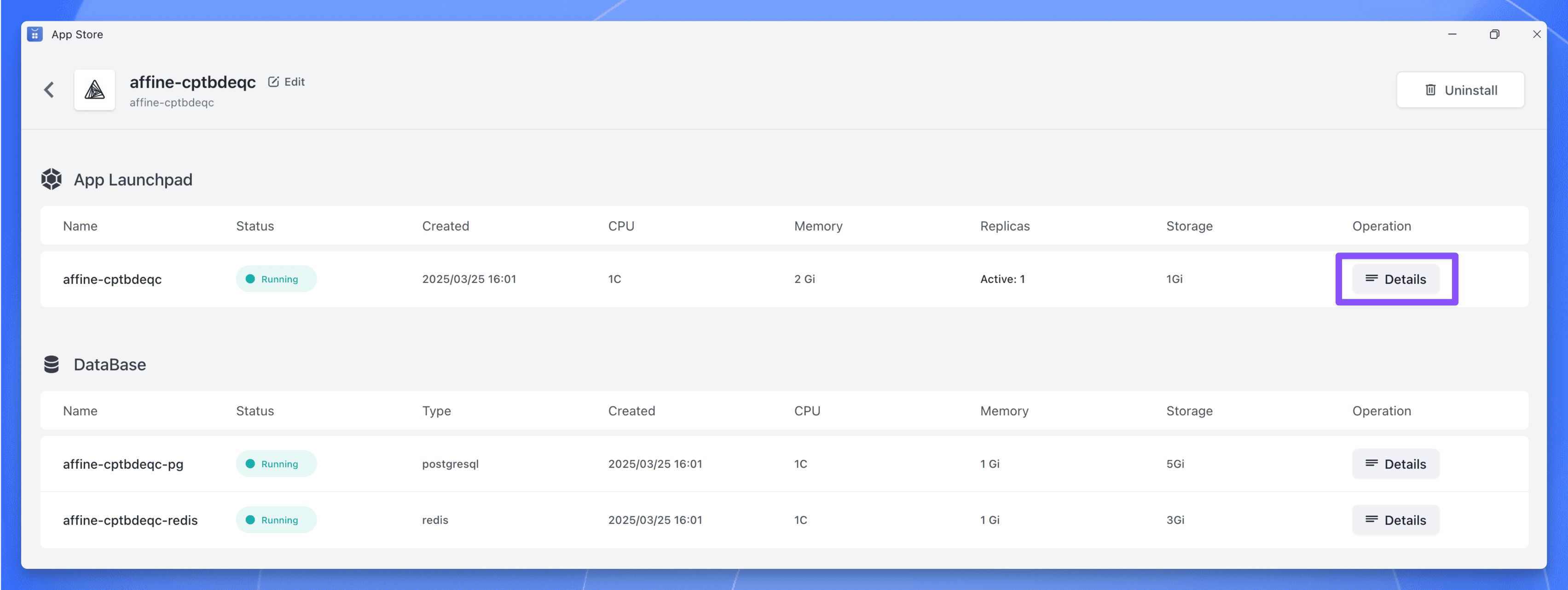 AFFINE deployment configuration interface on Sealos platform
Figure 3: AFFINE deployment configuration page on the Sealos platform showing simplified setup options
Wait until the instance status shows "running," then click the log icon to view logs:
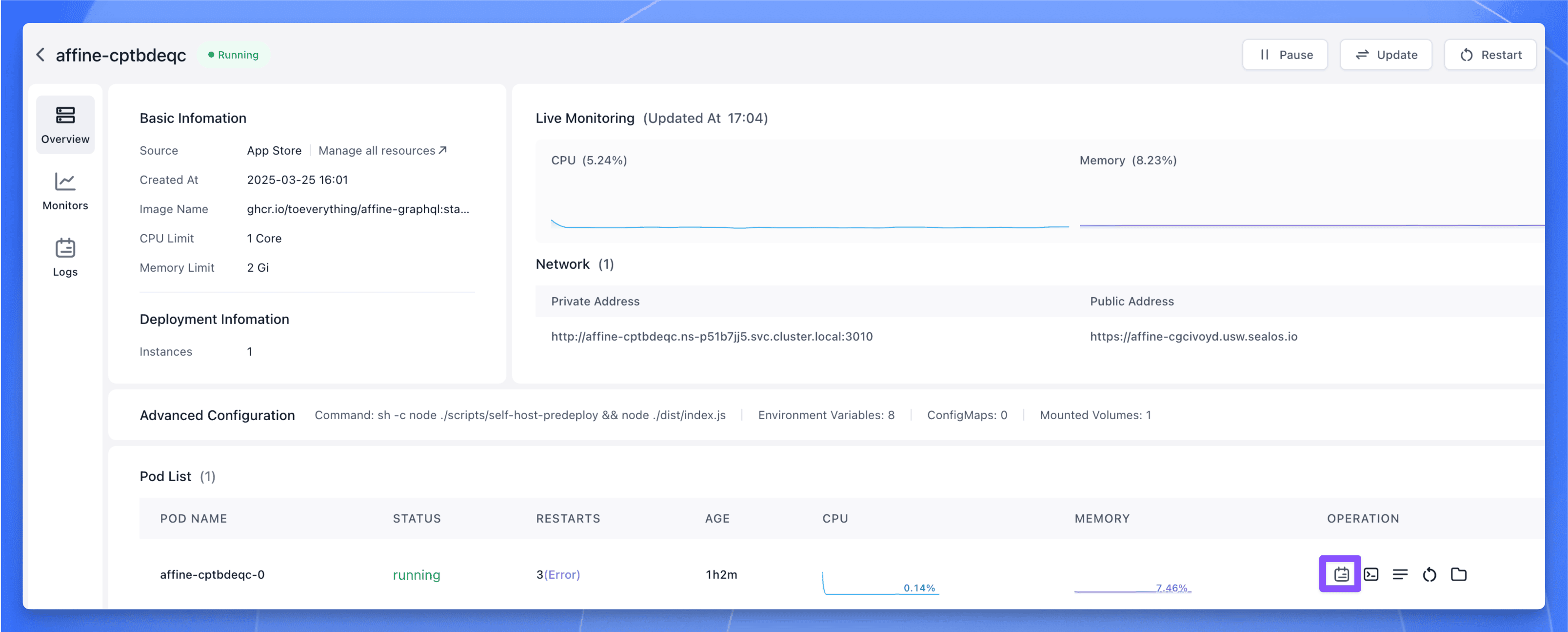 AFFINE deployment log viewing interface for monitoring
Figure 4: Log viewing interface during the AFFINE deployment process, helpful for troubleshooting
If you see the following logs, it indicates a successful startup:
 AFFINE successful startup log interface showing completed setup
Figure 5: Log information showing successful AFFINE startup with all services properly initialized
Now click the public network address to open the AFFINE Web UI:
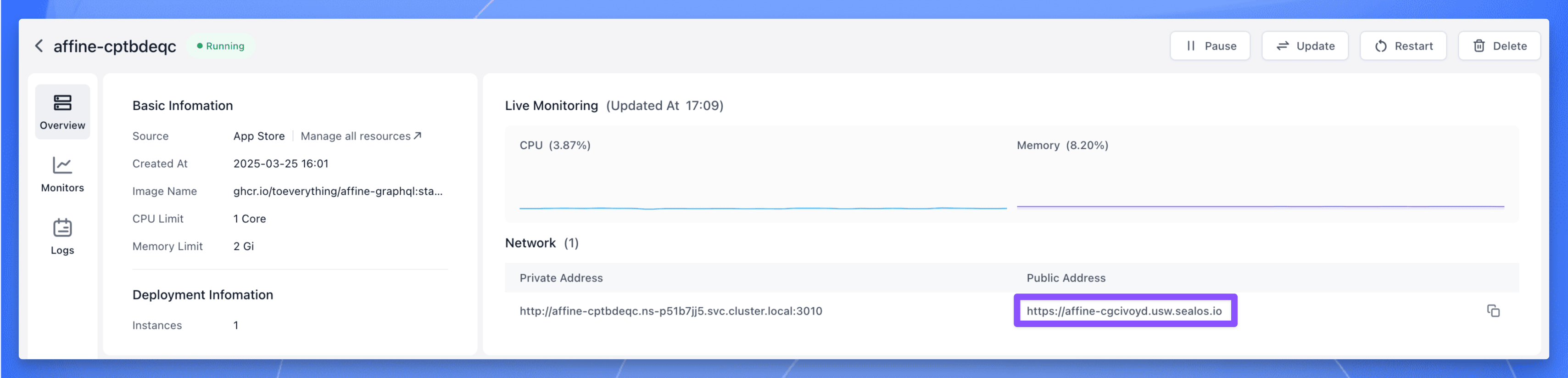 AFFINE instance details page with access information
Figure 6: AFFINE instance details page showing connection information for your private deployment
After opening the interface, register and log in first, then return to the homepage.
By default, AFFINE uses local browser storage. If you want to log in to your self-deployed cloud service, click "Enable AFFINE Cloud" in the top-right corner:
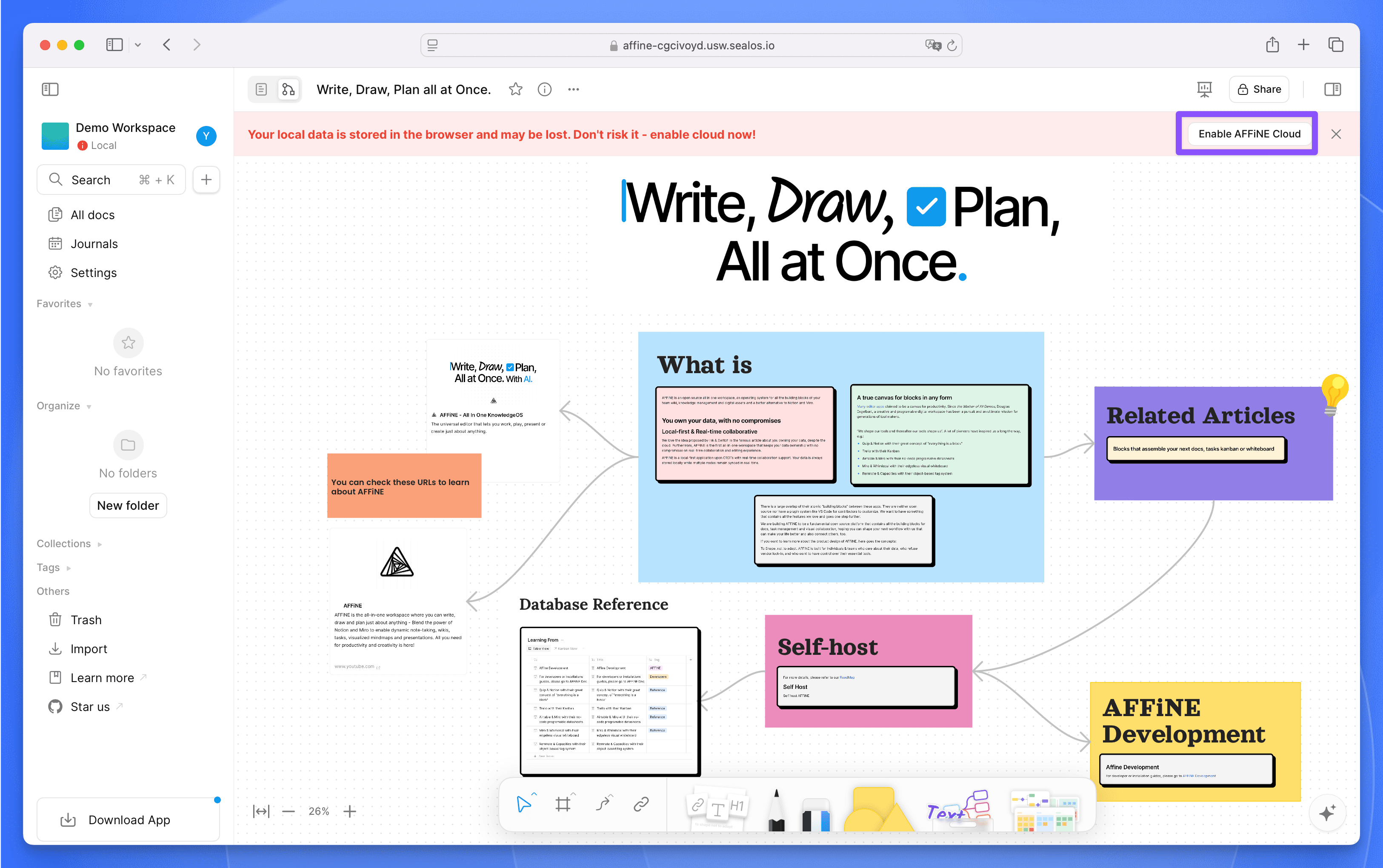 AFFINE cloud service enabling interface for data synchronization
Figure 7: AFFINE cloud service enabling page for configuring synchronized storage
Once enabled, you can start using AFFINE right away with all features fully activated.
AFFINE is very intuitive and easy to use. After completing deployment and logging in, you can:
Create a workspace: Click on the workspace in the top-left corner, then click the "+ Create Cloud Workspace" button to create a new workspace. You can customize the workspace with a name and icon.
Create a new document: Within your workspace, click the "+" button in the left sidebar to create a new document page.
Edit content: AFFINE offers a WYSIWYG (What You See Is What You Get) editing experience where you can:
/ commandCollaboration and sharing:
Data Synchronization: Once cloud services are enabled, all your content automatically syncs to the cloud, allowing you to work seamlessly across different devices.
AFFINE also offers comprehensive keyboard shortcuts to boost your productivity. Press Ctrl+/ or Cmd+/ to view all available shortcuts.
Document mode is AFFINE's basic editing mode, focusing on single-document creation. This mode features powerful editing capabilities that satisfy most document creation requirements.
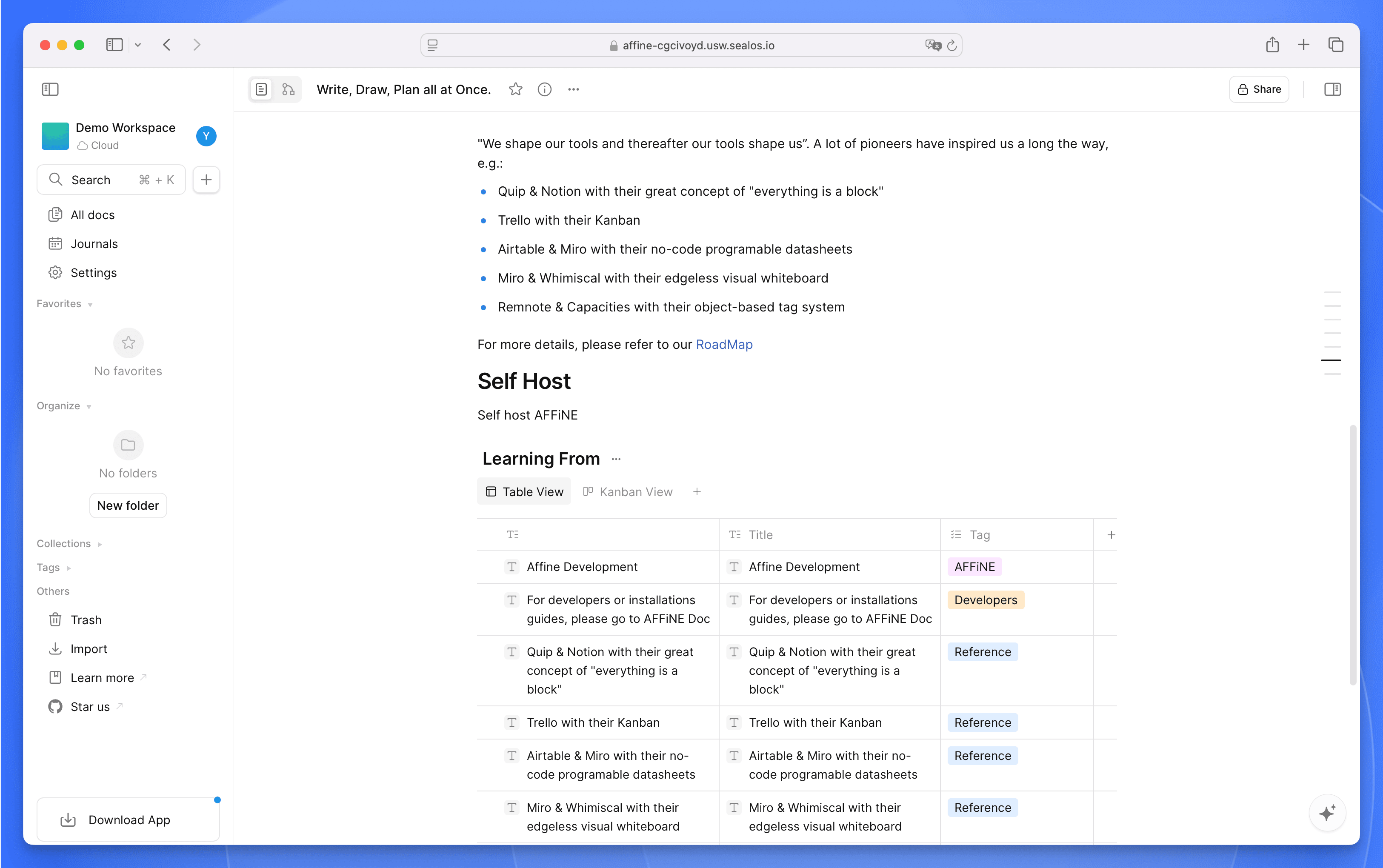 AFFINE Document Mode with rich text editing capabilities
Figure 8: AFFINE Document Mode showing Notion-like document editing features with clean interface
Using the / command menu, you can quickly access various functions including: text editing, formatting options, list management, document operations, content and media insertion, date and time selection, database creation, template framework application, group management, and additional shortcuts. These features enable more efficient organization and editing of your document content.
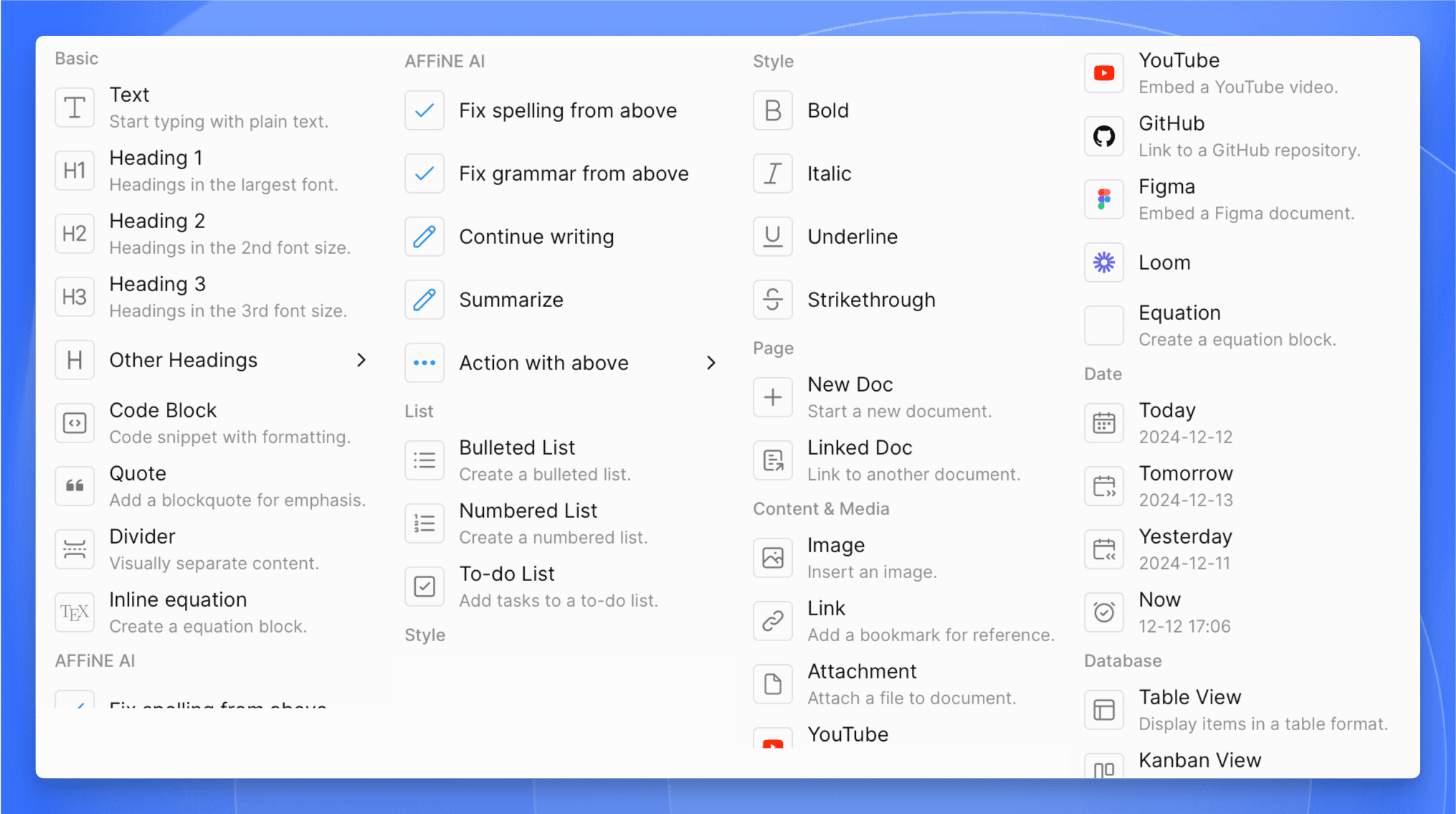 AFFINE Document Mode Command Menu for quick access to functions
Figure 9: AFFINE Document Mode Command Menu showing the variety of blocks and functions available
When you switch to whiteboard view, content from the text view automatically converts into standalone text modules embedded within the whiteboard, making flexible layout and organization easier.
Whiteboard mode offers an infinite canvas where you can edit text, draw by hand, upload images, apply templates, draw lines, and use the eraser, among other operations.
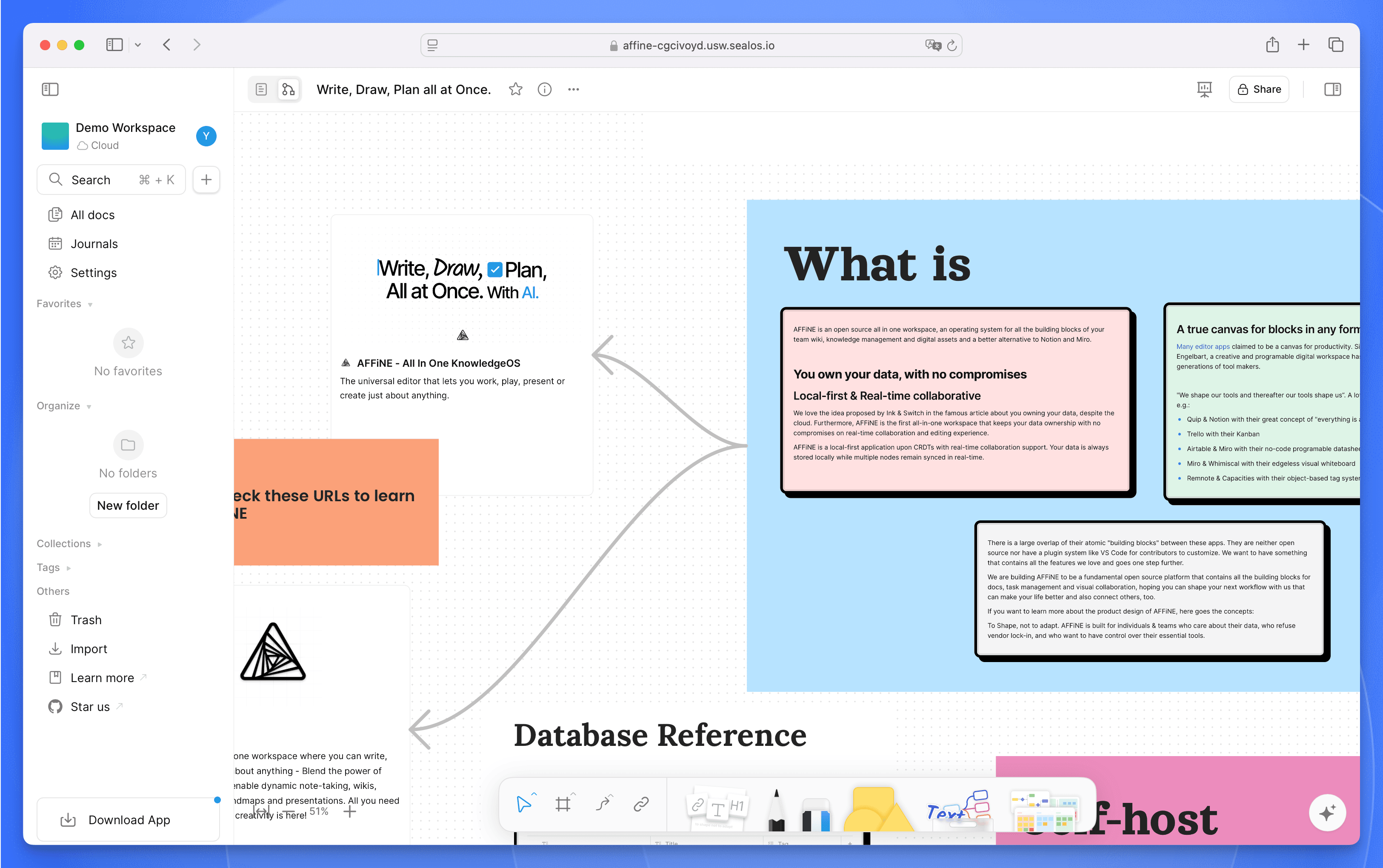 AFFINE Whiteboard Mode showing infinite canvas functionality
Figure 10: AFFINE Whiteboard Mode demonstrating the Miro-like infinite canvas functionality
AFFINE includes a diverse template library featuring mind maps, task planning, project management, market analysis charts, and many other types. You can quickly start working by importing these templates with just one click.
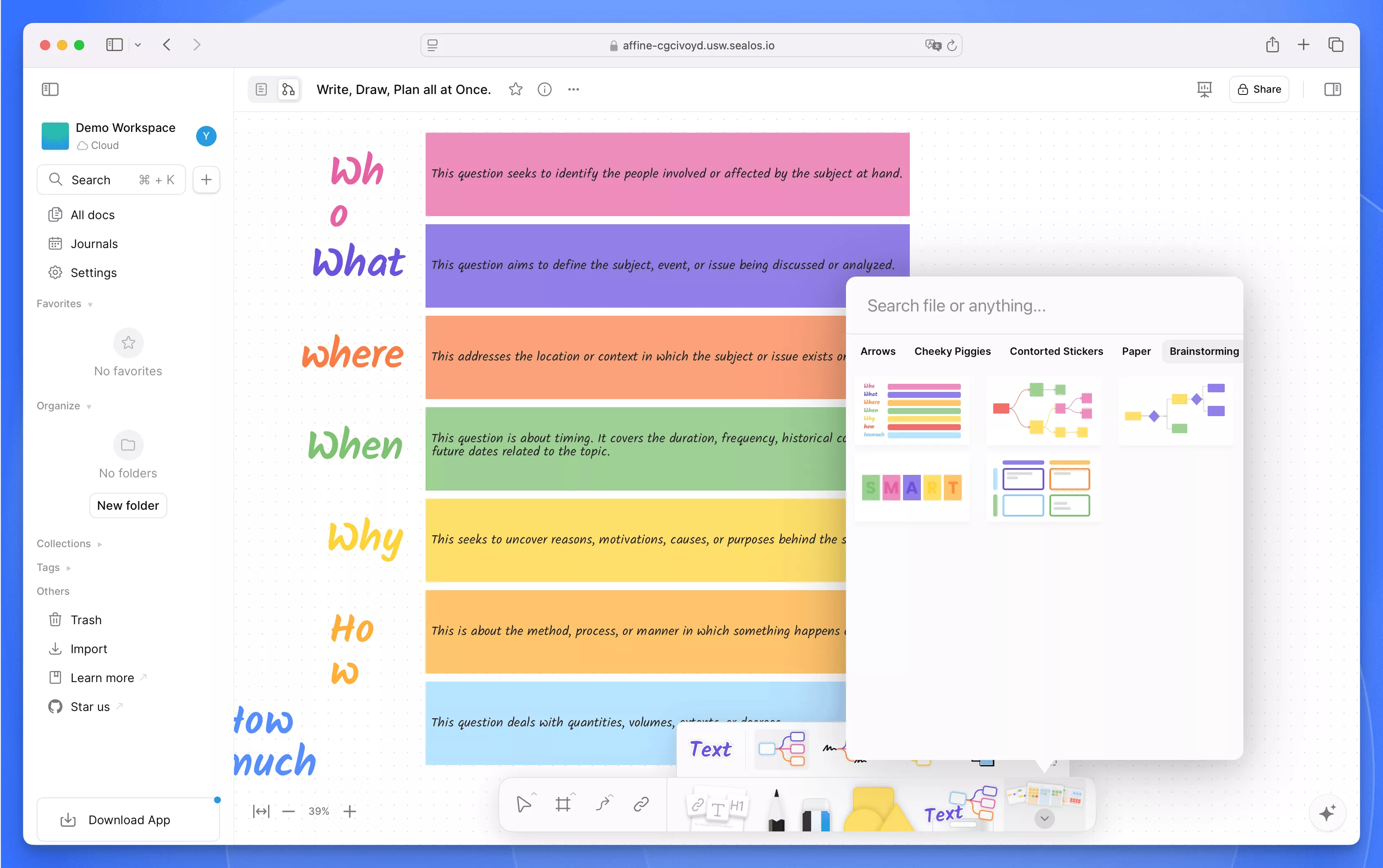 AFFINE Whiteboard Mode Template library with pre-built options
Figure 11: AFFINE Whiteboard Mode Template library offering productivity-boosting pre-designed layouts
AFFINE is a powerful yet user-friendly knowledge management tool that integrates document editing and whiteboard capabilities, offering users a flexible space for creation. Through its intuitive interface, users can easily create and manage workspaces, edit documents, and collaborate with team members.
Whether for personal knowledge management or team collaboration, AFFINE excellently meets all needs. The cloud synchronization feature ensures data security and accessibility, allowing users to work anytime and anywhere. With the self-hosting option detailed in this guide, you can maintain complete control over your data while enjoying all premium features at no cost.
Overall, AFFINE represents the future of knowledge management tools - open-source, privacy-focused, and feature-rich without the subscription fees of commercial alternatives like Notion and Miro.
此内容由惯性聚合(RSS阅读器)自动聚合整理,仅供阅读参考。 原文来自 — 版权归原作者所有。