惯性聚合 高效追踪和阅读你感兴趣的博客、新闻、科技资讯
阅读原文 在惯性聚合中打开

推荐订阅源

T
The Blog of Author Tim Ferriss
S
Securelist
D
Docker
The Register - Security
GbyAI
GbyAI
Recorded Future
Recorded Future
Engineering at Meta
Engineering at Meta
Stack Overflow Blog
Stack Overflow Blog
云风的 BLOG
云风的 BLOG
P
Proofpoint News Feed
罗磊的独立博客
博客园 - 【当耐特】
F
Full Disclosure
WordPress大学
WordPress大学
腾讯CDC
小众软件
小众软件
大猫的无限游戏
大猫的无限游戏
D
DataBreaches.Net
SecWiki News
SecWiki News
L
Lohrmann on Cybersecurity
I
InfoQ
MyScale Blog
MyScale Blog
量子位
Cyberwarzone
Cyberwarzone
博客园 - 三生石上(FineUI控件)
The Hacker News
The Hacker News
F
Fortinet All Blogs
freeCodeCamp Programming Tutorials: Python, JavaScript, Git & More
Jina AI
Jina AI
博客园_首页
H
Help Net Security
K
Kaspersky official blog
酷 壳 – CoolShell
酷 壳 – CoolShell
Threat Intelligence Blog | Flashpoint
www.infosecurity-magazine.com
Webroot Blog
Webroot Blog
Blog — PlanetScale
Blog — PlanetScale
V
Vulnerabilities – Threatpost
Y
Y Combinator Blog
The Cloudflare Blog
P
Proofpoint News Feed
V
Visual Studio Blog
C
Cyber Attacks, Cyber Crime and Cyber Security
T
Tailwind CSS Blog
爱范儿
爱范儿
P
Privacy International News Feed
Security Archives - TechRepublic
The GitHub Blog
The GitHub Blog
C
Cybersecurity and Infrastructure Security Agency CISA
B
Blog RSS Feed

思有云 - IOIOX - 动态域名解析

梅林固件路由器配置国际域名DDNS动态域名解析教程 - 思有云 - IOIOX 群晖NAS配置DNSPod国际域名DDNS动态域名解析教程 - 思有云 - IOIOX
群晖NAS配置自带DDNS动态域名解析教程 - 思有云 - IOIOX
博主: Stille · 2019-02-27 · via 思有云 - IOIOX - 动态域名解析
  1. 首页
  2. 正文  

前言

本文将详解如何使用群晖NAS自带的DDNS功能来实现动态域名解析.

本文为 Stille 原创文章.经实践,测试,整理发布.如需转载请联系作者获得授权,并注明转载地址.


配置群晖DDNS

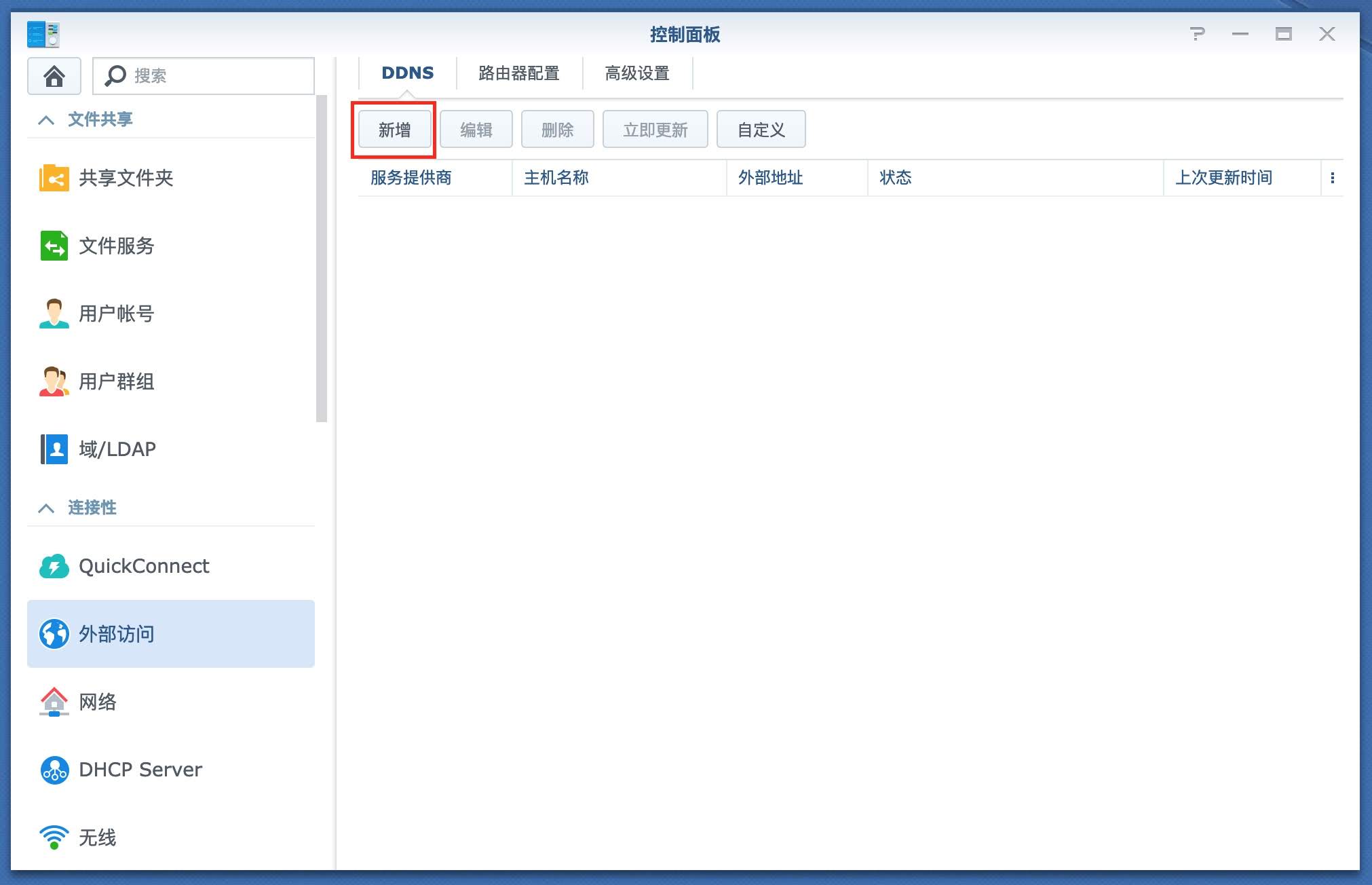
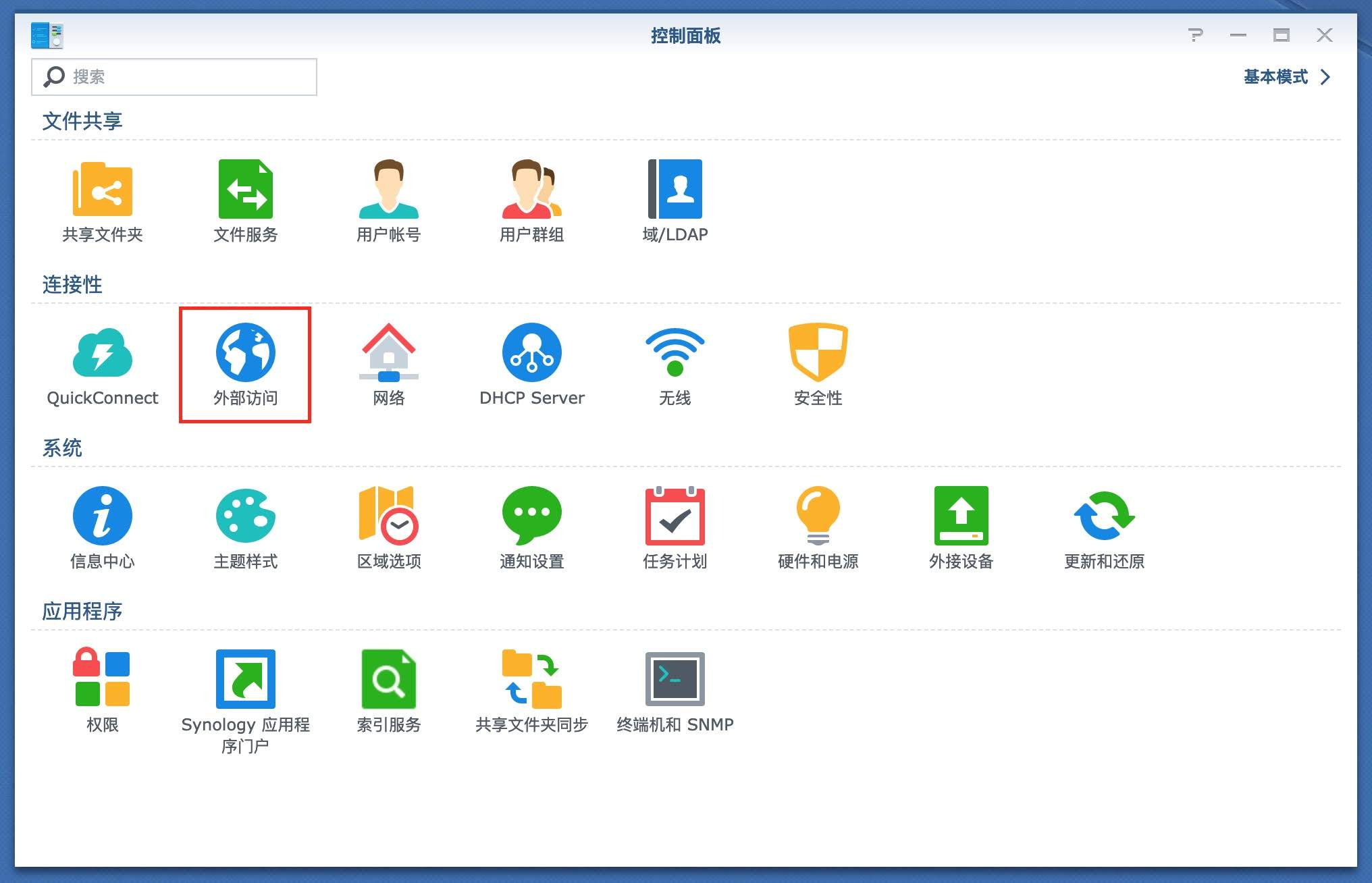
控制面板
外部访问
1.jpg
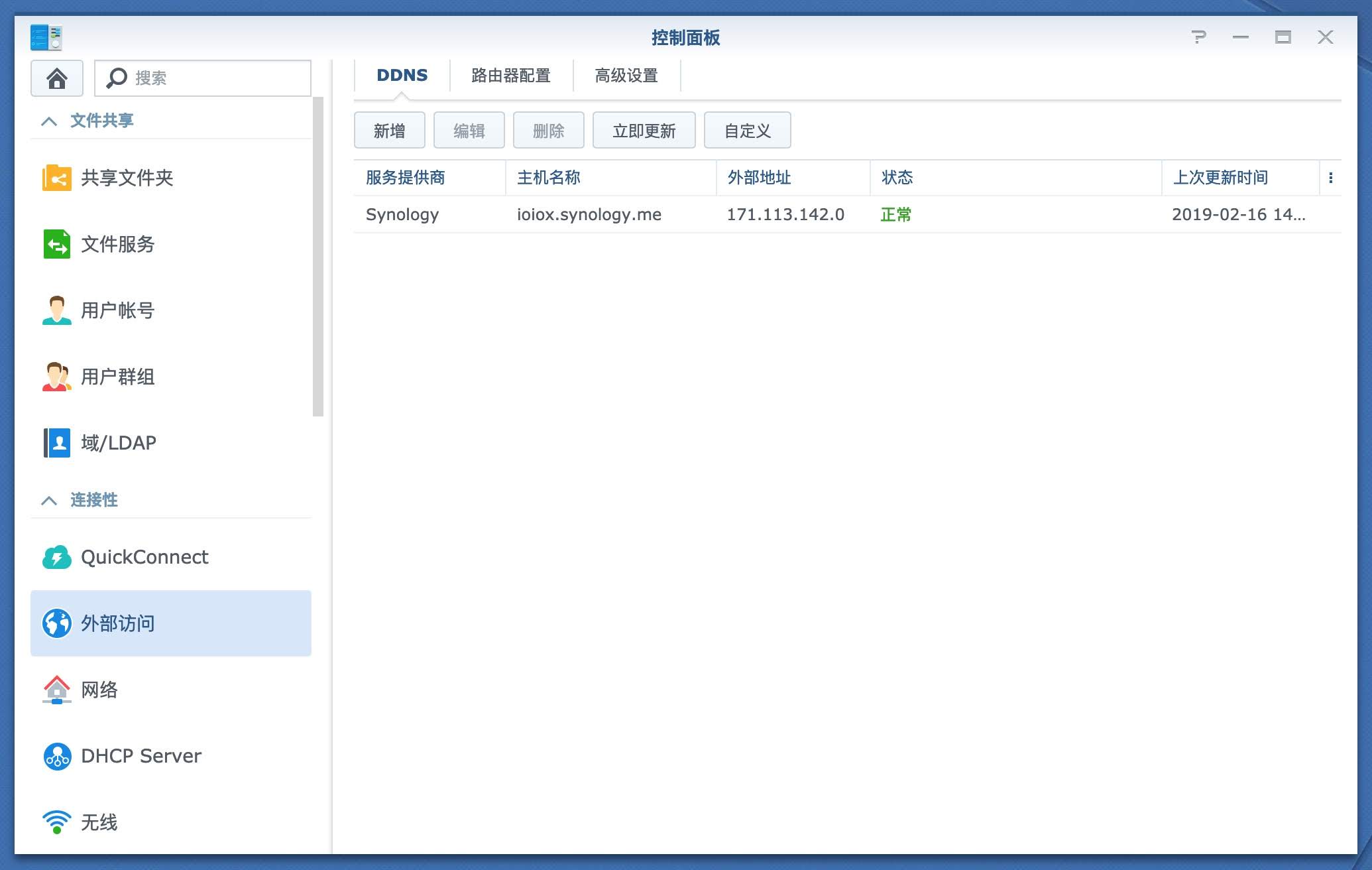
DDNS
新增
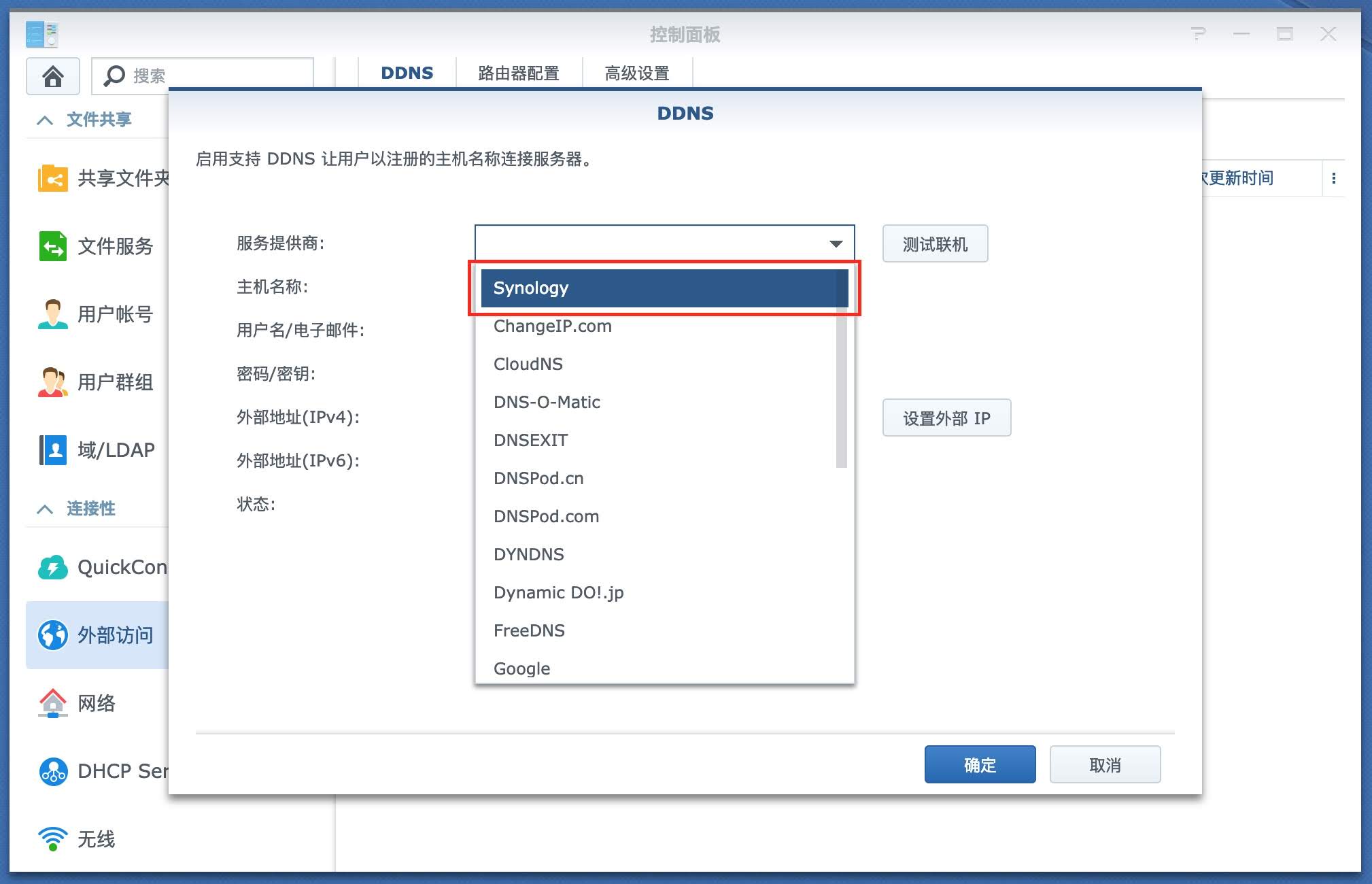
2.jpg
服务提供商选择Synology
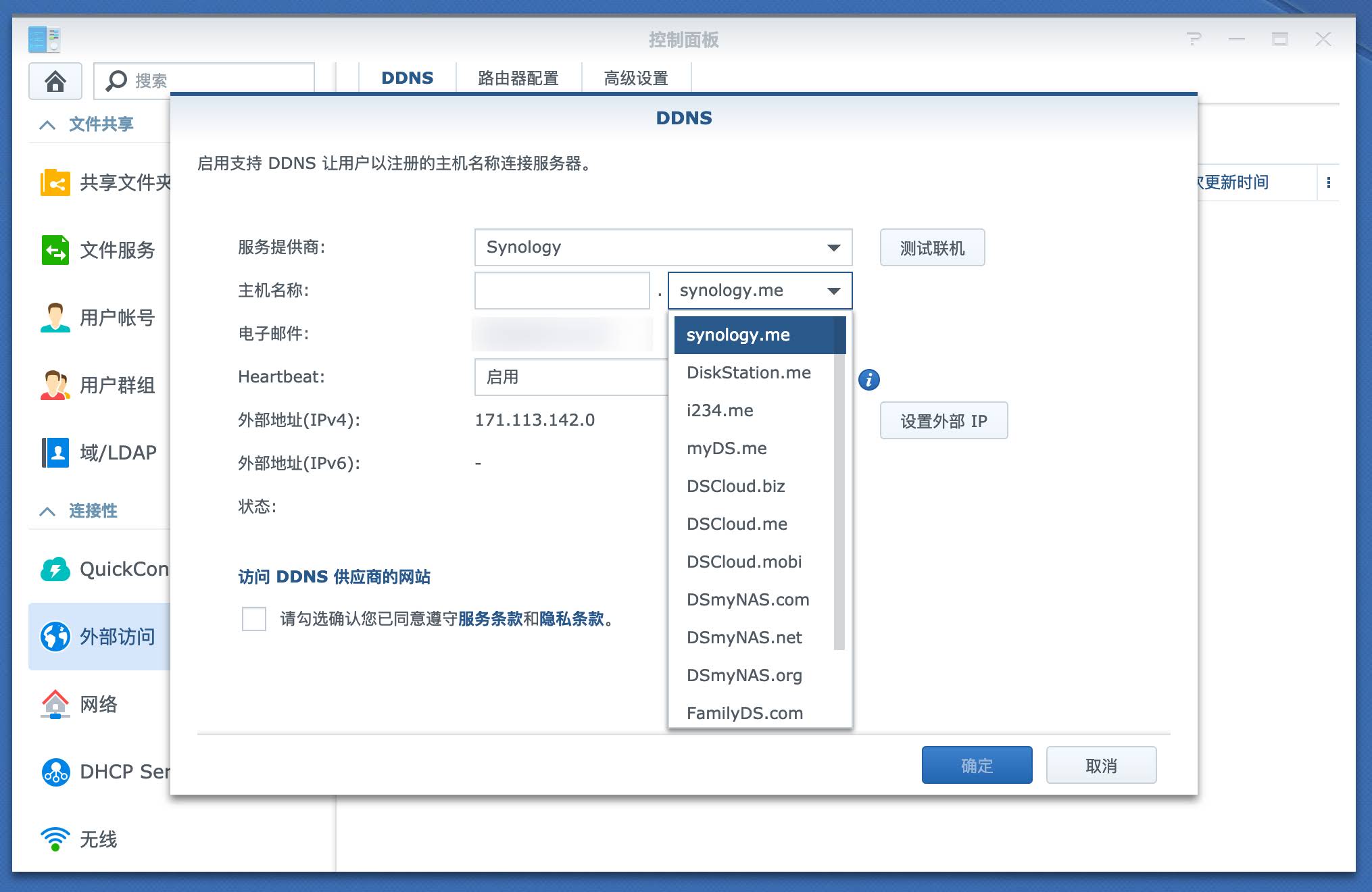
3.jpg
选择一个你喜欢的域名
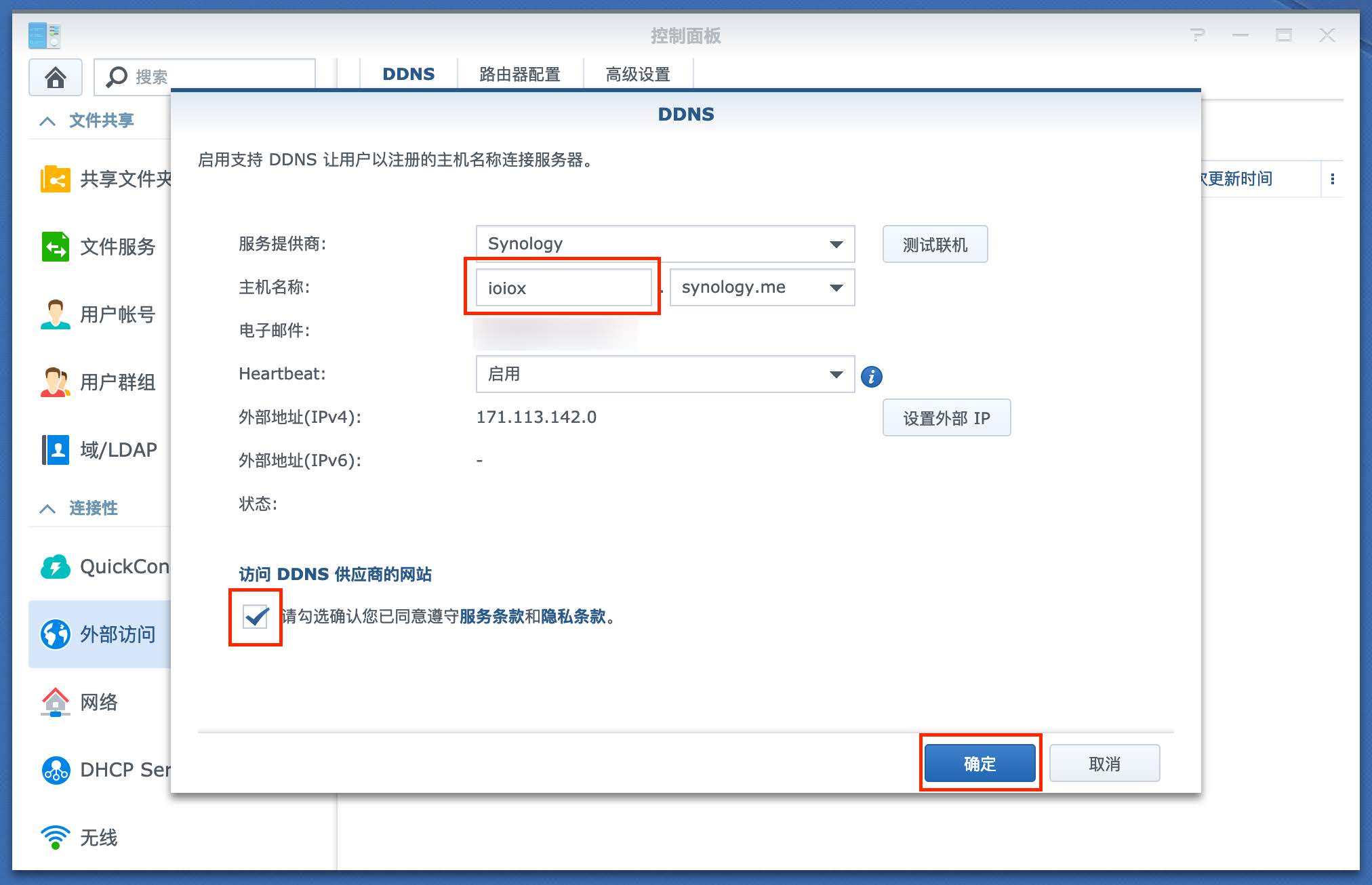
4.jpg
设置一个二级域名
确定
5.jpg
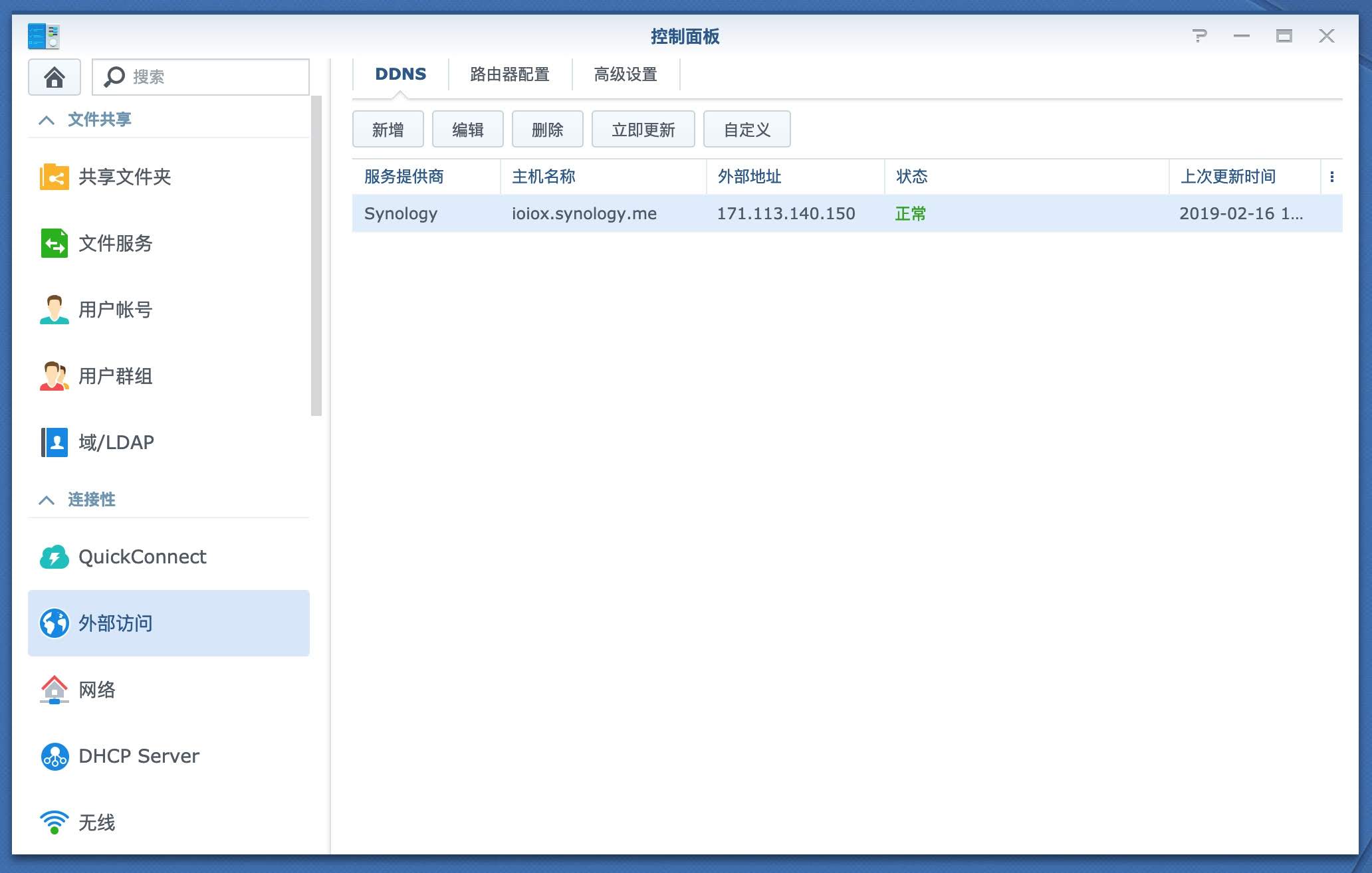
解析成功
6.jpg
重启路由器,使公网IP更变.
群晖检测到新IP,并通知服务提供商更改域名指向,成功保持解析.
7.jpg

配置路由器端口

配置路由器端口转发,使外网能够访问群晖DSM端口.

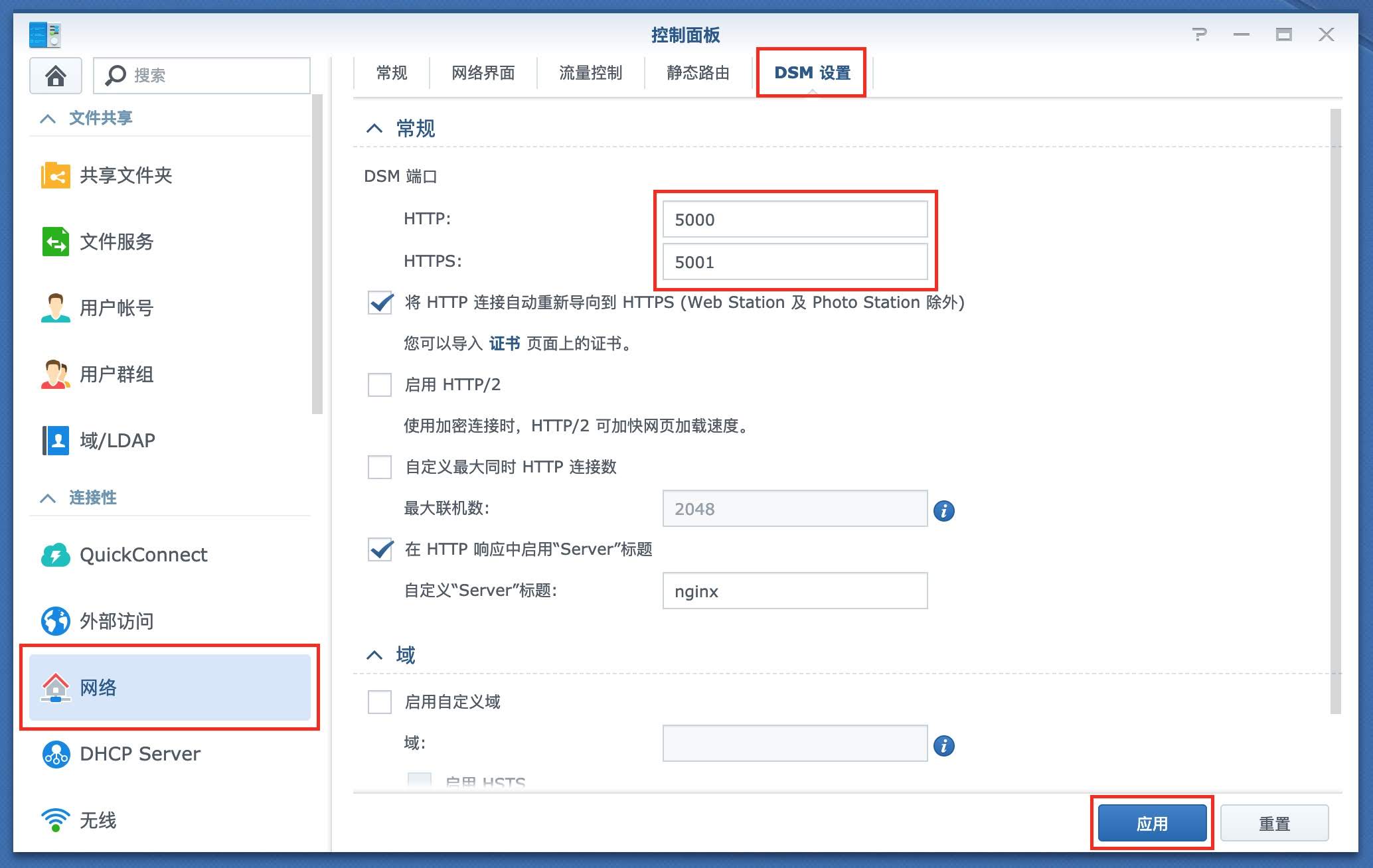
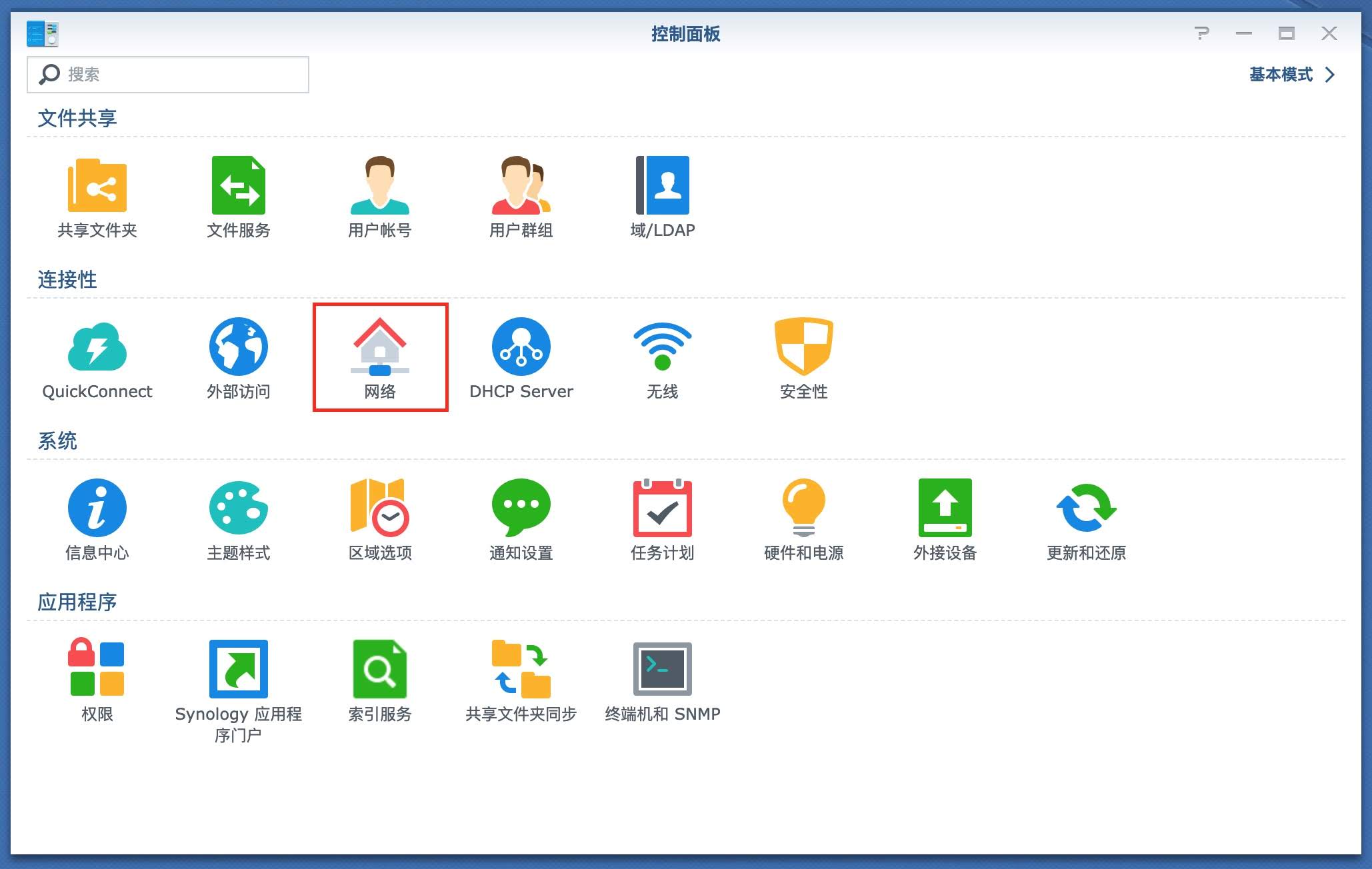
查询或修改群晖DSM端口(本文以5000/50001为例)
控制面板
网络
8.jpg
DSM设置
DSM端口默认为5000和5001,你可以自行修改为其他端口.
9.jpg
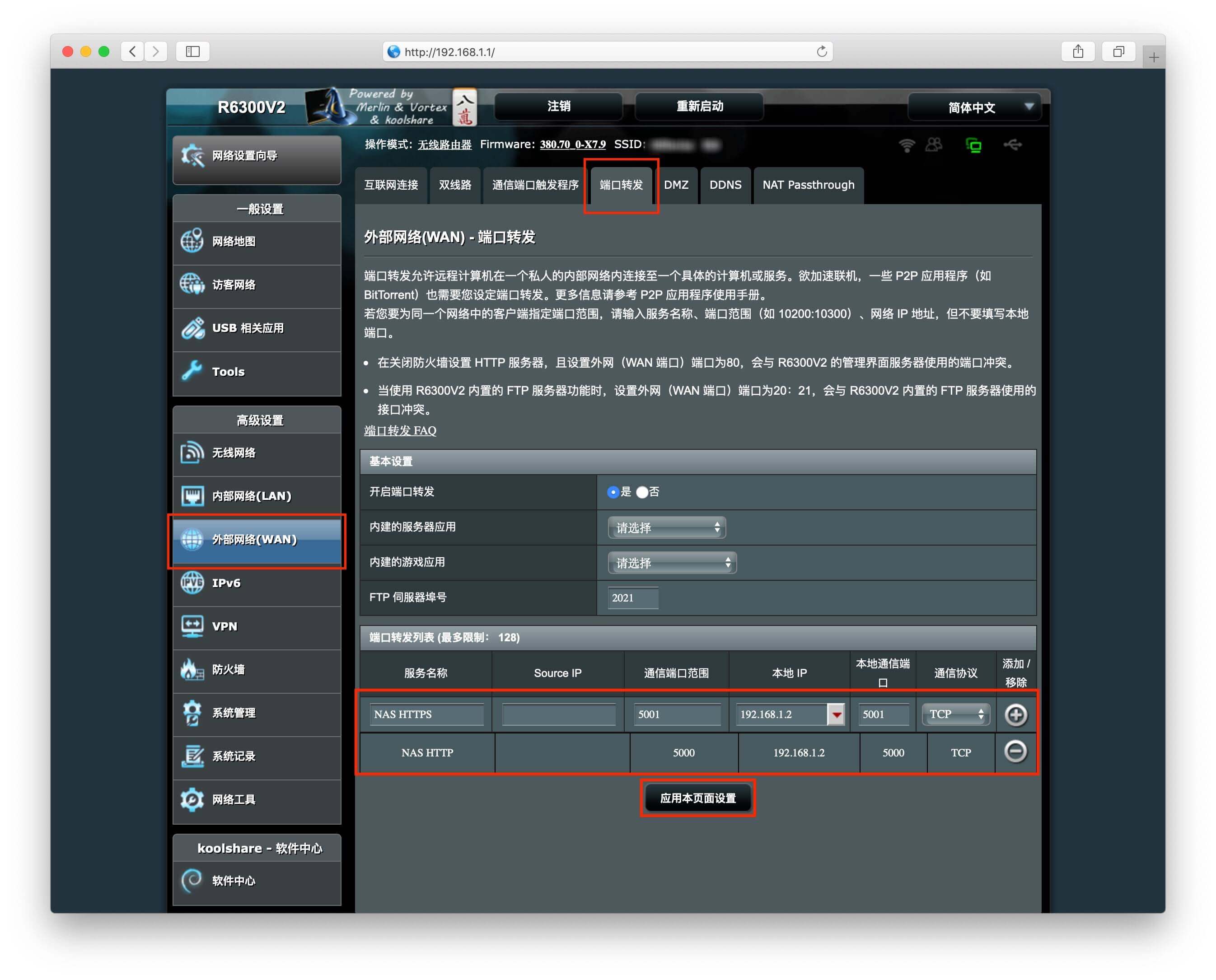
登录路由器配置端口转发
添加DSM的HTTP和HTTPS端口到群晖的内网IP上,选择TCP协议,应用保存设置.

部分型号路由器保存后需要重启才能生效
如果DSM的默认端口修改过,这里需要把端口号改为修改过的端口号.
10.jpg
配置完成
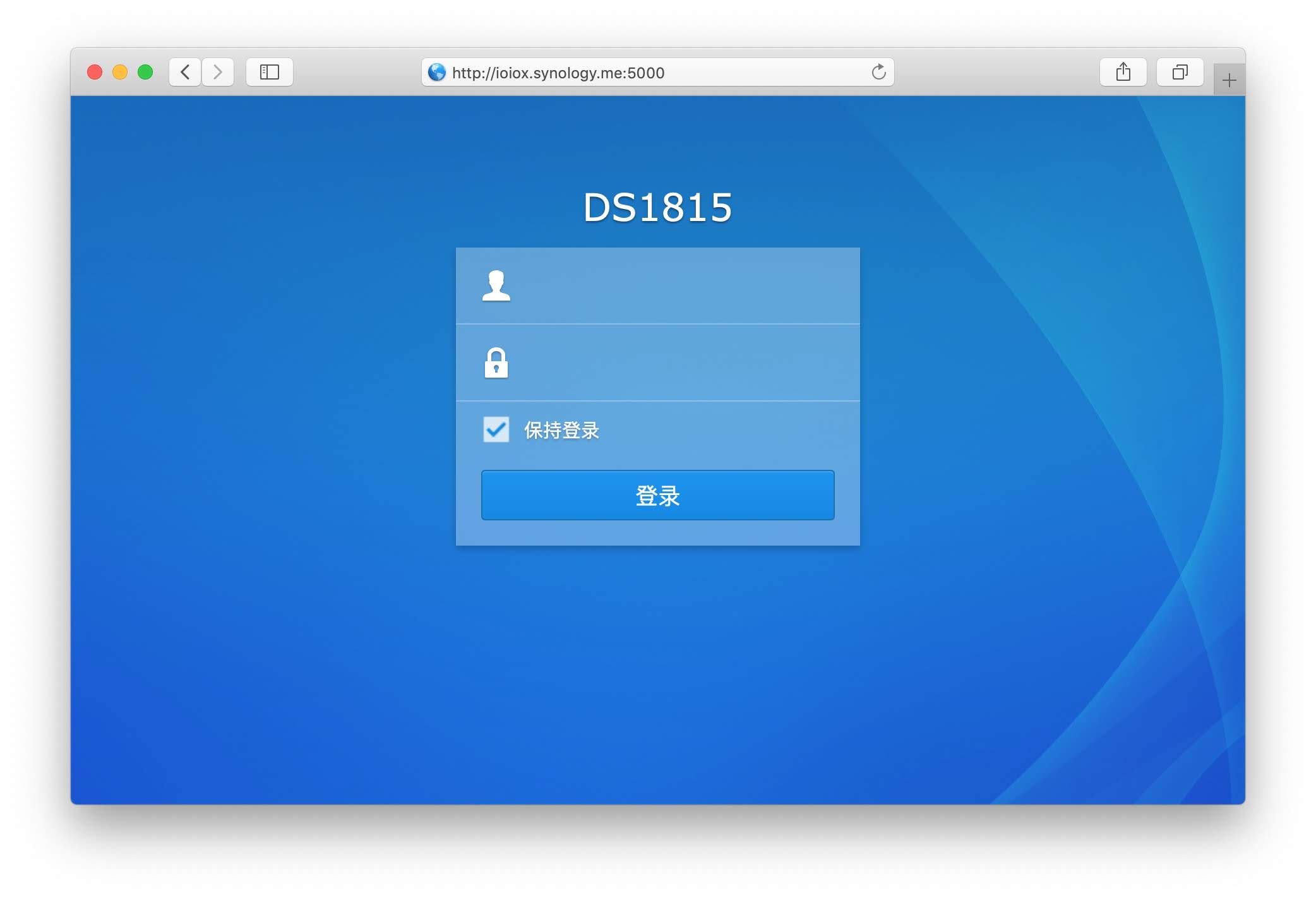
现在可以使用这个二级域名来访问你的群晖NAS了
11.jpg


结语

更多群晖NAS相关技巧,教程及信息,请持续关注本站群晖Synology专栏:


晚高峰稳定 4K 的 IPLC 机场 解锁各流媒体 支持 ChatGPT. 晚高峰稳定 4K 的 IPLC 机场 解锁各流媒体 支持 ChatGPT. RedteaGO - 最划算的大陆漫游 eSim 流量卡,原生境外 IP,注册就送 3 刀。

RedteaGO - 最划算的大陆漫游 eSim 流量卡,原生境外 IP,注册就送 3 刀。

赞赏作者

如果喜欢我的文章,觉得对你有帮助,请随意赞赏!

群晖NAS配置自带DDNS动态域名解析教程

 •