惯性聚合 高效追踪和阅读你感兴趣的博客、新闻、科技资讯
阅读原文 在惯性聚合中打开

推荐订阅源

Forbes - Security
Forbes - Security
T
Tailwind CSS Blog
Hugging Face - Blog
Hugging Face - Blog
Blog — PlanetScale
Blog — PlanetScale
WordPress大学
WordPress大学
aimingoo的专栏
aimingoo的专栏
Y
Y Combinator Blog
U
Unit 42
I
InfoQ
CTFtime.org: upcoming CTF events
V
Visual Studio Blog
B
Blog RSS Feed
Vercel News
Vercel News
F
Fortinet All Blogs
Know Your Adversary
Know Your Adversary
T
Troy Hunt's Blog
博客园 - 【当耐特】
MongoDB | Blog
MongoDB | Blog
大猫的无限游戏
大猫的无限游戏
A
About on SuperTechFans
Jina AI
Jina AI
小众软件
小众软件
T
Threatpost
有赞技术团队
有赞技术团队
人人都是产品经理
人人都是产品经理
The Hacker News
The Hacker News
T
The Exploit Database - CXSecurity.com
C
CXSECURITY Database RSS Feed - CXSecurity.com
Exploit-DB.com RSS Feed
Microsoft Azure Blog
Recent Announcements
酷 壳 – CoolShell
酷 壳 – CoolShell
Scott Helme
Scott Helme
B
Blog
腾讯CDC
Last Week in AI
Last Week in AI
P
Proofpoint News Feed
S
Schneier on Security
N
News and Events Feed by Topic
Microsoft Security Blog
K
Kaspersky official blog
G
Google Developers Blog
T
Tor Project blog
PCI Perspectives
PCI Perspectives
S
Secure Thoughts
Google Online Security Blog
Latest news
Latest news
Google DeepMind News
MyScale Blog
MyScale Blog
罗磊的独立博客

思有云 - IOIOX - Typecho

支持 typecho 1.2 的评论邮件通知插件 LoveKKCommentModify - 思有云 Typecho博客全站部署腾讯云CDN教程 - 思有云 - IOIOX Typecho隐藏不显示某一个特定分类教程 - 思有云 - IOIOX 宝塔面板设置Typecho伪静态去掉index.php教程 - 思有云 - IOIOX Nginx设置Typecho伪静态去掉index.php教程 - 思有云 - IOIOX 群晖NAS安装配置typecho博客教程 - 思有云 - IOIOX
Apache设置Typecho伪静态去掉index.php教程 - 思有云 - IOIOX
博主: Stille · 2019-03-07 · via 思有云 - IOIOX - Typecho
  • 发布时间:
  • 20680 次浏览
  • 10 条评论
  • 1131字数
  • 分类: 运维部署
  1. 首页
  2. 正文  

前言

Typecho博客初始安装完成后,博客的任何内页面,地址栏都会有index.php(例如https://www.ioiox.com/index.php/archives/about.html)非常影响美观和网站结构,本文将详解在Apache环境下如何设置伪静态来去掉index.php

本文为 Stille 原创文章.经实践,测试,整理发布.如需转载请联系作者获得授权,并注明转载地址.


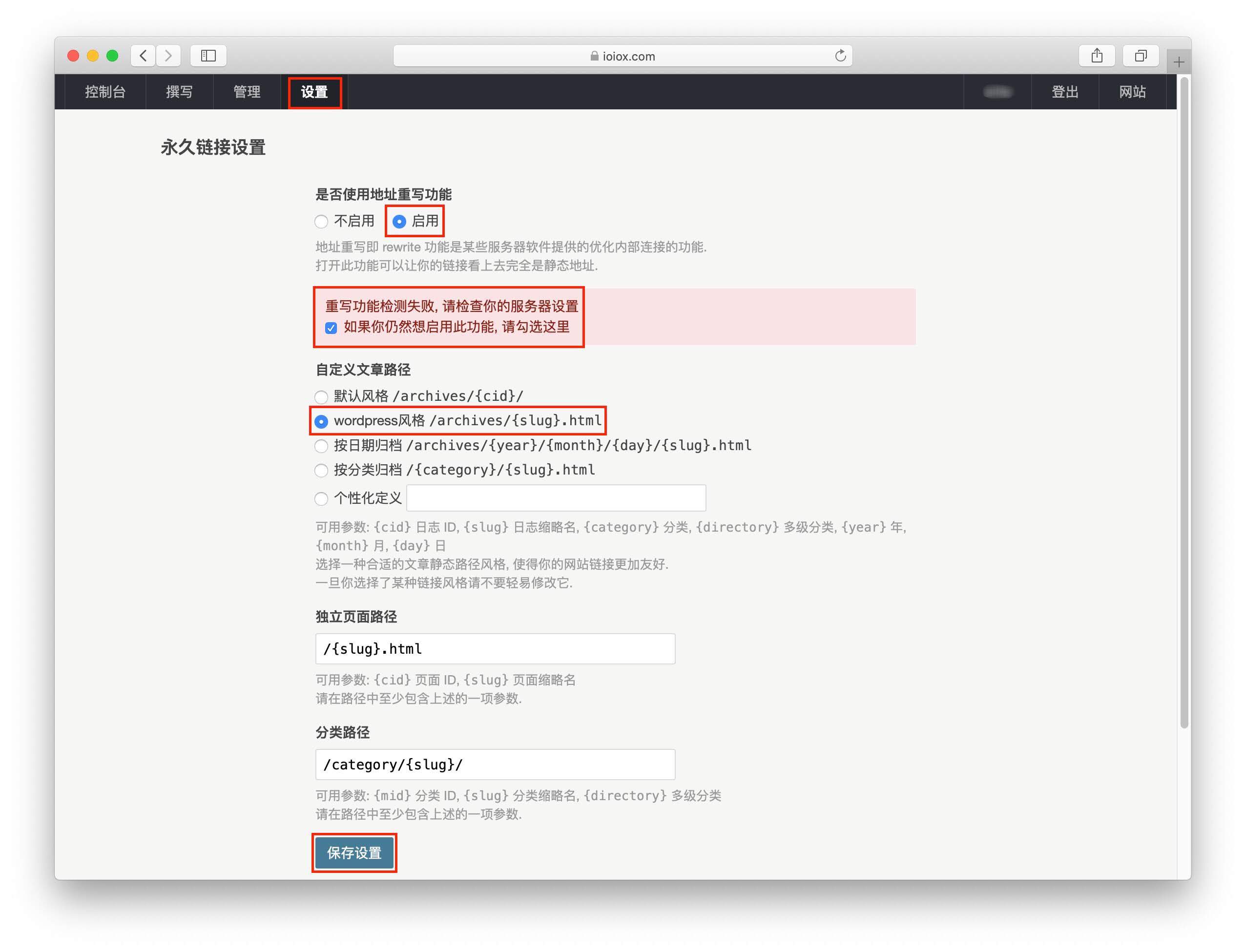
Typecho开启伪静态

  1. 登录管理界面
  2. 设置
  3. 永久链接
  4. 启用地址重写功能
  5. 勾选仍然启动此功能
  6. 选择wordpress风格
  7. 保存设置

关于风格选择,你可以在本文结束后自行在修改成你喜欢的链接风格.

1.jpg

博客配置完毕后,需要配置Apache才能生效,请继续参考以下教程.

Apache配置教程

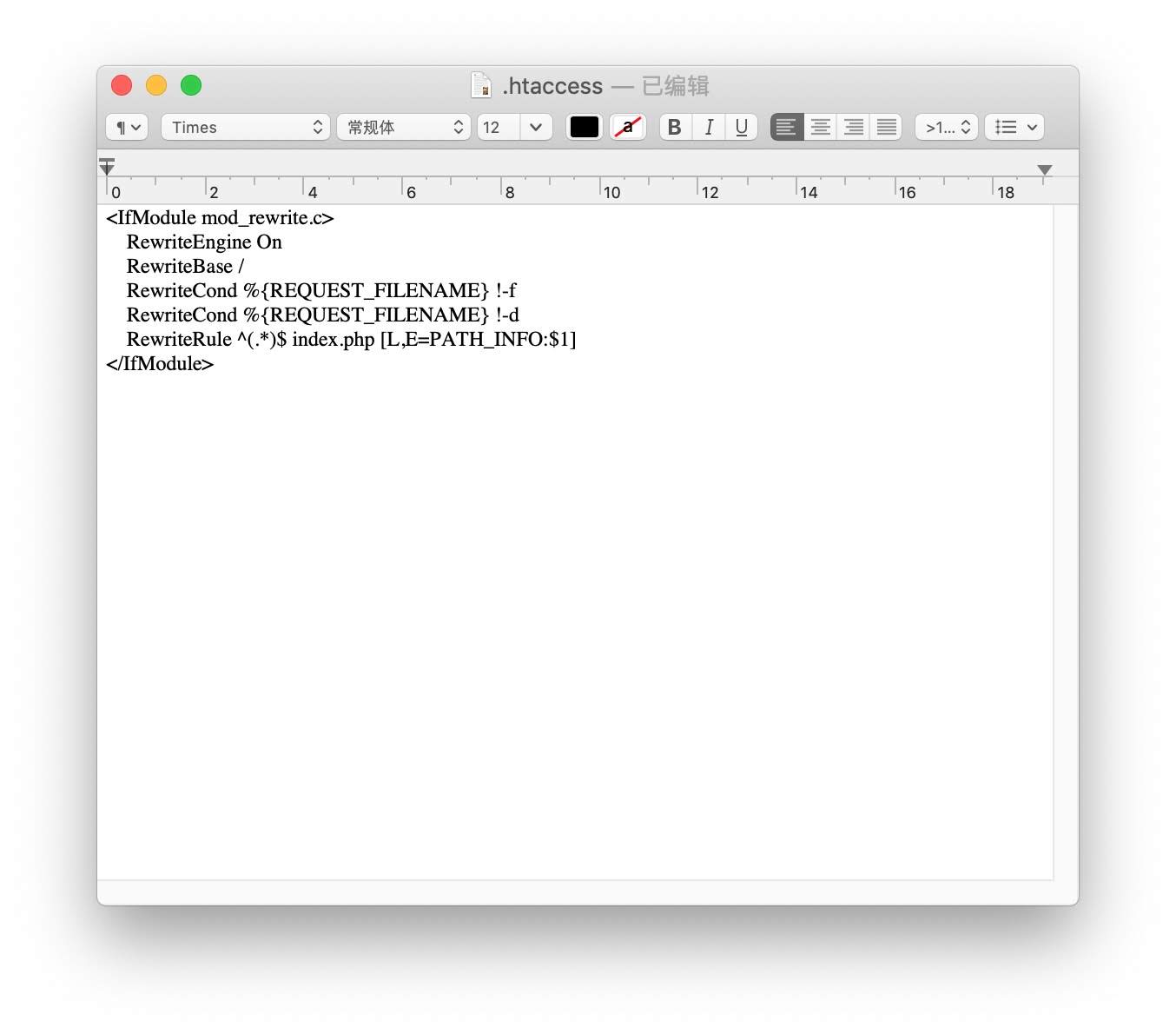
在网站根目录创建或编辑.htaccess文件
添加以下代码
保存配置完成

<IfModule mod_rewrite.c>
    RewriteEngine On
    RewriteBase /
    RewriteCond %{REQUEST_FILENAME} !-f
    RewriteCond %{REQUEST_FILENAME} !-d
    RewriteRule ^(.*)$ index.php [L,E=PATH_INFO:$1]
</IfModule>
2.jpg


结语

本文详解了如何在Apache设置Typecho伪静态去掉index.php,本站还介绍了在Nginx和宝塔面板上设置Typecho伪静态的教程,推荐相关文章以供参考:

Nginx设置Typecho伪静态去掉index.php教程
宝塔面板设置Typecho伪静态去掉index.php教程

晚高峰稳定 4K 的 IPLC 机场 解锁各流媒体 支持 ChatGPT. 晚高峰稳定 4K 的 IPLC 机场 解锁各流媒体 支持 ChatGPT. RedteaGO - 最划算的大陆漫游 eSim 流量卡,原生境外 IP,注册就送 3 刀。

RedteaGO - 最划算的大陆漫游 eSim 流量卡,原生境外 IP,注册就送 3 刀。

赞赏作者

如果喜欢我的文章,觉得对你有帮助,请随意赞赏!

Apache设置Typecho伪静态去掉index.php教程

 •