惯性聚合 高效追踪和阅读你感兴趣的博客、新闻、科技资讯
阅读原文 在惯性聚合中打开

推荐订阅源

云风的 BLOG
云风的 BLOG
C
Cyber Attacks, Cyber Crime and Cyber Security
Recent Announcements
爱范儿
爱范儿
Threat Intelligence Blog | Flashpoint
Security Latest
Security Latest
J
Java Code Geeks
H
Hackread – Cybersecurity News, Data Breaches, AI and More
Cisco Talos Blog
Cisco Talos Blog
Apple Machine Learning Research
C
Check Point Blog
T
Threat Research - Cisco Blogs
I
Intezer
CTFtime.org: upcoming CTF events
WordPress大学
WordPress大学
Engineering at Meta
Engineering at Meta
腾讯CDC
Google DeepMind News
Project Zero
Project Zero
T
Tenable Blog
V
Visual Studio Blog
C
CXSECURITY Database RSS Feed - CXSecurity.com
Spread Privacy
Spread Privacy
GbyAI
GbyAI
T
Tailwind CSS Blog
P
Palo Alto Networks Blog
Microsoft Security Blog
Scott Helme
Scott Helme
Hugging Face - Blog
Hugging Face - Blog
NISL@THU
NISL@THU
Blog — PlanetScale
Blog — PlanetScale
G
GRAHAM CLULEY
K
Kaspersky official blog
T
The Exploit Database - CXSecurity.com
S
Schneier on Security
P
Proofpoint News Feed
S
SegmentFault 最新的问题
P
Proofpoint News Feed
P
Privacy & Cybersecurity Law Blog
The Hacker News
The Hacker News
博客园 - 【当耐特】
Cyberwarzone
Cyberwarzone
L
LangChain Blog
Stack Overflow Blog
Stack Overflow Blog
V
Vulnerabilities – Threatpost
H
Help Net Security
freeCodeCamp Programming Tutorials: Python, JavaScript, Git & More
D
Darknet – Hacking Tools, Hacker News & Cyber Security
Last Week in AI
Last Week in AI
博客园 - 叶小钗

Bluemangoo's Blog

看一点答辩Issue 在 Vercel 上部署 MCSManager 的 UI 项目 Python 语言基础 Vercel 折腾笔记 建站一周年纪念! Bing Points 辅助工具 白象过湾 尘烟 One一个 文章推荐 内存填充器 Markdown 加载器 力扣 0899 - 有序队列 【芒果快评】安倍晋三遭枪击 常用软件下载链接 那些震惊了我的文案(持续更新) 一个抛鸡蛋的小游戏 《1984》书评 Explorer Patcher 推荐 英语书也会出错啊 图片转Python的turtle库代码 Phigros电脑版 Windows 11 子系统(WSA)安装方法
Windows 10 触摸键盘大小调整
Bluemangoo · 2022-11-20 · via Bluemangoo's Blog

前言

Windows 的屏幕键盘分为两种:

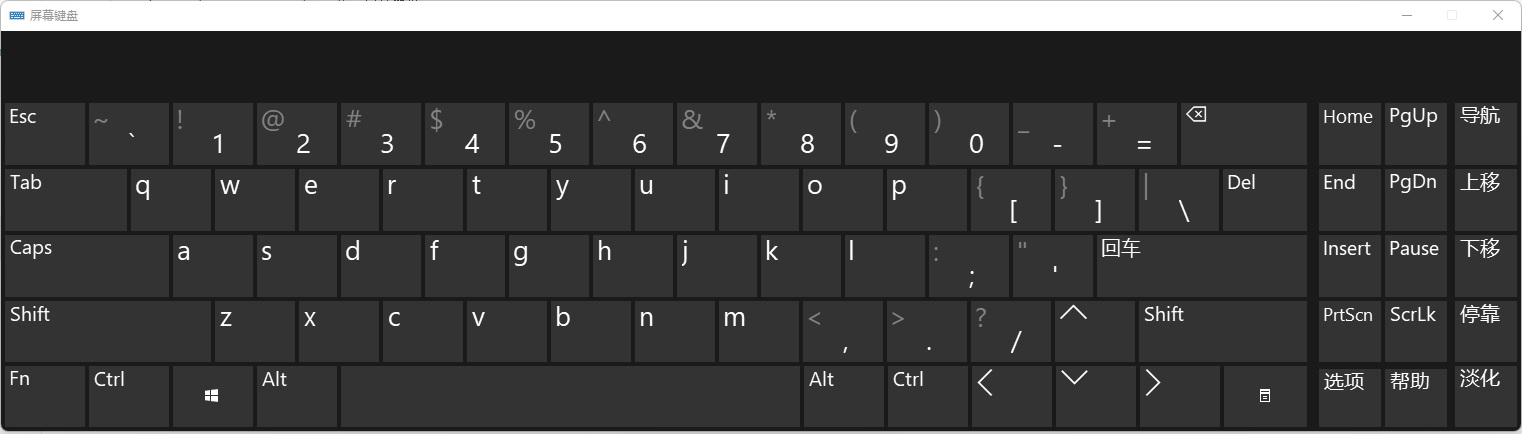
  • osk.exe (On Screen Keyboard): 屏幕键盘
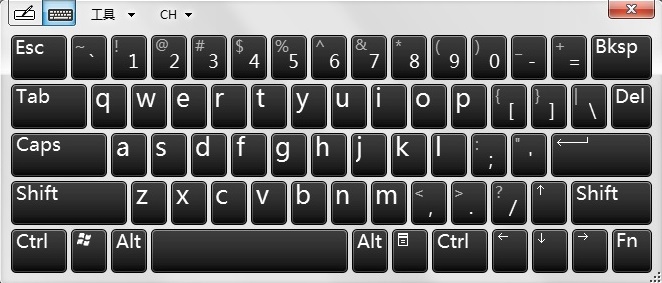
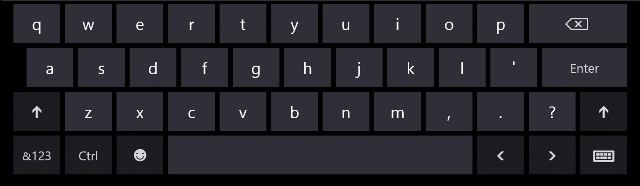
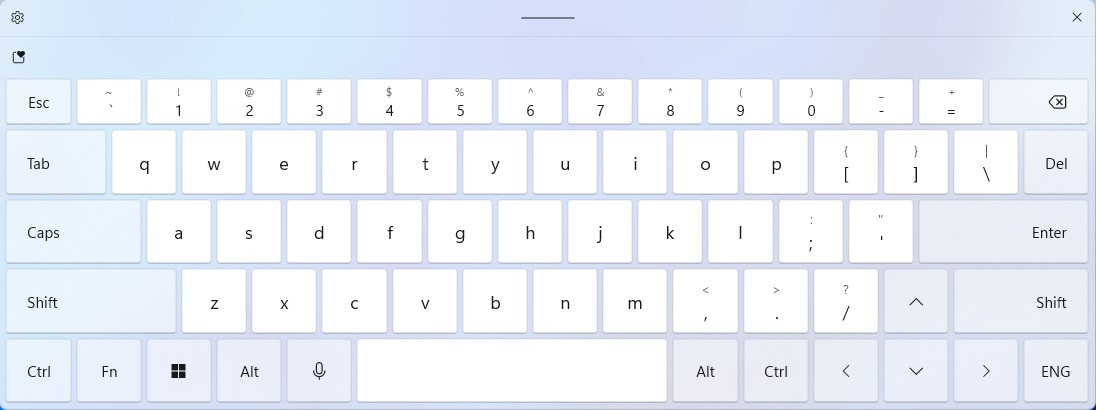
  • tabtip.exe: 触摸键盘

屏幕键盘:

屏幕键盘

触摸键盘:

Windows 7 风格

Windows 10 风格

Windows 11 风格

相比而言触摸键盘的使用体验是要比屏幕键盘好很多的.

但是问题在于, 现在Windows 10 的触摸键盘尺寸总是太大或太小,不尽人意,需要缩放。

希望大家在修改注册表之前先备份哦!

注册表

注册表编辑器 找到 HKEY_LOCAL_MACHINE\SOFTWARE\Microsoft\Windows\CurrentVersion\Explorer\scaling

添加项 monitorsize15 (注: monitorsize 表示触摸键盘的大小, 0 为最大)

一键处理

新建reg.reg, 将以下代码复制到文件中, 保存后运行.

1
2
3
Windows Registry Editor Version 5.00
[HKEY_LOCAL_MACHINE\SOFTWARE\Microsoft\Windows\CurrentVersion\Explorer\scaling]
"monitorsize"=15

Windows 10 触摸键盘大小调整

https://blog.bluemangoo.net/blogs/tabtip-zoom/