



惯性聚合 高效追踪和阅读你感兴趣的博客、新闻、科技资讯
阅读原文 在惯性聚合中打开

推荐订阅源

博客园 - 【当耐特】
L
Lohrmann on Cybersecurity
Google DeepMind News
Schneier on Security
Recent Commits to openclaw:main
The Last Watchdog
The Last Watchdog
Application and Cybersecurity Blog
N
News and Events Feed by Topic
P
Proofpoint News Feed
H
Heimdal Security Blog
云风的 BLOG
云风的 BLOG
H
Hacker News: Front Page
量子位
freeCodeCamp Programming Tutorials: Python, JavaScript, Git & More
L
LINUX DO - 最新话题
F
Full Disclosure
小众软件
小众软件
Martin Fowler
Martin Fowler
Security Latest
Security Latest
The Cloudflare Blog
Hacker News: Ask HN
Hacker News: Ask HN
C
Check Point Blog
Security Archives - TechRepublic
I
InfoQ
AI
AI
Blog — PlanetScale
Blog — PlanetScale
I
Intezer
H
Hackread – Cybersecurity News, Data Breaches, AI and More
M
MIT News - Artificial intelligence
V
Vulnerabilities – Threatpost
让小产品的独立变现更简单 - ezindie.com
www.infosecurity-magazine.com
V
V2EX
N
News and Events Feed by Topic
C
Cybersecurity and Infrastructure Security Agency CISA
T
Troy Hunt's Blog
大猫的无限游戏
大猫的无限游戏
Hacker News - Newest:
Hacker News - Newest: "LLM"
The Register - Security
Forbes - Security
Forbes - Security
Recent Announcements
Threat Intelligence Blog | Flashpoint
Cisco Talos Blog
Cisco Talos Blog
Microsoft Azure Blog
A
About on SuperTechFans
S
SegmentFault 最新的问题
S
Securelist
Cloudbric
Cloudbric
T
Tenable Blog
D
Docker

好好学习的郝

编程辅助工具 Codex 入门篇 编程辅助工具 Claude Code 入门篇 Claude API 中转服务 Claude Relay Service LLM 接口管理和分发系统 New API 好好学Git:Git Submodule详解 编程辅助工具Cursor入门篇 好好学Golang:Golang问题记录 One API配置自定义渠道 FastAPI入门篇 好好学Docker:使用Docker安装配置AList 好好学Docker:容器指标查看工具ctop 好好学Docker:自建RustDesk Server 好好学Linux:Ubuntu18 升级到 Ubuntu22 好好学Docker:使用Docker安装配置FileBrowser 邮箱配置中的SPF、DKIM、DMARC记录 One API 开发环境配置 LLM 接口管理和分发系统 One API 好好学K8S:K8S中的Leader Election机制 好好学Golang:Viper库
ClawdBot(OpenClaw)试用记录
本文作者: 好好学习的郝 · 2026-02-01 · via 好好学习的郝

最近,GitHub上一个名为ClawdBot(先更名为Moltbot,又更名为OpenClaw)的开源项目在AI圈刷屏!

这个项目的核心理念很简单:ClawdBot是一个运行在本地的AI智能体,可以操控本地电脑,包括但不限于文件、终端、浏览器等,然后我们通过常用的聊天软件让它干活。

不简单的是这件事做成了,并且效果非常好!还能这么玩?Aha ?!还能这么玩!!!

今天有些时间,必须试用一下!

相关文档:

2. ClawdBot架构

工作原理:

1
2
3
4
5
6
7
8
9
10
11
12
13
14
15
16
WhatsApp / Telegram / Discord / iMessage (+ plugins)


┌───────────────────────────┐
│ Gateway │ ws://127.0.0.1:18789 (loopback-only)
│ (single source) │
│ │ http://<gateway-host>:18793
│ │ /__openclaw__/canvas/ (Canvas host)
└───────────┬───────────────┘

├─ Pi agent (RPC)
├─ CLI (openclaw …)
├─ Chat UI (SwiftUI)
├─ macOS app (OpenClaw.app)
├─ iOS node via Gateway WS + pairing
└─ Android node via Gateway WS + pairing

架构图(摘自架构师公众号):

3. 基于云平台使用ClawdBot

“ClawdBot带动了Mac Mini价格大涨!” 看到这条消息,可能让人误以为ClawdBot最适合运行在Mac Mini上,实际上需要综合考虑。
从数据隐私和成本方面考虑,本地设备跑ClawdBot很适合,Mac Mini和普通的废旧笔记本都很好。
从简单和稳定方面考虑,云主机跑ClawdBot更合适,目前各大云厂商都推出了ClawdBot的轻量应用云主机或者云镜像。

本文中,我们选择使用云主机跑ClawdBot。各大厂商都有,自行检索教程购买即可,这里不再赘述购买流程。

4. ClawdBot初始化

  1. 登录到clawdbot主机

    1
    ssh root@your-host-ip
  2. 执行clawdbot初始化

    1
    2
    clawdbot --version
    clawdbot onboard --install-daemon

接下来的配置就需要一些大模型基础知识了,下面给出我的配置供参考。

风险确认。

选择调用的大模型,并配置API Key。按需配置,个人选择了Openrouter。

选择默认的模型:
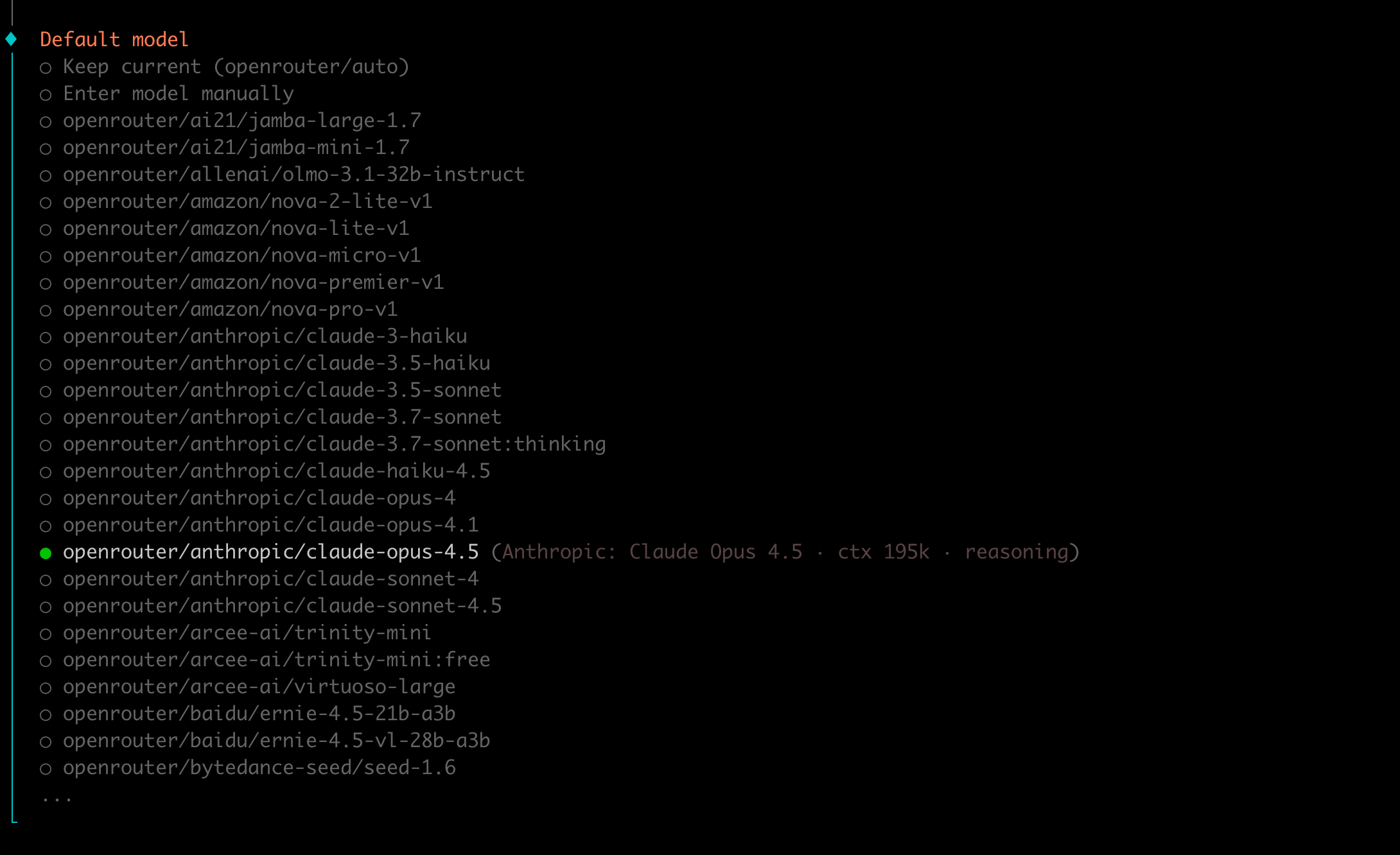
选择用于和clawdbot交流的应用(Telegram、Discord、Slack等)。按需配置,个人选择了Discord,比较熟悉。

选择Discord后,界面上会出现Discord的配置说明,按照说明操作配置Discord Bot。

访问Discord Developer Portal,具体操作可以参考下面的图。


给clawdbot安装一些能力工具。
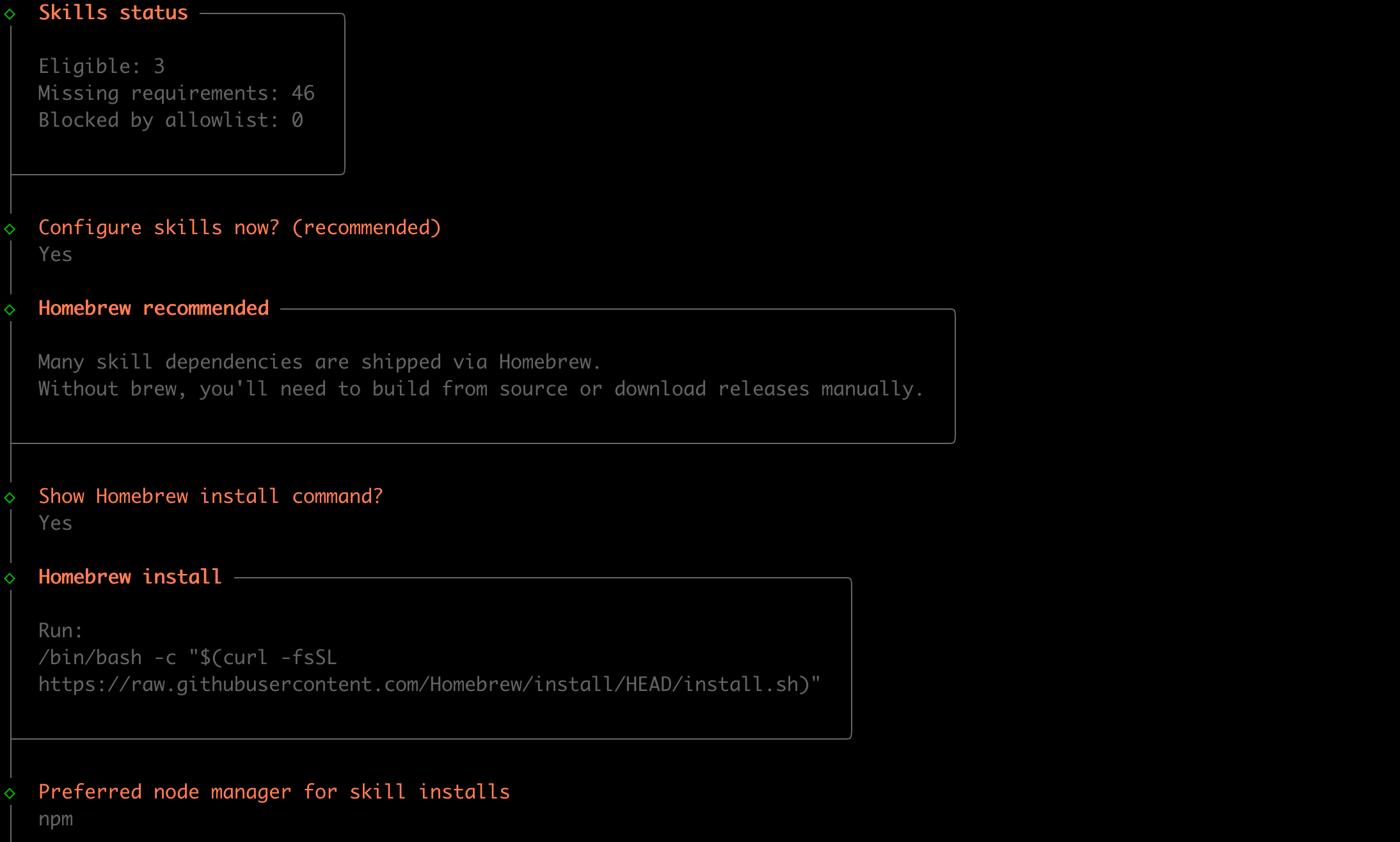
按需配置一些大模型API Key,可以不配置。

自动安装Gateway service。

自动安装Control UI。

选择 hatch your bot 的方式为推荐的TUI。

clawdbot个性化设定,给它取一个名字。

根据交互,提供更多信息,比如身份设定是一个discord助手。
不想设置更多信息,就让clawdbot自由发挥。

至此,clawdbot就配置好了。

5. ClawdBot初始化日志记录

ClawdBot初始化日志记录:init.log

6. 测试ClawdBot

在discord中给clawdbot发送几条消息,看看效果。


如上图,clawdbot可以调用大模型回答问题,也可以操作所在的主机,比如获取磁盘用量信息。

以上,clawdbot配置测试完成,接下来就是自行摸索更有趣玩法的时间了!

7. 后记

ClawdBot的设计思路简单,但是成熟度做到这么高确实niubility!

ClawdBot、Claude Cowork、QoderWork等项目和产品的出现,标志着AI正从“回答问题”走向“代替执行”,从“偶尔使用”走向“持续在线”,从“应用”走向“系统”。

个人计算设备可能会越来越像一台随时可被消息唤醒的“家庭服务器”,而我们和它的交互,可能是聊天窗口,也可能是自然语言对话,就像老板给下属交代任务一样。一个有趣的比喻是,牛马也有了自己的牛马。

我们正在经历这个时代最大的变革之一,何其有幸,未来已来。