惯性聚合 高效追踪和阅读你感兴趣的博客、新闻、科技资讯
阅读原文 在惯性聚合中打开

推荐订阅源

小众软件
小众软件
WordPress大学
WordPress大学
IT之家
IT之家
G
Google Developers Blog
Vercel News
Vercel News
阮一峰的网络日志
阮一峰的网络日志
博客园 - 三生石上(FineUI控件)
Engineering at Meta
Engineering at Meta
Martin Fowler
Martin Fowler
V
V2EX
爱范儿
爱范儿
Hugging Face - Blog
Hugging Face - Blog
Apple Machine Learning Research
B
Blog
V
Visual Studio Blog
有赞技术团队
有赞技术团队
I
InfoQ
奇客Solidot–传递最新科技情报
奇客Solidot–传递最新科技情报
月光博客
月光博客
J
Java Code Geeks
Stack Overflow Blog
Stack Overflow Blog
P
Proofpoint News Feed
云风的 BLOG
云风的 BLOG
雷峰网
雷峰网

Hacker News: Show HN

PurrrrrFocus: Pomodoro Timer App - App Store Workflow Engine — Multi-Step Orchestration for Bun RapidPhoto: Pro Photo Editor App - App Store GitHub - DheerG/swarms: Achieve extraordinary results with claude code across a variety of tasks SPICE simulation → oscilloscope → verification with Claude Code — Lucas Gerads Show HN: VCoding – A 5 MB native Windows IDE with no dynamic dependencies Show HN: LLMs don't hallucinate because they're bad at math, it's the format GitHub - Agent-FM/agentfm-core: AgentFM is a peer-to-peer network that turns everyday computers into a decentralized AI supercomputer. AgentFM lets you run massive AI workloads directly across a global mesh of idle CPUs and GPUs. Show HN: Tracking Top US Science Olympiad Alumni over Last 25 Years GitHub - Potarix/agent-hub: One place to talk to all your agents Show HN: Runtime security for AI agents(injection,tool abuse, data exfiltration) GitHub - dubeyKartikay/lazyspotify: Terminal Spotify client for macOS and Linux GitHub - the-banana-tool/king-louie: Easy to use GUI Personal AI Assistant. Win/Linux/Mac. Show HN I made my vacation rental bookable by AI agents–no Airbnb, 0% commission GitHub - basteez/jsf-autoreload: maven plugin to enable hot reload on jsf projects uvm32/hosts/host-gdbstub at main · ringtailsoftware/uvm32 GitHub - labsai/EDDI: Config-driven engine that turns JSON into production-grade AI agents. Multi-agent orchestration, 12+ LLM providers, MCP/A2A protocols, RAG, persistent memory, and enterprise compliance (EU AI Act, GDPR, HIPAA). Built on Quarkus. GitHub - glitchnsec/fortyone-oss: AI Executive Assistant Platform Quickstart | Alien GitHub - muxshed/shed: One stream in, or many. Every destination, simultaneously. No cloud middleman, no per-channel fees, no limits. GitHub - ocrbase-hq/ocrbase: 📄 PDF/IMG ->.MD/JSON Document OCR API for PaddleOCR and GLMOCR. Self-hostable. GitHub - impactjo/home-memory: MCP server that lets your AI assistant remember everything about your home. GitHub - Sets88/dbcls: DbCls is a powerful terminal database client that supports various databases GitHub - neptun2000/heor-agent-mcp GitHub - SeanFDZ/macmind: Single-layer transformer in HyperTalk for the classic Macintosh RollQuation: Math Puzzles - Apps on Google Play GitHub - dropbox/witchcraft Show HN: Agent-cache – Multi-tier LLM/tool/session caching for Valkey and Redis GitHub - opentalon/opentalon: OpenTalon is an open-source platform built from the ground up in Go as a robust alternative to OpenClaw LinkedIn™ 职位抓取工具 - Chrome 应用商店
FramePin — Annotate Screen Recordings, Free, No Sign-up
ipselon · 2026-05-28 · via Hacker News: Show HN

Annotate your screen recordings. Share them as polished guides.

Drop in any recording, freeze the key moments, add callouts and arrows — then export as an annotated video or PDF.

No re-recording. No complex editor.

+ LIVE DEMO

Try FramePin no signup needed

Works in Chrome on Mac and Windows

Open your recording in FramePin
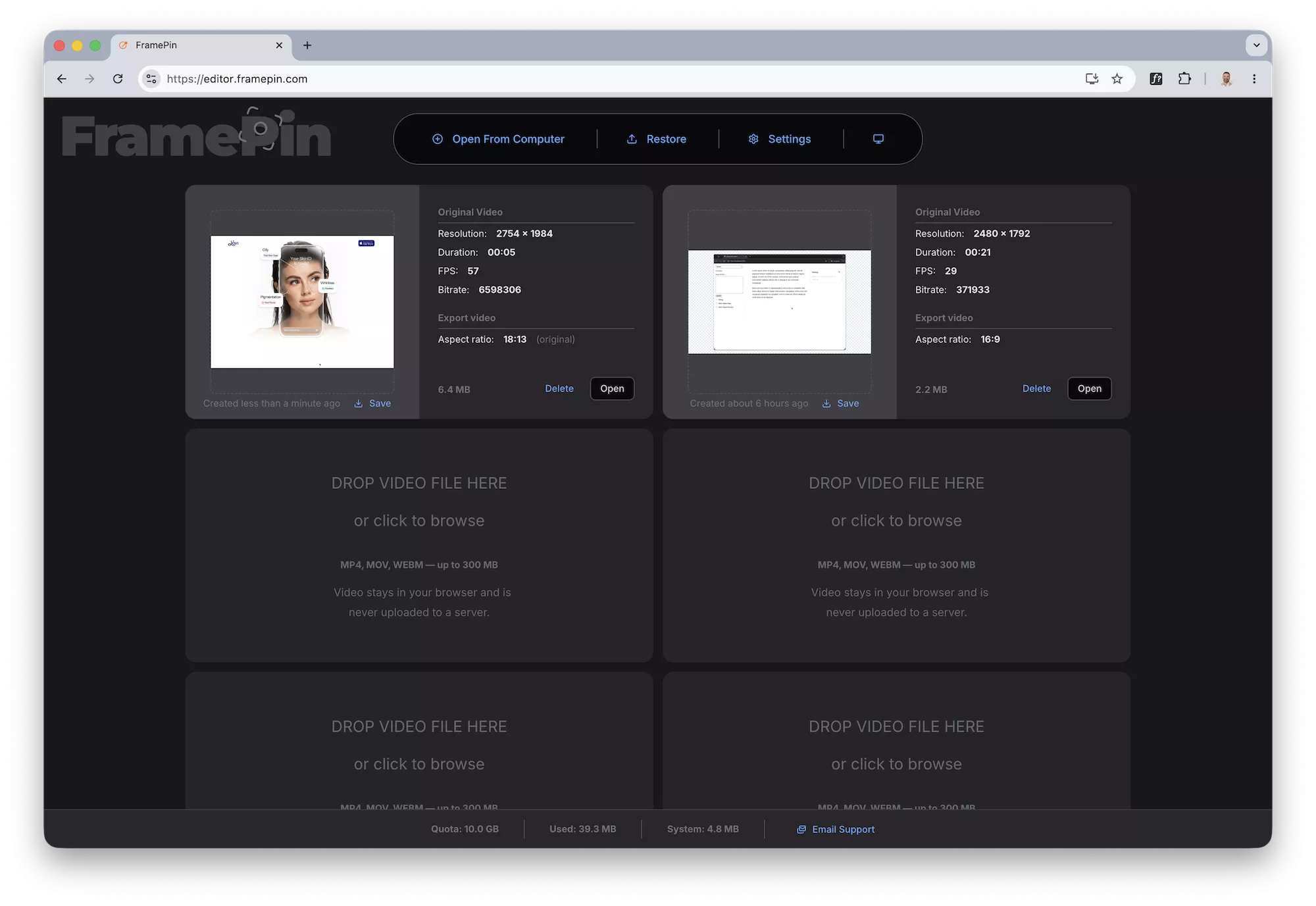
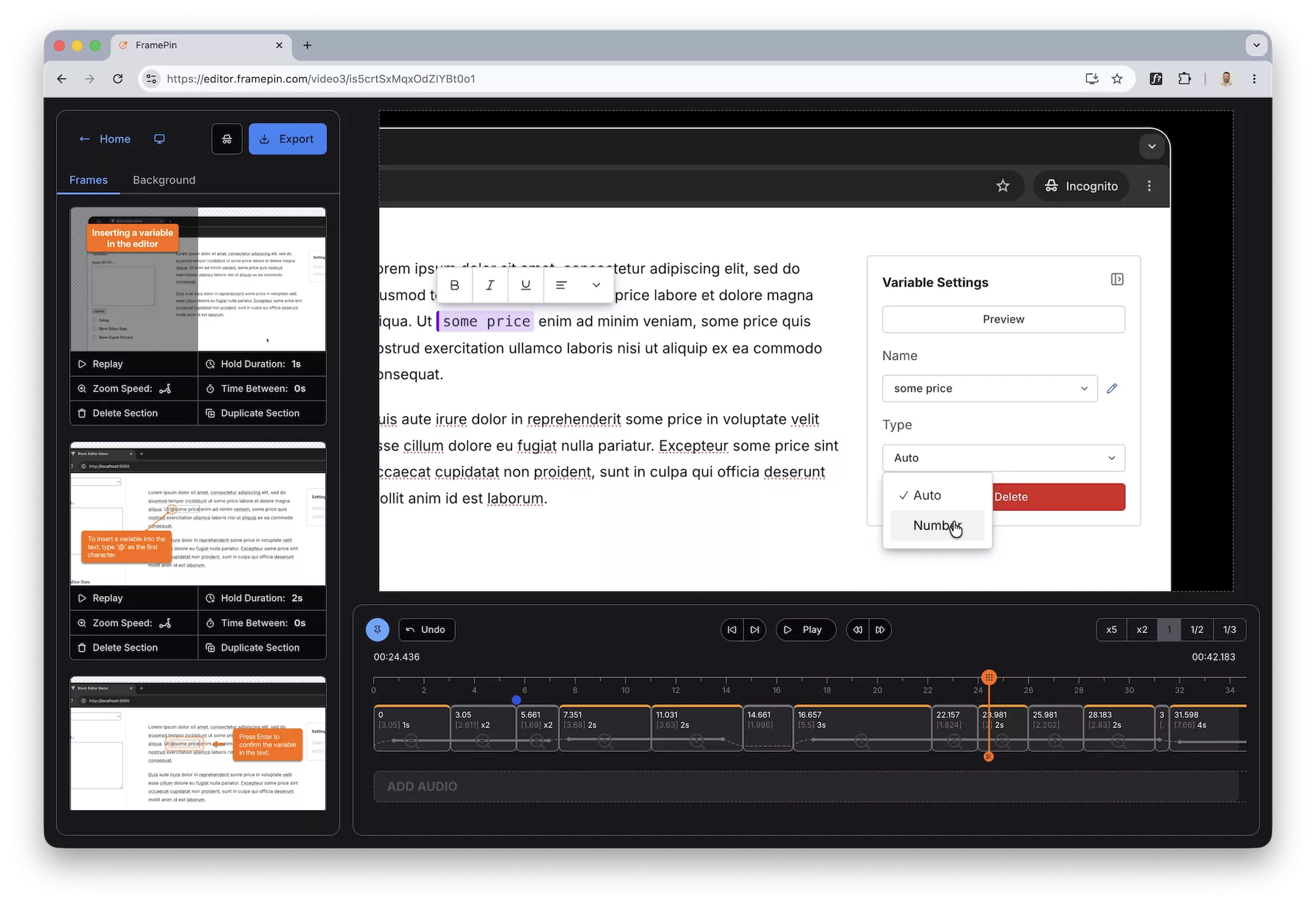
FramePin Editor - upload file FramePin Editor - freeze frames

Drop a callout to explain what's happening
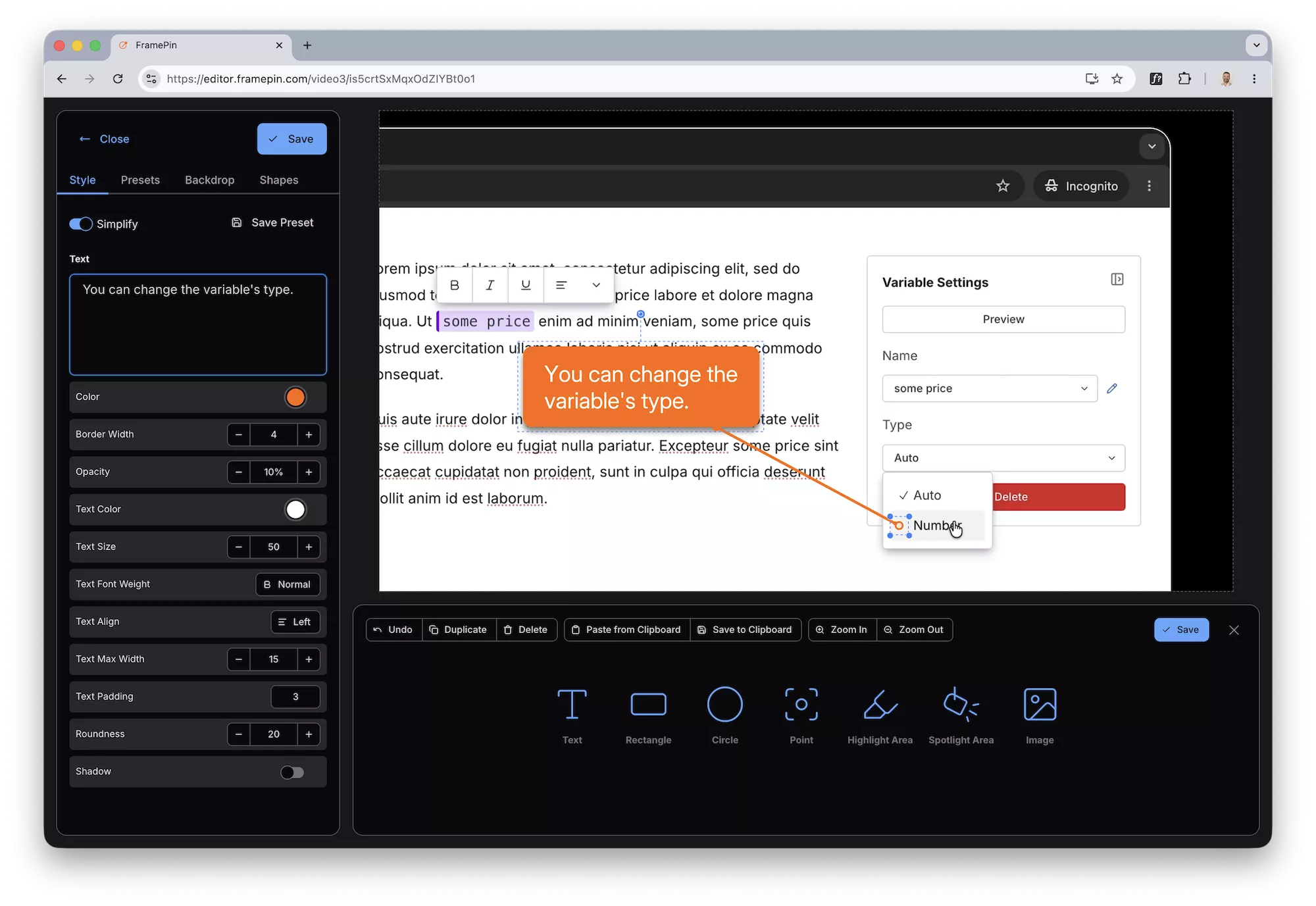
FramePin Editor - add callouts and arrows

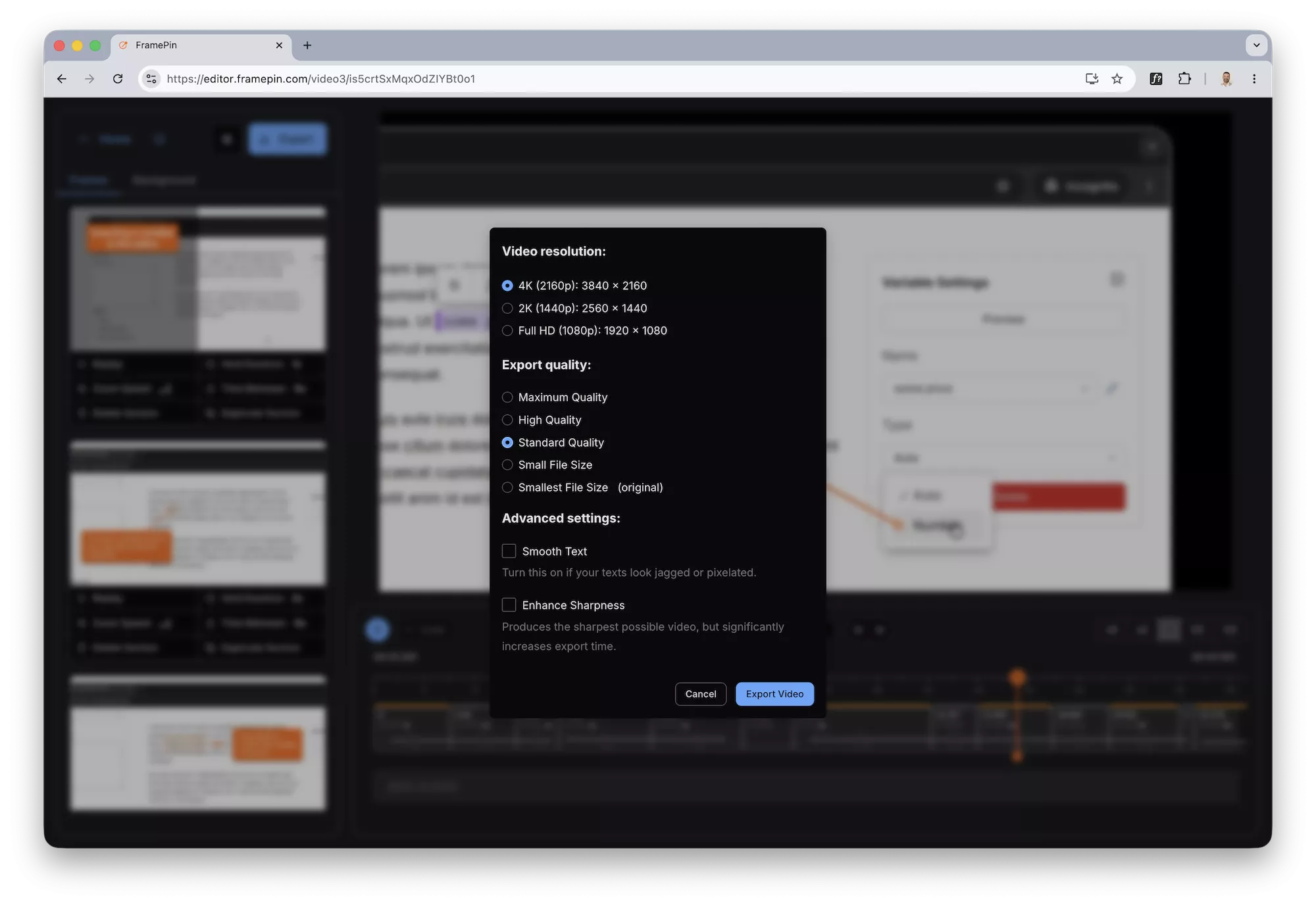
Export your recording as an MP4

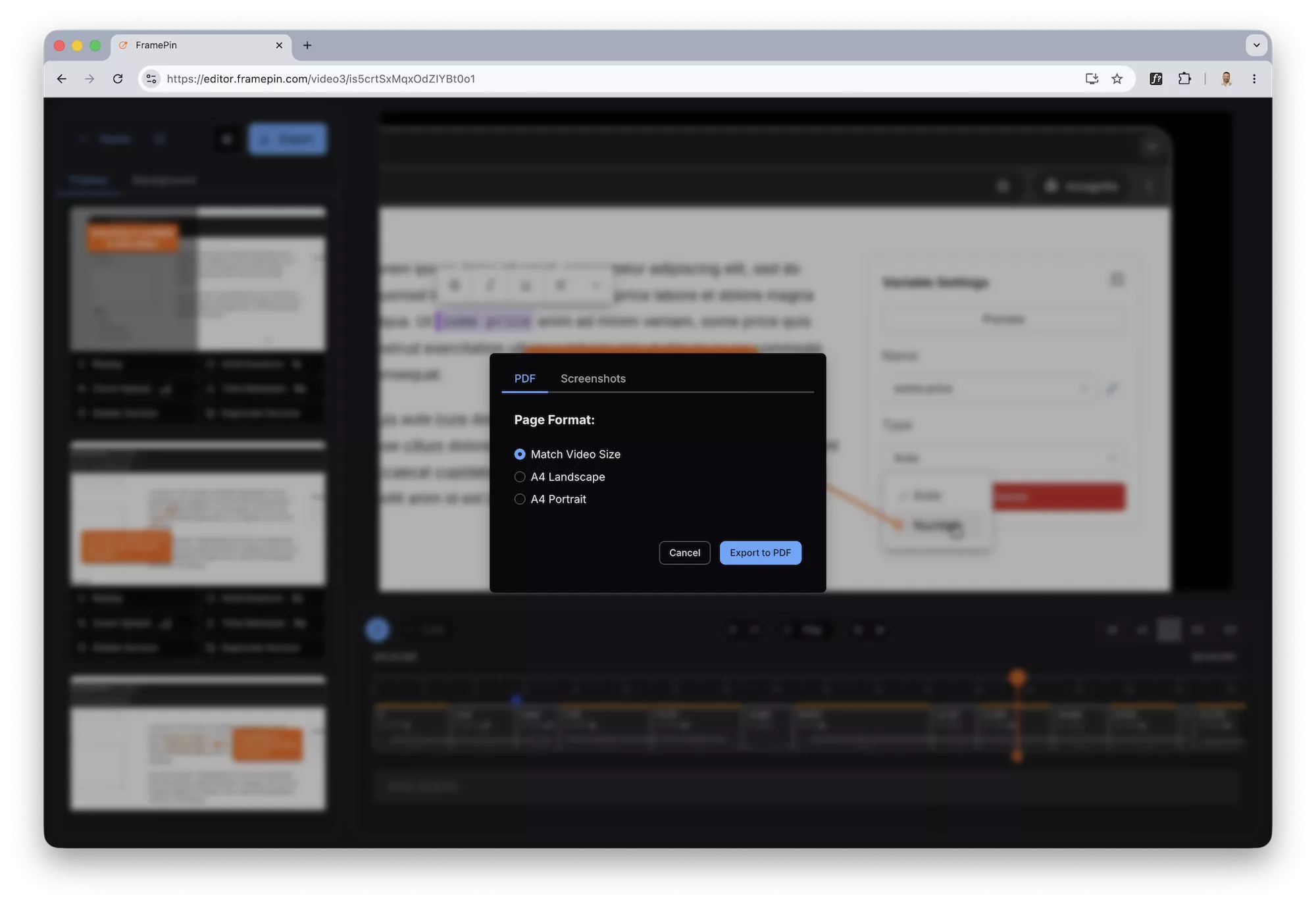
FramePin Editor - export video FramePin Editor - export pdf

1

You already have the recording

Loom, ScreenStudio, OBS, QuickTime, Zoom — it doesn't matter. If you recorded your screen, you're ready. No special format required.

2

Freeze any moment and add context

Open your recording in FramePin. Pause on any frame, draw a rectangle to highlight an area, drop a callout to explain what's happening.

Move to the next moment and repeat. Takes seconds per frame.

3

Export as an annotated video

Export your recording as an MP4 with annotations burned in.

Download the file, attach it to a ticket, drop it in Slack. Done.

4

Or export as a PDF walkthrough

Export every annotated frame as a high-resolution PDF or image pack.

Perfect for documentation, support tickets, or onboarding guides that live in Notion or Confluence.

Try it free no signup needed

Works in Chrome on Mac and Windows

Your video never leaves your computer

Everything runs locally in Chrome. Nothing is uploaded anywhere.

Built for non-editors

If you can click pause and draw a box, you can use FramePin.

Annotations that look professional in one click

Arrows, labels, highlights — pre-styled and ready to drop.

Try it free no signup needed

Works in Chrome on Mac and Windows