










Universal Rust multiplexer for the agentic era: detachable, scriptable, and inspectable, with a tmux-compatible CLI, daemon-backed SDK, and native Ratatui integration.
English · Français · 简体中文 · 日本語





Important
Current release: v0.2.0, published on 18 May 2026. All 90 tmux-compatible commands are implemented, but bugs are expected — this is a fresh public preview. Please file issues if you hit one.
Why RMUX
RMUX exists because I believe the tmux use case has only been partially explored. My own starting point was simple: I wanted to run long-lived agents over SSH without losing their terminals, while still being able to inspect, script, and orchestrate everything around them.
So I rebuilt that idea from scratch in Rust: a blazing-fast, tmux-compatible multiplexer with a typed SDK, persistent sessions, structured snapshots, and native local transports on Linux, macOS, and Windows, including Windows Named Pipes. No WSL required.
RMUX is usable by agents, headless CLI workflows, and humans alike: you can give terminal apps detachable execution, reconnect later, inspect their state, drive them from code, or simply use it for normal tmux-style terminal work.
Demos
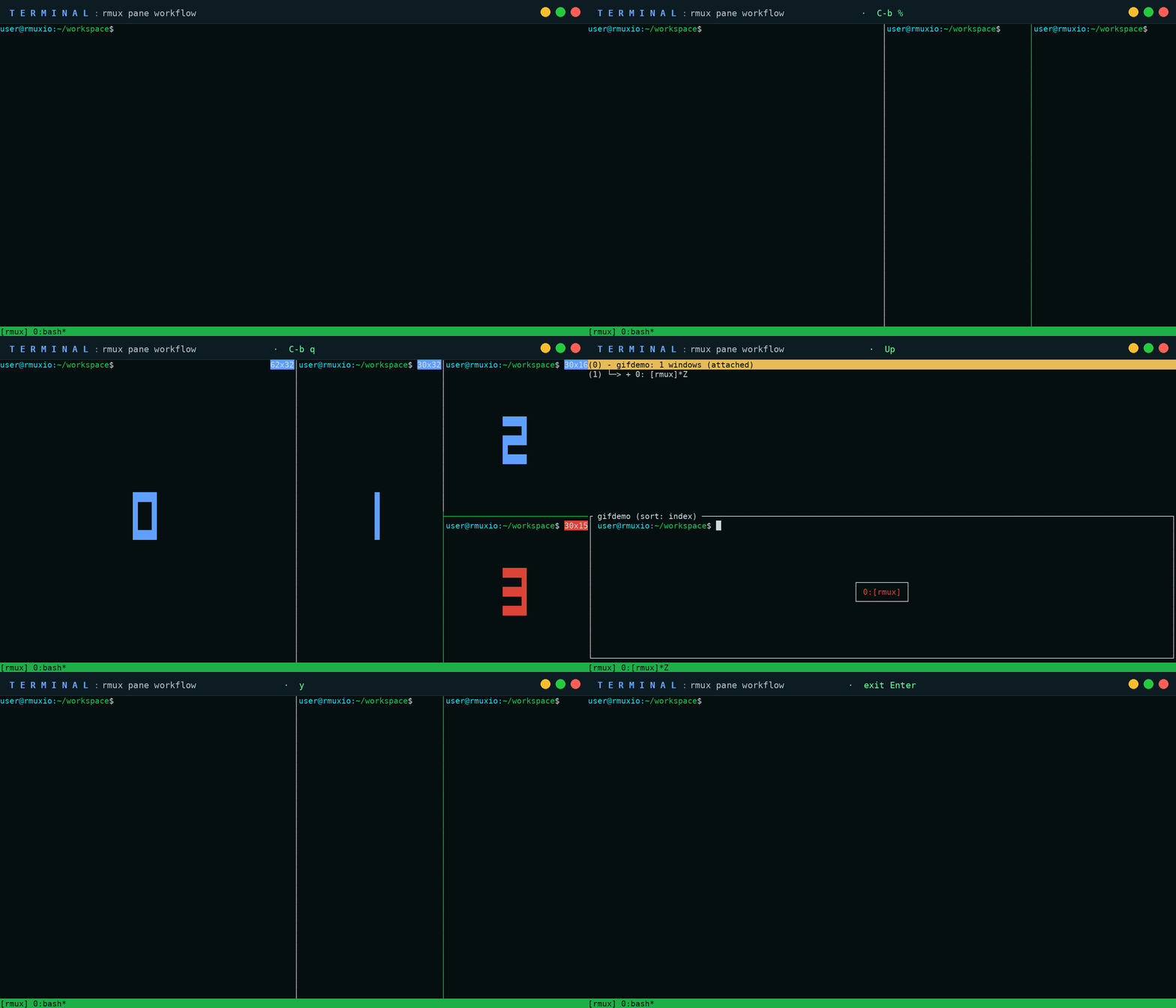
Short, real examples of what RMUX can be used for.
Install
Prebuilt binary for macOS and Linux:
curl -fsSL https://rmux.io/install.sh | shPrebuilt binary for Windows PowerShell:
irm https://rmux.io/install.ps1 | iex
Direct downloads and SHA256 checksums are available from the v0.2.0 GitHub Release.
From crates.io with Cargo:
cargo install rmux --locked
From a local checkout:
cargo install --path . --lockedFor Rust applications:
cargo add rmux-sdk
cargo add ratatui-rmux
Documentation
The full RMUX documentation is available at rmux.io/docs.
It includes installation guides, CLI references, SDK examples, terminal automation examples, and API documentation.
CLI Quickstart
rmux new-session -d -s work
rmux split-window -h -t work
rmux send-keys -t work 'echo "hello from rmux"' Enter
rmux attach-session -t work
Use command help locally:
rmux list-commands
rmux new-session --help
rmux split-window --help
SDK Quickstart
[dependencies]
rmux-sdk = "0.2"
tokio = { version = "1", features = ["rt-multi-thread", "macros"] }
use std::time::Duration;

use rmux_sdk::{
    EnsureSession, EnsureSessionPolicy, Rmux, SessionName, TerminalSizeSpec,
};

#[tokio::main]
async fn main() -> rmux_sdk::Result<()> {
    let rmux = Rmux::builder()
        .default_timeout(Duration::from_secs(5))
        .connect_or_start()
        .await?;

    let session_name = SessionName::new("work").expect("valid session name");
    let session = rmux
        .ensure_session(
            EnsureSession::named(session_name)
                .policy(EnsureSessionPolicy::CreateOrReuse)
                .detached(true)
                .size(TerminalSizeSpec::new(120, 32)),
        )
        .await?;

    let pane = session.pane(0, 0);
    pane.send_text("printf 'ready\\n' && sleep 1\n").await?;

    pane.wait_for_text("ready").await?;
    let snapshot = pane.snapshot().await?;
    println!("{}x{}", snapshot.cols, snapshot.rows);

    Ok(())
}
Ratatui Widget
use ratatui::{buffer::Buffer, layout::Rect, widgets::Widget};
use ratatui_rmux::{PaneState, PaneWidget};
use rmux_sdk::PaneSnapshot;

fn render(snapshot: PaneSnapshot, area: Rect, buffer: &mut Buffer) {
    let state = PaneState::from_snapshot(snapshot);
    PaneWidget::new(&state).render(area, buffer);
}
Architecture
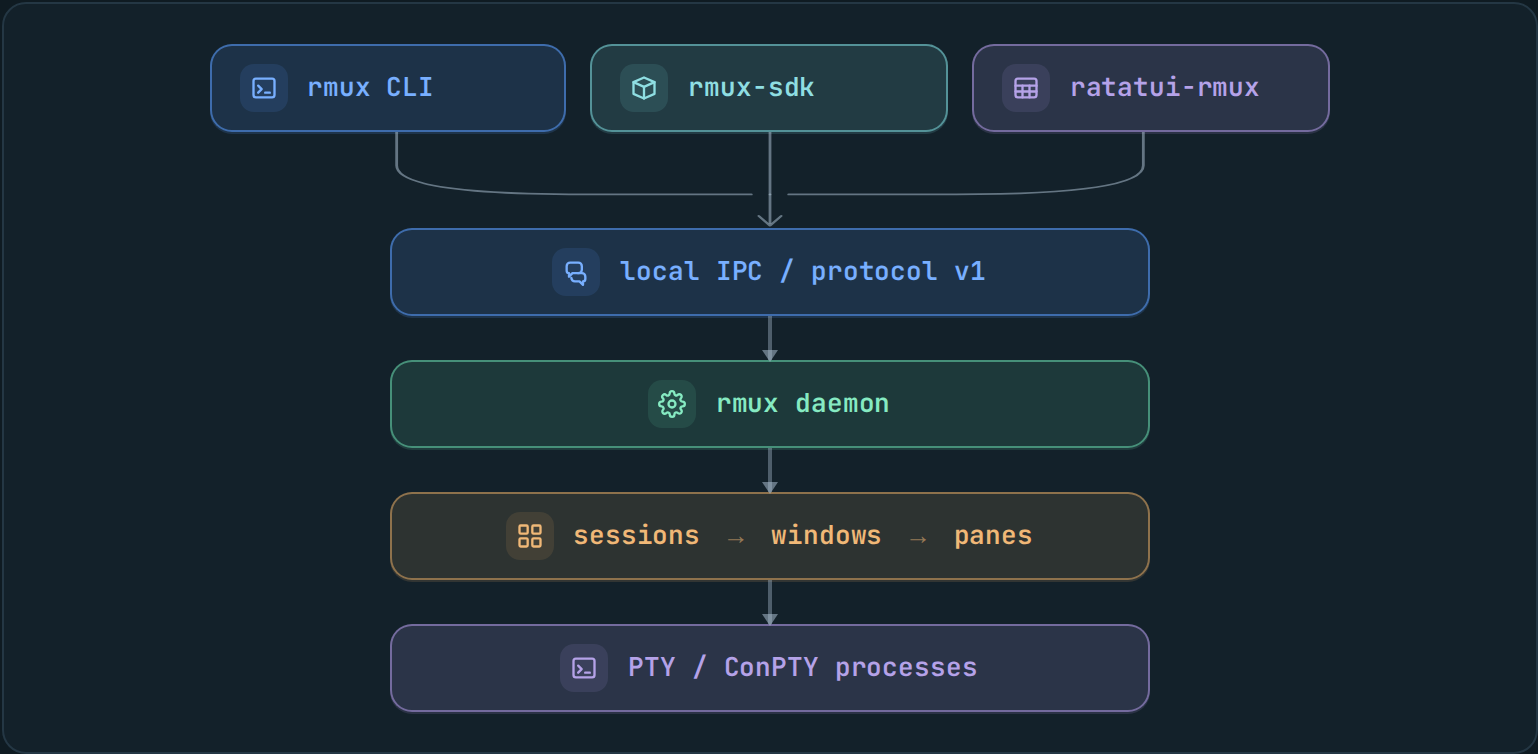
Three public surfaces — a rmux CLI, a rmux-sdk Rust crate, and a ratatui-rmux widget — share a single local protocol to talk to the daemon. Anything one surface can do, the others can do too.
Workspace
| Crate | Role | Publication |
|---|---|---|
rmux-types |
Shared platform-neutral value types | public |
rmux-proto |
Detached IPC DTOs, framing, wire-safe errors | public |
rmux-os |
Small OS boundary helpers | public |
rmux-ipc |
Local IPC endpoints and transports | public |
rmux-sdk |
Daemon-backed Rust SDK | public |
ratatui-rmux |
Ratatui integration widget | public |
rmux-pty |
PTY allocation, resize, child process control | support crate |
rmux-core |
Sessions, panes, layouts, formats, hooks, buffers | support crate |
rmux-server |
Tokio daemon and request dispatch | support crate |
rmux-client |
Local IPC client and attach plumbing | support crate |
rmux |
CLI and hidden daemon entrypoint | public binary |
rmux-render-core |
Shared snapshot rendering core | workspace-internal |
Platform Support
| Platform | PTY backend | IPC backend | Default endpoint |
|---|---|---|---|
| Linux | Unix PTY | Unix socket | /tmp/rmux-{uid}/default |
| macOS | Unix PTY | Unix socket | /tmp/rmux-{uid}/default |
| Windows | ConPTY | Named pipe | per-user named pipe |
Configuration
On Linux and macOS, RMUX reads .rmux.conf from the standard system and user locations:
/etc/rmux.conf~/.rmux.conf$XDG_CONFIG_HOME/rmux/rmux.conf~/.config/rmux/rmux.conf
On Windows, RMUX reads .rmux.conf as well, from the following locations:
%XDG_CONFIG_HOME%\rmux\rmux.conf%USERPROFILE%\.rmux.conf%APPDATA%\rmux\rmux.conf%RMUX_CONFIG_FILE%
Verification
The workspace is designed to be checked from source with locked dependencies:
cargo fmt --all -- --check
cargo clippy --workspace --all-targets --locked -- -D warnings
cargo test --workspace --locked --no-fail-fast
Additional local checks:
scripts/cfg-check.sh
scripts/unsafe-check.sh
scripts/no-network-in-runtime.sh
scripts/check-platform-neutrality.sh
scripts/ratatui-rmux-budget.sh
scripts/verify-package.sh
Release artifact checks are driven by:
scripts/release-local.sh
scripts/package-unix.sh
#![forbid(unsafe_code)] is used in the upper-level crates. OS and terminal boundary code is isolated in the lower-level runtime crates.
License
RMUX is dual-licensed under either:
at your option.