







原文:https://ichochy.com/posts/spring/20210602.html
项目中文件上传是必不可少的,快速实现将客户端文件上传至服务器,实现文件的在线管理。
打开 IDEA 创建新项目 New Project,使用 start.spring.io 快速构建

添加 web、thymeleaf 依赖,finish 创建项目
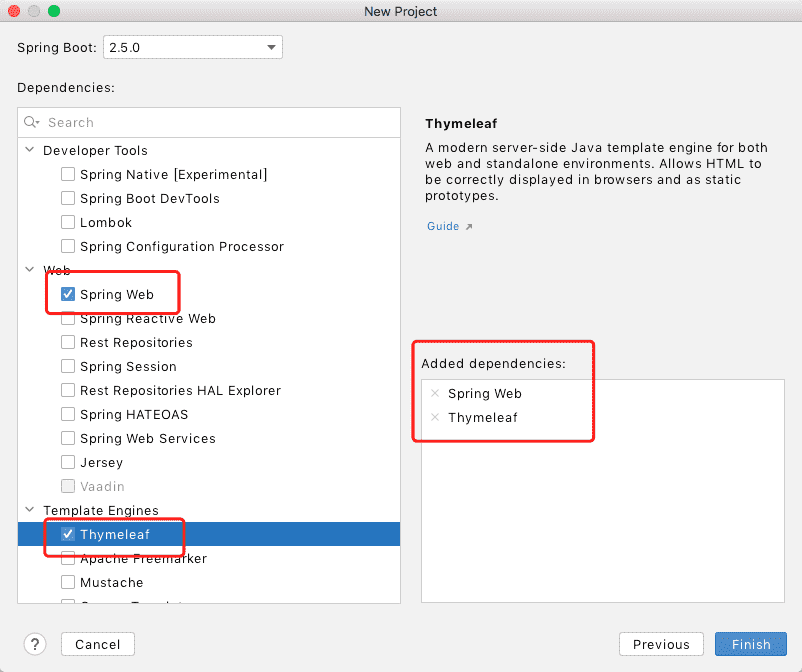
pom.xml 中手动管理依赖模块
    <dependencies>
        <dependency>
            <groupId>org.springframework.boot</groupId>
            <artifactId>spring-boot-starter-web</artifactId>
        </dependency>
        <dependency>
            <groupId>org.springframework.boot</groupId>
            <artifactId>spring-boot-starter-thymeleaf</artifactId>
        </dependency>
    </dependencies>
package com.ichochy.web.upload.storage;


import org.springframework.core.io.Resource;
import org.springframework.web.multipart.MultipartFile;

import java.nio.file.Path;
import java.util.stream.Stream;

public interface StorageService {

    /**
     * 初始化操作
     */
    void init();

    /**
     * 存储文件
     * @param file
     */
    void store(MultipartFile file);

    /**
     * 加载所有文件路径
     * @return
     */
    Stream<Path> loadAll();

    /**
     * 加载文件路径
     * @param filename
     * @return
     */
    Path load(String filename);

    /**
     * 加载文件数据
     * @param filename
     * @return
     */
    Resource loadAsResource(String filename);

    /**
     * 初始化完全删除
     */
    void deleteAll();
}
package com.ichochy.web.upload.storage;

import org.springframework.core.io.Resource;
import org.springframework.core.io.UrlResource;
import org.springframework.stereotype.Service;
import org.springframework.util.FileSystemUtils;
import org.springframework.web.multipart.MultipartFile;

import java.io.IOException;
import java.io.InputStream;
import java.net.MalformedURLException;
import java.nio.file.Files;
import java.nio.file.Path;
import java.nio.file.Paths;
import java.nio.file.StandardCopyOption;
import java.util.stream.Stream;

@Service
public class FileSystemStorageService implements StorageService{
    //文件存储路径
    private Path rootLocation = Paths.get("temp");

    @Override
    public void init() {
        try {
            //创建文件夹
            Files.createDirectories(rootLocation);
        }
        catch (IOException e) {
            throw new RuntimeException("Could not initialize storage", e);
        }
    }

    @Override
    public void store(MultipartFile file) {
        try {
            if (file.isEmpty()) {
                throw new RuntimeException("Failed to store empty file.");
            }
            //存储文件路径
            Path destinationFile = this.rootLocation.resolve(
                    Paths.get(file.getOriginalFilename()))
                    .normalize().toAbsolutePath();
            if (!destinationFile.getParent().equals(this.rootLocation.toAbsolutePath())) {
                // This is a security check
                throw new RuntimeException(
                        "Cannot store file outside current directory.");
            }
            try (InputStream inputStream = file.getInputStream()) {
                //复制存储文件
                Files.copy(inputStream, destinationFile,
                        StandardCopyOption.REPLACE_EXISTING);
            }
        }
        catch (IOException e) {
            throw new RuntimeException("Failed to store file.", e);
        }
    }

    @Override
    public Stream<Path> loadAll() {
        try {
            return Files.walk(this.rootLocation, 1)
                    .filter(path -> !path.equals(this.rootLocation))
                    .map(this.rootLocation::relativize);
        }
        catch (IOException e) {
            throw new RuntimeException("Failed to read stored files", e);
        }
    }

    @Override
    public Path load(String filename) {
        return rootLocation.resolve(filename);
    }

    @Override
    public Resource loadAsResource(String filename) {
        try {
            Path file = load(filename);
            Resource resource = new UrlResource(file.toUri());
            if (resource.exists() || resource.isReadable()) {
                return resource;
            }
            else {
                throw new RuntimeException(
                        "Could not read file: " + filename);

            }
        }
        catch (MalformedURLException e) {
            throw new RuntimeException("Could not read file: " + filename, e);
        }
    }

    @Override
    public void deleteAll() {
        FileSystemUtils.deleteRecursively(rootLocation.toFile());
    }
}
创建控制器 FileUploadController
package com.ichochy.web.upload;


import com.ichochy.web.upload.storage.StorageService;
import org.springframework.beans.factory.annotation.Autowired;
import org.springframework.boot.CommandLineRunner;
import org.springframework.context.annotation.Bean;
import org.springframework.core.io.Resource;
import org.springframework.http.HttpHeaders;
import org.springframework.http.ResponseEntity;
import org.springframework.stereotype.Controller;
import org.springframework.ui.Model;
import org.springframework.web.bind.annotation.*;
import org.springframework.web.multipart.MultipartFile;
import org.springframework.web.servlet.mvc.method.annotation.MvcUriComponentsBuilder;
import org.springframework.web.servlet.mvc.support.RedirectAttributes;

import java.util.stream.Collectors;

@Controller
public class FileUploadController {

    @Autowired
    private StorageService storageService;

    @GetMapping(value = "/upload")
    public String listFiles(Model model){
        model.addAttribute("files", storageService.loadAll().map(
                path -> MvcUriComponentsBuilder.fromMethodName(FileUploadController.class,
                        "getFiles", path.getFileName().toString()).build().toUri().toString())
                .collect(Collectors.toList()));
        return "uploadForm";
    }

    @GetMapping(value = "/files/{filename}")
    public ResponseEntity<Resource> getFiles(@PathVariable String filename){
        Resource file = storageService.loadAsResource(filename);
        return ResponseEntity.ok().header(HttpHeaders.CONTENT_DISPOSITION,
                "attachment; filename=\"" + file.getFilename() + "\"").body(file);
    }

    @PostMapping(value = "/upload")
    public String uploadFile(@RequestParam("file") MultipartFile file,
                             RedirectAttributes redirectAttributes){
        storageService.store(file);
        redirectAttributes.addFlashAttribute("message",
                "You successfully uploaded " + file.getOriginalFilename() + "!");
        //重定向开始页面
        return "redirect:/upload";
    }

    /**
     * 初始化操作
     * @param storageService
     * @return
     */
    @Bean
    CommandLineRunner init(StorageService storageService) {
        return (args) -> {
            storageService.deleteAll();
            storageService.init();
        };
    }
}
新建 uploadForm.html
<html xmlns:th="https://www.thymeleaf.org">
<body>

<div th:if="${message}">
    <h2 th:text="${message}"/>
</div>

<div>
    <form method="POST" enctype="multipart/form-data" action="/upload">
        <table>
            <tr><td>File to upload:</td><td><input type="file" name="file" /></td></tr>
            <tr><td></td><td><input type="submit" value="Upload" /></td></tr>
        </table>
    </form>
</div>

<div>
    <ul>
        <li th:each="file : ${files}">
            <a th:href="${file}" th:text="${file}" />
        </li>
    </ul>
</div>

</body>
</html>
修改 application.properties
# thymeleaf 缓存关闭
spring.thymeleaf.cache=false
# 最大文件数据
spring.servlet.multipart.max-file-size=128KB
# 最大请求数据
spring.servlet.multipart.max-request-size=128KB
├── pom.xml
├── src
│   └── main
│       ├── java
│       │   └── com
│       │       └── ichochy
│       │           └── web
│       │               ├── WebApplication.java
│       │               └── upload
│       │                   ├── FileUploadController.java
│       │                   └── storage
│       │                       ├── FileSystemStorageService.java
│       │                       └── StorageService.java
│       └── resources
│           ├── application.properties
│           ├── static
│           └── templates
│               ├── index.html
│               └── uploadForm.html
└── temp
| 注解 | 位置 | 说明 |
|---|---|---|
| @Controller | 类 | 控制器 |
| @RequestMapping | 类 | 控制器请求路径 |
| @Service | 类 | 注册服务类 |
| @GetMapping | 方法 | Get 请求路径 |
| @PostMapping | 方法 | Post 请求路径 |
| @Autowired | 参数 | 自动装配类 |
| @PathVariable | 参数 | 路径变量 |
| @RequestParam | 参数 | 请求参数 |
| @Bean | 方法 | 注册类 |
启动成功后可以看到默认端口号为8080
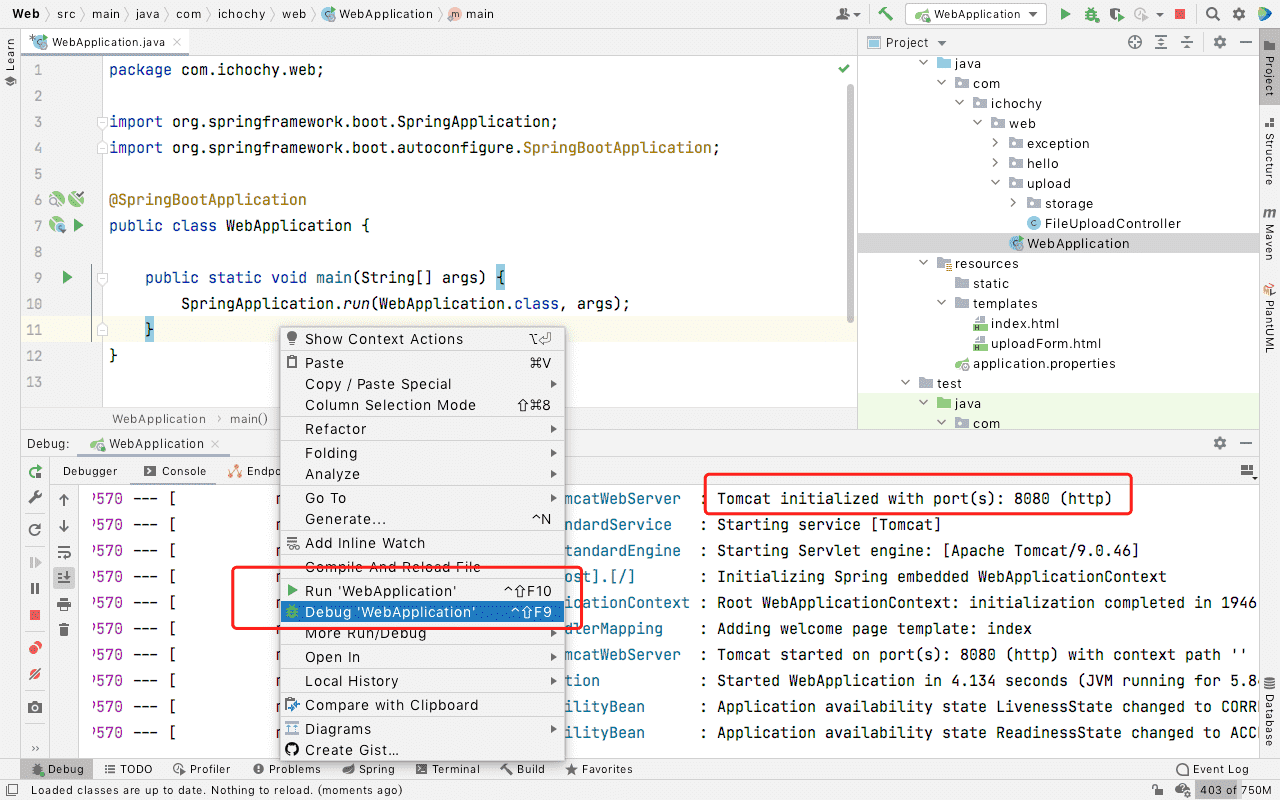
直接访问:http://localhost:8080/upload
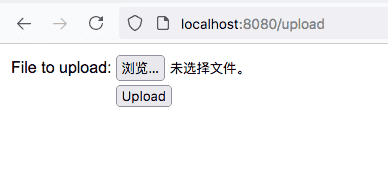
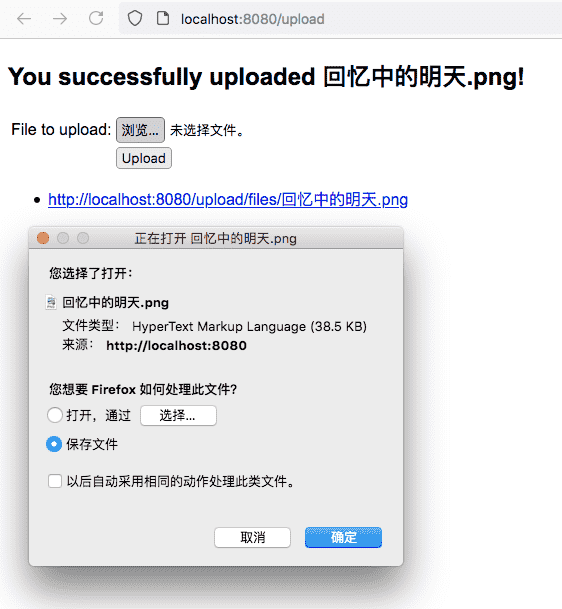
浏览文件,Upload 上传文件
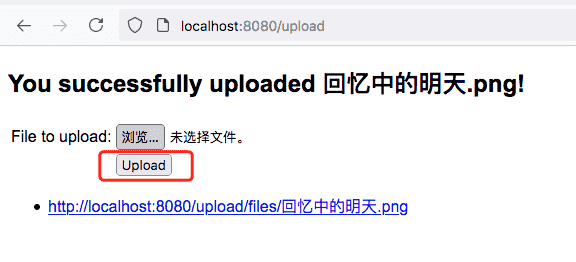
点击文件列表可下载文件
https://github.com/iChochy/Example
此内容由惯性聚合(RSS阅读器)自动聚合整理,仅供阅读参考。 原文来自 — 版权归原作者所有。