惯性聚合 高效追踪和阅读你感兴趣的博客、新闻、科技资讯
阅读原文 在惯性聚合中打开

推荐订阅源

WordPress大学
WordPress大学
T
Threatpost
阮一峰的网络日志
阮一峰的网络日志
美团技术团队
F
Fortinet All Blogs
The GitHub Blog
The GitHub Blog
月光博客
月光博客
V
Visual Studio Blog
T
Tailwind CSS Blog
Stack Overflow Blog
Stack Overflow Blog
博客园 - 聂微东
Jina AI
Jina AI
J
Java Code Geeks
Martin Fowler
Martin Fowler
大猫的无限游戏
大猫的无限游戏
Recorded Future
Recorded Future
C
Check Point Blog
腾讯CDC
N
Netflix TechBlog - Medium
aimingoo的专栏
aimingoo的专栏
罗磊的独立博客
Hacker News: Ask HN
Hacker News: Ask HN
SecWiki News
SecWiki News
博客园 - Franky
Hacker News - Newest:
Hacker News - Newest: "LLM"
N
News | PayPal Newsroom
cs.AI updates on arXiv.org
S
Security @ Cisco Blogs
W
WeLiveSecurity
The Last Watchdog
The Last Watchdog
Cloudbric
Cloudbric
F
Full Disclosure
The Cloudflare Blog
Y
Y Combinator Blog
Exploit-DB.com RSS Feed
Recent Commits to openclaw:main
Cyber Security Advisories - MS-ISAC
Google DeepMind News
MongoDB | Blog
MongoDB | Blog
S
Schneier on Security
Spread Privacy
Spread Privacy
L
LINUX DO - 热门话题
AI
AI
N
News and Events Feed by Topic
T
Tor Project blog
P
Palo Alto Networks Blog
让小产品的独立变现更简单 - ezindie.com
H
Hackread – Cybersecurity News, Data Breaches, AI and More
G
Google Developers Blog

Make on 轻风云

暂无文章

Windows10安装GCC和Make工具
2021-03-20 · via Make on 轻风云

Windows10安装GCC和Make工具

  1. 下载并安装Windows版的cygwin
  2. 解压并双击setup-x86_64.exe,启动cygwin安装
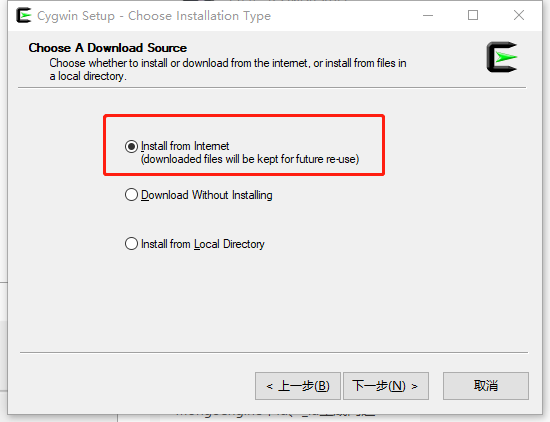
  3. 选择Install from internet
    1.png
  4. 填写163镜像:http://mirrors.163.com/cygwin/ 并按“add”按钮
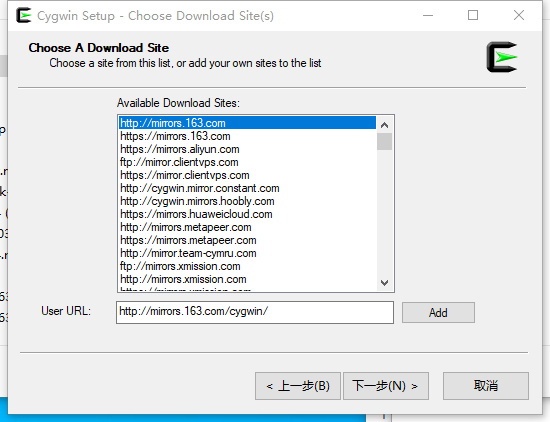
    2.png
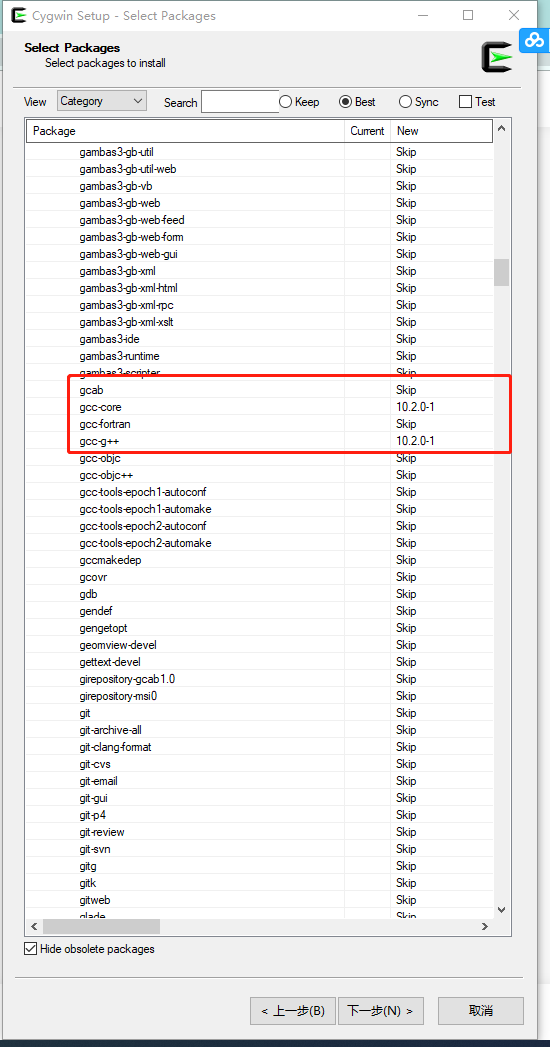
  5. 选择安装gcc 3.png
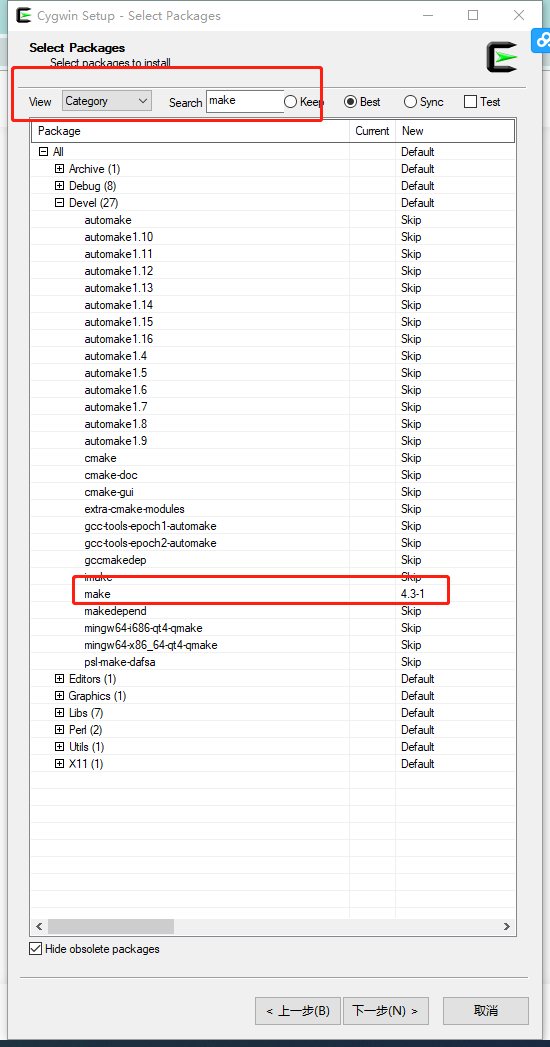
  6. 选择安装make,完成选择后按“下一步”按钮,完成安装
    4.png
  7. 启动cygwin,键入命令:“make -v”和“gcc -v”,若运行成功,证明在Windows10安装GCC和Make工具成功!
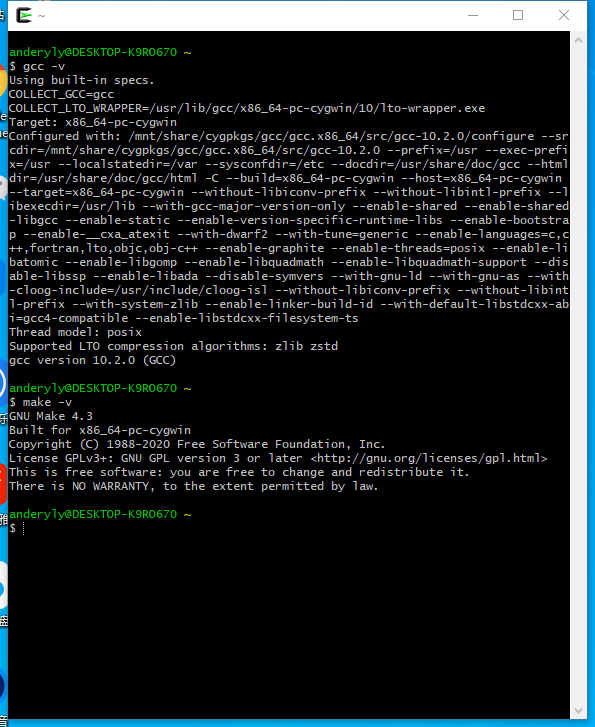
    5.png