惯性聚合 高效追踪和阅读你感兴趣的博客、新闻、科技资讯
阅读原文 在惯性聚合中打开

推荐订阅源

N
News and Events Feed by Topic
S
SegmentFault 最新的问题
奇客Solidot–传递最新科技情报
奇客Solidot–传递最新科技情报
Last Week in AI
Last Week in AI
Jina AI
Jina AI
H
Help Net Security
C
Check Point Blog
aimingoo的专栏
aimingoo的专栏
MyScale Blog
MyScale Blog
H
Hackread – Cybersecurity News, Data Breaches, AI and More
Vercel News
Vercel News
L
LangChain Blog
Recorded Future
Recorded Future
F
Full Disclosure
Google DeepMind News
Microsoft Security Blog
I
InfoQ
GbyAI
GbyAI
B
Blog RSS Feed
T
The Blog of Author Tim Ferriss
Engineering at Meta
Engineering at Meta
A
About on SuperTechFans
M
MIT News - Artificial intelligence
爱范儿
爱范儿
V
V2EX
Microsoft Azure Blog
cs.AI updates on arXiv.org
Y
Y Combinator Blog
B
Blog
WordPress大学
WordPress大学
Blog — PlanetScale
Blog — PlanetScale
W
WeLiveSecurity
MongoDB | Blog
MongoDB | Blog
Cloudbric
Cloudbric
N
News and Events Feed by Topic
The Cloudflare Blog
月光博客
月光博客
博客园 - 三生石上(FineUI控件)
有赞技术团队
有赞技术团队
D
DataBreaches.Net
博客园 - 【当耐特】
T
Troy Hunt's Blog
V
Visual Studio Blog
V2EX - 技术
V2EX - 技术
Apple Machine Learning Research
博客园 - 司徒正美
Recent Commits to openclaw:main
Cyber Security Advisories - MS-ISAC
Google Online Security Blog
The GitHub Blog
The GitHub Blog

Gcc on 轻风云

windows下golang编译报running gcc failed错误 centos7编译安装gcc9.2
Windows10安装GCC和Make工具
2021-03-20 · via Gcc on 轻风云

Windows10安装GCC和Make工具

  1. 下载并安装Windows版的cygwin
  2. 解压并双击setup-x86_64.exe,启动cygwin安装
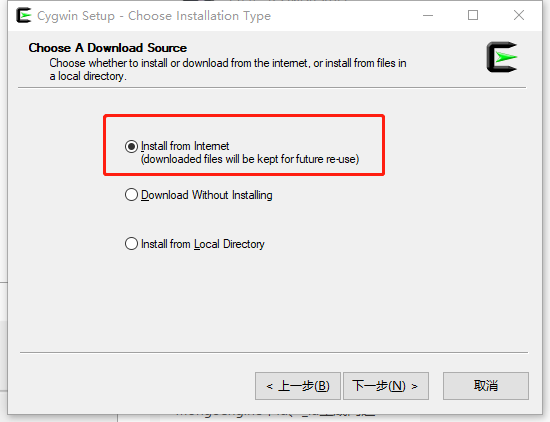
  3. 选择Install from internet
    1.png
  4. 填写163镜像:http://mirrors.163.com/cygwin/ 并按“add”按钮
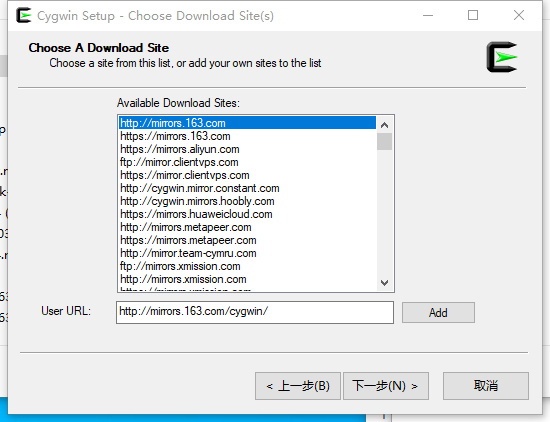
    2.png
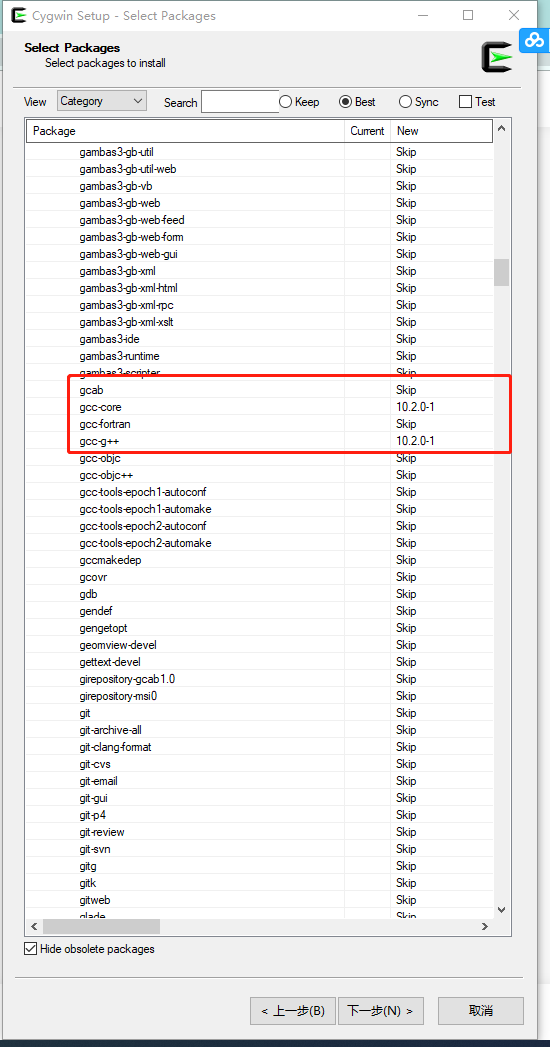
  5. 选择安装gcc 3.png
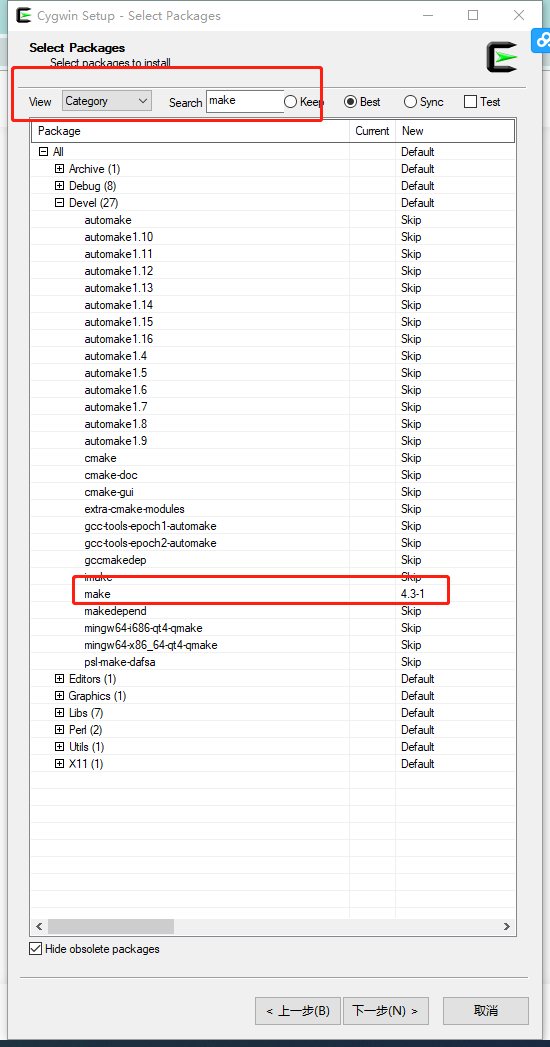
  6. 选择安装make,完成选择后按“下一步”按钮,完成安装
    4.png
  7. 启动cygwin,键入命令:“make -v”和“gcc -v”,若运行成功,证明在Windows10安装GCC和Make工具成功!
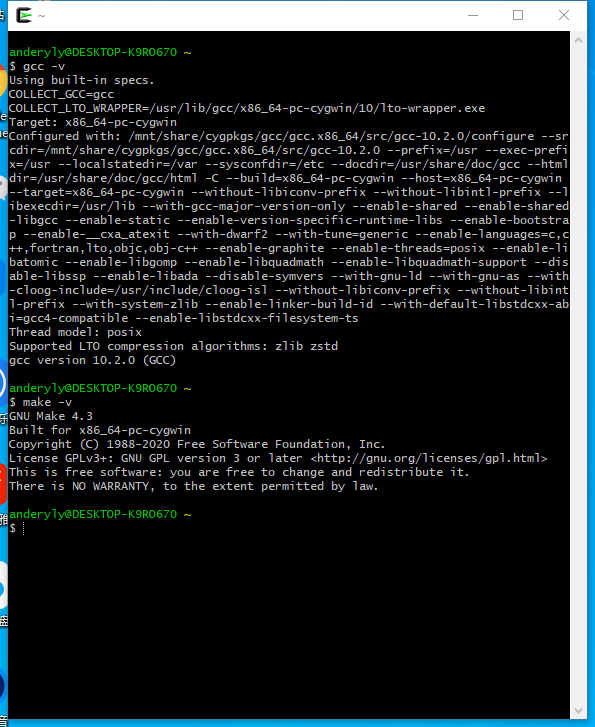
    5.png