









任务要求:使用Debian纯命令行构建自己的WordPress网站,并通过一些方法支持http://linlin.zzo访问。
Bash
linlinzzo@linlinzzo:~$ cat /etc/os-release
PRETTY_NAME="Debian GNU/Linux 13 (trixie)"
NAME="Debian GNU/Linux"
VERSION_ID="13"
VERSION="13 (trixie)"
VERSION_CODENAME=trixie
DEBIAN_VERSION_FULL=13.4
ID=debian
HOME_URL="https://www.debian.org/"
SUPPORT_URL="https://www.debian.org/support"
BUG_REPORT_URL="https://bugs.debian.org/"
安装所需要的应用
Bash
sudo apt install -y php-fpm # PHP
sudo apt install nginx
安装 nginx 的时候报错Not attempting to start NGINX, port 80 is already in use.,当我通过Linux 查看端口占用情况 | 菜鸟教程的方法去检查端口占用的时候发现lsof和netstat命令都不存在,用apt把lsof安装一下。发现是apache把80端口给占了。
Bash
linlinzzo@linlinzzo:~$ sudo lsof -i:80
COMMAND  PID     USER FD   TYPE DEVICE SIZE/OFF NODE NAME
apache2 9027     root 4u  IPv6  35905      0t0  TCP *:http (LISTEN)
apache2 9030 www-data 4u  IPv6  35905      0t0  TCP *:http (LISTEN)
apache2 9031 www-data 4u  IPv6  35905      0t0  TCP *:http (LISTEN)
apache2 9032 www-data 4u  IPv6  35905      0t0  TCP *:http (LISTEN)
apache2 9033 www-data 4u  IPv6  35905      0t0  TCP *:http (LISTEN)
apache2 9034 www-data 4u  IPv6  35905      0t0  TCP *:http (LISTEN)
把apache卸载之后就可以用systemctl启动nginx了。
正要打算从官网下载MySQL,结果发现wget没装,把wget装一下,然后安装MySQL。
SQL
CREATE USER '111'@'localhost' IDENTIFIED BY '111';
CREATE DATABASE lin;
GRANT ALL PRIVILEGES ON lin.* TO '111'@'localhost';用ip addr看虚拟环境的IP,通过设置hosts文件让linlin.zzo指向虚拟环境。因为Nginx的配置文件是照搬网上的,一开始看日志是root设置错了还没有设置好访问权限,改好后还是报错,发现是php-fpm的路径不对。用where命令找不到php-fpm。通过下面的方法找到.sock的地址。
Bash
linlinzzo@linlinzzo:/etc/nginx/conf.d$ sudo systemctl status php8.4-fpm
● php8.4-fpm.service - The PHP 8.4 FastCGI Process Manager
     Loaded: loaded (/usr/lib/systemd/system/php8.4-fpm.service; enabled; preset: enabled)
(...)
linlinzzo@linlinzzo:/etc/nginx/conf.d$ cat /usr/lib/systemd/system/php8.4-fpm.service
(...)
[Service]
Type=notify
ExecStart=/usr/sbin/php-fpm8.4 --nodaemonize --fpm-config /etc/php/8.4/fpm/php-fpm.conf
ExecStartPost=-/usr/lib/php/php-fpm-socket-helper install /run/php/php-fpm.sock /etc/php/8.4/fpm/pool.d/www.conf 84
ExecStopPost=-/usr/lib/php/php-fpm-socket-helper remove /run/php/php-fpm.sock /etc/php/8.4/fpm/pool.d/www.conf 84
(...)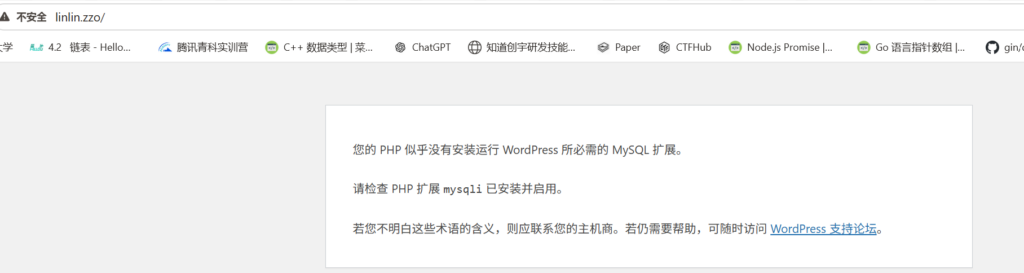
这下可以显示出页面了,提示说需要安装一个PHP拓展,那我们安装一下。
Bash
linlinzzo@linlinzzo:/etc/nginx/conf.d$ sudo apt install php-mysqli
Note, selecting 'php8.4-mysql' instead of 'php-mysqli'
...
安装好之后回到刚才的安装界面设置管理账户的用户名和密码,接下来通过WordPress自带的迁移功能进行迁移。
WordPress无论是自己上传插件文件还是从插件市场上安装都需要配置FTP信息,奇怪,为什么我在我服务器上不用这些信息。我不太想配置FTP,所以直接在Windows把压缩包传到Debian然后解压。
当我启用导入插件并将我这个博客的导出文件传进去时,发生了413 Request Entity Too Large。我在Nginx的配置文件中加了一行放宽一下限制:client_max_body_size 100M;。
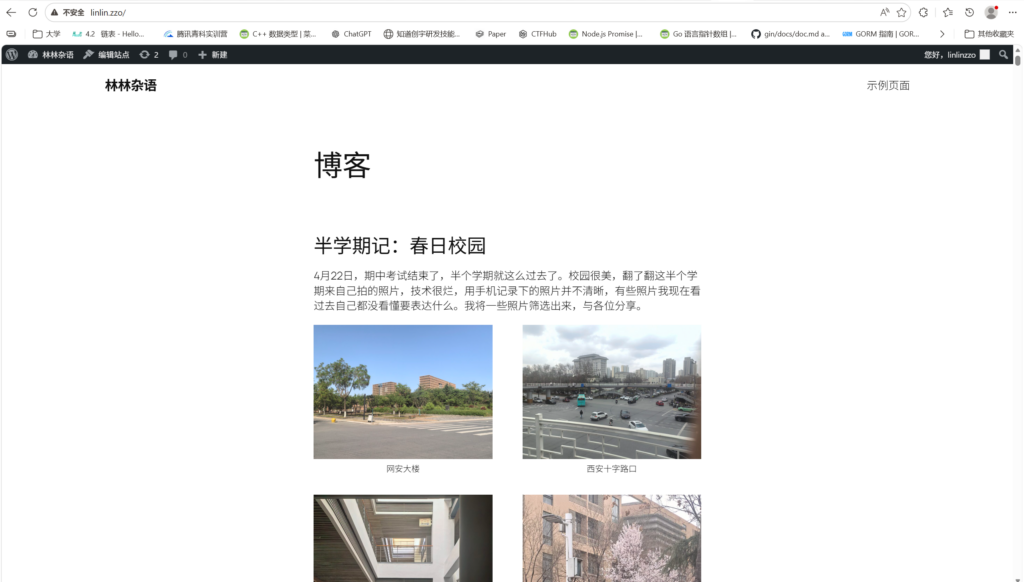
这样大致就OK了。
用VirtualBox安装虚拟机之后,使用普通用户登录发现没有sudo权限,改成root身份,后面配置就不用敲sudo了。
此内容由惯性聚合(RSS阅读器)自动聚合整理,仅供阅读参考。 原文来自 — 版权归原作者所有。