惯性聚合 高效追踪和阅读你感兴趣的博客、新闻、科技资讯
阅读原文 在惯性聚合中打开

推荐订阅源

量子位
Google DeepMind News
爱范儿
爱范儿
OSCHINA 社区最新新闻
OSCHINA 社区最新新闻
NISL@THU
NISL@THU
T
Threat Research - Cisco Blogs
freeCodeCamp Programming Tutorials: Python, JavaScript, Git & More
L
Lohrmann on Cybersecurity
V
Visual Studio Blog
Cyberwarzone
Cyberwarzone
D
Docker
The Hacker News
The Hacker News
C
CERT Recently Published Vulnerability Notes
Vercel News
Vercel News
Project Zero
Project Zero
S
Schneier on Security
aimingoo的专栏
aimingoo的专栏
I
Intezer
腾讯CDC
M
MIT News - Artificial intelligence
Hugging Face - Blog
Hugging Face - Blog
P
Palo Alto Networks Blog
C
CXSECURITY Database RSS Feed - CXSecurity.com
AWS News Blog
AWS News Blog
GbyAI
GbyAI
MongoDB | Blog
MongoDB | Blog
Cyber Security Advisories - MS-ISAC
V
Vulnerabilities – Threatpost
G
Google Developers Blog
N
Netflix TechBlog - Medium
The Cloudflare Blog
Microsoft Security Blog
Y
Y Combinator Blog
A
Arctic Wolf
S
Securelist
酷 壳 – CoolShell
酷 壳 – CoolShell
Cisco Talos Blog
Cisco Talos Blog
Recent Announcements
C
Cyber Attacks, Cyber Crime and Cyber Security
L
LINUX DO - 热门话题
T
Threatpost
Latest news
Latest news
Blog — PlanetScale
Blog — PlanetScale
Security Latest
Security Latest
Engineering at Meta
Engineering at Meta
大猫的无限游戏
大猫的无限游戏
H
Help Net Security
The GitHub Blog
The GitHub Blog
T
Tor Project blog
P
Proofpoint News Feed

Lowin Li

IQuest-Coder-V1调研,NanobananaPro + Gemini3Pro生成 | Lowin Li Vibecoding 时代,程序员会消失吗?——从“全自动”到“半自动”的冷思考 | Lowin Li AzureOpenAI vs OpenAI | Lowin Li ChatGPT出圈的秘诀 | Lowin Li 人工反馈的强化学习 | Lowin Li Stable Diffusion的模型量化,降低内存75%、Streamlit的在线生成图片调试、docker服务部署 | Lowin Li 训练一个SentenceTransformer模型 | Lowin Li 8位混合精度矩阵乘法,小硬件跑大模型 | Lowin Li Constrained Beam Search | Lowin Li 盘点开源“Copilot”,do it yourself | Lowin Li 使用fastgpt提速huggingface的GPT文本生成模型 | Lowin Li docker启devpi服务 | Lowin Li DataMeasurementsTool介绍 | Lowin Li bigbird长文本预训练模型介绍 | Lowin Li Transformers仓库做语言生成的解码方法介绍 | Lowin Li 谁说torchtext不能做多标签任务 | Lowin Li 转载:人工智能能否实现? | Lowin Li 分享CML工具在github上的一个原创例子 | Lowin Li Transformers仓库解读之一DataCollator | Lowin Li
.li域名注册教程 | Lowin Li
文章作者: Lowin Li · 2021-09-25 · via Lowin Li

发布日期:   2021-09-25

更新日期:   2023-10-06

文章字数:   901

阅读时长:   3 分

阅读次数:  


简要

本文记录了在列支敦士登公国注册.li域名,用于个人博客的踩坑过程,仅供参考。

引子

  • 为什么要制作独立博客
    相比较公众号, 知乎专栏, 小密圈等平台,独立博客,因为有属于自己的域名,可以自由的排版,自由地说话。更重要的是,有一种尽在掌握的主人翁感觉。
  • 为什么要申请.li域名
    李是我国的大姓,以.li域名结尾,和自己的姓氏拼音重合,使得域名更简介、更专属。

metanet注册商

li域名属于列支敦士登公国,是欧洲中部的内陆袖珍国家,处于瑞士与奥地利两国之间,国家语言是德语。注册商为metanet
这家公司有一下几个特点

  • 德语
  • 不能直接注册,原因是担心占用公共设施资源
  • 需要致电座机确认订单

注册域名

  1. 直接查询域名是否可以注册,例如下图表示woaibeijing.li是可以注册的
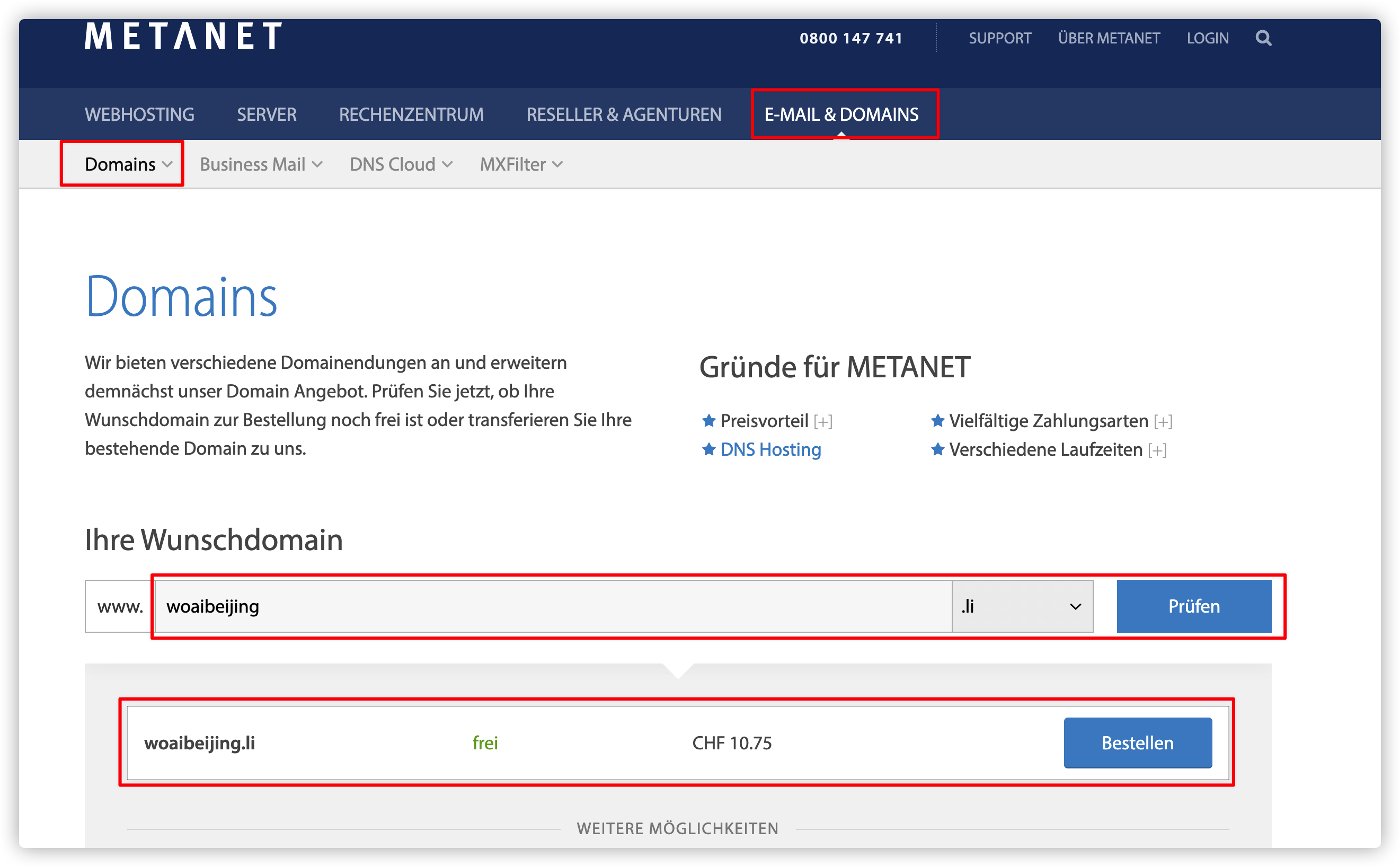
2021年9月24日数据:10.75瑞士法郎=75.2876人民币元

  1. 然后就是填入各种个人信息,1年、3年、5年期等,注册时间长并没有优惠。
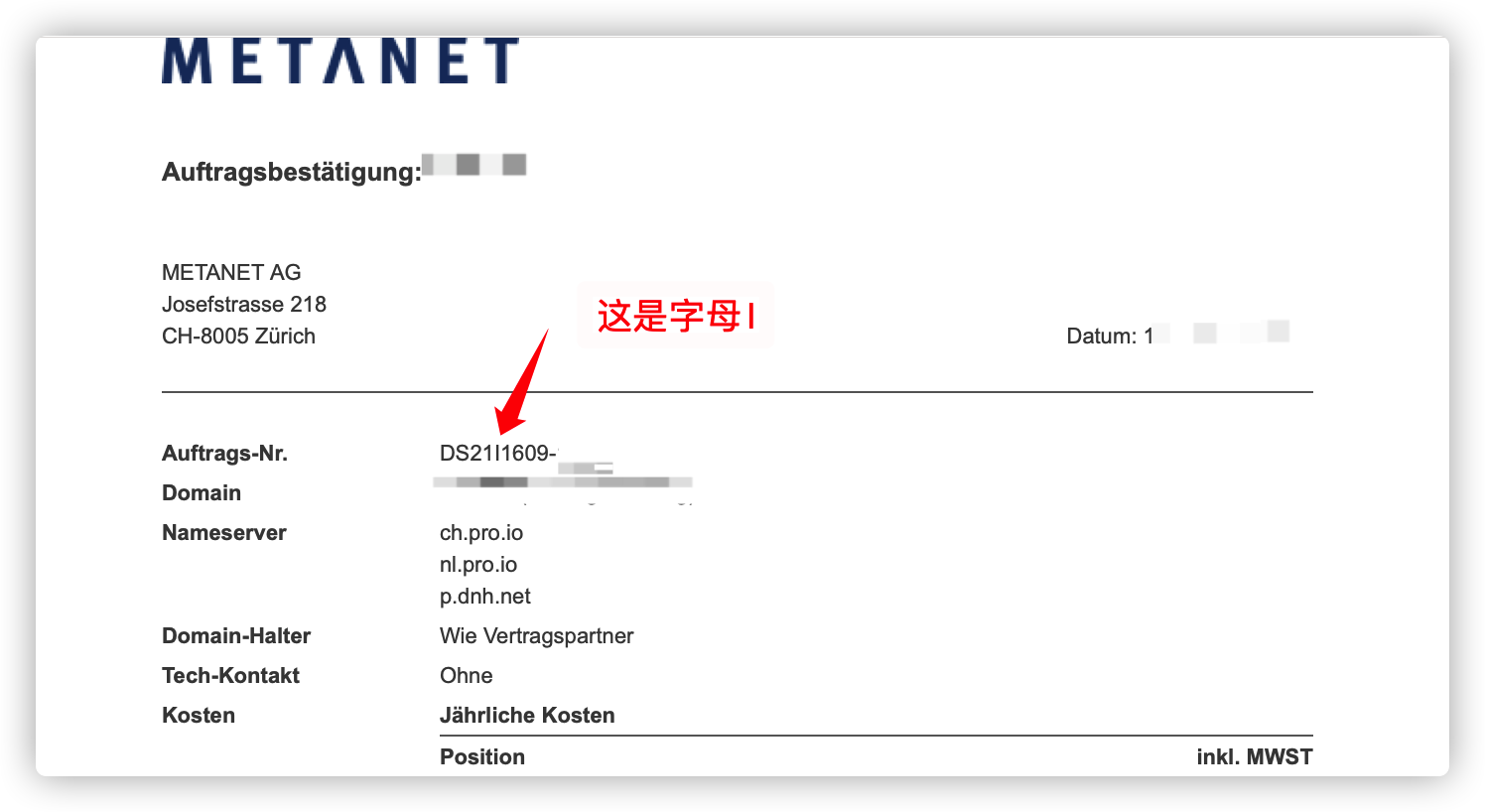
  2. 等邮箱接收邮件,得到订单号,有一个坑是,下图这个竖线不是分隔符,是字母I。邮件大意是订单已经收到,我们在24小时的工作时间内反馈。
  3. 然后过了两个小时,我收到邮件,说为了避免机器人占用公共设施资源,需要我在工作时间内致电座机号码确认订单,注意比北京晚6个小时

    skype开通免费瑞士电话

    相比较移动、联通运营商的跨国长途电话,skype更便宜。如果是第一次申请的账户,只需要开通PayPal,绑定银联卡,就可以申请一个月免费瑞士拨打套餐100分钟。如果网络慢,有可能需要科学上网。
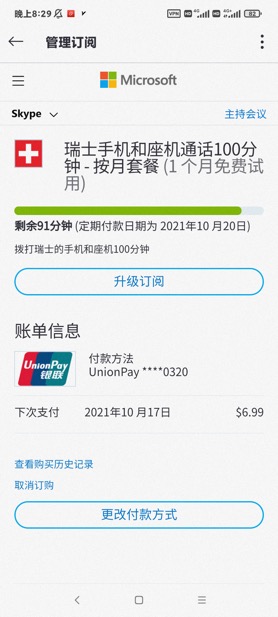
    然后接下来就是选择一个对方上班时间电话沟通,需要描述订单号,注意不要漏掉那个I字母

PayPal

这一步就是需要绑定PayPal自动付款到metanet账户
然后24小时内自动扣款

域名解析

这一步骤和阿里云等其他国内的解析操作差不多。
选择A(IPv4 address),将域名解析到服务器公网ip上。

nginx配置

在服务器上配置

apt update && \
apt install nginx
vim /etc/nginx/sites-enabled/xxx.conf
limit_req_zone $binary_remote_addr zone=two:10m rate=10r/s;

server {
server_name {填入解析域名};

gzip on;
gzip_min_length 1000;
gzip_types text/plain application/xml application/json text/css application/javascript;


location / {
client_max_body_size 100M;
proxy_set_header Host localhost;
proxy_set_header X-Real-IP $remote_addr;
proxy_set_header X-Forwarded-For $proxy_add_x_forwarded_for;
proxy_pass http://127.0.0.1:{填入服务端口号};

}
}
nginx -s reload

ssl加密

  • 现在访问网站使用的是http,是不安全的,需要申请ssl证书,加密成https

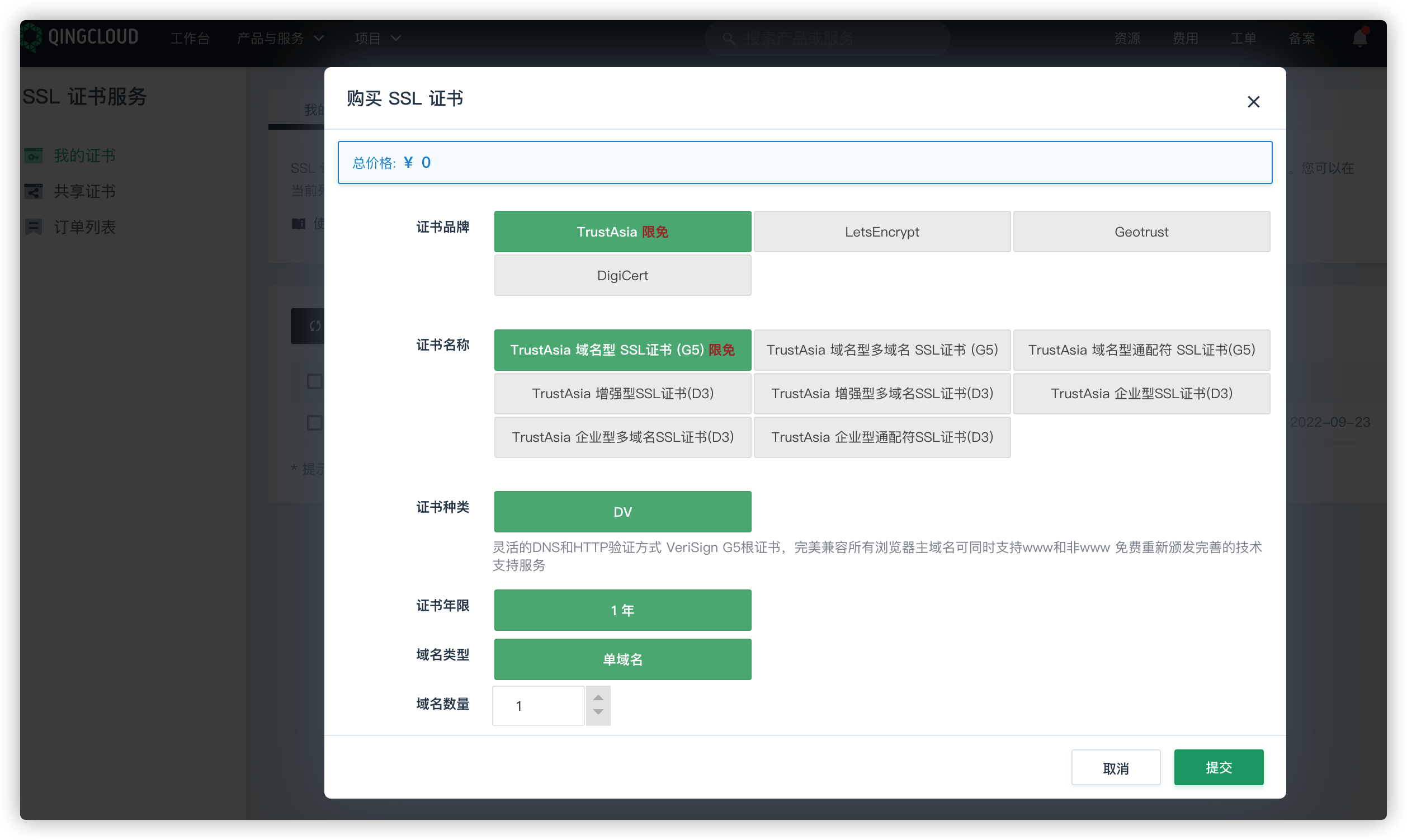
  • 网上很容易申请一年免费的DV型ssl证书,注册成功后把证书拷贝到服务器

  • 修改nginx配置

    vim /etc/nginx/sites-enabled/xxx.conf
    limit_req_zone $binary_remote_addr zone=two:10m rate=10r/s;
    server {
    listen 443 ssl;
    server_name {填入解析域名};
    ssl_certificate {证书.pem目录};
    ssl_certificate_key {证书.key目录};
    gzip on;
    gzip_min_length 1000;
    gzip_types text/plain application/xml application/json text/css application/javascript;
    location / {
    client_max_body_size 100M;
    proxy_set_header Host localhost;
    proxy_set_header X-Real-IP $remote_addr;
    proxy_set_header X-Forwarded-For $proxy_add_x_forwarded_for;
    proxy_pass http://127.0.0.1:{填入服务端口号};
    }
    }
  • 重新加载

nginx -s reload

感谢参考


你的赏识是我前进的动力

  • 支付宝
  • 微 信

支付宝打赏二维码

微信打赏二维码