





代码
from bs4 import BeautifulSoup
import requests
import os
import shutil

headers = {
    "Sec-Fetch-Mode": "navigate",
    "Sec-Fetch-User": "?1",
    "Upgrade-Insecure-Requests": "1",
    "User-Agent": "Mozilla/5.0 (Windows NT 10.0; Win64; x64) AppleWebKit/537.36 (KHTML, like Gecko) Chrome/77.0.3865.90 Safari/537.36"
}

def download_jpg(imgge_url, image_localpath):
    response = requests.get(imgge_url, stream=True)
    if response.status_code == 200:
        with open(image_localpath, 'wb') as f:
            response.decode_content = True
            shutil.copyfileobj(response.raw, f)

def craw(url):
    response = requests.get(url, headers=headers)
    soup = BeautifulSoup(response.text, 'lxml')
    for div in soup.find_all('div', class_='group'):
        for img in div.find_all('img'):
            imgurl = img['src']
            dir = os.path.abspath('./download')
            filename = os.path.basename(imgurl)
            imgpath = os.path.join(dir, filename)
            print('开始下载 %s' % imgurl)
            download_jpg(imgurl, imgpath)


for i in range(1, 10, 1):
    url = 'http://xxxxxx.com/plugin.php?id=group&page=' + str(i)
    print(url)
    print('第 %s 页' %i)
    craw(url)
运行
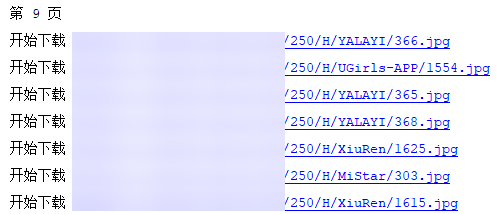

营养有点不足,溜了溜了
赞赏作者

如果觉得我的文章对你有用,请随意赞赏