







记录一下魔改步骤,不然主题一更新就打回原型了
底部运行时间
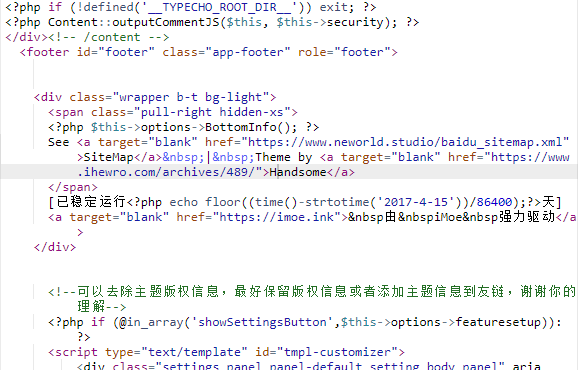
打开 handsome\component\footer.php,将
<div class="wrapper b-t bg-light">
<span class="pull-right hidden-xs text-ellipsis">
<?php $this->options->BottomInfo(); ?>
Powered by <a target="blank" href="http://www.typecho.org">Typecho</a> | Theme by <a target="blank" href="https://www.ihewro.com/archives/489/">handsome</a>
</span>
<span class="text-ellipsis">© <?php echo date("Y");?> Copyright <?php $this->options->BottomleftInfo(); ?></span>
</div>改为
<div class="wrapper b-t bg-light">
<span class="pull-right hidden-xs">
<?php $this->options->BottomInfo(); ?>
See <a target="blank" href="https://coding.lula.fun/baidu_sitemap.xml">SiteMap</a> | Theme by <a target="blank" href="https://www.ihewro.com/archives/489/">handsome</a>
</span>
[已稳定运行<?php echo floor((time()-strtotime('2017-4-15'))/86400);?>天]
<a target="blank" href="https://imoe.ink"> 由 iMoe 强力驱动</a>
</div>截图
去掉首页的标题
修改文件为/handsomeindex.php,大约33行左右
删除
<h1 class="m-n font-thin h3 text-black l-h"><?php $this->options->title(); ?></h1>截图

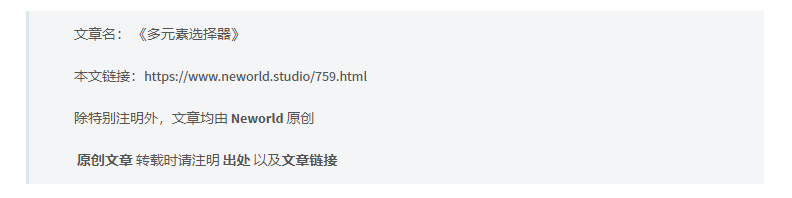
文章底部版权以及转载说明
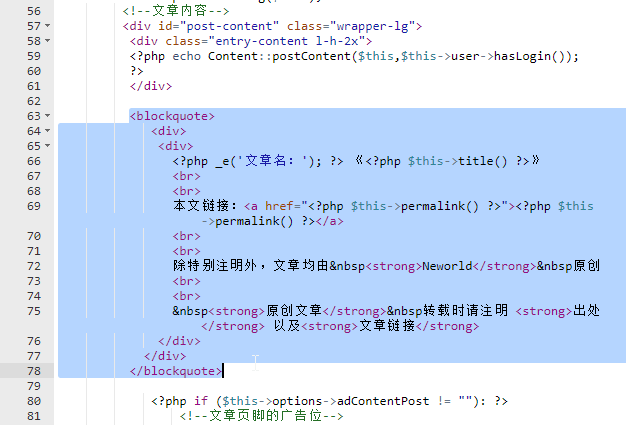
修改文件/handsome/post.php,约62行
截图
代码
<blockquote>
<div>
<div>
<?php _e('文章名:'); ?> 《<?php $this->title() ?>》
<br>
<br>
本文链接:<a href="<?php $this->permalink() ?>"><?php $this->permalink() ?></a>
<br>
<br>
除特别注明外,文章均由 <strong>Neworld</strong> 原创
<br>
<br>
 <strong>原创文章</strong> 转载时请注明 <strong>出处</strong> 以及<strong>文章链接</strong>
</div>
</div>
</blockquote>效果
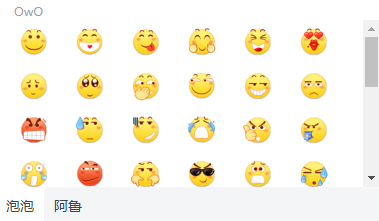
评论区表情包修改
本项修改评论表情,将原始表情替换成泡泡和阿鲁,只需要替换主题文件里的OwO.min.js和OwO.json文件就可以了。文件下载:HS_OwO.zip
OwO.min.js在handsome/assets/js/features文件夹,OwO.json在handsome/usr文件夹。
效果
修复Gravatar头像不显示问题
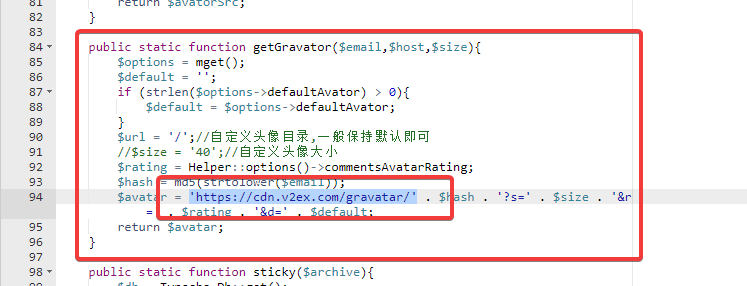
在更新主题后出现了这个问题,查了下源码,这里使用v2ex的cdn,暂时没有防盗链2333

编辑/handsome/libs/Utils.php,94行左右
将$host . $url修改为'https://cdn.v2ex.com/gravatar/'
顶部导航栏添加心知天气
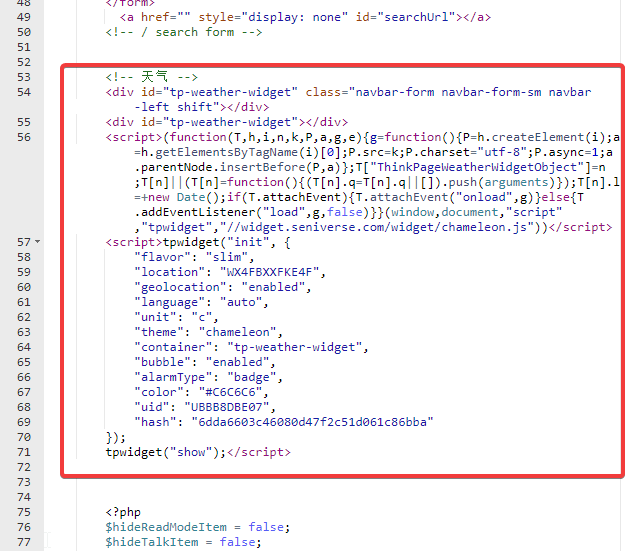
打开/usr/themes/handsome/component/headnav.php文件,在50行左右添加代码
<!-- 天气 -->
        <div id="tp-weather-widget" class="navbar-form navbar-form-sm navbar-left shift"></div>
        <div id="tp-weather-widget"></div>
        <script>(function(T,h,i,n,k,P,a,g,e){g=function(){P=h.createElement(i);a=h.getElementsByTagName(i)[0];P.src=k;P.charset="utf-8";P.async=1;a.parentNode.insertBefore(P,a)};T["ThinkPageWeatherWidgetObject"]=n;T[n]||(T[n]=function(){(T[n].q=T[n].q||[]).push(arguments)});T[n].l=+new Date();if(T.attachEvent){T.attachEvent("onload",g)}else{T.addEventListener("load",g,false)}}(window,document,"script"    ,"tpwidget","//widget.seniverse.com/widget/chameleon.js"))</script>
        <script>tpwidget("init", {
            "flavor": "slim",
            "location": "WX4FBXXFKE4F",
            "geolocation": "enabled",
            "language": "auto",
            "unit": "c",
            "theme": "chameleon",
            "container": "tp-weather-widget",
            "bubble": "enabled",
            "alarmType": "badge",
            "color": "#C6C6C6",
            "uid": "UBBB8DBE07",
            "hash": "6dda6603c46080d47f2c51d061c86bba"
        });
        tpwidget("show");</script>
官网的代码生成器已经404,,博主直接网上找的别人分享的,但是免费产品api调用频率比较低,暂时用着吧
赞赏作者

如果觉得我的文章对你有用,请随意赞赏