ssh 一片天powershell 两片天
1
2
3
4
5
6
7
8
9
10
11
12
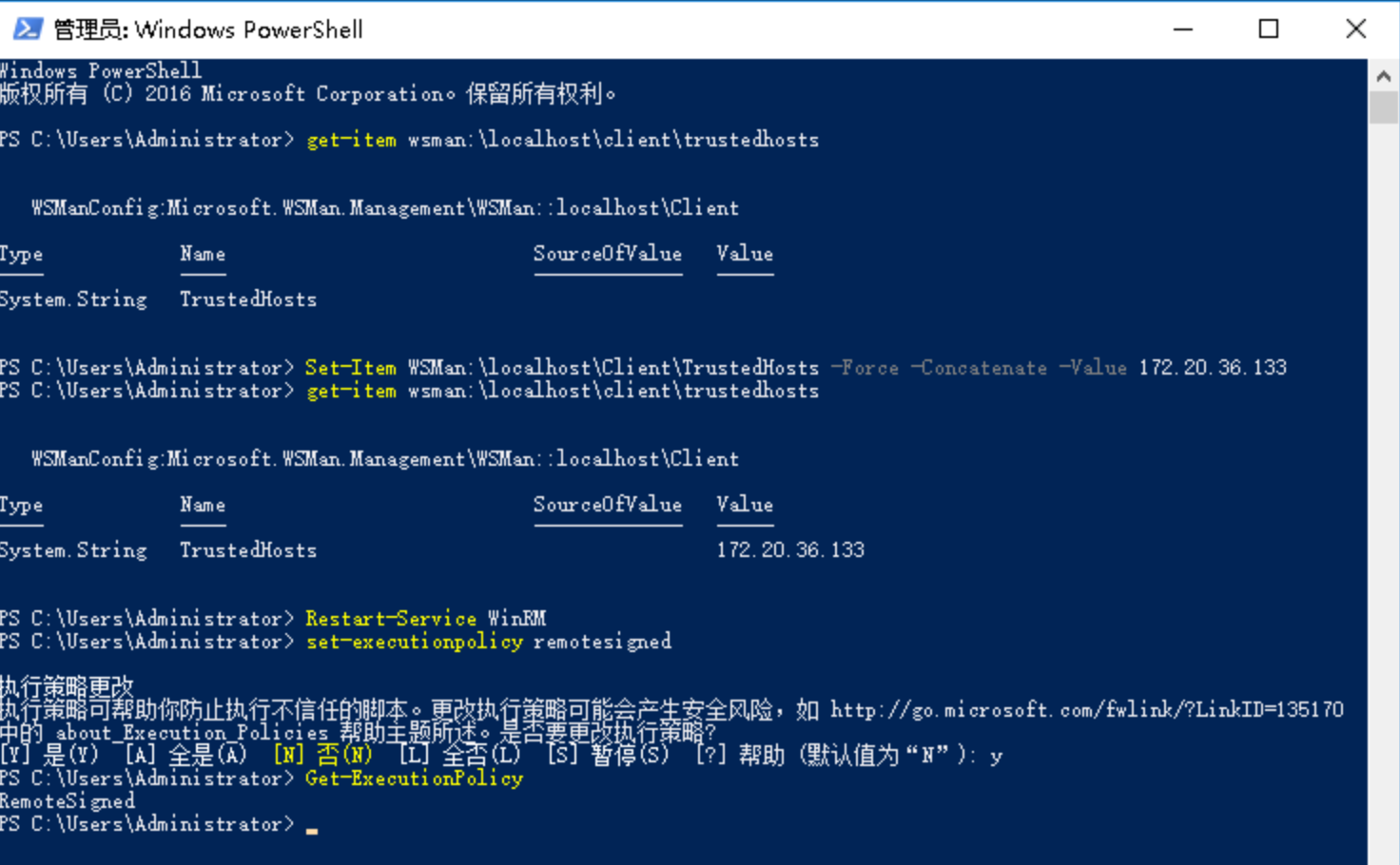
Set-Item WSMan:\localhost\Client\TrustedHosts -Force -Concatenate -Value 172.20 .36.133 get-item wsman:\localhost\client\trustedhostsRestart-Service WinRMwinrm enumerate winrm/config/listener set-executionpolicy remotesignedGet-ExecutionPolicy
需要放通 WinRM 端口 5985-5986/tcp
powershell 连接1 2 3 4 source /etc/os-releasewget -q https://packages.microsoft.com/config/debian/$VERSION_ID /packages-microsoft-prod.deb dpkg -i packages-microsoft-prod.deb apt-get install -y powershell
不装时会报
Invoke-Command: This parameter set requires WSMan, and no supported WSMan client library was found. WSMan is either not installed or unavailable for this system.
以 root 运行 pwsh 进入
1 2 Install-Module -Name PSWSMan -Force -AllowClobber Install-WSMan
1 2 3 4 5 6 $cred =Get-CredentialEnter-PSSession -ComputerName "192.168.3.132" -Port "9195" -Credential $cred -Authentication Basic Invoke-Command -ComputerName "192.168.3.132" -Port "9195" -Credential $cred -ScriptBlock { "systeminfo" }
嗯 都失败了 报
OpenError: [192.168.3.132] Connecting to remote server 192.168.3.132 failed with the following error message : acquiring creds with username only failed An invalid name was supplied SPNEGO cannot find mechanisms to negotiate For more information, see the about_Remote_Troubleshooting Help topic.
python 的 pywinrm 库连接1 2 3 4 5 6 7 8 9 import winrm def cmd(hotsip="", username="", password=""): s = winrm.Session(hotsip, auth=(username, password), transport="ntlm") r = s.run_cmd("ipconfig") print(r.status_code) print(r.std_out.decode('gbk')) cmd("192.168.3.132:9195", "username", "password")
1 pip install -i https://mirrors.cernet.edu.cn/pypi/web/simple pywinrm
1 2 3 4 5 6 7 8 9 10 11 12 13 14 15 16 17 18 19 20 21 22 23 24 25 26 27 28 29 30 31 32 33 34 35 36 37 38 39 40 41 42 43 44 45 46 47 48 49 50 51 52 53 54 55 56 57 58 59 60 61 62 63 64 65 66 67 68 69 70 71 72 73 74 75 76 77 78 79 80 #!/usr/bin/env python3 import winrm from http.server import SimpleHTTPRequestHandler import socketserver import os import sys import time import threading from datetime import datetime def run_http_server(): port=9210 handler = SimpleHTTPRequestHandler httpd = socketserver.TCPServer(("", port), handler) print(f"临时 HTTP 服务启动在端口 {port}") httpd.serve_forever() def deploy(file_path): host = '192.168.3.132:9195' username = 'username' password = 'password' session = winrm.Session( host, auth=(username, password), transport='ntlm' ) current_date = datetime.now().strftime("%Y%m%d%H%M%S") file_name = f"dist_{current_date}.zip" print(f"正在下载 {file_name}...") download_script = f""" $zip_url = "http://192.168.3.132:9210/{file_path}" $output = "D:\\web\\{file_name}" Invoke-WebRequest -Uri $zip_url -OutFile $output """ result = session.run_ps(download_script) if result.status_code != 0: raise Exception(result.std_err.decode().strip()) print(f"正在解压") unzip_script = f""" Expand-Archive -Path "D:\\web\\{file_name}" -DestinationPath "D:\\web\\dist_new" -Force Remove-Item -Path "D:\\web\\{file_name}" """ result = session.run_ps(unzip_script) if result.status_code != 0: raise Exception(result.std_err.decode().strip()) print(f"正在备份与发布") rename_script = f""" if (Test-Path "D:\\web\\dist") {{ Rename-Item -Path "D:\\web\\dist" -NewName "dist_{current_date}" }} Rename-Item -Path "D:\\web\\dist_new" -NewName "dist" """ result = session.run_ps(rename_script) if result.status_code != 0: raise Exception(result.std_err.decode().strip()) print(f"部署完成") def main(file_path): http_thread = threading.Thread(target=run_http_server, daemon=True) http_thread.start() deploy(file_path) if __name__ == "__main__": if len(sys.argv) != 2: print("Usage: python deploy.py <file_path>") sys.exit(1) file_path = sys.argv[1] if not os.path.exists(file_path): print(f"错误: 文件 {file_path} 不存在") sys.exit(1) main(file_path)