惯性聚合 高效追踪和阅读你感兴趣的博客、新闻、科技资讯
阅读原文 在惯性聚合中打开

推荐订阅源

P
Proofpoint News Feed
V
V2EX
博客园_首页
让小产品的独立变现更简单 - ezindie.com
Recent Announcements
博客园 - 司徒正美
Microsoft Security Blog
K
KPMG report finds enterprise disconnect between AI and its ROI | CIO
Latest news
Latest news
Vercel News
Vercel News
The Register - Security
T
The Exploit Database - CXSecurity.com
S
Schneier on Security
N
Netflix TechBlog - Medium
WordPress大学
WordPress大学
小众软件
小众软件
L
Lohrmann on Cybersecurity
GbyAI
GbyAI
P
Privacy & Cybersecurity Law Blog
T
Tor Project blog
AWS News Blog
AWS News Blog
美团技术团队
钛媒体:引领未来商业与生活新知
钛媒体:引领未来商业与生活新知
K
Kaspersky official blog
B
Blog RSS Feed
G
Google Developers Blog
量子位
大猫的无限游戏
大猫的无限游戏
Google DeepMind News
Scott Helme
Scott Helme
奇客Solidot–传递最新科技情报
奇客Solidot–传递最新科技情报
I
Intezer
雷峰网
雷峰网
Martin Fowler
Martin Fowler
freeCodeCamp Programming Tutorials: Python, JavaScript, Git & More
Blog — PlanetScale
Blog — PlanetScale
IT之家
IT之家
F
Full Disclosure
Apple Machine Learning Research
博客园 - 【当耐特】
The Hacker News
The Hacker News
U
Unit 42
S
SegmentFault 最新的问题
I
InfoQ
aimingoo的专栏
aimingoo的专栏
Y
Y Combinator Blog
宝玉的分享
宝玉的分享
罗磊的独立博客
Spread Privacy
Spread Privacy
C
CERT Recently Published Vulnerability Notes

Super Blog

[译] 我所知道的全部智能体工程技巧(2026 年 6 月) 2024:悲观者正确,乐观者前行 Overleaf LaTeX citation 无法正常显示问题解决 Mac 终端无法联网问题解决 我和我的 2023 新起点 使用 Arc 浏览器自定义网页 我和我的 2022 Genius Bar 两日游 实训小记 《软件测试技术》笔记 Q-Learning 简介 软件测试技术实验 3 和 4 遇到的一些问题和解决方案 我和我的 2021 写过的第二个 App 关于最近,以及…… 《数据库原理》笔记 《数字逻辑与数字系统》笔记 《形式化方法》笔记 宣言
在 SwiftUI 中自定义修饰器
SUPER · 2021-07-13 · via Super Blog

学习 swiftUI 的记录。

首先定义结构体,在其中对内容修饰:

1
2
3
4
5
6
7
8
9
10
11
12
13
14
struct Watermark: ViewModifier {
var text: String

func body(content: Content) -> some View {
ZStack(alignment: .bottomTrailing) {
content
Text(text)
.font(.caption)
.foregroundColor(.white)
.padding(5)
.background(Color.black)
}
}
}

然后根据此结构体,定义 extension,在其中定义修饰器函数:

1
2
3
4
5
extension View {
func watermarked(with text: String) -> some View {
self.modifier(Watermark(text: text))
}
}

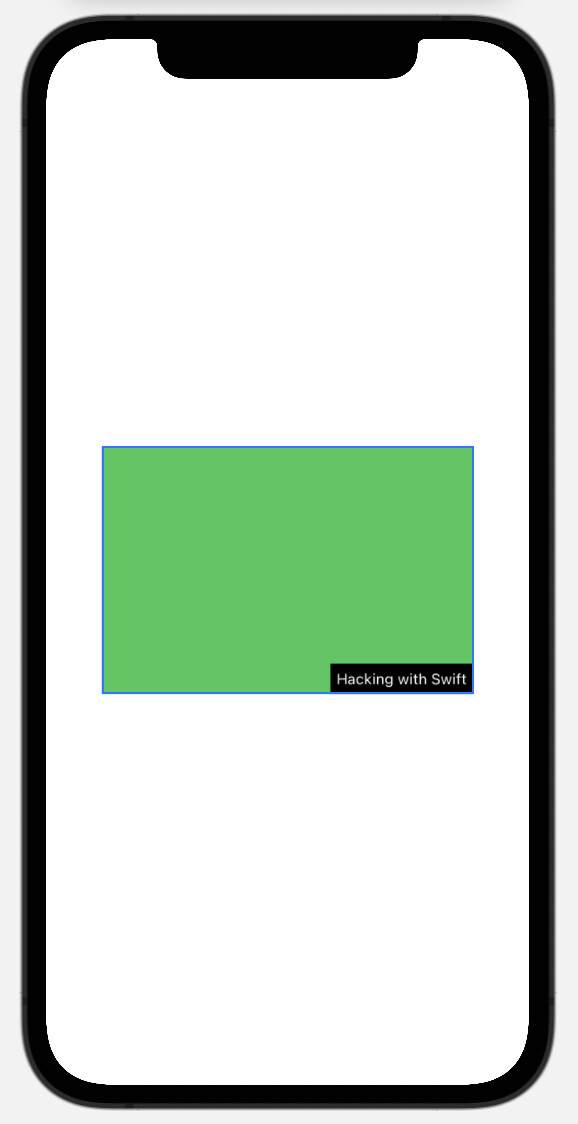
最终只需调用 extension 中的函数即可实现:

1
2
3
Color.green
.frame(width: 300, height: 200)
.watermarked(with: "Hacking with Swift")

效果图:

image-20210713104903030