1. 测试分层
测试的目的是为了验证预期的功能,发现潜在的缺陷。测试增强了交付合格产品的信心,也给敏捷迭代带来了可能。可以说,测试决定了产品的开发进度。
网络模型有七层的 OSI 、四层的 TCP,而开发模式有 MTV、MVC、MVP、MVVM 等。高内聚、低耦合,划分职责、分模块、分层。然后结构化、标准化,技术逐步走向成熟。
测试也分为,UI 测试、API 测试、单元测试。测试并不是一项新技术,更多是产出与成本的一种平衡。
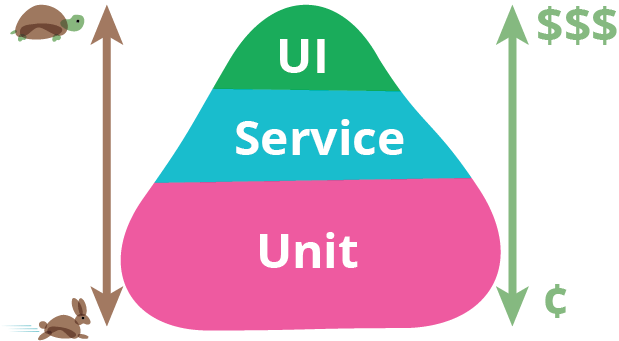
如上图,是一个测试金字塔。越往上,需要的成本越高,对环境要求越高,执行时间越长,维护越麻烦,但更贴近终端用户的场景。在 《Google软件测试之道》中,按照谷歌的经验,各层测试用例比例是 70:20:10,也就是 70% 的单元测试,20% 的 API 测试,10% 的 UI 测试。
本篇主要讲的是如何使用 Jenkins 在 Kubernetes 集群上运行自动化测试。在之前的文章中,已经涉及部分测试内容,比如单元测试、敏捷开发、Robotframework 等,在这里不会过多阐述。
2. 单元测试
单元测试的运行频率非常高,每次提交代码都应该触发一次。单元测试的依赖少,通常只需要一个容器运行环境即可。
下面是一个使用 golang:latest 跑单元测试的例子。
 1
 2
 3
 4
 5
 6
 7
 8
 9
10
11
12
13
14
15
16
17
18
19
20
21
22
23
24
25
26
27
28
29
30
31
32
33
34
35
36
37
38
39
40
41
| pipeline {
agent {
kubernetes {
label 'unittest'
yaml '''apiVersion: v1
kind: Pod
spec:
containers:
- name: golang
image: golang:latest
command: [\'cat\']
tty: true
volumeMounts:
- name: dockersock
mountPath: /var/run/docker.sock
- name: dockerbin
mountPath: /usr/bin/docker
volumes:
- name: dockersock
hostPath:
path: /var/run/docker.sock
- name: dockerbin
hostPath:
path: /usr/bin/docker
'''
defaultContainer 'golang'
}
}
stages {
stage('testing') {
steps {
sh '''
git clone https://github.com/etcd-io/etcd.git
cd etcd
make test
'''
}
}
}
}
|
执行日志:
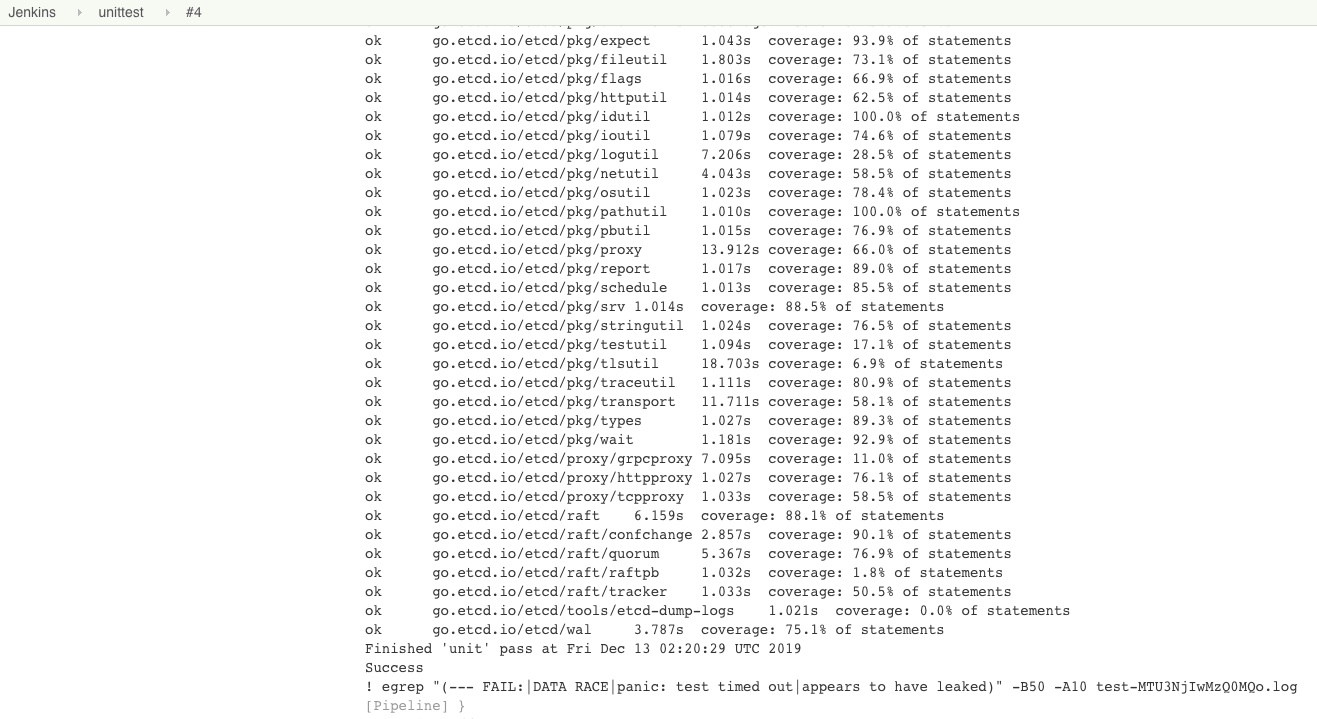
针对其他语言、框架,单元测试通过安装一些包、Mock 相关服务,也能够便捷地运行在 Kubernetes 上。更多可以挖掘的是写单元测试的技巧,而不是运行时和单元测试方案。
3. API 测试
如果团队的自动化测试刚起步,API 自动化测试是非常好的切入点。
单元测试主要由研发负责写。在快速迭代的过程中,有经验的研发也不会忘记写单元测试。重构、变更越快,测试不会成为负担,反而更重要。没有写单元测试,只能说其不被重视。推动一件不被执行者重视、管理者很难看到收益的事情是非常难的。
而 UI 自动化测试常常又被人工测试替代。同时,维护 UI 自动化测试成本较高,在快速迭代的过程中,不应该过多地进行 UI 自动化测试。
API 测试的优势在于,在前后端分离的架构下,API 相关的文档和资料相对完善,团队成员对 API 相对熟悉,有利于进行测试。
下面是一个使用 Postman 进行 API 自动化测试的例子:
 1
 2
 3
 4
 5
 6
 7
 8
 9
10
11
12
13
14
15
16
17
18
19
20
21
22
23
24
25
26
27
28
29
30
31
32
33
34
35
36
37
38
39
40
41
42
43
44
45
46
47
48
49
50
51
52
53
54
55
56
57
58
59
60
61
62
63
| pipeline {
agent {
kubernetes {
label 'apitest'
yaml '''apiVersion: v1
kind: Pod
spec:
containers:
- name: newman
image: postman/newman_alpine33
command: [\'cat\']
tty: true
volumeMounts:
- name: dockersock
mountPath: /var/run/docker.sock
- name: dockerbin
mountPath: /usr/bin/docker
volumes:
- name: dockersock
hostPath:
path: /var/run/docker.sock
- name: dockerbin
hostPath:
path: /usr/bin/docker
'''
defaultContainer 'newman'
}
}
parameters {
string(name: 'HOST', defaultValue: '10.10.10.10', description: '')
string(name: 'PORT', defaultValue: '8000', description: '')
string(name: 'USERNAME', defaultValue: 'admin', description: '')
string(name: 'PASSWORD', defaultValue: 'password', description: '')
}
stages {
stage('testing') {
steps {
sh '''
apk add --no-cache bash git openssh
git clone https://yourdomain.com/ns/ks-api-test.git
cd ks-api-test
sed -i "s/__HOST__/$HOST/g" postman_environment.json
sed -i "s/__PORT__/$PORT/g" postman_environment.json
sed -i "s/__USERNAME__/$USERNAME/g" postman_environment.json
sed -i "s/__PASSWORD__/$PASSWORD/g" postman_environment.json
npm install -g newman-reporter-htmlextra
newman run iam/postman_collection.json -e postman_environment.json -r htmlextra
'''
}
}
}
post {
always {
archiveArtifacts 'ks-api-test/newman/*'
}
}
}
|
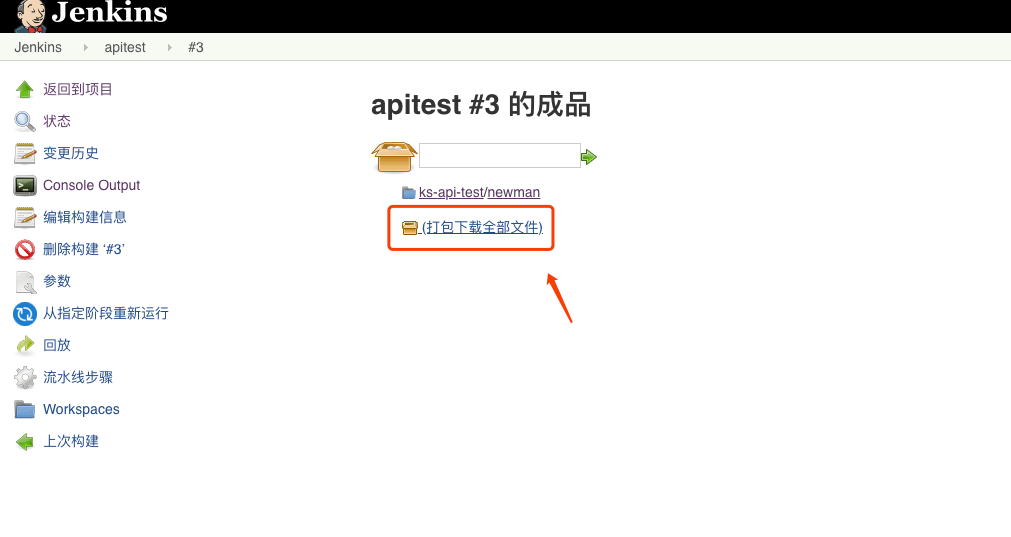
执行后的归档:
查看报告:
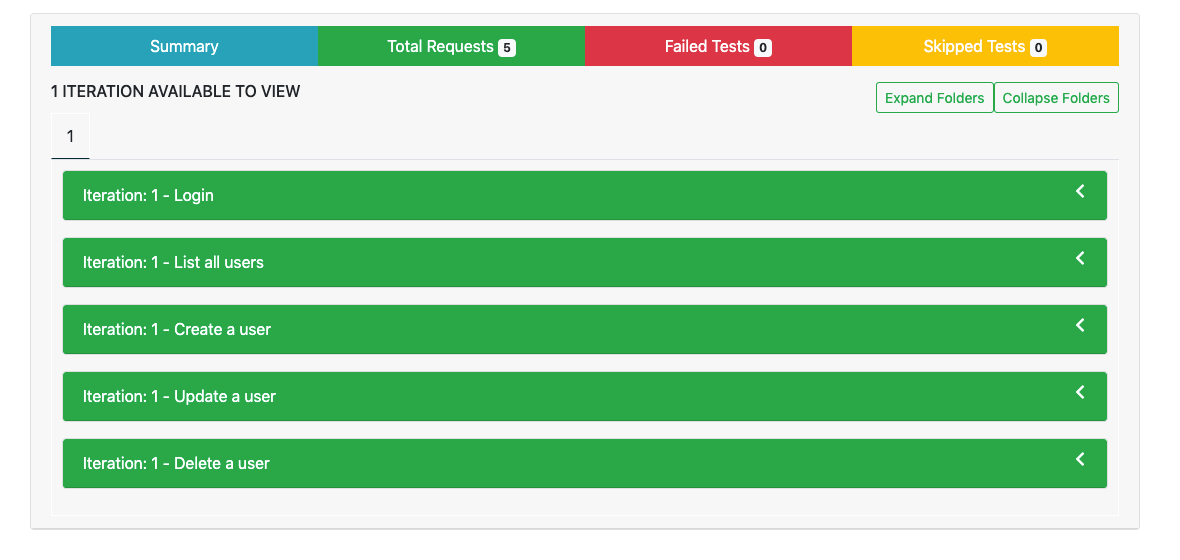
API 自动化测试的框架很容易实现,实现几点功能即可:
但一定要根据团队的 API 测试、交付习惯选择合适的方案。可以自己开发,也可以使用现有的工具。上面选择的是 Postman + Newman 的方案,原因是团队普遍都使用 Postman 进行 API 测试。
剩下的就是如何组织大家进行测试,可以分别提交文件到一个共同的仓库,也可以使用付费版 Postman 共享数据集中测试。
4. UI 测试
UI 自动化测试的成本高有几个方面:
- 测试用例难维护。前端样式变化、产品逻辑变化。
- 很难提供稳定的运行环境。各种超时、脏数据会导致失败率很高。
这里的 UI 自动化测试,采用的是我熟悉的 Robotframework 框架,使用关键字进行自动化测试。相关文档可以参考,如何打包一个 Robot Framework 的 Docker 镜像
。
下面是一个使用 Robotframework 进行 UI 自动化测试的例子:
 1
 2
 3
 4
 5
 6
 7
 8
 9
10
11
12
13
14
15
16
17
18
19
20
21
22
23
24
25
26
27
28
29
30
31
32
33
34
35
36
37
38
39
40
41
42
43
44
45
46
47
48
49
50
51
52
53
54
55
56
57
58
59
60
61
| pipeline {
agent {
kubernetes {
label 'robotframework'
yaml '''apiVersion: v1
kind: Pod
spec:
containers:
- name: robotframework
image: shaowenchen/docker-robotframework:latest
tty: true
volumeMounts:
- name: dockersock
mountPath: /var/run/docker.sock
- name: dockerbin
mountPath: /usr/bin/docker
volumes:
- name: dockersock
hostPath:
path: /var/run/docker.sock
- name: dockerbin
hostPath:
path: /usr/bin/docker
'''
defaultContainer 'robotframework'
}
}
parameters {
string(name: 'HOST', defaultValue: '10.10.10.10', description: '')
string(name: 'PORT', defaultValue: '8080', description: '')
string(name: 'USERNAME', defaultValue: 'admin', description: '')
string(name: 'PASSWORD', defaultValue: 'password', description: '')
}
stages {
stage('testing') {
steps {
sh '''
curl -s -L https://raw.githubusercontent.com/shaowenchen/scripts/master/kubesphere/preinstall.sh | bash
git clone https://yourdomain.com/ns/ks-ui-test.git
cd ks-ui-test
sed -i "s/__USERNAME__/$USERNAME/g" tests/common.robot
sed -i "s/__PASSWORD__/$PASSWORD/g" tests/common.robot
echo "\nTestEnv http://$HOST:$PORT" >> tests/api.robot
echo "\nTestEnv http://$HOST:$PORT" >> tests/devops.robot
./start.sh'''
}
}
}
post {
always {
sh 'tar cvf report-$BUILD_NUMBER.tar ks-ui-test/tests/report'
archiveArtifacts '*.tar'
}
}
}
|
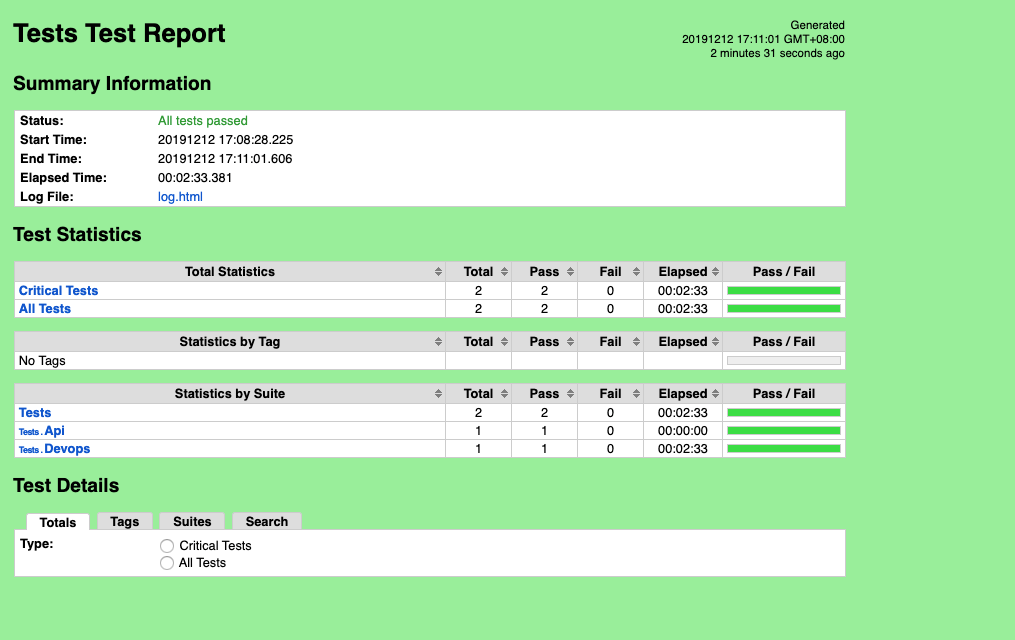
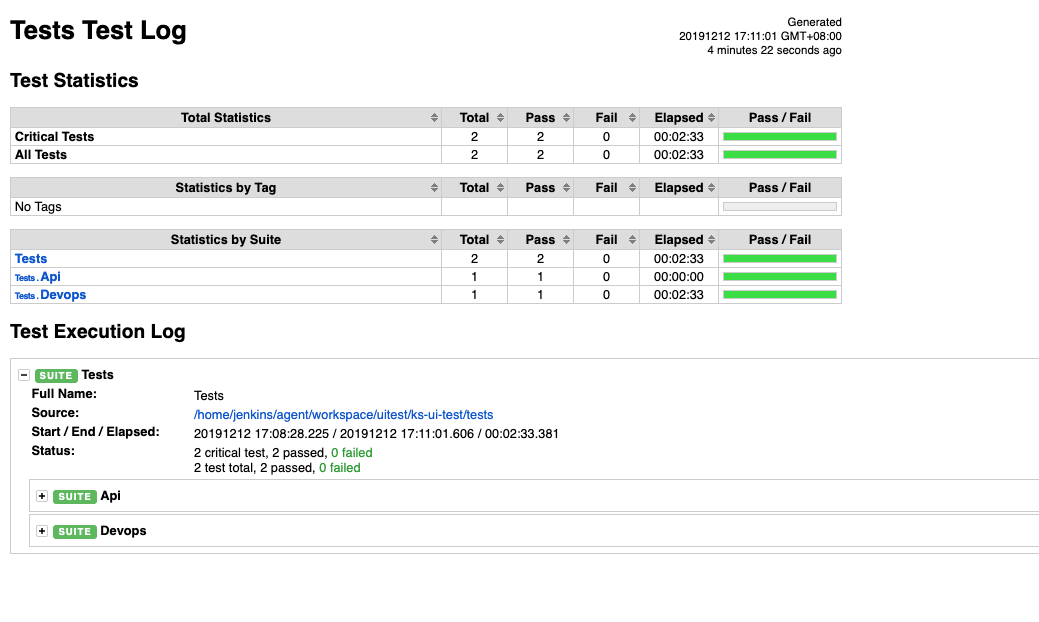
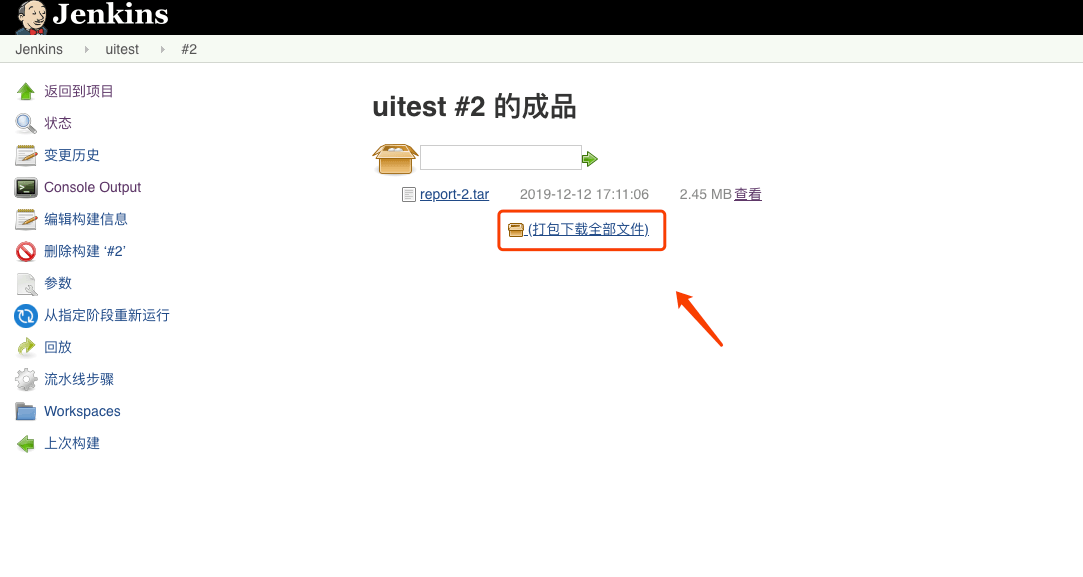
执行日志:
测试报告: