


惯性聚合 高效追踪和阅读你感兴趣的博客、新闻、科技资讯
阅读原文 在惯性聚合中打开

推荐订阅源

Martin Fowler
Martin Fowler
T
The Blog of Author Tim Ferriss
J
Java Code Geeks
M
MIT News - Artificial intelligence
F
Fortinet All Blogs
Cyber Security Advisories - MS-ISAC
B
Blog
Microsoft Azure Blog
I
InfoQ
Microsoft Security Blog
N
Netflix TechBlog - Medium
G
Google Developers Blog
L
LangChain Blog
腾讯CDC
大猫的无限游戏
大猫的无限游戏
U
Unit 42
Google DeepMind News
人人都是产品经理
人人都是产品经理
罗磊的独立博客
钛媒体:引领未来商业与生活新知
钛媒体:引领未来商业与生活新知
小众软件
小众软件
The GitHub Blog
The GitHub Blog
博客园_首页
GbyAI
GbyAI

Crazyrouter Blog (English)

Ideogram AI Guide 2026: Product Mockups, Text Rendering, and API Automation Akool AI Voice Generator Review 2026: API Alternatives for Developers GLM 4.6 API Guide 2026: Build Chinese-English Agents with Tool Calling Google Veo3 API Guide 2026: Batch Video Generation, QA, and Fallbacks AI Lip Sync Tools Comparison 2026: Developer Guide for Localization Pipelines Claude Opus 4.8 vs Opus 4.7: Real API Benchmark Results for Developers Opus 4.8 vs Opus 4.7 Coding Test: What Changed for Developers? Opus 4.8 vs Opus 4.7 for Agents: JSON, Tool Use, and Structured Output Gemini 2.5 Flash-Lite for RAG, Agent Routing, and Cost per Successful Task Gemini 2.5 Flash-Lite for Support Automation and Ticket Triage Gemini 2.5 Flash-Lite Use Cases: The Practical Automation Tier for Developers Claude Jupiter v1-p vs GPT-5.5 Benchmark: Real API Test on Reasoning and Coding Claude Jupiter v1-p vs Claude Opus 4.7 vs Sonnet 4.6: Live API Test Claude Jupiter v1-p vs Claude Opus 4.7 vs Sonnet 4.6: Live API Test Claude Code Pricing 2026: Pro vs Max vs Team vs API Costs Claude Opus 4.7 vs DeepSeek V4 Pro: Real API Compatibility and Coding Benchmark Gemini CLI Complete Guide 2026: Repo Automation, CI Agents, and Multi-Model Routing Ideogram AI Guide 2026: Brand Design Automation, API Workflows, and Alternatives GLM 4.6 API Guide 2026: Agents, RAG, Tool Calling, and Bilingual Apps WAN 2.2 Animate Tutorial 2026: Character Consistency, Shot Control, and API Workflows Google Veo3 API Guide 2026: Production Video Pipelines, Prompts, Pricing, and Fallbacks AI API Pricing Comparison 2026: Text, Image, Video, Caching, and Router Costs Codex CLI Installation Guide 2026: Windows, macOS, Linux, Proxies, and CI Setup How to Get a Claude API Key in 2026: Secure Setup for Teams, CI, and Alternatives Gemini Advanced Review 2026: Is It Worth It for Coding, Research, and API Teams? Claude Code Pricing Guide 2026: Team Agent Budgets, API Fallbacks, and Cost Control Seedance 2.0 Pricing: Convert 46 CNY per Million Tokens to Cost per Second Qwen2.5-Omni Guide 2026: Real-Time Voice, Vision, and Multimodal Agents Kimi K2 Thinking Guide 2026: Reasoning Workflows, Evals, and Cost Control Google Veo3 API Guide 2026: Batch Video Pipelines, Pricing, and Fallbacks
"How to Test Multiple AI Image Models with One API Key"
Crazyrouter · 2026-05-08 · via Crazyrouter Blog (English)

How to Test Multiple AI Image Models with One API Key#

If you are evaluating AI image generation for a product, the fastest way to make a good decision is not to read another generic comparison table. It is to test the same prompt across multiple models, with one API key, and compare the output side by side.

That is exactly what image.crazyrouter.com is for.

You can use it to compare GPT Image, FLUX, Imagen, Qwen Image, and other supported workflows without wiring a separate integration for every provider. That cuts setup time, makes benchmarking fairer, and helps you choose the model that actually fits your use case.

Why one unified image API workflow matters#

Most teams hit the same problems:

  • every vendor has a different API shape
  • keys are scattered across accounts
  • prompt tests are hard to reproduce
  • pricing is hard to compare fairly
  • the best model for product images is not always the best for posters or portraits

A unified playground fixes that by giving you one prompt, one key, and one place to compare results.

The playground is designed as a developer test bench, not just a consumer toy.

  • one Crazyrouter API key for multiple image models
  • copyable cURL output
  • billing through your Crazyrouter account
  • browser-only key storage
  • a fast way to test prompt, size, quality, and model selection

Playground: https://image.crazyrouter.com?utm_source=blog&utm_medium=article&utm_campaign=one_api_key_image_test
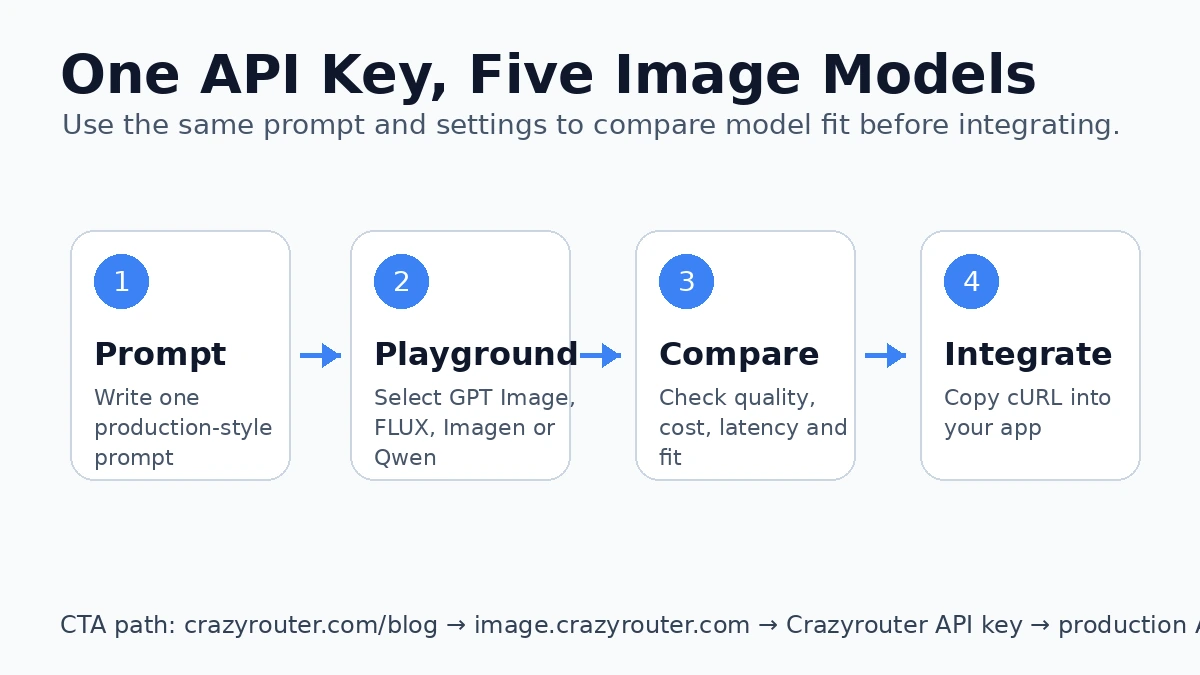
Flow from blog to playground to API key to production

The simple 5-step testing workflow#

  1. Open the playground.
  2. Paste one production-style prompt.
  3. Switch between models.
  4. Compare quality, speed, and style fit.
  5. Copy the API-ready cURL request into your app.

That is enough to decide whether a model belongs in your stack.
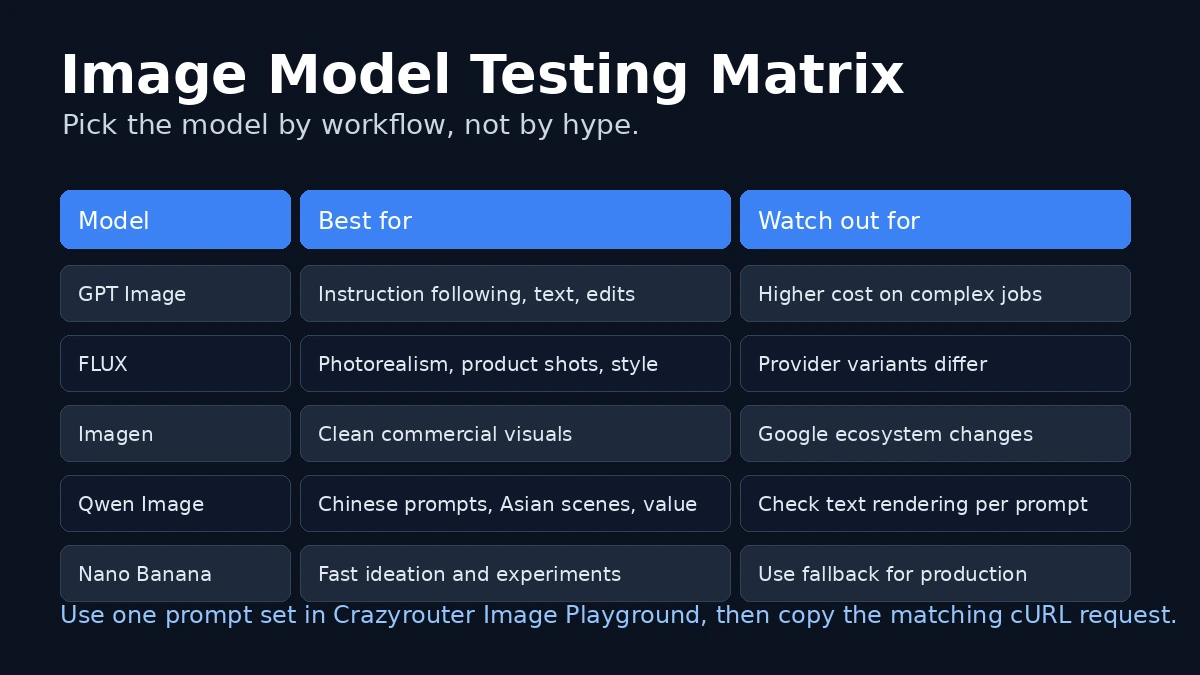
Model comparison matrix for image API selection

Good prompts to benchmark with#

Use the same prompt across every model. Do not change wording between tests.

Product image prompt#

SaaS hero prompt#

Poster prompt#

How to compare the models#

Use a checklist, not vibes.

MetricWhat to watch
Prompt adherenceDid the model actually follow the request?
Text renderingAre labels and words readable?
Visual qualityDoes the output look production-ready?
ConsistencyAre repeated generations stable?
CostIs the result worth the spend?
Workflow fitIs it better for product images, posters, or portraits?

Quick model guidance#

ModelBest use caseWatch out for
GPT ImageInstruction-heavy prompts, edits, text-in-image tasksCan be pricier in complex workflows
FLUXPhotorealistic product shots and stylish imageryProvider variants can differ
ImagenClean commercial visualsCheck current model availability
Qwen ImageAsian scenes, Chinese prompts, value-focused testingVerify text rendering on your prompt
Nano BananaFast ideation and broad experimentsUse fallback models in production

API example#

Once you know the model you want, the same playground workflow maps cleanly to code.

When this workflow is most useful#

  • product teams choosing a default image model
  • marketers generating campaign visuals
  • engineers building an AI image feature
  • founders comparing cost before committing to one vendor
  • teams that want a single API key instead of five separate accounts

Why this is better than a static comparison article#

A comparison post can tell you what might be good.

A playground lets you verify what is actually good for your prompt.

That matters because image models behave differently across product shots, posters, portraits, and text-heavy scenes. One prompt can completely change the ranking.

FAQ#

Can I test multiple image models without separate accounts?#

Yes. That is the point of the unified playground workflow.

Do I need to store API keys in the app?#

No. The playground stores your key in the browser only.

Is this for developers or casual users?#

Primarily developers and product teams, because the output is API-ready.

Can I compare cost as well as quality?#

Yes. You should compare both before production rollout.

What should I do after I find the right model?#

Move the same prompt into your app using the cURL or SDK example, then monitor cost and output quality in real usage.

Final recommendation#

If you are still deciding between GPT Image, FLUX, Imagen, and Qwen Image, do not guess. Test the same prompt in image.crazyrouter.com, compare the output, then keep the model that wins for your actual workflow.

Start here: https://image.crazyrouter.com?utm_source=blog&utm_medium=article&utm_campaign=one_api_key_image_test