

惯性聚合 高效追踪和阅读你感兴趣的博客、新闻、科技资讯
阅读原文 在惯性聚合中打开

推荐订阅源

MyScale Blog
MyScale Blog
奇客Solidot–传递最新科技情报
奇客Solidot–传递最新科技情报
人人都是产品经理
人人都是产品经理
V
Visual Studio Blog
博客园 - 叶小钗
A
About on SuperTechFans
Last Week in AI
Last Week in AI
量子位
博客园 - 三生石上(FineUI控件)
让小产品的独立变现更简单 - ezindie.com
MongoDB | Blog
MongoDB | Blog
T
The Blog of Author Tim Ferriss
Vercel News
Vercel News
博客园 - 司徒正美
博客园 - Franky
博客园 - 【当耐特】
月光博客
月光博客
Cyber Security Advisories - MS-ISAC
Apple Machine Learning Research
Hugging Face - Blog
Hugging Face - Blog
S
SegmentFault 最新的问题
大猫的无限游戏
大猫的无限游戏
博客园 - 聂微东
J
Java Code Geeks

Node.js

有深度使用 bunjs 的佬吗, rust 重写的 1.4 版本内存泄露解决了吗? - V2EX 告别 Django Admin!这个 NodeJS 全栈框架让你在 DTO 中直接配置 Table/Form 渲染 Bun 用 Rust 重写的 PR 已合并到主分支 TanStack 最新版本被投毒,病毒会盗密钥和报复性删除用户目录 Bun 从 Zig 到 Rust 的迁移已经实锤,下个版本可能成为最后一个 Zig 版本 bun 要从 zig 迁移 rust 了, 100 万刀被 claude 收购了,开始影响语言决策了 JS/Node 已经是新时代的 Java 了吧 Node.js 服务大部分时候连阿里云 Redis 是正常的,但是又时候会突然报 read ECONNRESET? 2026 年, node 写后端你用的 nestjs, fastify, honojs 还是其他? npmmirror 竟然有些包没有更新到最新版本 大家 typescript 下用的最多的是后端框架是哪个? 求助,大家 node.js 是怎么代理的 ai 时代, node.js 成为核心语言 NestJS + Swagger UI:非 200 状态码 Execute 时返回值不显示问题 深入 alova3 服务端能力:分布式 BFF 层到 API 网关的最佳实践 Anthropic 收购 Bun 关于 Node.js 中的事件循环问题。 Hoa - 一个极简 Web 框架 有没有 v 友遇到 windows10 丢失系统环境变量的问题 Esbuild 进程占用高 有没有推荐的 Nodejs 的 sass 多租户系统 2025 年 node 项目,乱成一锅粥的 typescript ESM import 写法该怎么选? 删除 node_modules 文件夹非常耗时 Node.JS 作者 Ryan Dahl 的故事 Vona ORM 文档终于肝完了,欢迎拍砖 Node.js 官网更新了 adonisjs 有没有现成的注册登录库? 现在流行的 Node.js 做后台比传统的 Java .Net 有哪些优势? 现在大家开发 api 都用什么 node 框架?有没有想 rails 一样,功能齐全的框架? Prisma 不能优雅的支持 DTO,可以试试 Vona ORM
[EvanNav 6.3.1] 如何删除加载页面,让 Nav 更符合你的需求⁉️
HRTops · 2025-10-15 · via Node.js

|1920x1280

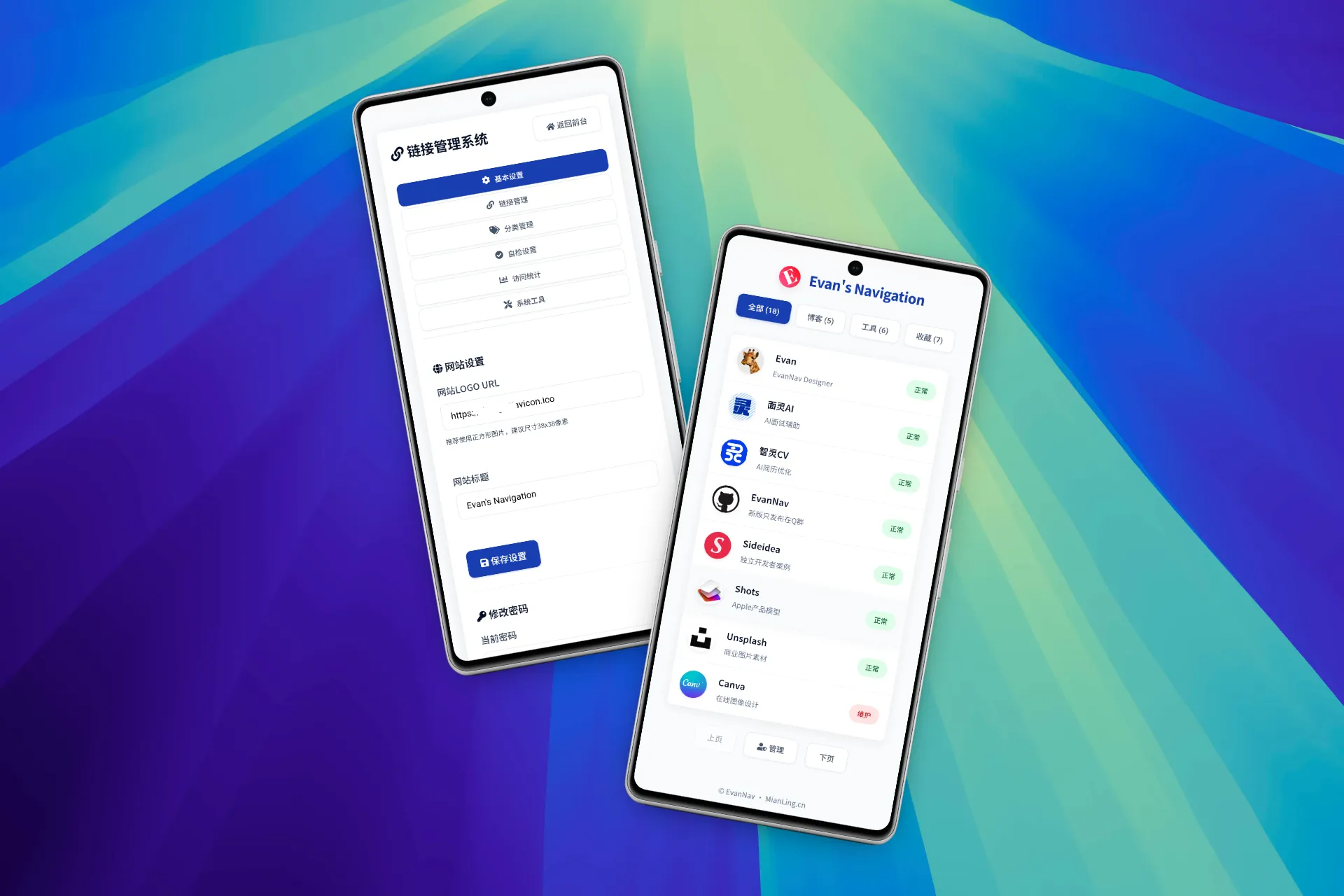
EvanNav 官网(已经去除加载页)

https://evan.plus

有些朋友希望 EvanNav 不要有加载页面,于是做了这个小小教程!

好的,为了删除加载页,您需要在以下文件中进行代码修改:

1. public/index.html

删除以下代码块:

HTML

<!-- 加载缓冲页 -->
<div class="loading-screen" id="loading-screen">
    <div class="loading-icon"></div>
    <div class="loading-title" id="loading-title"></div>
    <div class="loading-progress">
        <div class="progress-bar" id="progress-bar"></div>
    </div>
</div>

2. public/script.js

查找并删除以下代码块:

JavaScript

// 优先加载自定义网站名称,避免延迟
const loadingTitle = utils.getElement('loading-title');
if (loadingTitle) {
    loadingTitle.textContent = settings.websiteTitle || 'My Website Favorites';
}

然后,将文件末尾的:

JavaScript

document.addEventListener('DOMContentLoaded', init);

替换为:

JavaScript

document.addEventListener('DOMContentLoaded', async function() {
    await init();
    document.getElementById('frontend').style.opacity = '1';
});

3. public/styles.css

删除或注释掉以下与加载页面相关的 CSS 规则:

CSS

.loading-screen {
    position: fixed;
    top: 0;
    left: 0;
    width: 100%;
    height: 100%;
    background: #f8fafc;
    display: flex;
    flex-direction: column;
    justify-content: center;
    align-items: center;
    z-index: 9999;
    transition: opacity 0.5s ease;
}

.loading-icon {
    width: 50px;
    height: 50px;
    border: 4px solid #1e40af;
    border-top-color: transparent;
    border-radius: 50%;
    animation: spin 1s linear infinite;
}

.loading-title {
    margin-top: 1.5rem;
    font-size: 1.2rem;
    font-weight: 600;
    color: #1e40af;
}

.loading-progress {
    width: 200px;
    height: 8px;
    background: #e2e8f0;
    border-radius: 4px;
    margin-top: 1.5rem;
    overflow: hidden;
}

.progress-bar {
    width: 0;
    height: 100%;
    background: #1e40af;
    transition: width 0.2s ease;
}

@keyframes spin {
    to {
        transform: rotate(360deg);
    }
}

经过以上三部即可删除加载页面!切记,更改文件前「备份文件」!

我的 blog 原文: https://www.evan.xin/4074/