


Written in December 2020. Some details may be outdated.
Notion is everywhere. Note-taking, knowledge management, project management — all in one tool.
I’ve used it for years. But I never looked at how it works. The editor, specifically.
So I opened DevTools, dug through the minified code, and figured it out.
Here’s what I found.
contenteditable divs. But Notion doesn’t use document.execCommand.transaction with operations. Operations modify block data.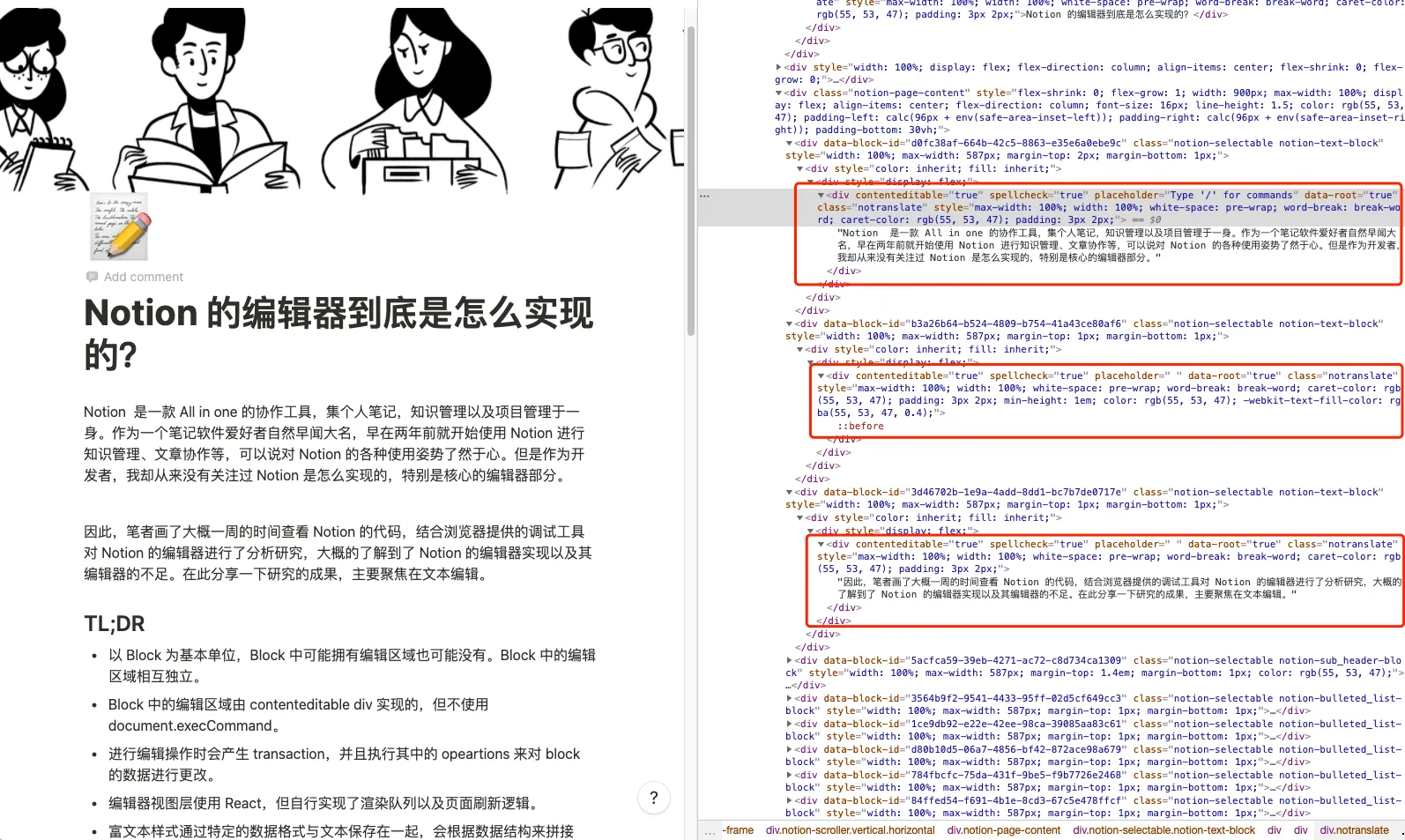
Each text block is a contenteditable div. Independent from other blocks.
This means cross-block selection is tricky. You can’t just drag across multiple blocks like in Google Docs.
Non-text blocks (images, embeds) are just DOM. No contenteditable. No cursor logic needed.
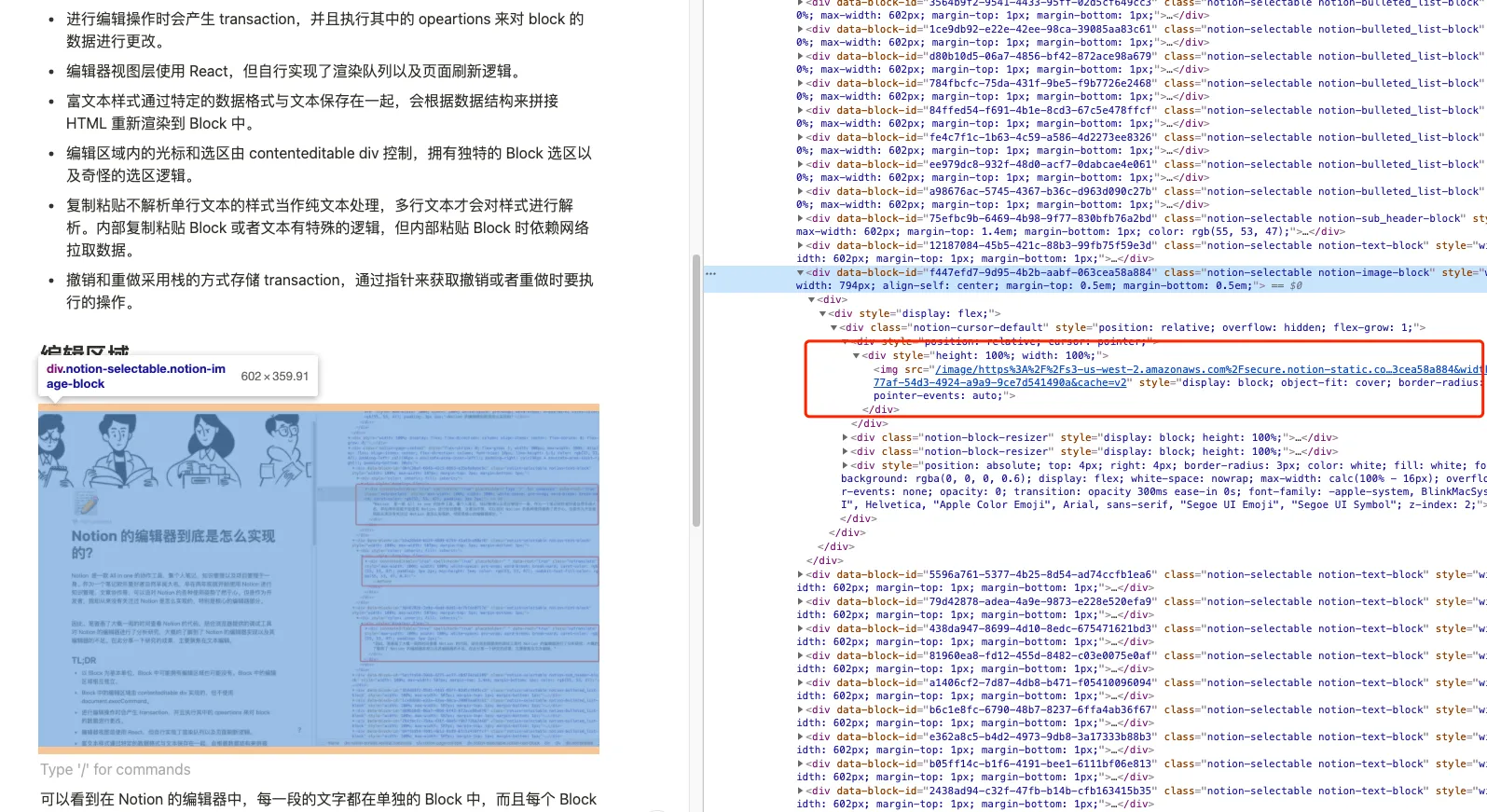
This separation simplifies things. No zero-width characters for cursor positioning. Each block handles its own editing.
Notion’s layout is basic. Flexbox.
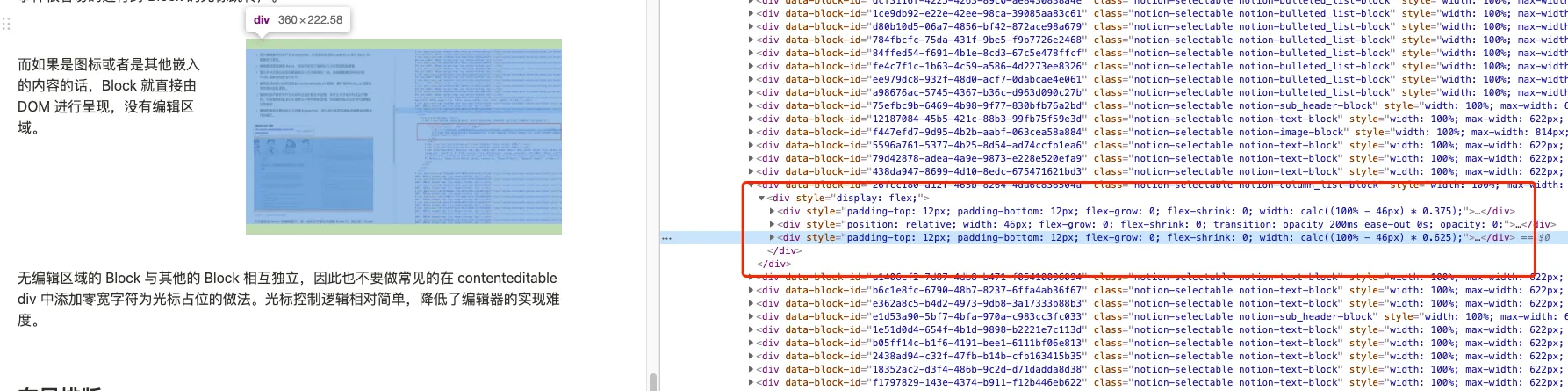
Drag two blocks side by side, they split evenly. Resize, and the width ratio saves to block data.
Want right-aligned content? Add an empty block on the left and adjust widths.
It works. But complex layouts? Not really possible.
When you type, Notion listens to events on the contenteditable div. But it doesn’t let the browser handle the edit.
Instead:
transaction with operationsNotion uses React, but not React’s normal rendering. It maintains a custom queue. Components call forceUpdate, Notion batches and executes them.
Every edit produces a transaction:
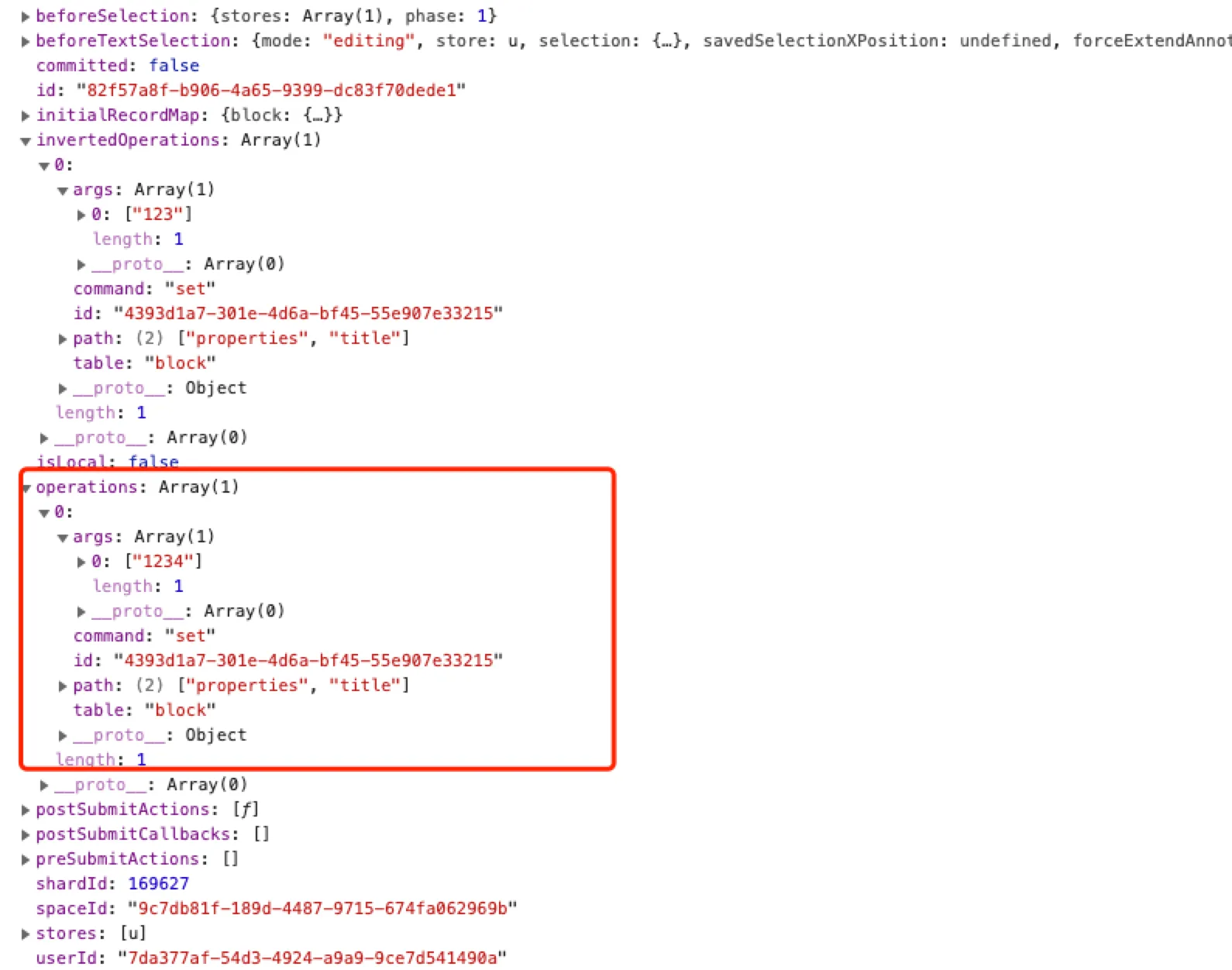
Type “4” after “123”? The transaction contains a set operation that updates the block’s properties.title to “1234”.
The entire block value is replaced. Every keystroke.
This means long blocks get slow. That’s why pressing Enter always creates a new block.
Press Enter, Notion intercepts it. Creates a new block. Moves focus.
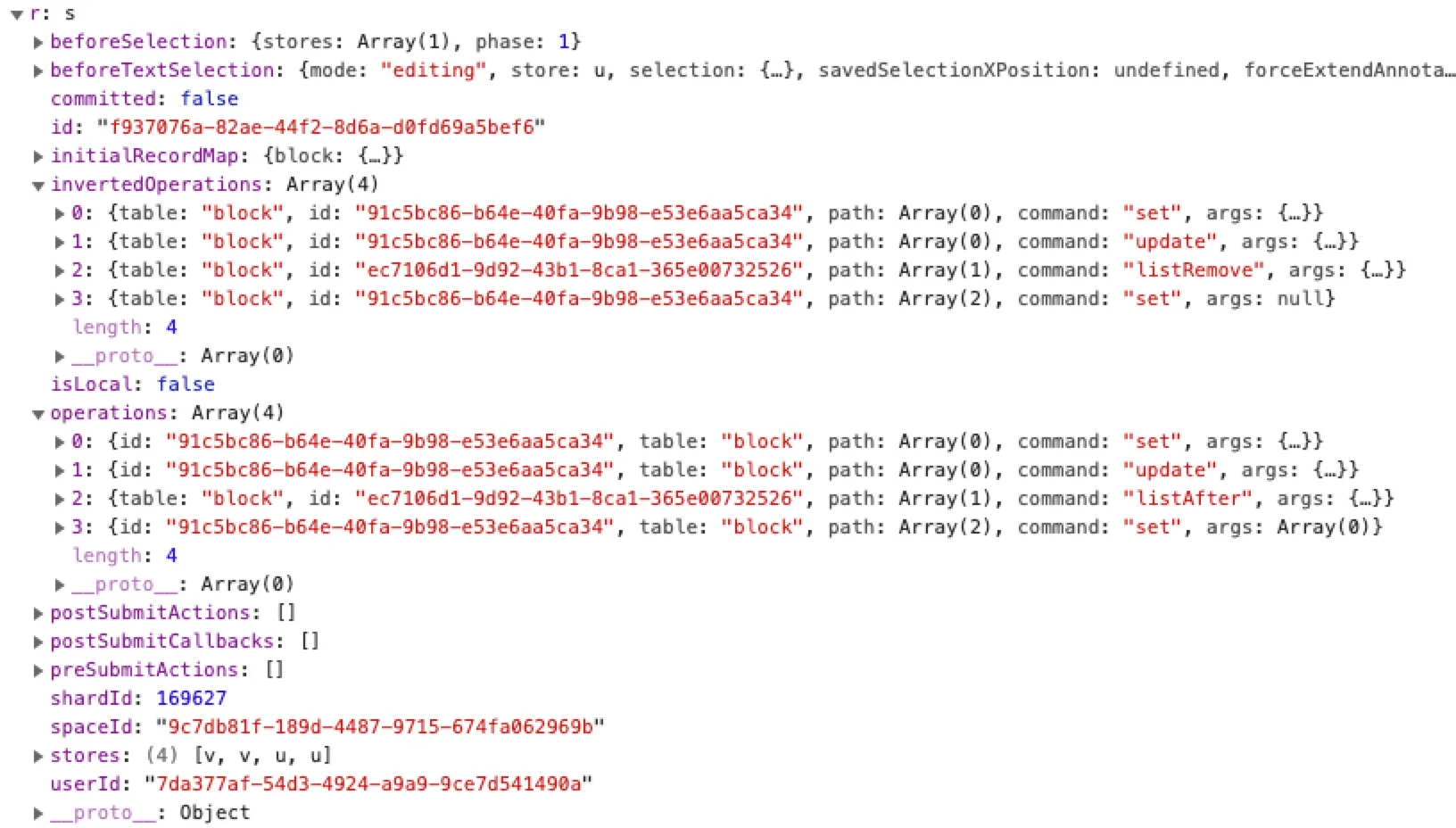
Four operations:
set — create new block with fresh IDupdate — link to parent documentlistAfter — position after current blockset — initialize with empty contentSearch for “commit” or “createAndCommit” in Notion’s code to see transactions in action.
Formatting works similarly. Intercept keyboard event, generate transaction, update data.
Notion listens globally for key combinations. Cmd+B for bold, etc.
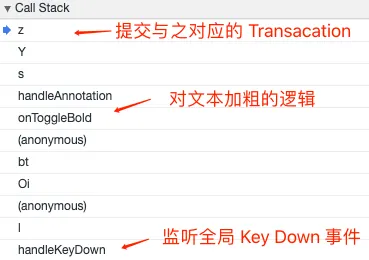
The transaction:
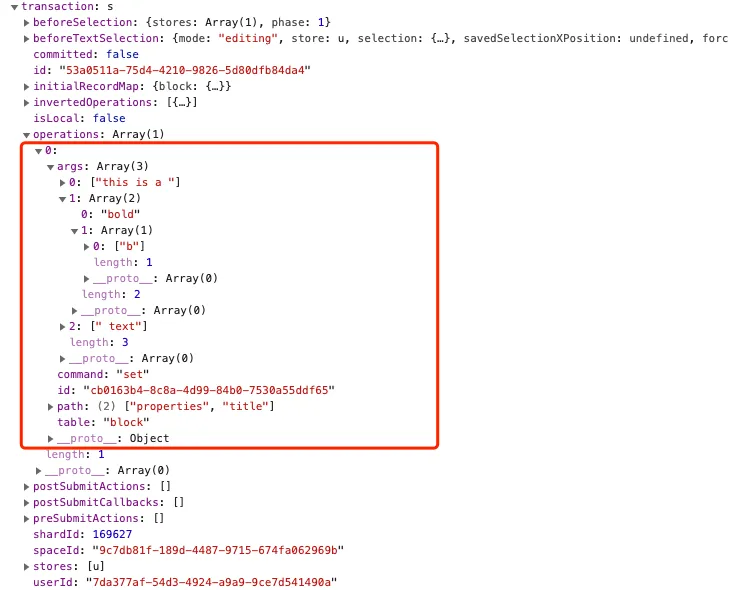
Bold “bold” in “this is a bold text” produces:
[["this is a "], ["bold", [["b"]]], [" text"]]The format: [[TEXT, [[FORMAT], [FORMAT]]], [TEXT], ...]
Formatting metadata lives with the text. Not in HTML attributes.
This avoids document.execCommand entirely. Better cross-browser consistency.
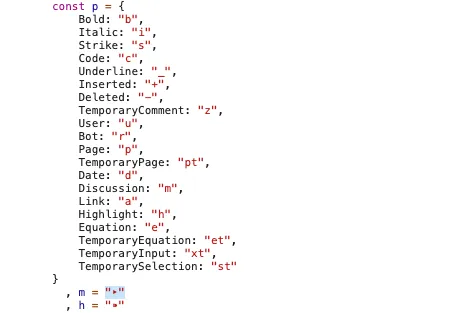
b for bold, i for italic, a for links, and so on.
Inside a block: browser’s native selection.
Across blocks: Notion takes over.

Drag beyond a block’s boundary, and Notion adds div.notion-selectable-halo to highlight the entire block. Continue dragging, more blocks highlight.
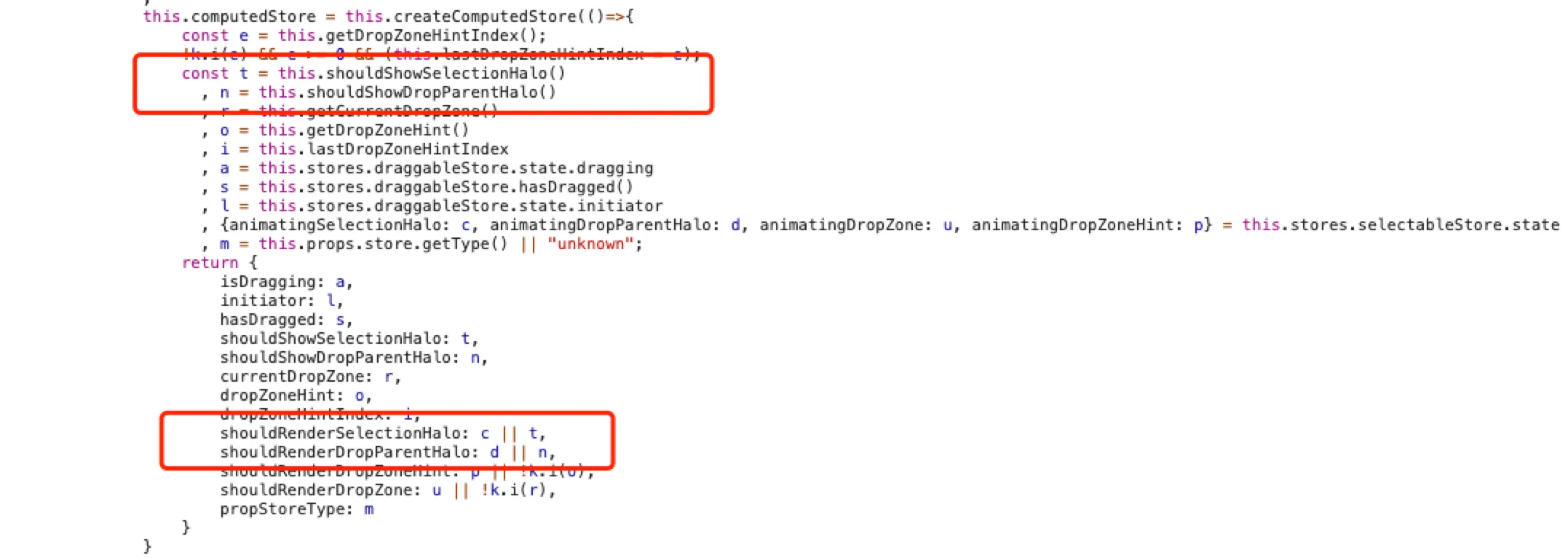
It’s not true text selection. It’s block selection.
There’s also a quirk: box selection behavior changes based on x-position at the same y-coordinate.

Not intuitive.
Notion handles multiple formats:
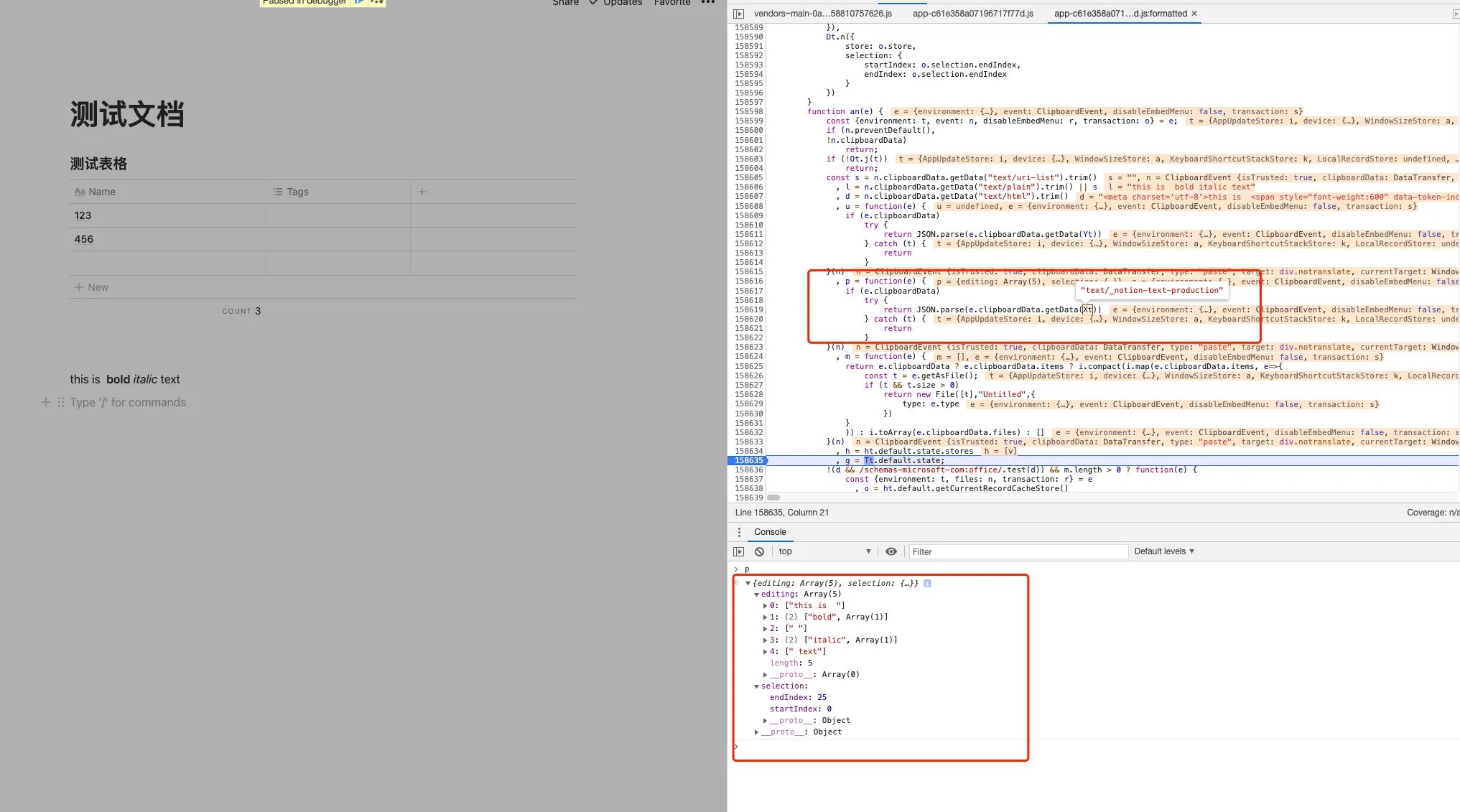
text/plaintext/htmltext/uri-listtext/_notion-blocks-v2-production (internal)text/_notion-text-production (internal)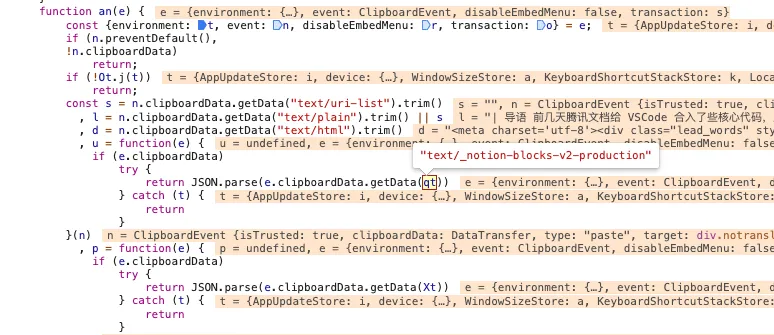
External paste logic:
text/html, restore formatting.This is a significant limitation. Paste one styled line, you get plain text.
Copy a block in Notion, and the clipboard gets:
text/_notion-blocks-v2-production JSON blob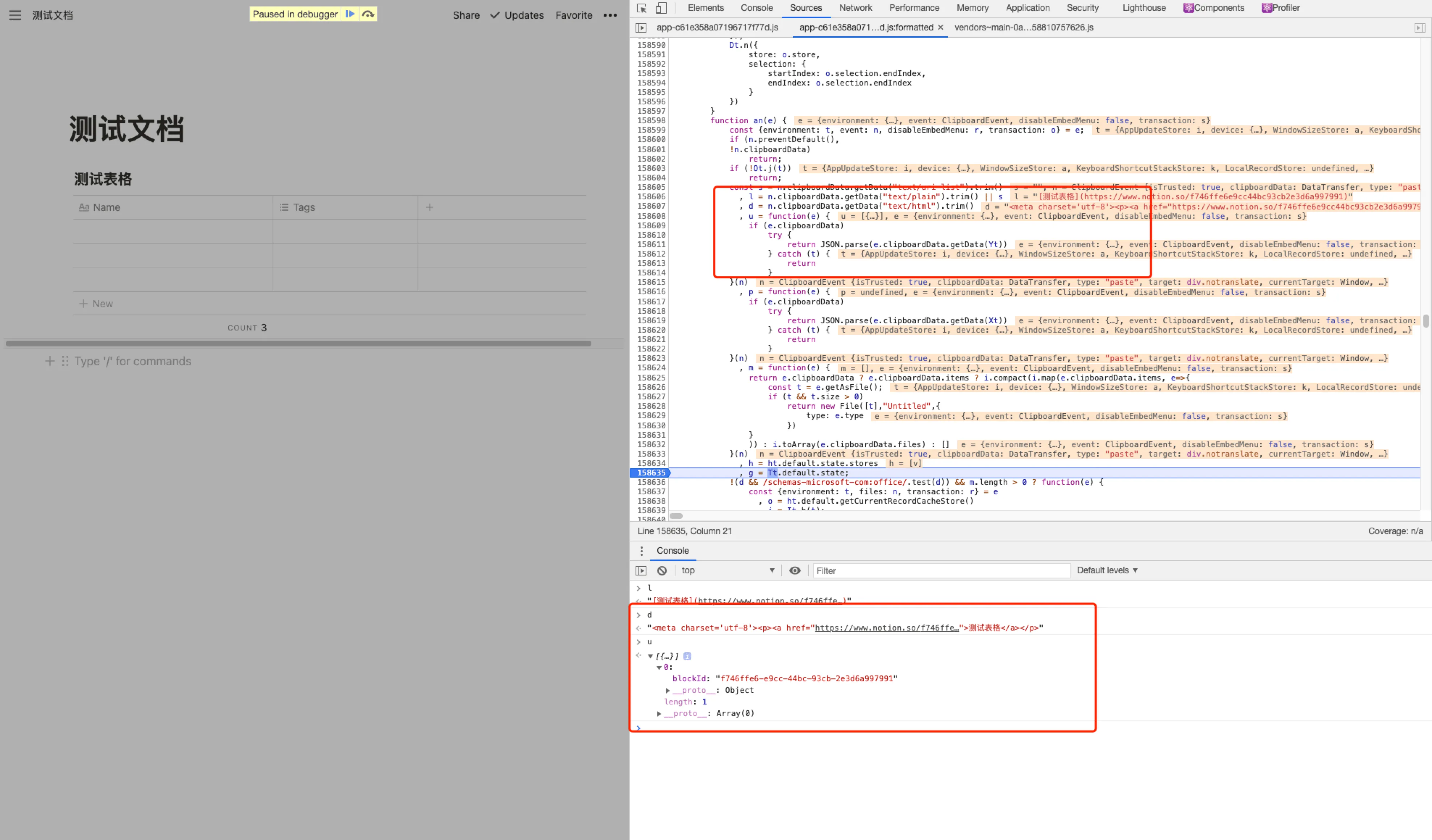
Pasting creates a reference, then fetches block data via API (api/v3/syncRecordValues).
This means internal block paste requires network.
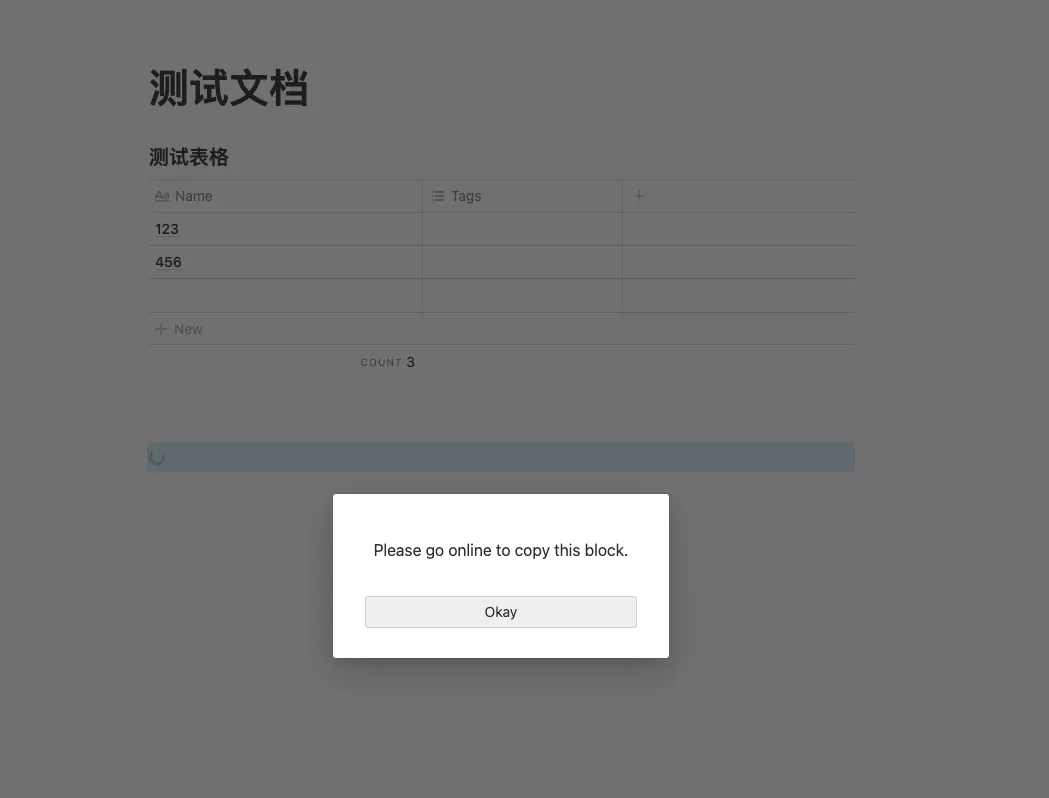
Offline web? Block paste fails. Mobile apps cache data locally, so they work offline.
Text copy is simpler. Full data lives in text/_notion-text-production. No network needed.
Every transaction includes invertedOperations — the reverse of what was done.
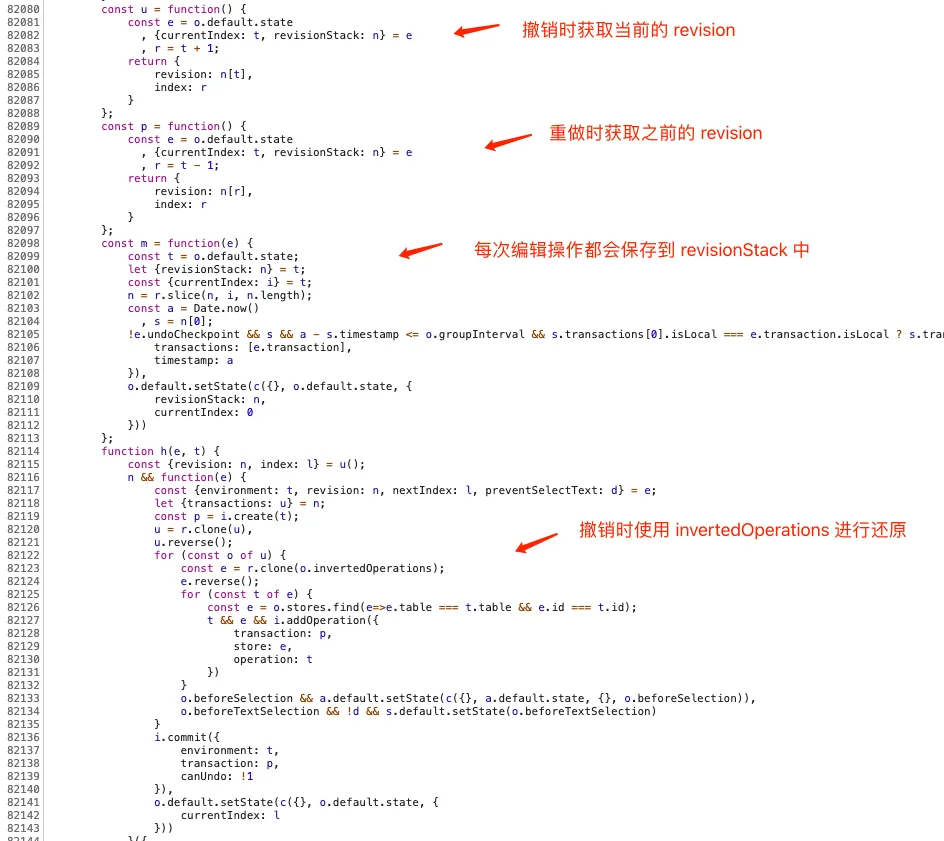
Notion maintains a revisionStack. Pointer at the top.
Undo: execute invertedOperations from current transaction, move pointer down.
Redo: execute operations from next transaction, move pointer up.
Edit after undo: slice the stack, push new transaction, pointer to top.
Standard undo-redo, cleanly implemented.
Notion’s block-based architecture is elegant. Every row in a database is a block. Every embed is a block. Views (kanban, calendar, timeline) are just different renderings of the same blocks.
Extensibility is built in. Third-party embeds fit naturally.
But the details reveal rough edges:
The foundation is solid. The execution has room to grow.
I might dig deeper later. There’s more to find.
此内容由惯性聚合(RSS阅读器)自动聚合整理,仅供阅读参考。 原文来自 — 版权归原作者所有。