惯性聚合 高效追踪和阅读你感兴趣的博客、新闻、科技资讯
阅读原文 在惯性聚合中打开

推荐订阅源

A
About on SuperTechFans
Y
Y Combinator Blog
钛媒体:引领未来商业与生活新知
钛媒体:引领未来商业与生活新知
Microsoft Security Blog
aimingoo的专栏
aimingoo的专栏
I
InfoQ
C
Check Point Blog
IT之家
IT之家
MyScale Blog
MyScale Blog
Apple Machine Learning Research
Vercel News
Vercel News
Last Week in AI
Last Week in AI
GbyAI
GbyAI
P
Proofpoint News Feed
量子位
Stack Overflow Blog
Stack Overflow Blog
Microsoft Azure Blog
月光博客
月光博客
阮一峰的网络日志
阮一峰的网络日志
人人都是产品经理
人人都是产品经理
B
Blog
T
The Blog of Author Tim Ferriss
H
Help Net Security
云风的 BLOG
云风的 BLOG

Nicksxs's Blog

Pi Agent 源码解析(一):从调试环境到双层主循环 6GB显存能跑35B MoE吗:FreeToken极限配置、性能压榨与实操教程 聊聊 Java 的类加载机制一 从ASM到ByteKit再到Arthas:一条Java字节码增强链路 8GB显存如何跑35B:深入理解FreeToken的专家缓存与CPU-GPU协同 让chatgpt来给我讲解下deepseek harness的插件体系 来学习下pi agent的原理 如何在命令行中输出进度条 联想 G400 安装 Windows 7 折腾记录 记一个gitea推送失败的问题 学一下chrome的扩展开发 看下chrome的内置模型 从 app.test 到小锁:valet 本地 HTTPS 的完整链路 浅析一下jpeg图片格式及其来源 关于github拉取下载加速的另一个方式 关于适合什么模型,推荐下llmfit 看看目前本地能跑什么模型,使用llama.cpp 最近使用vibe coding的一些感悟 使用php的inotify扩展来监听文件变更 一些设计模式的记忆点 使用xiaomi mimo大模型api运行Hermes Agent 开始尝试使用obsidian作为笔记软件 学习下大神的知识库 体验下微软开源的Markdown转换工具Markitdown 学习下git的worktree 一些架构师知识点的记录 解答一下关于traefik的一点疑惑 记录一下迁移服务器需要使用的一些命令 较早代iPhone更换新iPhone的一些小指南 如何查看mac的路由表和网关等信息
结合Obsidian的cli的一体化体验
Nicksxs · 2026-04-26 · via Nicksxs's Blog

上次是开始使用了Obsidian,之前也听说了Obsidian也推出了cli命令行工具,这次就来体验下,主要是为了能在例如claude code跟codex中直接操作Obsidian,比如在一些知识的学习之后希望整理成笔记
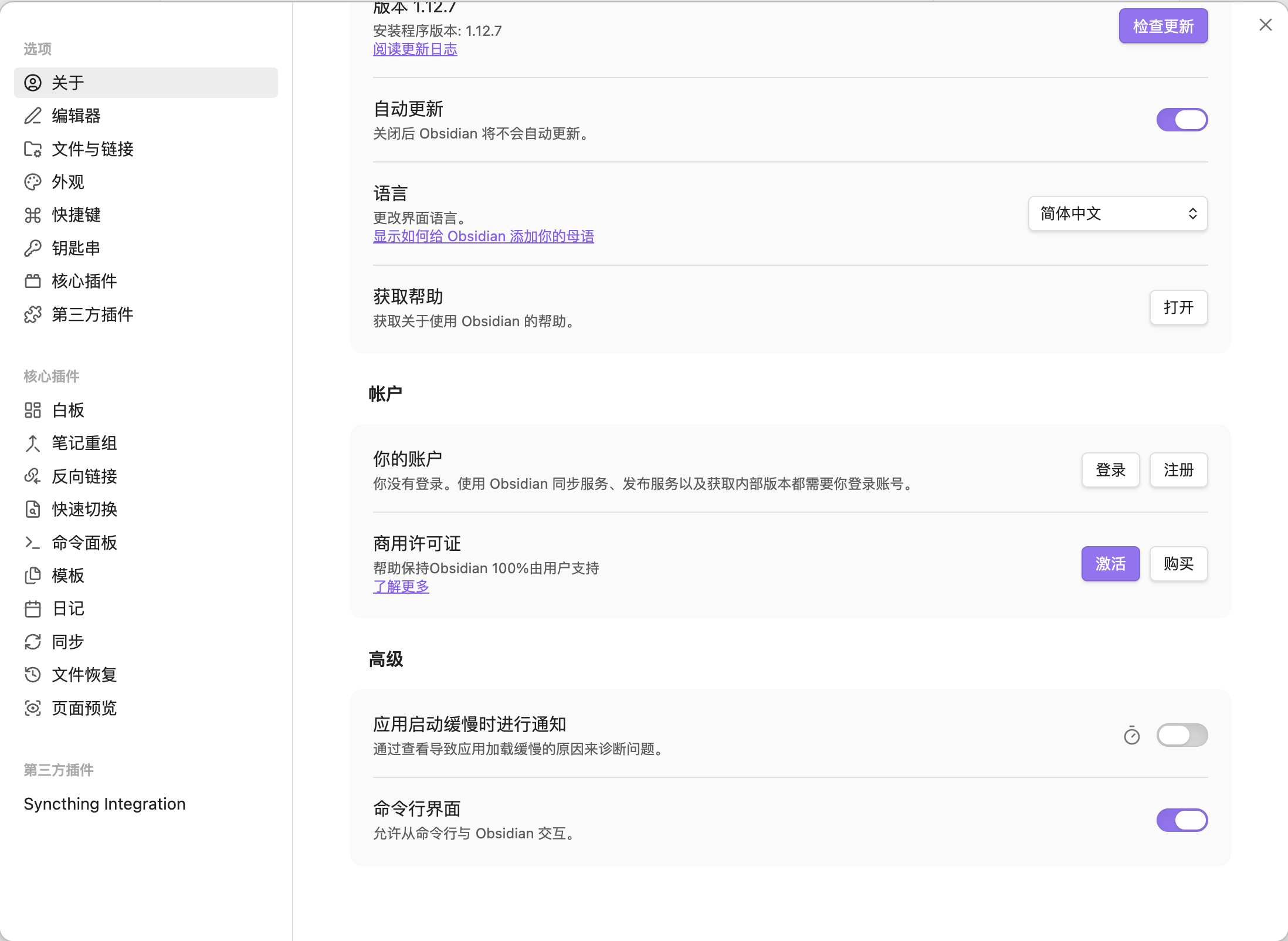
首先安装比较简单,就是在软件内开启命令行就行,会加到系统的PATH路径里
开启命令行有版本要求

1
Using the CLI requires the Obsidian 1.12 installer. See the installer version update guide.


在关于的最后高级菜单中就可以开启了
我们可以先看看这个cli能用来干啥
当然可以用help命令来查看

1
obsidian help

日常使用可以参考这些命令

1
2
3
4
5
6
7
8
9
10
11
12
13
14
15
16
17
18
19
20
21
22
23
# Open today's daily note
obsidian daily

# Add a task to your daily note
obsidian daily:append content="- [ ] Buy groceries"

# Search your vault
obsidian search query="meeting notes"

# Read the active file
obsidian read

# List all tasks from your daily note
obsidian tasks daily

# Create a new note from a template
obsidian create name="Trip to Paris" template=Travel

# List all tags in your vault with counts
obsidian tags counts

# Compare two versions of a file
obsidian diff file=README from=1 to=3

包括记录今日的日常笔记,搜索,查看活动日志等等
在结合Claude Code使用的时候
我们可以装下大佬的skill
https://github.com/kepano/obsidian-skills
我们可以通过这个安装

1
2
/plugin marketplace add kepano/obsidian-skills
/plugin install obsidian@obsidian-skills

然后我们就能用它里面的技能来处理知识笔记处理
比如

1
使用defuddle技能帮我摘录这篇文章 https://obsidian.md/help/cli

这样就能用defuddle来处理这篇文章,摘录到本地
然后再用这个包里的obsidian技能把摘录下来的文章保存到obsidian
可以看到初步的效果
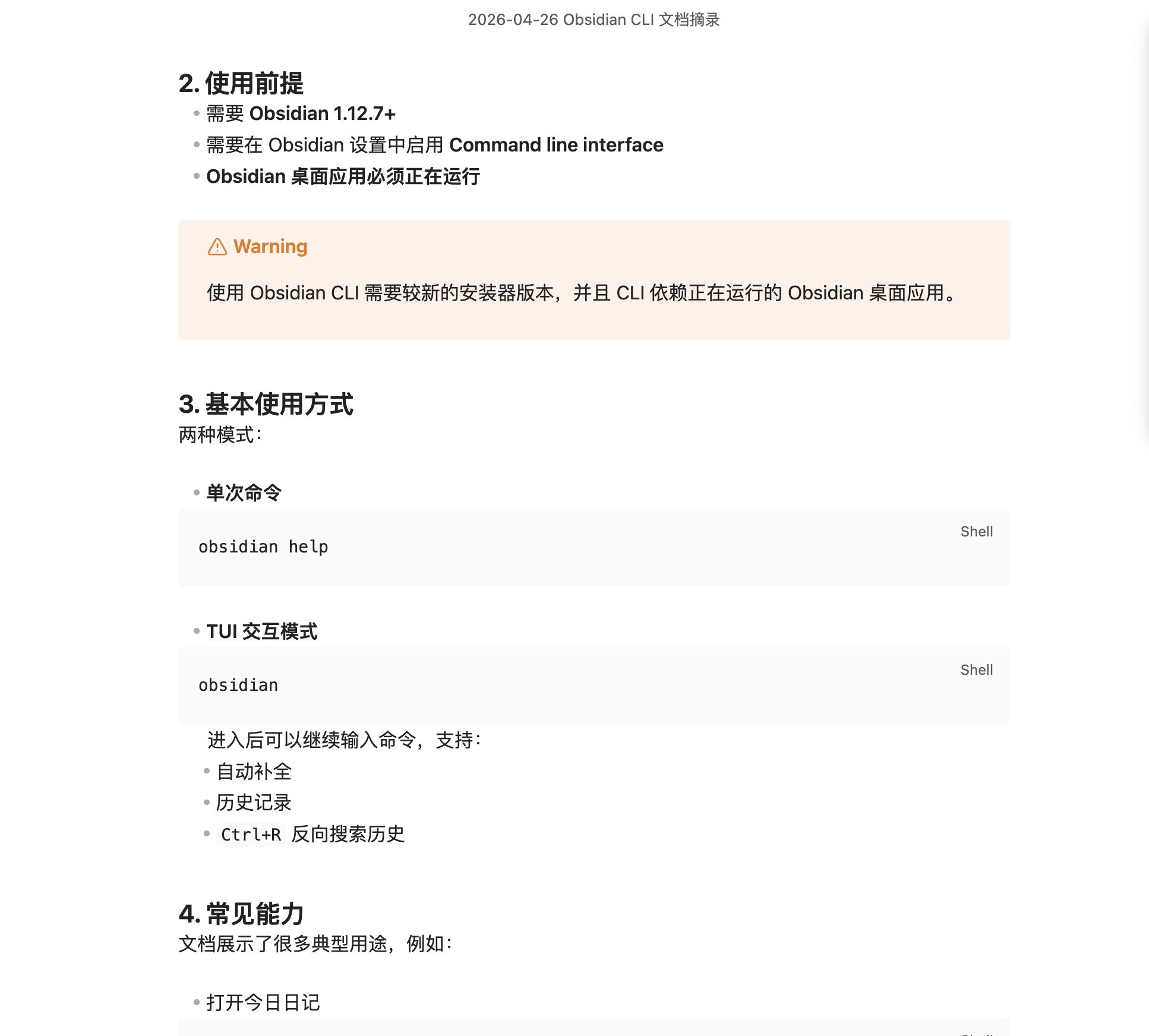
这样就初步打通了这个cli的一体化体验了
当然更细致的使用还有待研究和学习
可能这块的生态来说,的确有了cli工具,整体使用起来也会变得更丝滑
从文章摘录到整理到笔记
刚才还有一步重要的就是把知识进行总结整理
通过仔细查看cli的文档也能看到这个工具不是只做出来有个样子而已
已经是比较深入到整体的系统使用
甚至包括插件的管理都有
查看安装的所有插件
plugins

List installed plugins.

1
2
3
4
filter=core|community  # filter by plugin type

versions # include version numbers
format=json|tsv|csv # output format (default: tsv)

查看启动的插件
plugins:enabled

1
2
3
4
filter=core|community  # filter by plugin type

versions # include version numbers
format=json|tsv|csv # output format (default: tsv)

启用插件
plugin:enable

1
2
id=<id>                # (required) plugin ID
filter=core|community # plugin type

这些也只是一小部分,可以具体在cli进行学习参考