








If you are interested in learning Japanese but feel overwhelmed by the complexity and variety of the language, you might want to check out Oyomi, a smart app that can help you learn Japanese from any content you like.
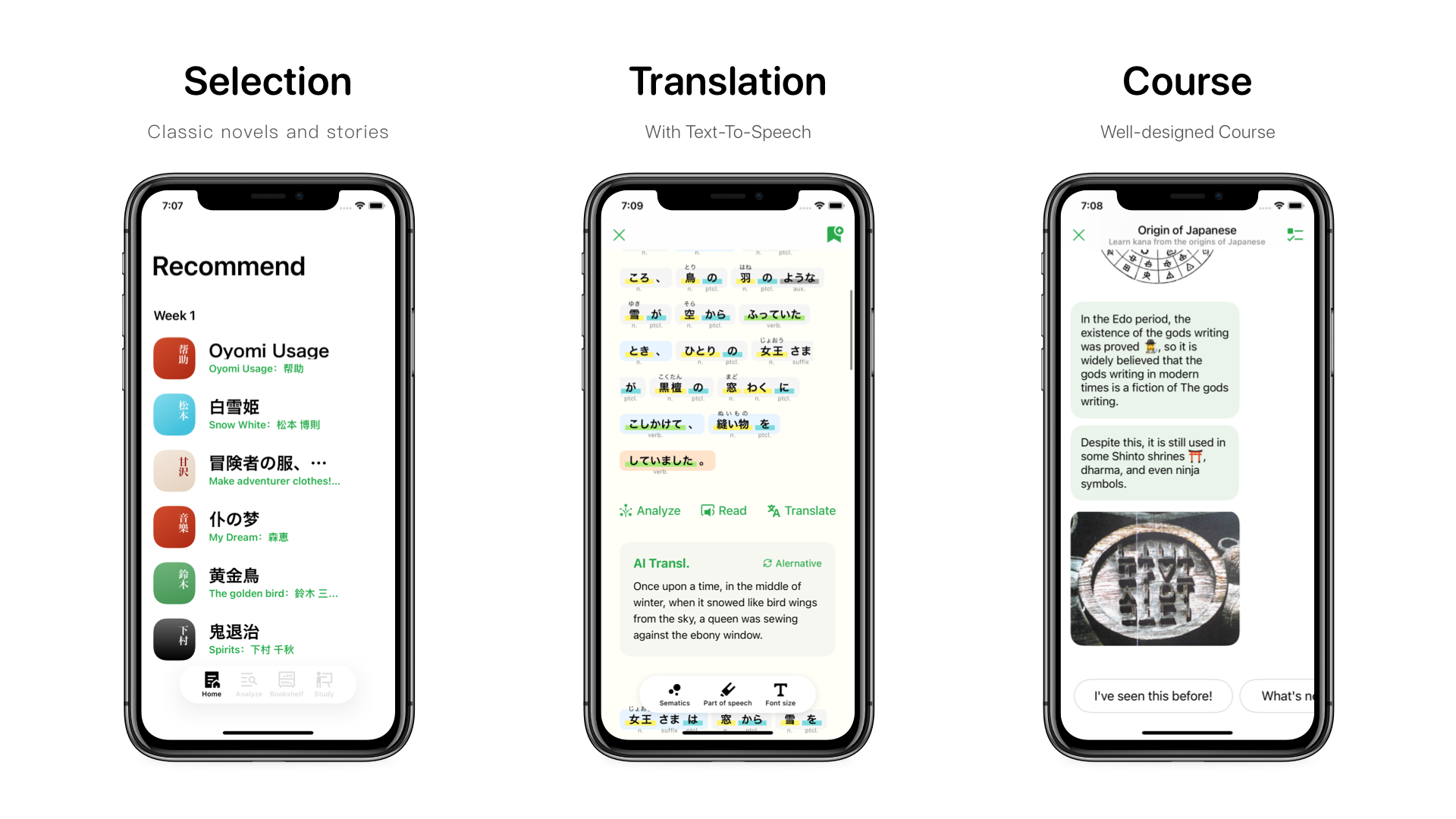
Oyomi has several helpful features that can make your learning process easier and more enjoyable. Here are some of them:
You don’t have to limit yourself to boring textbooks or limited resources when learning Japanese.
With Oyomi, you can choose any web page or EPUB book that interests you and import it into the app.
Oyomi is a powerful tool that can help you learn from any web page. It can analyze the text and structure of a web page and turn it into semantic blocks that you can easily understand and manipulate. Here are the steps to use Oyomi to learn from web pages:
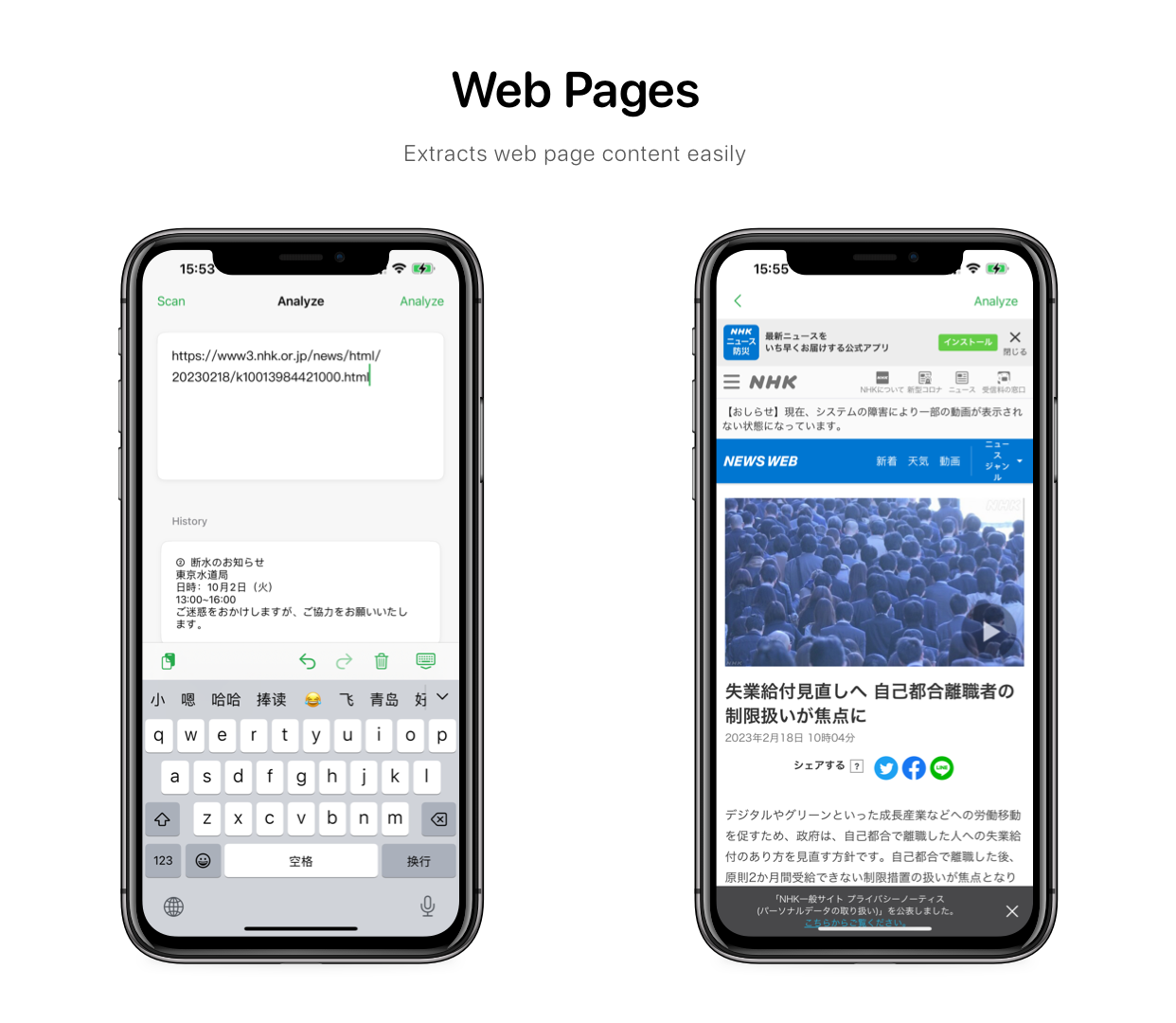
From here now you can easily lookup the meaning of the word or translate and read aloud the sentences.
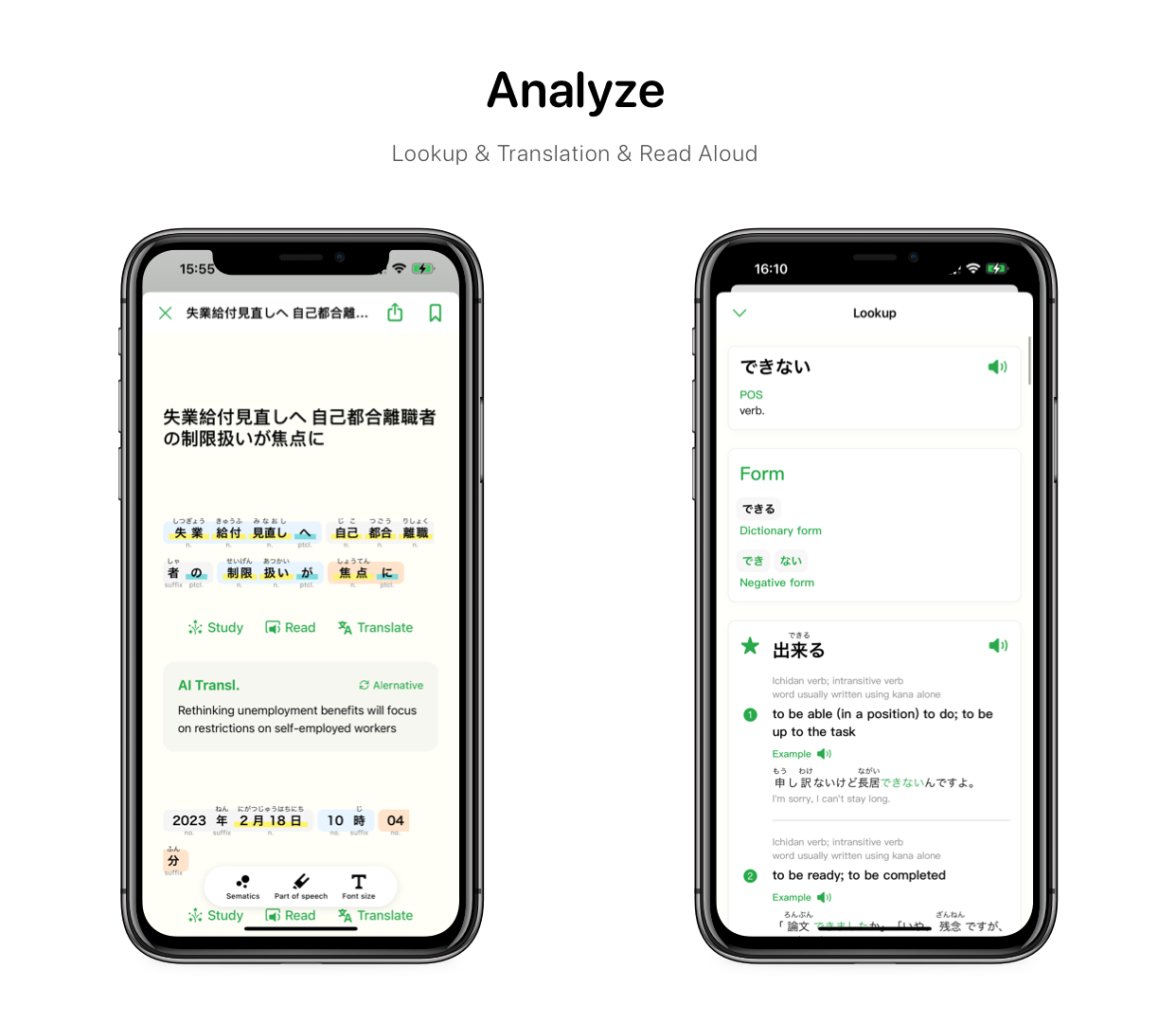
You can tap on any word or phrase to see its meaning, pronunciation, part of speech, and example sentences.
You might have encountered some difficulties with verb conjugation. Unlike English, where verbs only change their forms based on tense and number, Japanese verbs have many different forms that express various nuances of mood, politeness, honorifics and more.
For example, the verb 食べる (taberu), which means “to eat”, can be conjugated into dozens of forms such as 食べます (tabemasu), 食べない (tabenai), 食べさせる (tabesaseru), 食べられる (taberareru) and so on. Each form has a different meaning and usage that you need to master in order to communicate effectively in Japanese.
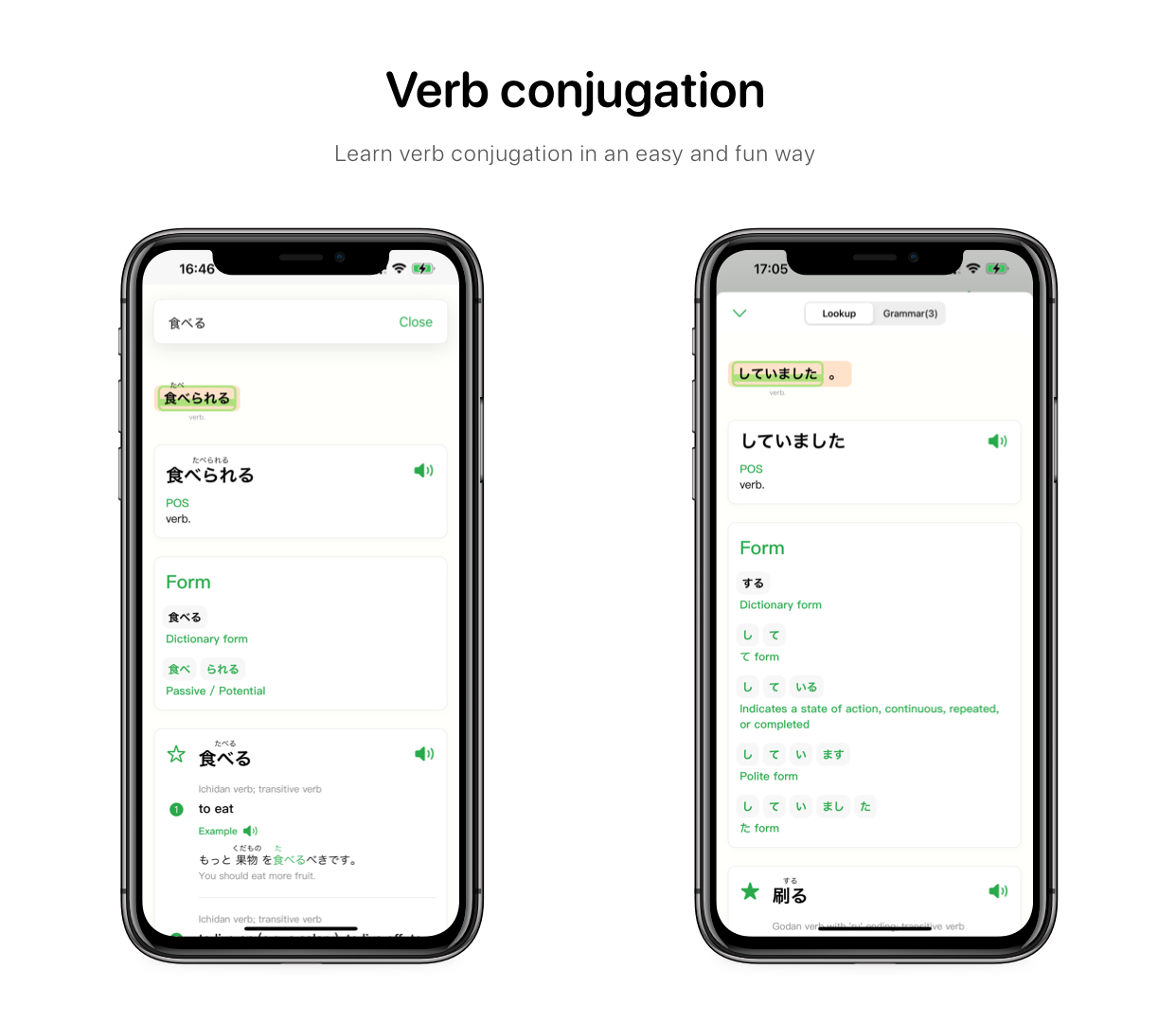
How can you master all these verb forms and use them correctly in your sentences? Well, one way is to memorize the rules and patterns of verb conjugation. But that can be tedious and time-consuming. Another way is to use Oyomi, a handy tool that helps you learn verb conjugation in an easy and fun way.
You can also see the process of verb conjugation step by step. For example, if you want to know how to conjugate 食べる into potential form (which means “can eat”), you can simply click on the verb and Oyomi will show you the result:
食べる -> drop る -> add られる -> 食べられる
When you click the “Study” button, you’ll see three sections: Structure, Vocabulary and Grammar.
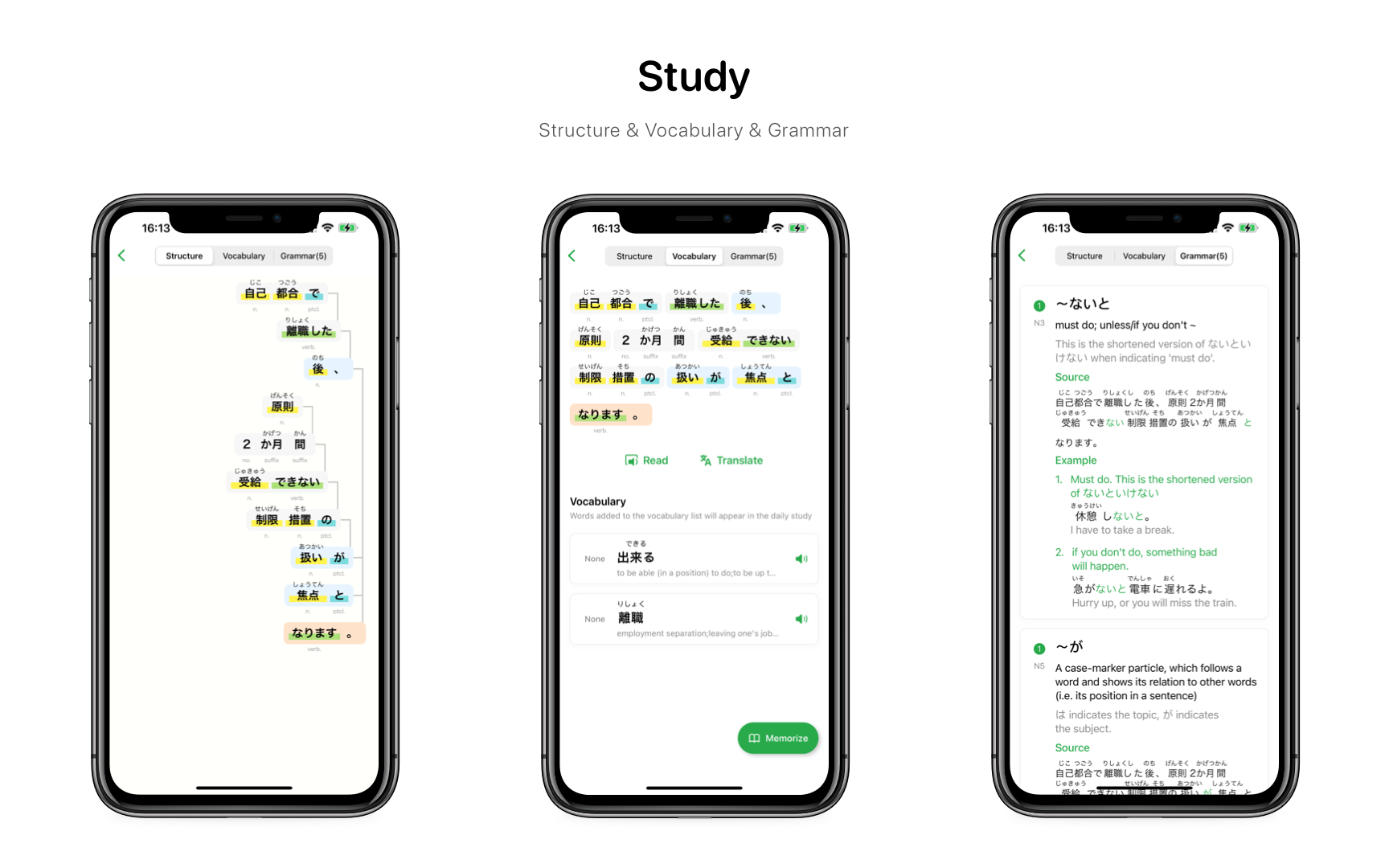
The Structure section shows the semantic tree of the sentence, indicating the grammatical relationship between the phrases.
The Vocabulary section shows all of the words that you plan to learn from the sentence. You can add words to this section by clicking the star before the word when you are doing a lookup. This way, you can create your own personalized word list based on your interests and needs.
The Grammar section shows all of the grammatical rules related to the sentence. It tells you how and why certain structures are used in different contexts. You can also find examples and explanations for each rule to help you understand them better.
Oyomi has a built-in bookshelf that supports EPUB format books. You can import your EPUB books by clicking the add button at the top right corner of the app. Then you can browse and select the books that you want to read.
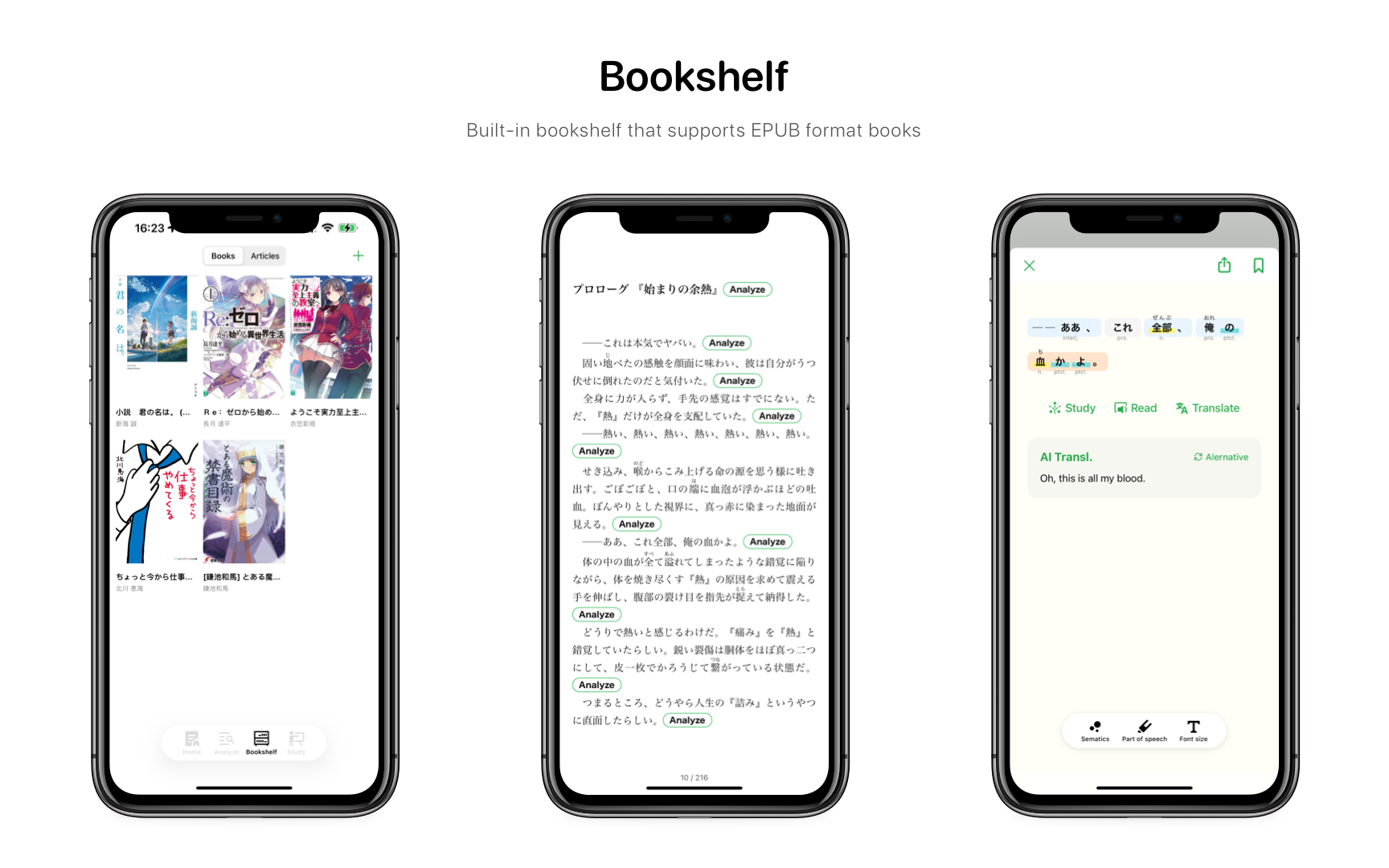
When you open a book, you will see an “Analyze” button after each paragraph.
This button allows you to analyze the content of the paragraph and get useful information such as vocabulary definitions, grammar explanations, furigana readings, and more.
You can also listen to the audio of the paragraph and practice your pronunciation.
Another challenge of learning Japanese is remembering what you have learned and applying it in real situations.
Oyomi can help you with that by allowing you to collect words and phrases that you want to remember or practice later.
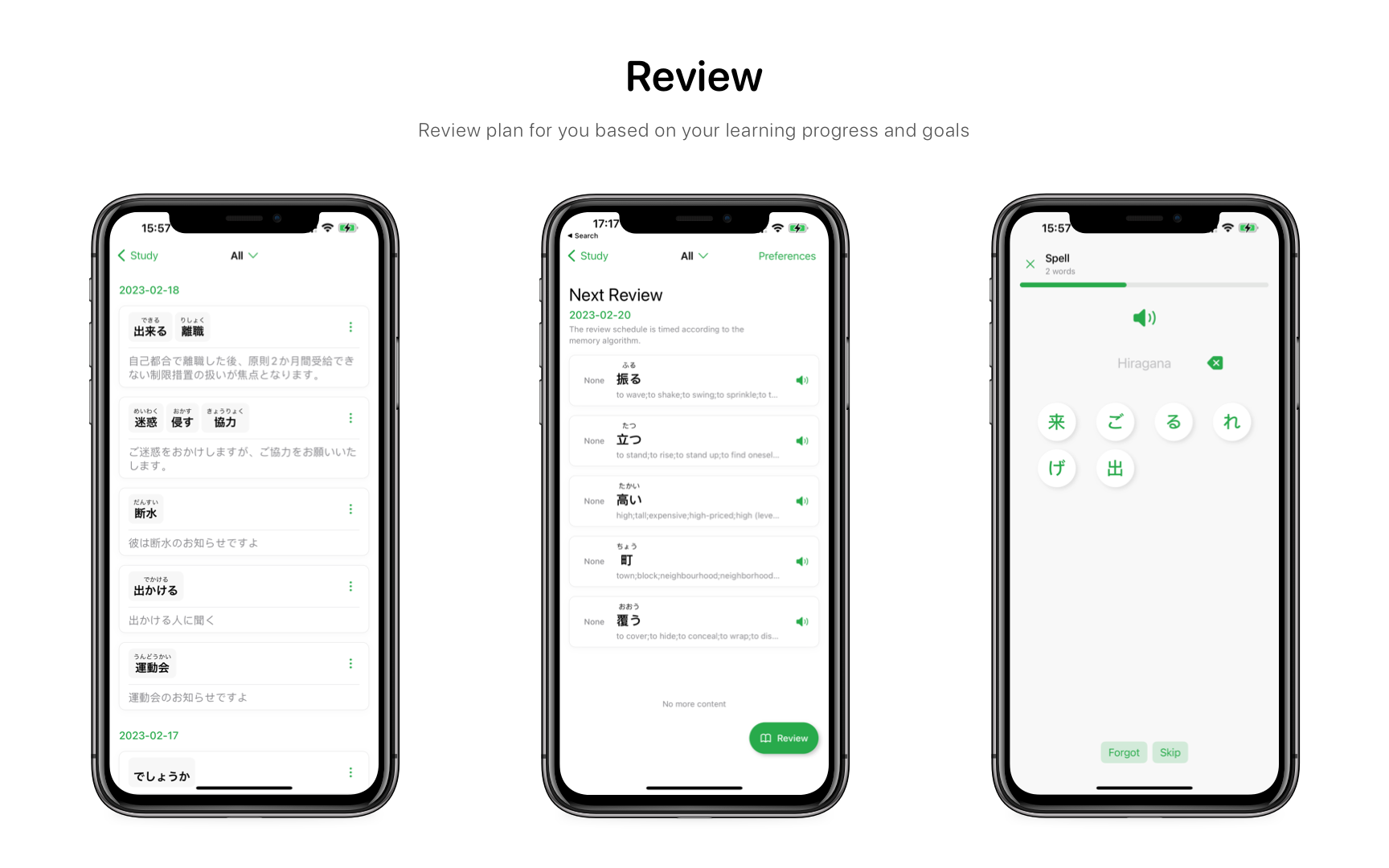
You can add them to your personal wordbook with just one tap of the star icon before the word.
Oyomi will then generate a review plan for you based on your learning progress and goals. You can review your words and phrases anytime using various modes such as choice, fill-in-the-blank, matching, etc.
If you are looking for a convenient and effective way to improve your vocabulary, you might want to try the widget feature on your iOS device.
The widget is designed to help you use fragments of time to memorize words. Whether you have a few minutes before a meeting, during a commute, or while waiting in line, you can use the widget to learn new words or refresh your memory.
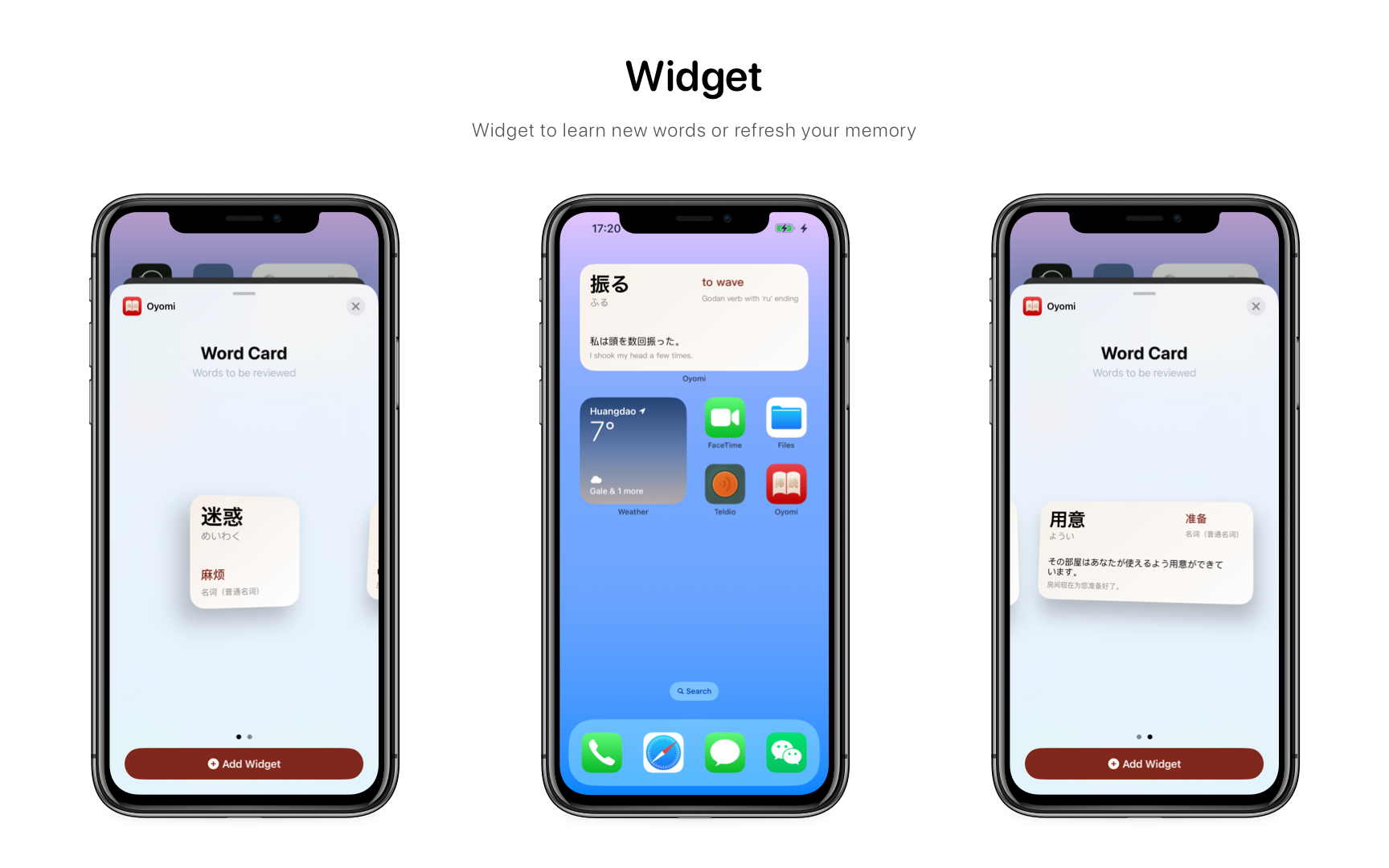
To add the widget to your home screen, follow these simple steps:
You can now enjoy learning vocabulary with the widget anytime and anywhere. Happy learning!
Try it out yourself download it now. Oyomi now supports iOS Android and macOS.
此内容由惯性聚合(RSS阅读器)自动聚合整理,仅供阅读参考。 原文来自 — 版权归原作者所有。