惯性聚合 高效追踪和阅读你感兴趣的博客、新闻、科技资讯
阅读原文 在惯性聚合中打开

推荐订阅源

Jina AI
Jina AI
博客园 - 【当耐特】
量子位
C
Check Point Blog
博客园 - 叶小钗
博客园 - 聂微东
博客园 - 三生石上(FineUI控件)
让小产品的独立变现更简单 - ezindie.com
Hugging Face - Blog
Hugging Face - Blog
美团技术团队
The Cloudflare Blog
T
Tailwind CSS Blog
人人都是产品经理
人人都是产品经理
月光博客
月光博客
V
V2EX
Last Week in AI
Last Week in AI
酷 壳 – CoolShell
酷 壳 – CoolShell
奇客Solidot–传递最新科技情报
奇客Solidot–传递最新科技情报
IT之家
IT之家
大猫的无限游戏
大猫的无限游戏
有赞技术团队
有赞技术团队
Apple Machine Learning Research
S
SegmentFault 最新的问题
freeCodeCamp Programming Tutorials: Python, JavaScript, Git & More

夜行人

回家路上 第一期的直播演示项目 震动检测器 正能量 在线参观CodeLab Neverland 发布 CodeLab Adapter 3.3.1 DynamicTable 之 纸糊方向盘 CodeLab DynamicTable: 一个可实施的技术方案 CodeLab Insight 发布 Alpha 版 情人节 Home Assistant 周报 && IoT 周报 (02) Joplin: 关注隐私的 Evernote 开源替代软件 浏览器的未来与 Web 传感器 Home Assistant 周报 && IoT 周报 (01) 百宝箱(01) 论自由 介绍 WebThings Home Assistant 周报 && iot 周报 (00) 百宝箱(00) 毛姆读书心得 传世之作 周末徒步 CodeLab Adapter ❤️ Jupyter/Python 航班 躲雨 夏令营途中 [译]思想--作为一种技术 The future of coding 美国之行 三门问题的程序模拟
notification system思路、概念与实现
2016-06-08 · via 夜行人

文章目录

试水

水挺深,撸起你的裤管

缘起

最初我想为Open edX实现一套消息系统(Notification system)。通过浏览官方库,我们发现,官方在做类似的事:notifier

notifier is a django application for edX platform notifications

It currently sends daily digests of new content to subscribed forums users, with a goal of eventually supporting real-time and batched notifications of various types of content across various channels (e.g. SMS).

由此可知这个库,最终会变得real-time and powerful(多种通知方式)

但目前而言,似乎偏弱,且只能提供论坛消息通知,且是以邮件的方式。而我们似乎更习惯站内消息这种通知形式

至于具体实现,我没细看,猜测是celery+rabbitmq,采用pub/sub模型

最初的思路

我的需求

  • 私信(message)
  • 站内消息(Announce)
    • 是系统发送的消息,格式是固定的,特殊对象一般拥有超链接(资源定位符)。
  • 提醒(activities,Remind,类似github消息通知)
    • 可能涉及关注对象/活动/订阅/
      • 谁对一样属于谁的事物做了什么操作(someone do something in someone’s something)

分析需求

通过万能的google,我们发现这类需求早就有人讨论过啦,以下是我喜欢的讨论

概念篇

对Pinterest、Instagram和Fashiolista来说,feed是一个核心组件。 这些系统的共同点在于向用户展示其关注的人的动态,Fashiolista是基于Atom Activity Streams 1.0(还有个使用json格式的版本)来构建动态数据流的(ps:Atom Activity Streams今年出了2.0版本

feed

那么我们首先要搞清楚feed是什么。

可以参考Web_feed

On the World Wide Web, a web feed (or news feed) is a data format used for providing users with frequently updated content.

我把它理解为最新讯息,提要)

Activities

stream的文档,对我们理解消息系统很有帮助, JSON Activity Streams 1.0有些抽象,而Stream-Framework名词太多

stream的文档让我们在使用过程中理解消息系统

一则Activities有以下属性:

  • Actor
  • Verb
  • Object
  • Target

举例而言

Erik is pinning Hawaii to his Places to Visit board.

我们来拆解这句话,用以上属性积木来构建它

  • Actor: “Eric” (User:2)
  • Verb: “pin”
  • Object: “Hawaii” (Place:42)
  • Target: “Places to Visit” (Board:1)

我们来看下这个动作用代码来描述

1
2
3
4
5
# Instantiate a feed object
user_feed_1 = client.feed('user', '1')
# Add an activity to the feed, where actor, object and target are references to objects (`Eric`, `Hawaii`, `Places to Visit`)
activity_data = {"actor": "User:2", "verb": "pin", "object": "Place:42", "target": "Board:1"}
activity_response = user_feed_1.add_activity(activity_data)

Using the above fields, you can express any activity!

意识到这点,我们就理解消息系统啦

ps:用程序表达现实关系(动作),业务相关的代码通常是模拟现实(关系或者事务),所以表达现实是一种常见的模式

其他概念

  • fanout:将动态推送给你的粉丝的过程被称为消息分发

###参考

实现篇

stream framework

Stream Framework is a Python library, which allows you to build newsfeed and notification systems using Cassandra and/or Redis.

  • Examples of what you can build are
    • Activity streams such as seen on Github
    • A notification system
  • 之前的Feedly
  • 作者博客

最近我在看stream framework的实现,重点关注redis部分,之后有时间再做分析

我们先来看下数据在redis里的结构
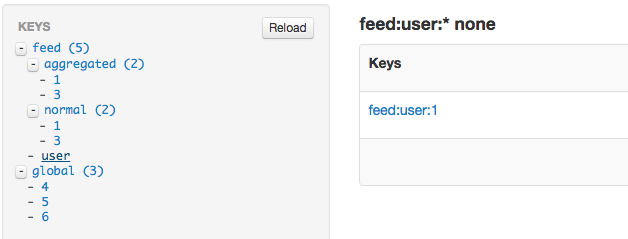
pin-redis

demo

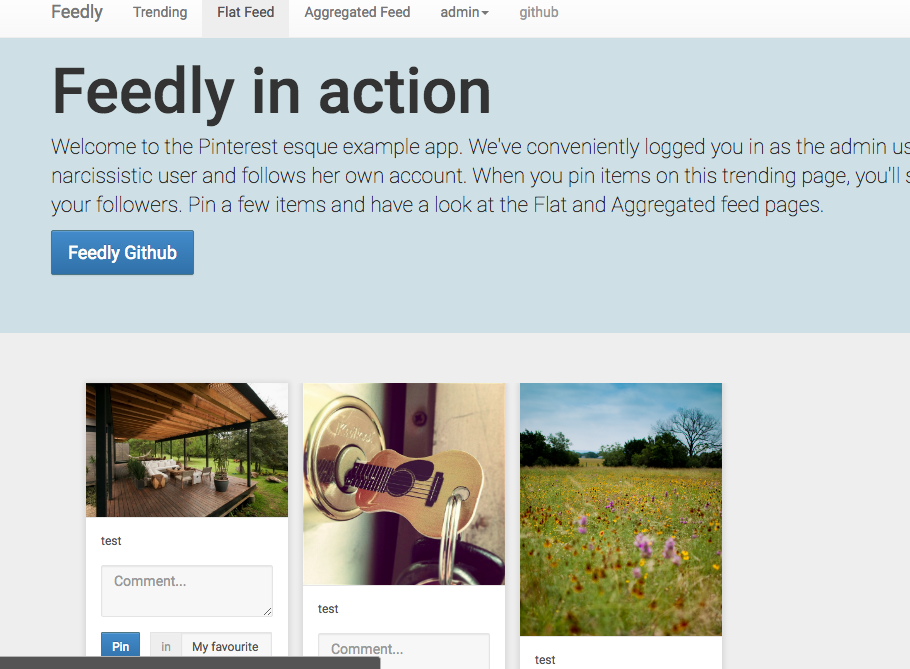
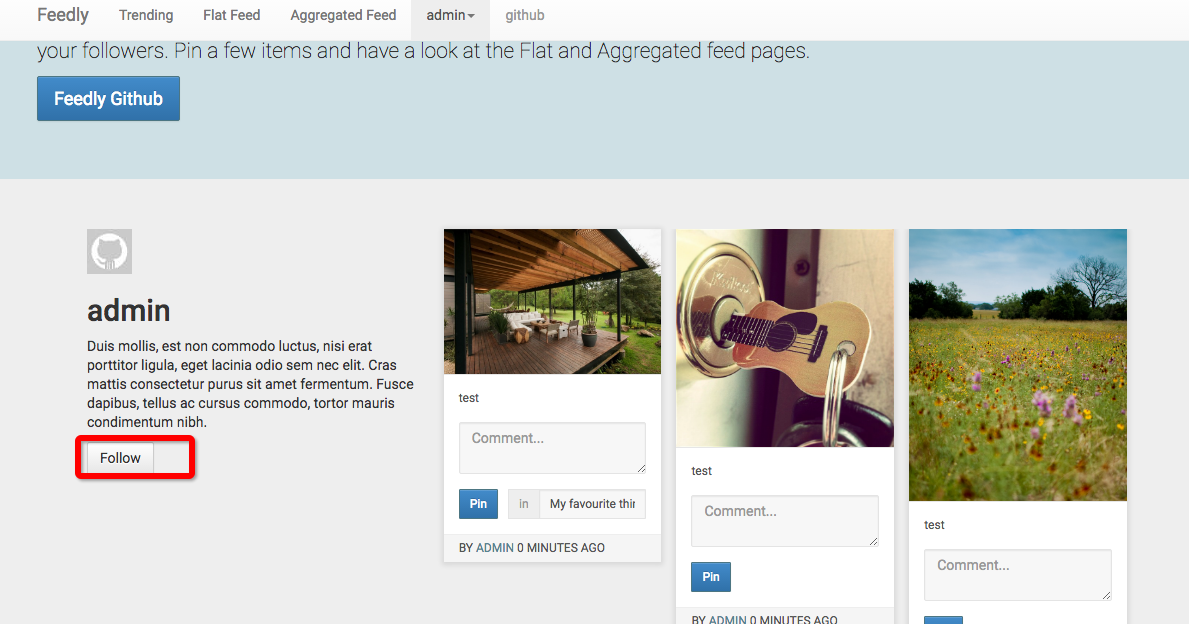
这是基于stream_framework的一个demo,模仿Pinterest,用户可以发布自己的pin(类似post),其他用户可以follow该用户,并且对喜欢的物品进行点赞

由于时间久远,该项目无法直接运行,我做了些调整,使其跑在osx下,测试正常

首页 pin1.png
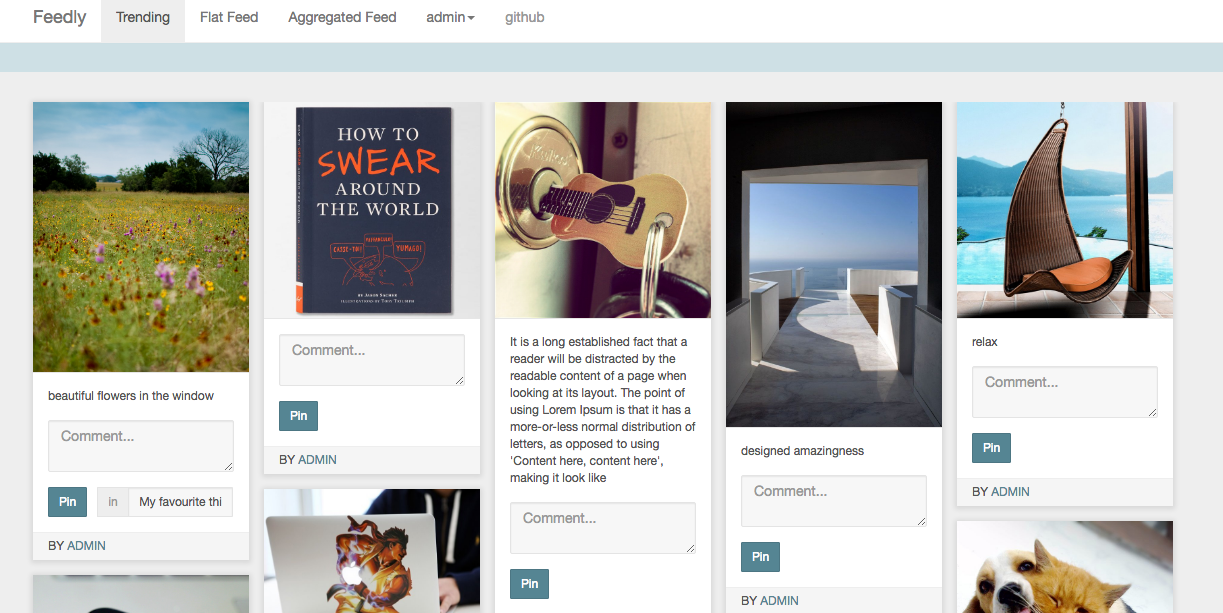
信息流

pin2.png

关注者 pin3.png

stream

当然我们也可以使用stream的服务来构建我们的消息系统,我们跑一个简单的demo

 1
 2
 3
 4
 5
 6
 7
 8
 9
10
11
12
13
14
15
16
17
18
19
20
21
import stream
client = stream.connect('client id', 'client secret', location='us-east')

chris = client.feed('user', 'chris')
# add an activity, message is a custom field. add as many custom fields as you'd like
chris.add_activity({
  'actor': 'chris',
  'verb': 'add',
  'object': 'picture:10',
  'foreign_id': 'picture:10',
  'message': 'This bird is absolutely beautiful. Glad it\'s recovering from a damaged wing.'
});
# jack's timeline feed follows chris' user feed.
jack = client.feed('timeline', 'jack')
jack.follow('user', 'chris')
# read the timeline for jack, chris post will show up here
activities = jack.get(limit=10)['results']
# read the next page, use id filtering for optimal performance
next_activities = jack.get(limit=10, id_lte=activities[-1]['id'])['results']
# remove the activity by referencing the foreign_id you provided
chris.remove_activity(foreign_id='picture:10')

django demo

exampledjango

文章作者 种瓜

上次更新 2016-06-08