

惯性聚合 高效追踪和阅读你感兴趣的博客、新闻、科技资讯
阅读原文 在惯性聚合中打开

推荐订阅源

AI
AI
cs.AI updates on arXiv.org
Google DeepMind News
T
Tenable Blog
博客园_首页
S
Securelist
Spread Privacy
Spread Privacy
Google Online Security Blog
Forbes - Security
Forbes - Security
Engineering at Meta
Engineering at Meta
U
Unit 42
L
LINUX DO - 热门话题
量子位
T
Threat Research - Cisco Blogs
博客园 - 【当耐特】
C
Cyber Attacks, Cyber Crime and Cyber Security
K
Kaspersky official blog
MyScale Blog
MyScale Blog
P
Proofpoint News Feed
The Last Watchdog
The Last Watchdog
Google DeepMind News
GbyAI
GbyAI
Martin Fowler
Martin Fowler
Exploit-DB.com RSS Feed
cs.CL updates on arXiv.org
Security Latest
Security Latest
Scott Helme
Scott Helme
V
Vulnerabilities – Threatpost
奇客Solidot–传递最新科技情报
奇客Solidot–传递最新科技情报
I
InfoQ
Know Your Adversary
Know Your Adversary
Cisco Talos Blog
Cisco Talos Blog
The Register - Security
T
The Blog of Author Tim Ferriss
aimingoo的专栏
aimingoo的专栏
V2EX - 技术
V2EX - 技术
T
Tailwind CSS Blog
月光博客
月光博客
Recent Announcements
G
Google Developers Blog
F
Full Disclosure
W
WeLiveSecurity
宝玉的分享
宝玉的分享
腾讯CDC
G
GRAHAM CLULEY
Vercel News
Vercel News
Simon Willison's Weblog
美团技术团队
cs.CV updates on arXiv.org
Help Net Security
Help Net Security

夜行人

回家路上 第一期的直播演示项目 震动检测器 正能量 在线参观CodeLab Neverland 发布 CodeLab Adapter 3.3.1 DynamicTable 之 纸糊方向盘 CodeLab DynamicTable: 一个可实施的技术方案 CodeLab Insight 发布 Alpha 版 情人节 Home Assistant 周报 && IoT 周报 (02) Joplin: 关注隐私的 Evernote 开源替代软件 浏览器的未来与 Web 传感器 Home Assistant 周报 && IoT 周报 (01) 百宝箱(01) 论自由 介绍 WebThings Home Assistant 周报 && iot 周报 (00) 百宝箱(00) 毛姆读书心得 传世之作 周末徒步 CodeLab Adapter ❤️ Jupyter/Python 航班 躲雨 夏令营途中 [译]思想--作为一种技术 The future of coding 美国之行 三门问题的程序模拟 从Python转向Pharo https://blog.just4fun.site/post/iot/iot-open-source-projects/ Python异步编程笔记 https://blog.just4fun.site/post/iot/iot-open-source-hardware-community/ 万物积木化开发者社区 CodeLab ❤️ Blender Scratch3技术分析之云变量 API(第7篇) [译]对管道(Pipes)的偏爱 [译]提出正确的问题比得到正确答案更重要 蓝牙设备与Scratch3.0 创建你的第一个Scratch3.0 Extension Scratch3技术分析之项目内部数据(第6篇) Scratch3技术分析之社区 API(第5篇) Scratch3技术分析之User API(第4篇) Scratch3技术分析之项目主页API(第3篇) Scratch3技术分析之静态资源API(第2篇) Scratch3.0、micro:bit与Windows7 https://blog.just4fun.site/post/iot/zerynth-vs-micropython/ 核聚变、方所与半宅空间 可视化编程为何是个糟糕的主意 codelab.club周末聚会 关于codelab.club '下一件大事'是一个房间 Hungry Robot - Eat everything 编程作为一种思考方式 今日简史 史蒂夫·乔布斯传 罗素自选文集 https://blog.just4fun.site/post/edx/tianjin-scratch-ai/ https://blog.just4fun.site/post/edx/richie-cms-openedx/ 徒步武功山 WebUSB与micro:bit 积木化编程与3D场景 夜宿武功山顶 scratch3-adapter接入优必选Alpha系列机器人 https://blog.just4fun.site/post/edx/video-migration-note/ scratch3-adapter重构笔记 https://blog.just4fun.site/post/edx/edx-community-members/ 两种硬件编程风格的比较 使用micro:bit自制PPT翻页笔 柏拉图对话集 scratch3.0 + micro:bit 七月电影放映计划 非营利组织的管理 Screenly--用树莓派让任何屏幕变为可编程的数字标牌 以最佳实践开始你的Django项目 micro:bit与事件驱动 为Scratch3.0设计的插件系统(上篇) OCR应用一例 近两年读过的一些好书 blockly开发之使用python驱动浏览器中的turtle(2) 牛顿新传 文学理论入门 逻辑的引擎 人生的意义 blockly开发之生成并运行js代码(1) blockly开发之hello world(0) micro:bit使用笔记 神器之Termux https://blog.just4fun.site/post/iot/micropython-notes/ Cozmo what is this Scratch的前世今生 下段旅程 我行在远方 爆裂 途中杂记 https://blog.just4fun.site/post/edx/open-edx-startup/ cozmo系列之入门 - 有性格且可编程的机器人 PaperWeekly开发笔记 创业二三事
MicroBlocks 编程案例: 制作无线 Makey Makey
种瓜 · 2023-11-18 · via 夜行人

文章目录

前言

Makey Makey 是个令人惊叹的项目。

它将自己描述为:

21世纪的发明套件

将世界连接到您的计算机

我们看看它的使用场景:

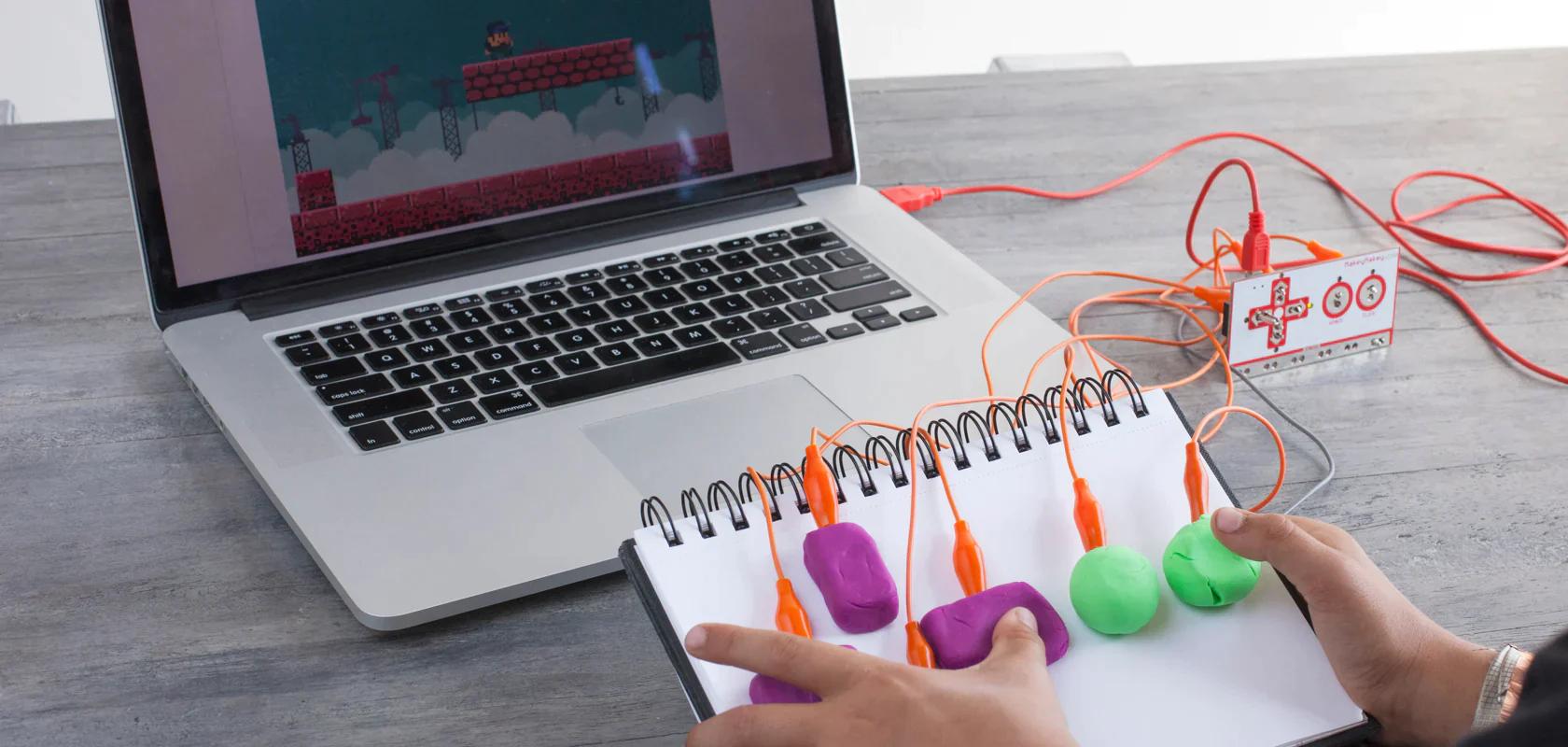
手工与编码。用橡皮泥或铅笔这样的日常材料设计你自己的控制器:
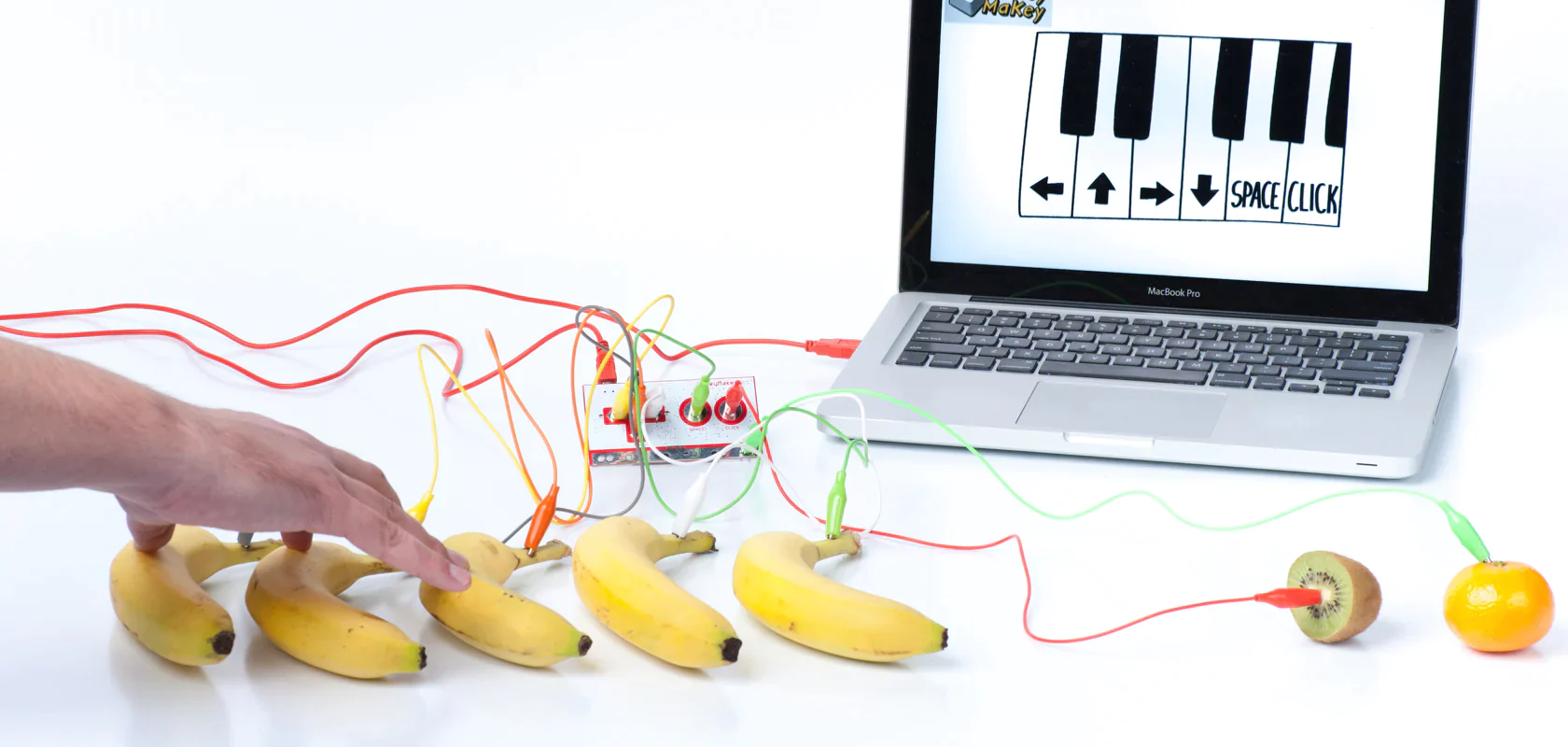
水果乐器。世上到处是导电物体和材料。用水果和办公用品制作音乐电路:
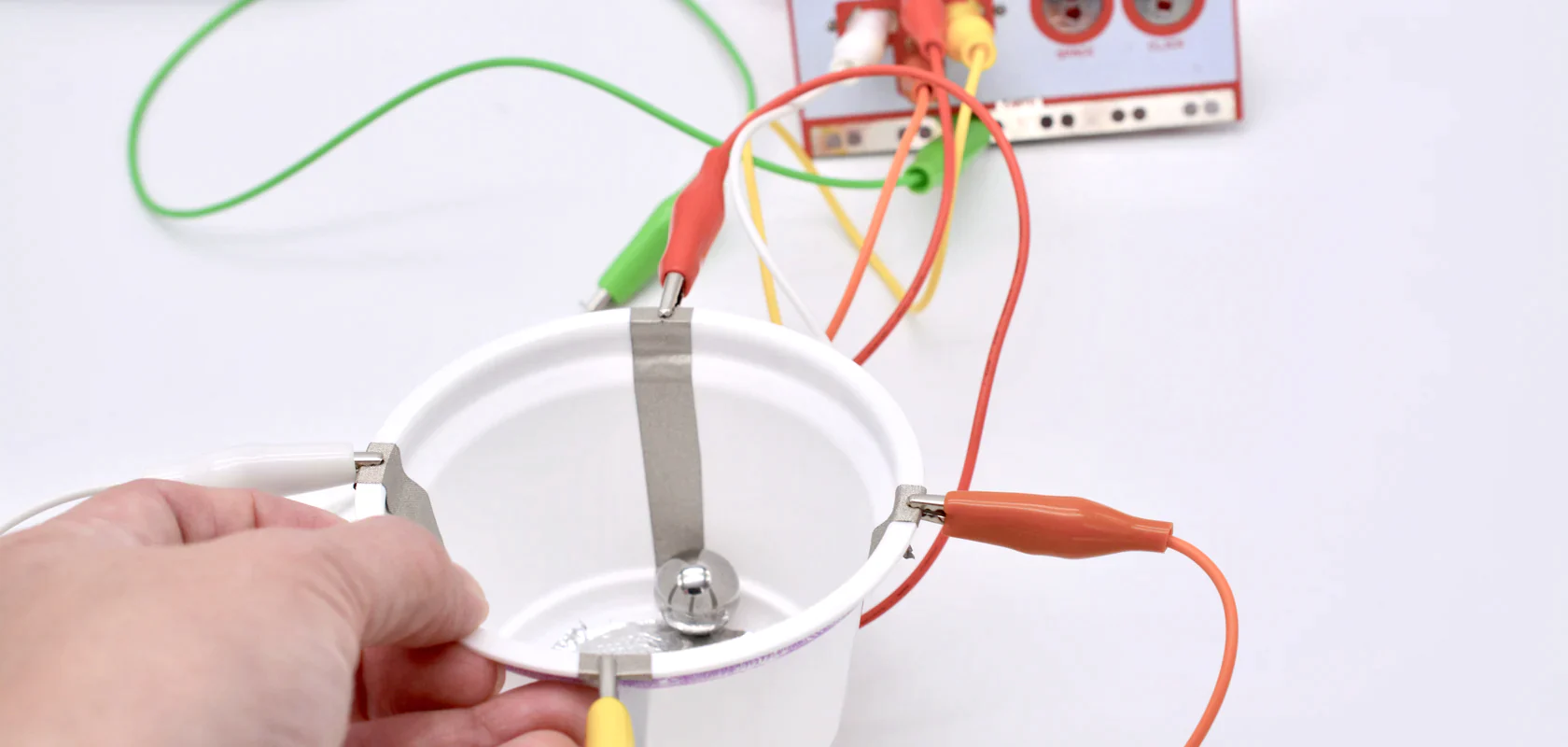
自制传感器。利用铝箔、硬币和回形针,像科学家一样发明传感器。
Makey Makey 是如此简单, 以至于你可以完全专注于自己的想法!

Makey Makey 是如此通用, 以至于你可以将整个世界连接到您的计算机!

好的创作工具, 鼓励你去做自己感兴趣的事情, 它给予你支持而不是负担。就此而言, Makey Makey 拥有与 Scratch, MicroBlocks 一样出色的品质。

想要更多

凡有的,还要加给他,叫他有余; – 马太效应

Makey Makey 拥有如此丰富的可能性, 以至于我们想要更多 !

喜欢 Makey Makey 的人经常会提出这 3 种需求:

  • 能够不用线连在电脑上吗? 这样就更方便构建跳舞毯等项目
  • 能够不要在身上绑上接地线吗?
  • 能够便宜一点吗! (淘宝上要 400 多块钱)

可以可以可以!

我们可以使用 MicroBlocks 对 ESP32 编程, 制作一个 20 块钱的 无线 Makey Makey, 它甚至不需要接地线

玩起来

安装定制固件

提醒: 计算机会记住连接过的蓝牙键盘。如果你刷过这个固件, 以后刷其他固件,可能会无法连接 MicroBlocks IDE, 因为设备被计算机当成了蓝牙键盘. 你需要在计算机中"忘记"这个蓝牙键盘,在 iOS 上是忽略此设备


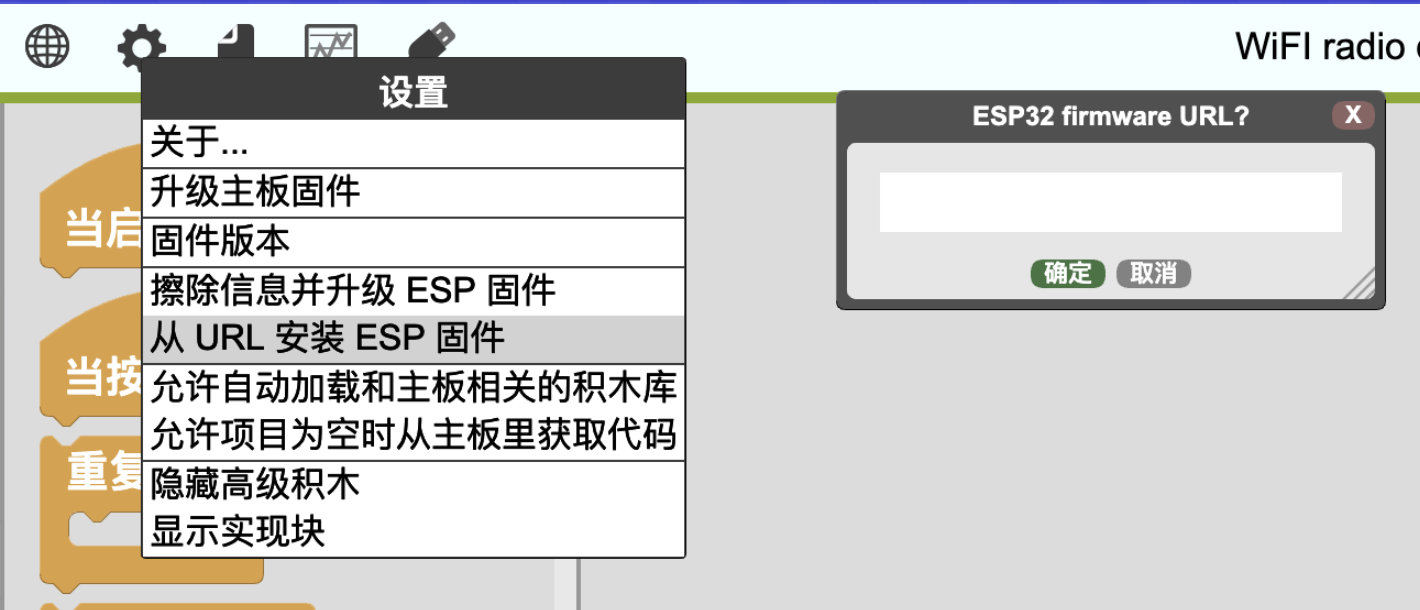
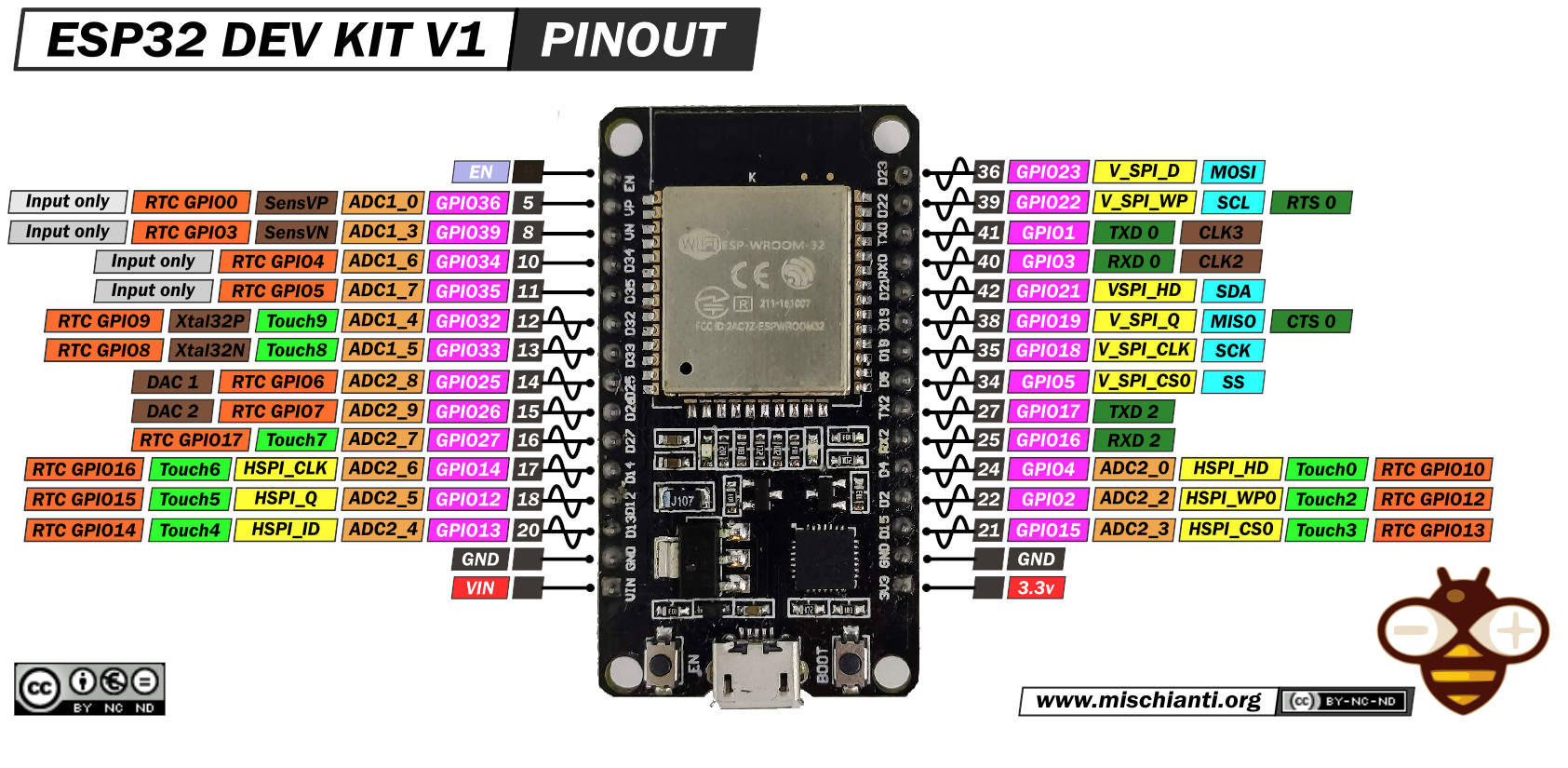
首先将 esp32-ble-keyboard 固件(https://wwj718.github.io/post/img/esp32-ble-keyboard-20231118.bin) 刷入 ESP32 板子(我用的是 ESP32 DEVKIT V1, 你也可以在其他 ESP32 板子上使用)。

通过 MicroBlocks 的 显示高级积木 > 从 URL 安装 ESP 固件 来刷入固件。
安装完成后,打开 这个程序

运行程序之后, 应该就能够搜索到蓝牙键盘: ESP32 Keyboard

ESP32 的以下引脚支持 touch: 2, 4, 12, 13, 14, 15, 27, 32, 33
如果你在操作中遇到问题, 可参考周六分享会的视频

FAQ

以 m5stack 为例, 原先的配置:

 1
 2
 3
 4
 5
 6
 7
 8
 9
10
11
12
13
14
[env:m5stack]
platform = espressif32
board = m5stack-core-esp32
board_build.partitions = noota_3g.csv
lib_deps =
	Adafruit GFX Library
	571 ; Adafruit ILI9341
	Adafruit BusIO
	WebSockets
	256dpi/MQTT
lib_ignore =
	Adafruit STMPE610
	Adafruit seesaw Library
	Adafruit TouchScreen

包含蓝牙键盘功能的配置:

 1
 2
 3
 4
 5
 6
 7
 8
 9
10
11
12
13
14
15
16
17
18
[env:m5stack]
platform = espressif32
board = m5stack-core-esp32
board_build.partitions = no_ota.csv
build_flags = -D BLE_KEYBOARD -D USE_NIMBLE
lib_deps =
	Adafruit GFX Library
	571 ; Adafruit ILI9341
	Adafruit BusIO
	WebSockets
	256dpi/MQTT
	t-vk/ESP32 BLE Keyboard@^0.3.2
	NimBLE-Arduino

lib_ignore =
	Adafruit STMPE610
	Adafruit seesaw Library
	Adafruit TouchScreen

使用 wifi 控制蓝牙键盘

这是周六分享会分享过程中,李老师和汤老师提出的问题。

示例项目

你可以使用另一个板子发送 WiFi Radio 消息, 也可以使用 Python 发送消息(microblocks_wifi_radio)。

如何将 esp32 作为蓝牙主机, 连接市面上的主流游戏手柄?

这超出了本文的范畴。

要做到这点, 可以通过将 Bluepad32 移植到 MicroBlocks vm 中, 具体而言, 需要移植的主要是这些代码

参考