










The JavaScript function of Snap! is simple, flexible, and powerful. I want to emulate it to build a Python function.
With the Python function, we can:
We can both access the vast tools accumulated in the Python ecosystem within the Snap! environment and use Snap! to enhance the liveness of Python.
There are multiple Python interpreters that can work in the browser environment. Pyodide is the most powerful. It allows us to use a large number of libraries from the Python ecosystem, such as: opencv-python, Pillow, pyparsing, requests, retrying, scikit-image, and a large number of scientific libraries (scipy, sympy, numpy, pandas).
Pyodide supports any library implemented in pure Python (built as python wheel packaging standard), and libraries using C/C++ code (such as numpy) compiled to WebAssembly can also be used in pyodide.
We decided to build the Python function based on Pyodide.
Just like in our previous article where we mediapipe in Snap! into Snap!, we hope to achieve the following 2 goals:
No need to update the Snap! platform, no developer intervention required, all work is done in the user environment (just a Snap! project), which means ordinary users can continue to extend these capabilities. (This is an example of end-user programming)
We can fully utilize the liveness of Snap! and enjoy an efficient and pleasant development experience.
Since it is just a Snap! project, you can adjust it as you like, and even use other Python interpreters instead of Pyodide.
Unlike mediapipe , Pyodide is not released as a JavaScript module. Pyodide takes a more traditional approach to bundling code, We can import it using the src_load(url) primitive of Snap! .
The version of Pyodide we are using is 0.25.1 , and the corresponding Python version is 3.11. We used the official CDN,
requests to interact with the networkSnap! has a block for interacting with the network, but it is not convenient to use. The API of requests is designed to be easy to use:
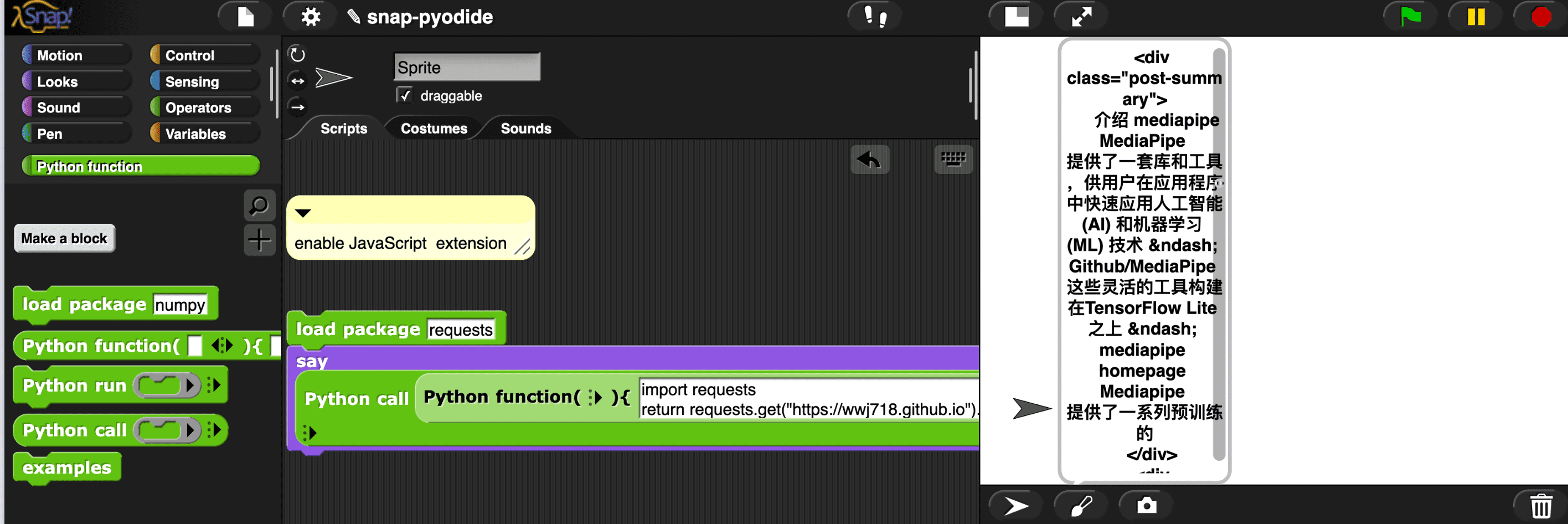
There is no built-in XML library in Snap!, but the built-in XML library of Python is useful, we can use it to extract information from blog RSS feeds.
Notice: you can also use JavaScript function to do it.
This example demonstrates fetching the latest RSS from my blog, parsing it using the XML library of Python, and storing the parsed results in the posts variable of Snap!. Then, each blog post is displayed as a clone:
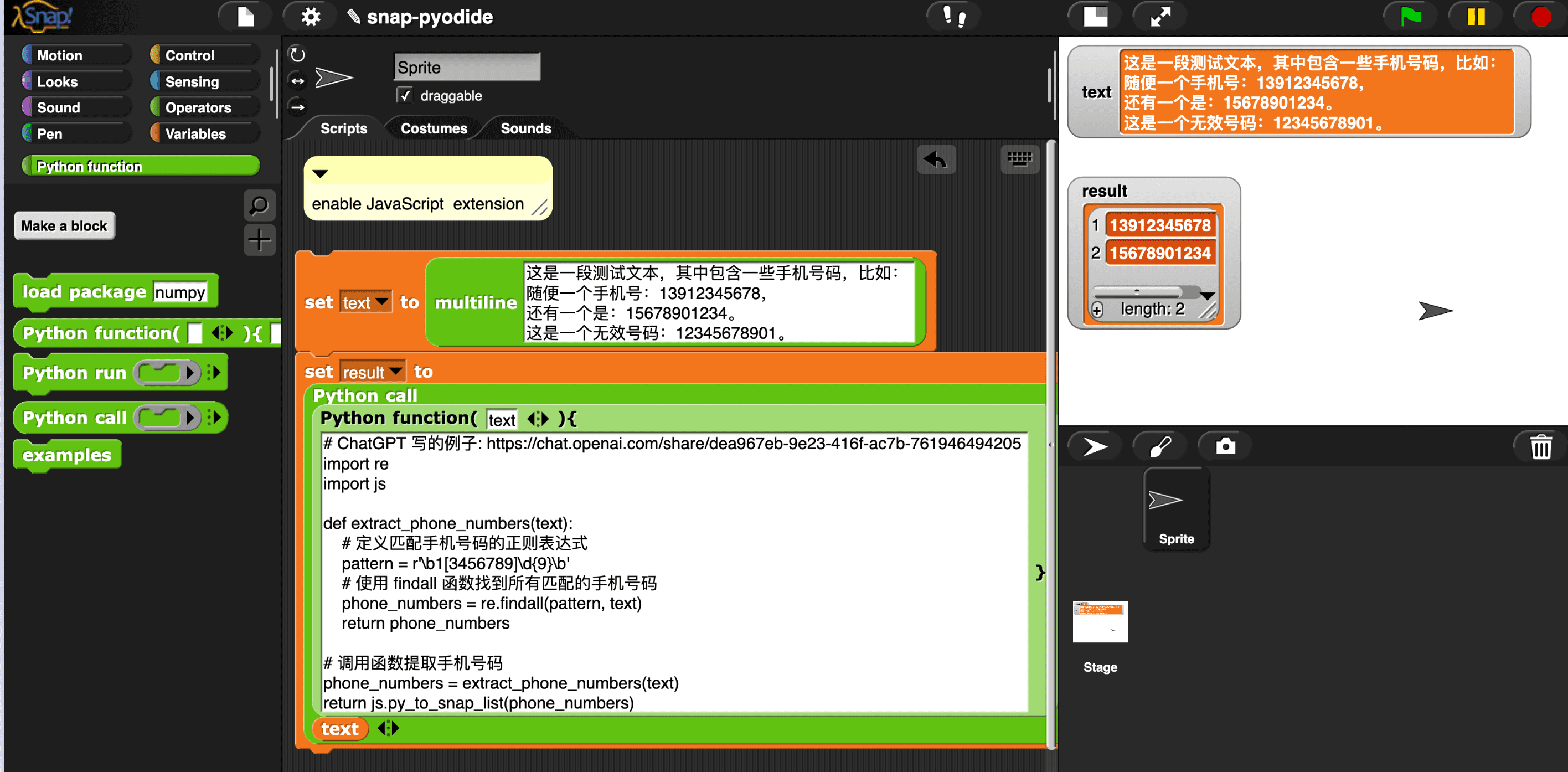
Snap! Lacks support for regular expressions, we can use the regular expression library of Python to enhance it.
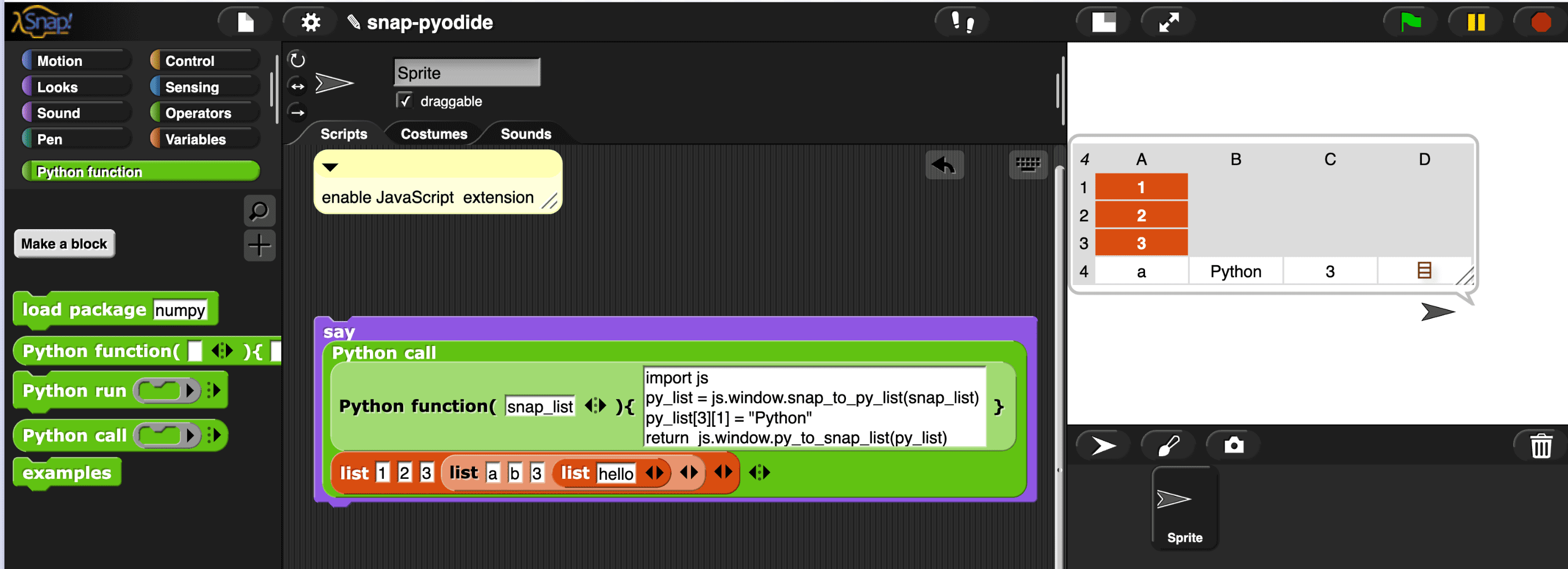
This example demonstrates how to pass lists (any nesting depth!) between Python and Snap!
Lists can represent any data structure. The list functions of Python and Snap! are extremely powerful (Snap! , a kind of Lisp, has even more powerful list expressiveness). Now, the two can interoperate seamlessly.
Images, audio, and other multimedia data can all be represented as lists, and all the data can now flow freely between the two systems.
A typical use case is that the capabilities of numpy(just like the hyperblock of Snap!) can be integrated into Snap!, and Snap! can provide enhanced liveness for numpy.
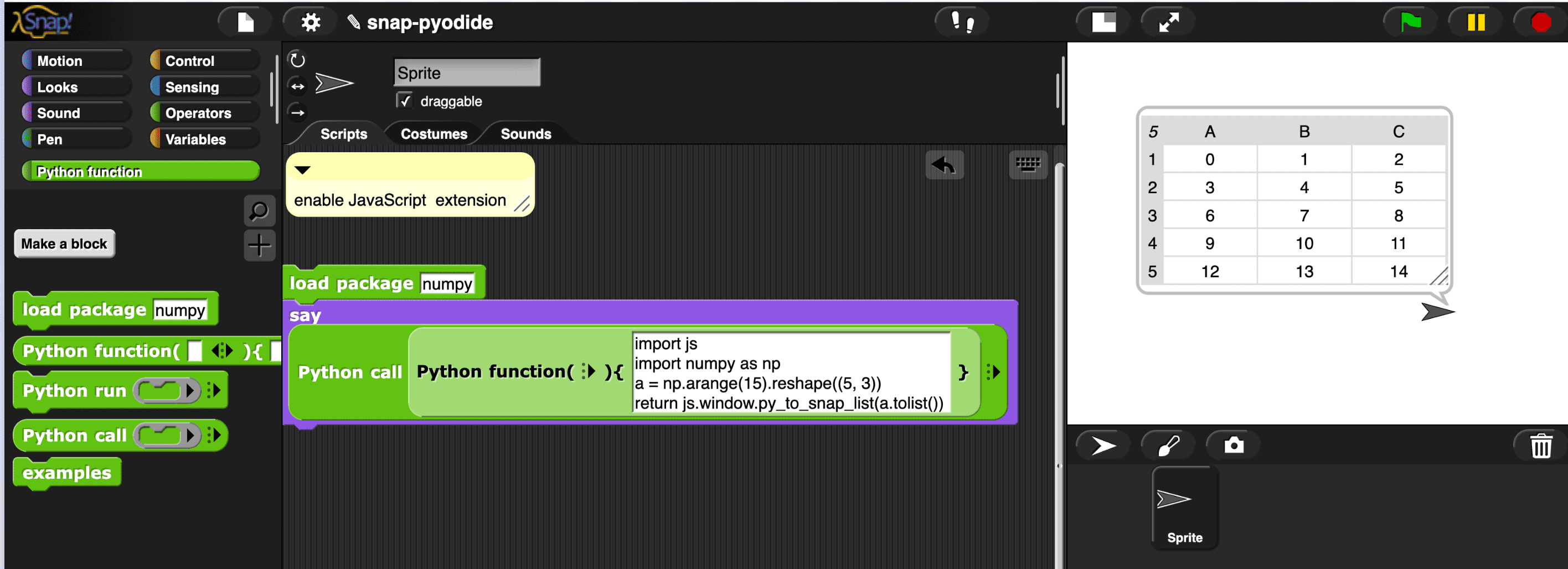
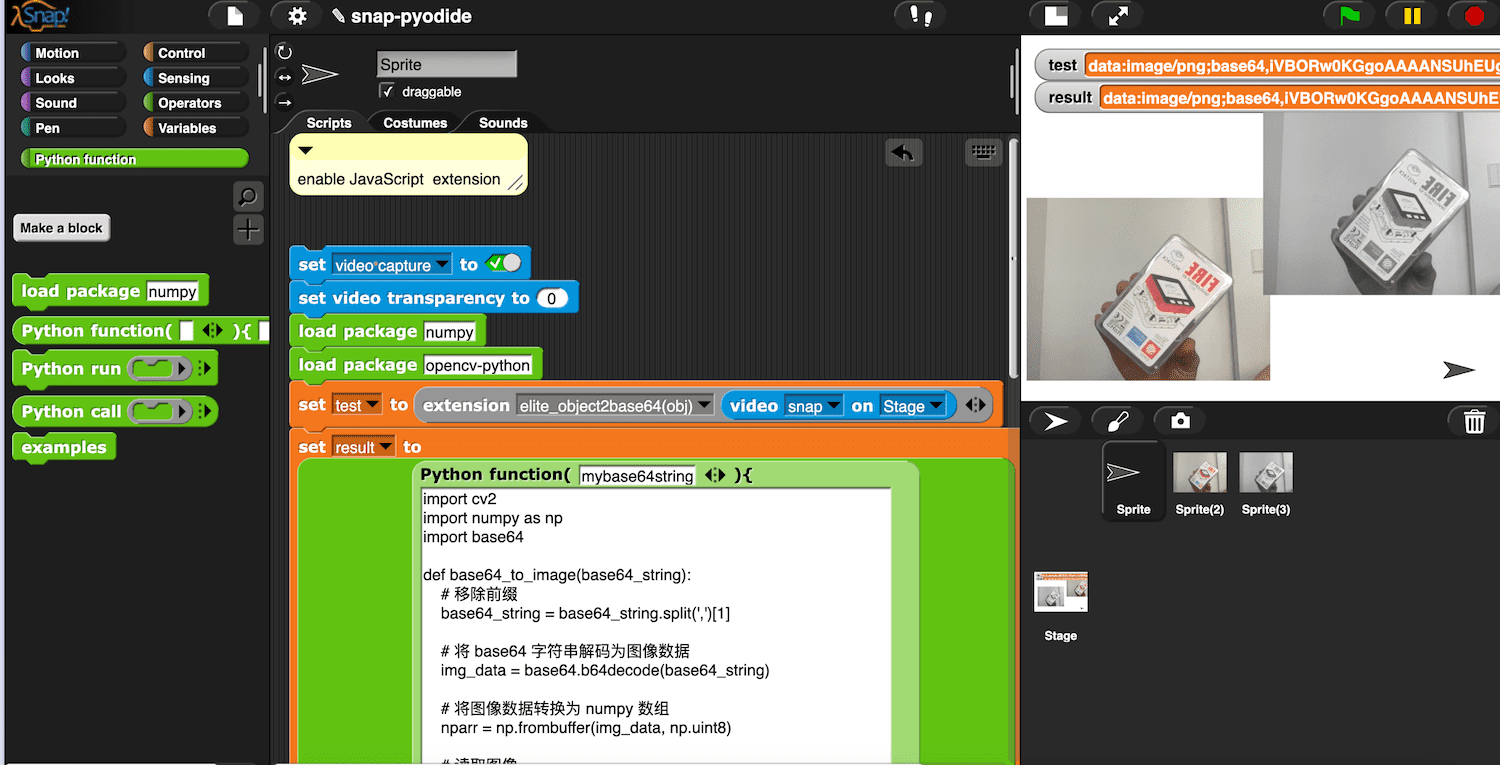
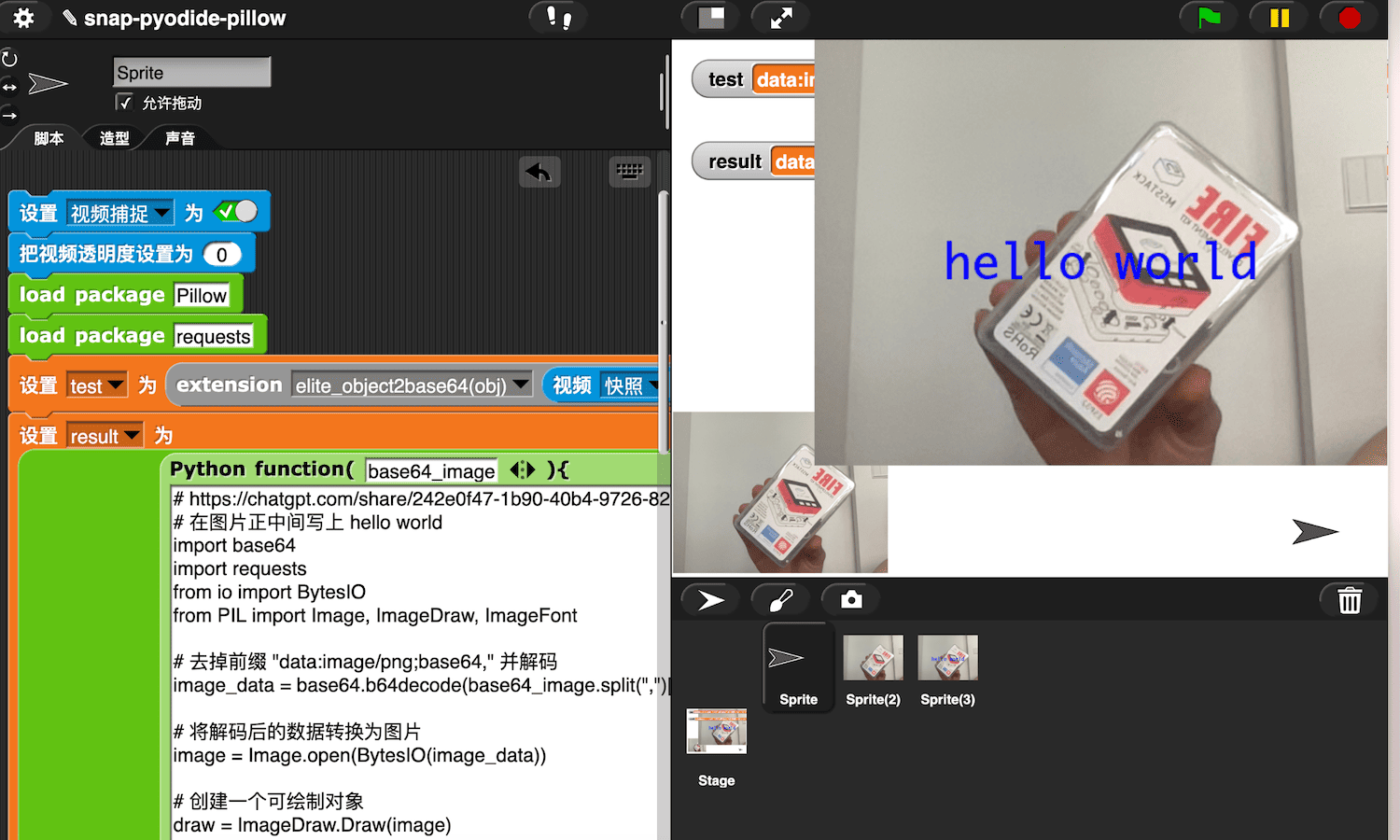
As mentioned:
Pyodide supports any library implemented in pure Python (built as python wheel packaging standard)
We tried to install the furl library, which is used to conveniently handle URLs
Pyodide will install this library from PyPI (you can also install your libraries from a specified URL).
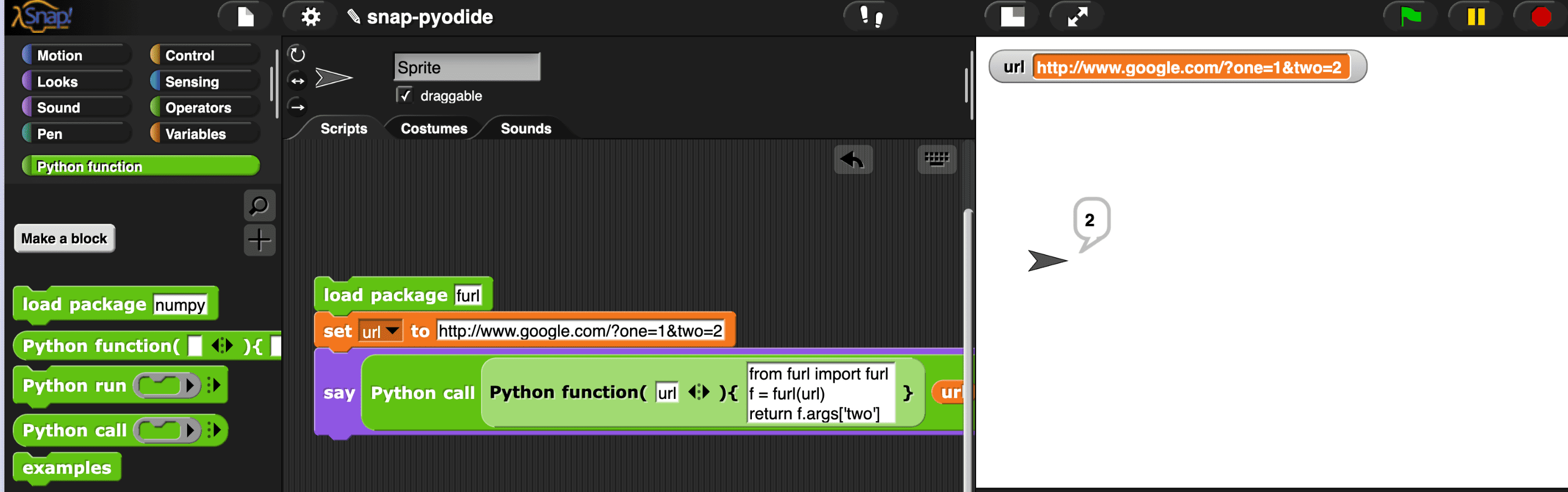
Functions are usually stateless, the Python function is a function.
If you expect to operate on the same state(variable) across multiple function calls, you can store it in the window global variable
|
|
And of course, you can persistently store it in localstorage or indexeddb, so that even if you refresh the browser, you can still find these states.
This demo (click to run) shows how to use Python to connect to MicroBlocks’ Bluetooth service.
The load package block is used to load third-party libraries from the network. It uses micropip internally.
Python packages can be loaded from multiple sources:
You can also load libraries directly from the URL (you can host them on your own server), such as: https://wwj718.github.io/post/img/furl-2.1.3-py2.py3-none-any.whl
The common practice for transferring media information (audio, images) across languages/systems is to use the base64 data format. The example in this article also uses it.
In this conversation, ChatGPT explained the PNG data of base64 encoding.
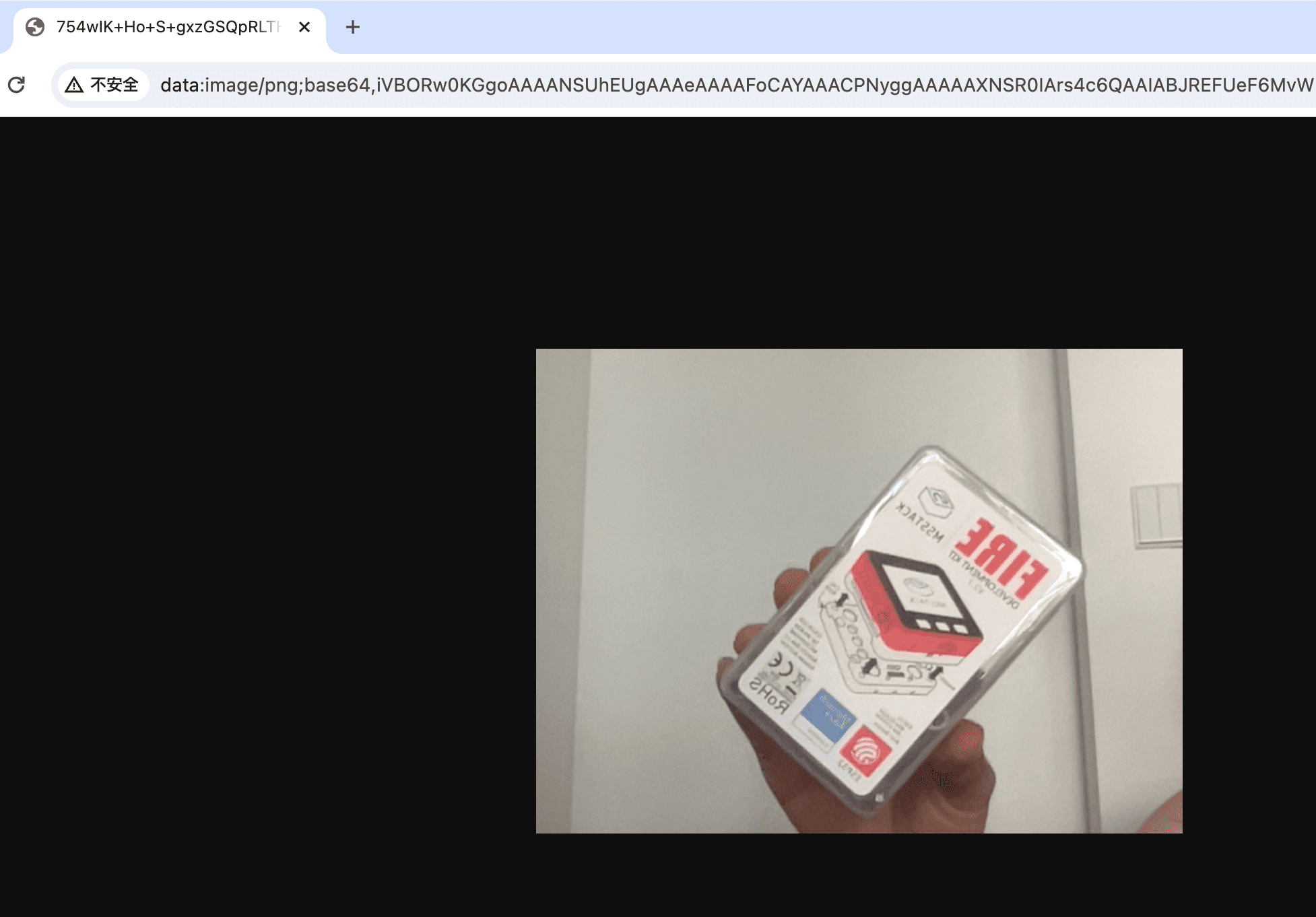
You can directly paste the base64 encoded string (such as: data:image/png;base64,iVBORxxxx...) int the oaddress bar of Chrome to view the image.
Generally speaking, this is not a good idea. the lisp code of Snap! is more powerful (because it is isomorphic with the blocks). If you really need to compile to Python, you can refer to this project.
How to use a more professional Python editor, since writing Python code in Snap! blocks cannot use features like auto-completion.
One approach is to use the iframe library to introduce a more professional Python editor like pyscrit(pyscrit-editor) (pyscrit-editor) or marimo, and then use dynatalk-over-postmessage for message passing.
This article introduces Python function in the same style as JavaScript function, running in the browser without any external dependencies. All work is done within the Snap! IDE without modifying any Snap! source code.
The most satisfying part is that all this extensibility is in the hands of ordinary users themselves, without the need for developers’ intervention or source code updates. Everything is just an Snap! project!
此内容由惯性聚合(RSS阅读器)自动聚合整理,仅供阅读参考。 原文来自 — 版权归原作者所有。