惯性聚合 高效追踪和阅读你感兴趣的博客、新闻、科技资讯
阅读原文 在惯性聚合中打开

推荐订阅源

S
Secure Thoughts
Security Latest
Security Latest
Simon Willison's Weblog
O
OpenAI News
GbyAI
GbyAI
L
LINUX DO - 最新话题
A
Arctic Wolf
T
Tor Project blog
G
GRAHAM CLULEY
I
InfoQ
博客园_首页
IT之家
IT之家
The Register - Security
Exploit-DB.com RSS Feed
P
Proofpoint News Feed
The GitHub Blog
The GitHub Blog
Blog — PlanetScale
Blog — PlanetScale
N
Netflix TechBlog - Medium
K
Kaspersky official blog
博客园 - 三生石上(FineUI控件)
S
SegmentFault 最新的问题
U
Unit 42
PCI Perspectives
PCI Perspectives
量子位
P
Palo Alto Networks Blog
S
Securelist
T
Troy Hunt's Blog
博客园 - 【当耐特】
Recorded Future
Recorded Future
K
KPMG report finds enterprise disconnect between AI and its ROI | CIO
S
Security Affairs
Engineering at Meta
Engineering at Meta
T
The Blog of Author Tim Ferriss
博客园 - 聂微东
罗磊的独立博客
N
News and Events Feed by Topic
人人都是产品经理
人人都是产品经理
B
Blog RSS Feed
NISL@THU
NISL@THU
C
Cisco Blogs
T
Threatpost
有赞技术团队
有赞技术团队
Forbes - Security
Forbes - Security
Hugging Face - Blog
Hugging Face - Blog
Last Week in AI
Last Week in AI
T
The Exploit Database - CXSecurity.com
Cloudbric
Cloudbric
Cyberwarzone
Cyberwarzone
Google DeepMind News
C
Cyber Attacks, Cyber Crime and Cyber Security

博客园 - riancy

XAMPP设置tomcat自启动时,报无效的Win32程序 Centos安装man功能 wmware 10 升级到11后,macos不能运行的问题 Android Sdk Manager更新 Android代码调试报错 可以用来求急的开源项目es5-shim jQuery1.9.1针对checkbox的调整 WPF DataGrid 对行中单元格的访问 Eclipse+JBoss+Seam我实在难以忍受 [jQuery插件开发][dynamicTable2.0]根据JSON数据自动生成HTML Table 根据JSON数据,自动生成Table 从XmlDocument到XDocument的转换 Jquery插件Uploadify修改应用 Silverlight中的WatermarkedTextBox OutLook的网页版精美界面--修改版 永别了,Text与NText .Net Framework2.0内部版本问题引起的错误! frame间的层级调用,如何支持firefox 可以遗忘的HTML
PhoneGap3.2安装步骤
riancy · 2013-12-11 · via 博客园 - riancy

1.首选安装好JDK、Android SDK、Ant

配置如下:

       系统环境变量

       ANDROID_HOME Value: C:\Development\adt-bundle\sdk

       ANT_HOME Value: C:\Development\apache-ant-1.9.2

       JAVA_HOME Value: C:\Program Files\Java\jdk1.6.0_45

       Path中输入:

       %JAVA_HOME%\bin;%ANT_HOME%\bin;%ANDROID_HOME%\platform-tools;%ANDROID_HOME%\tools;

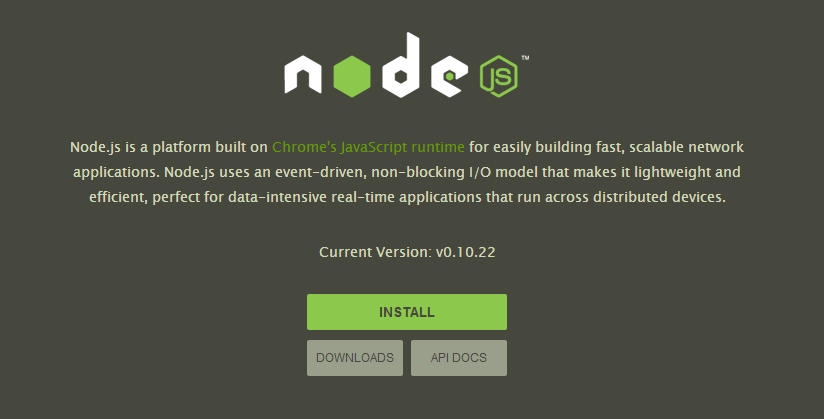
2.安装Node.js

http://www.nodejs.org/

image

3.安装PhoneGap

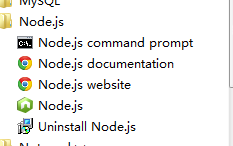
注意使用Node.js下面的命令工具

image

C:\> npm install -g phonegap

4.创建phonegap工程

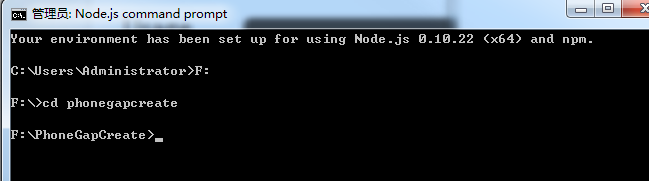
注意盘符,可以切换到其它目录
image

phonegap create hello com.example.hello “Hello World”

cd hello

phonegap local build android