惯性聚合 高效追踪和阅读你感兴趣的博客、新闻、科技资讯
阅读原文 在惯性聚合中打开

推荐订阅源

S
Security Affairs
freeCodeCamp Programming Tutorials: Python, JavaScript, Git & More
CTFtime.org: upcoming CTF events
Jina AI
Jina AI
P
Palo Alto Networks Blog
GbyAI
GbyAI
大猫的无限游戏
大猫的无限游戏
A
Arctic Wolf
Hugging Face - Blog
Hugging Face - Blog
小众软件
小众软件
Y
Y Combinator Blog
T
The Blog of Author Tim Ferriss
Blog — PlanetScale
Blog — PlanetScale
S
Schneier on Security
V
Vulnerabilities – Threatpost
C
Cybersecurity and Infrastructure Security Agency CISA
雷峰网
雷峰网
T
Tenable Blog
人人都是产品经理
人人都是产品经理
T
Tor Project blog
C
Cyber Attacks, Cyber Crime and Cyber Security
AWS News Blog
AWS News Blog
Microsoft Security Blog
J
Java Code Geeks
Scott Helme
Scott Helme
SecWiki News
SecWiki News
C
CERT Recently Published Vulnerability Notes
Recorded Future
Recorded Future
I
InfoQ
Security Archives - TechRepublic
Help Net Security
Help Net Security
Cloudbric
Cloudbric
C
Check Point Blog
Engineering at Meta
Engineering at Meta
TaoSecurity Blog
TaoSecurity Blog
B
Blog
Cyber Security Advisories - MS-ISAC
博客园_首页
N
News and Events Feed by Topic
云风的 BLOG
云风的 BLOG
MyScale Blog
MyScale Blog
腾讯CDC
量子位
Application and Cybersecurity Blog
K
Kaspersky official blog
Vercel News
Vercel News
F
Full Disclosure
T
Troy Hunt's Blog
Forbes - Security
Forbes - Security
S
Security @ Cisco Blogs

博客园 - 田老师

休息,考完了MCSD 如何用命令行将我的Phonegap环境更新到最新版本? 【新年福利】《正则表达式30分钟入门》APP版本发布 Cowboxer不能输入中文的解决方案 SharePoint Designer 报错“ Value does not fall within the expected range” Hyper-v 虚拟机时间与主机同步 【转载】C# 读取Excel文件代码的几种片段收集 【最新】判断是否为移动号码的正则表达式 使用.net调用java的Web Services Visual Studio中“生成”与“重新生成”的区别(The difference between "build" and "rebuild") 招商银行网上银行对账失败,总提示Communication Failed 《ASP.NET MVC Music Store Tutorial》在Visual Studio 2008简体中文环境下的代码修订 SQL Server Management Studio Express 无法连接 SQL Compact Edition(或新建数据库文件)的问题 试用SQL SERVER 2008 R2 SQL Server 2005无法启动服务 在VirtualBox中安装QuickTestProfessional10 最新、可靠的用于验证手机号码和移动号码的正则表达式 - 田老师 - 博客园 如何在重构时,批量重命名程序集的命名空间 defer属性导致引用JQuery的页面报“浏览器无法打开网站xxx,操作被中止”错误
Visual Studio 2010试用手记
田老师 · 2010-04-21 · via 博客园 - 田老师

紧张的项目开发之余终于有了短暂的休息,赶紧装上Visual Studio 2010 Ultimate版试试鲜:
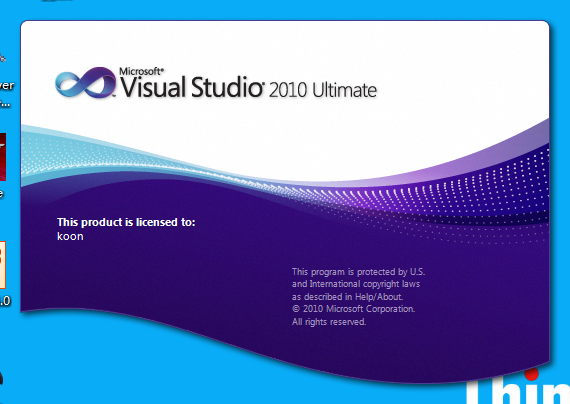
2010-4-21 17-32-26

这就是Visual Studio的闪屏了,请不要怀疑用的是盗版,我是微软的Vendor,用的都是正版合法软件……
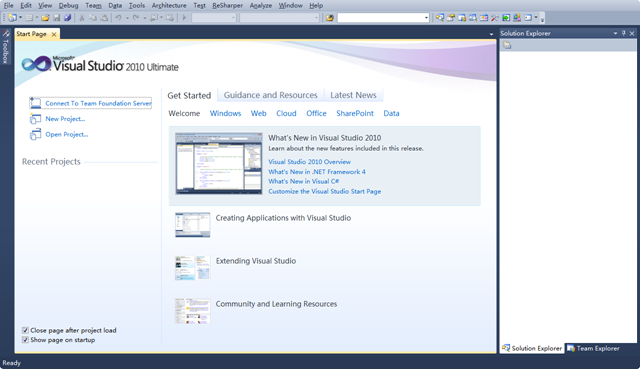
2010-4-21 17-32-57

进去后的效果非常好,在Windows7下界面很清爽。

 2010-4-21 17-33-15

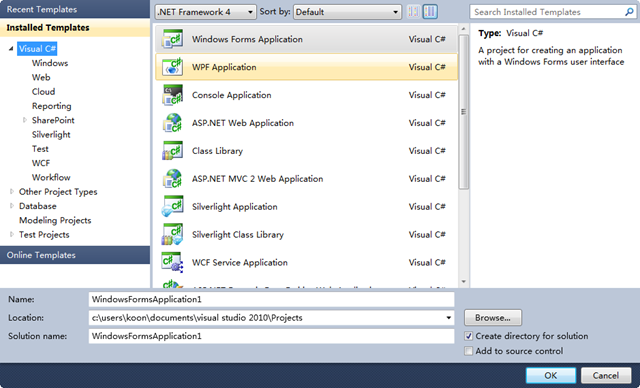
新建个项目试试,可开发的项目类型大幅度增加啊……

 2010-4-21 17-33-34

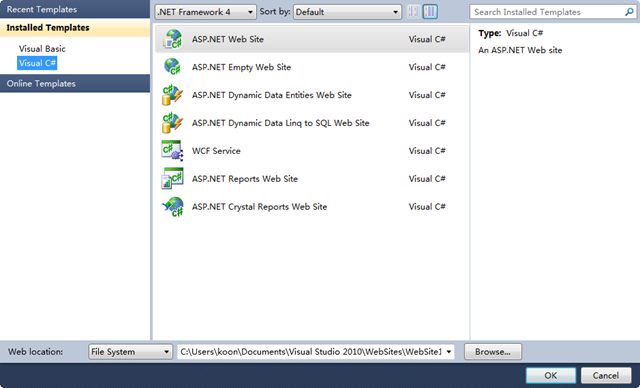
可开发的网站项目类型也增多了,WCF终于也算网站开发的一种了……

 2010-4-21 17-35-08

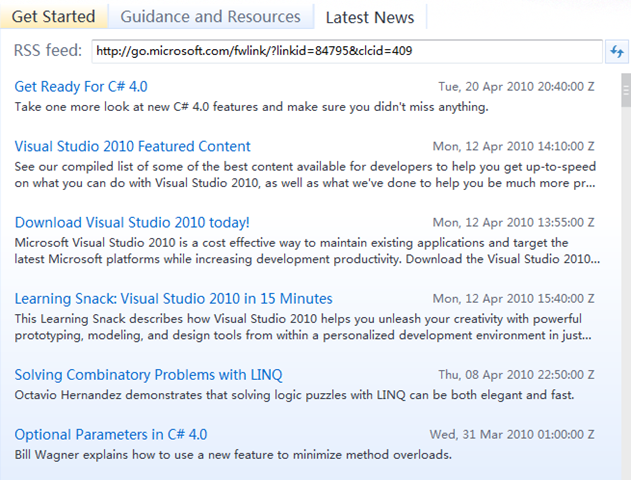
进入Visual Studio的开始页可以自定义RSS,这样就可以把博客园你所关注的版块或是Scott Guthrie 的博客设置为你关注的新闻,以后一打开就能看看牛人大大们有什么新的随笔了。
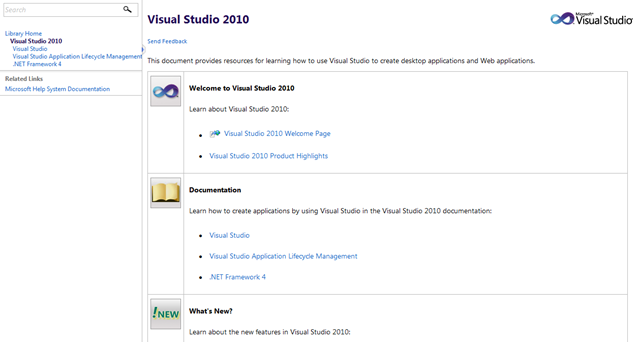
2010-4-21 17-39-12

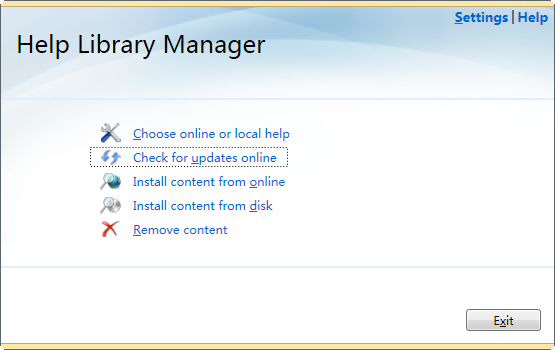
这个是不能不提的,VS 2010貌似不再使用MSDN这样的单独安装了,取而代之的是网页版的帮助管理中心,打开后相当于在本地运行一个web服务,通过浏览器即可访问这个帮助的网站。
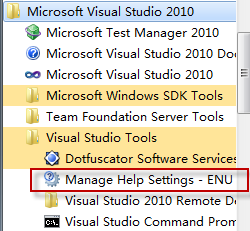
2010-4-21 17-35-40 

这个就是帮助中心的设置项了。

2010-4-21 17-43-54

运行帮助中心的样子,在这里可以选择自动在线更新 帮助文档,从此解决了MSDN Library for Visual Studio的文档更新不及时问题。
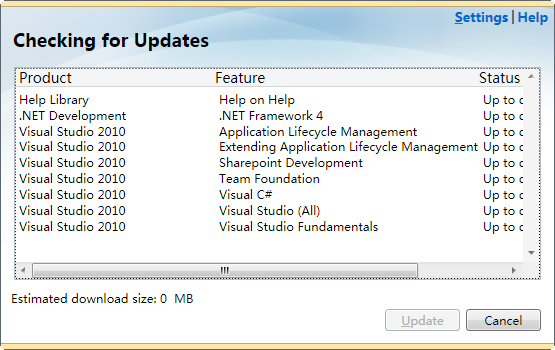
2010-4-21 17-44-19

更新的界面,当前我已经更新过了,所以状态都是“Up to date” 。如果是头次安装,记得更新下。

简单介绍下,回去再慢慢研究,微软这次下了很大的力气来推行2010,不是没有理由滴……