







You can cancel your Disk Drill Enterprise subscription at any time. After cancellation, your license will remain active until the end of the current annual billing period, but it will not renew for another year.
Step 1: Open the Customer Portal
You can access your subscription in either of these ways:
Open the Customer Portal directly
https://customer-portal.paddle.com/login/cpl_01d8ktean030x7ye8vsrr3bd0t
OR
Use your purchase confirmation email
Open the subscription confirmation email you received from Paddle and click the link in the Manage subscription section.
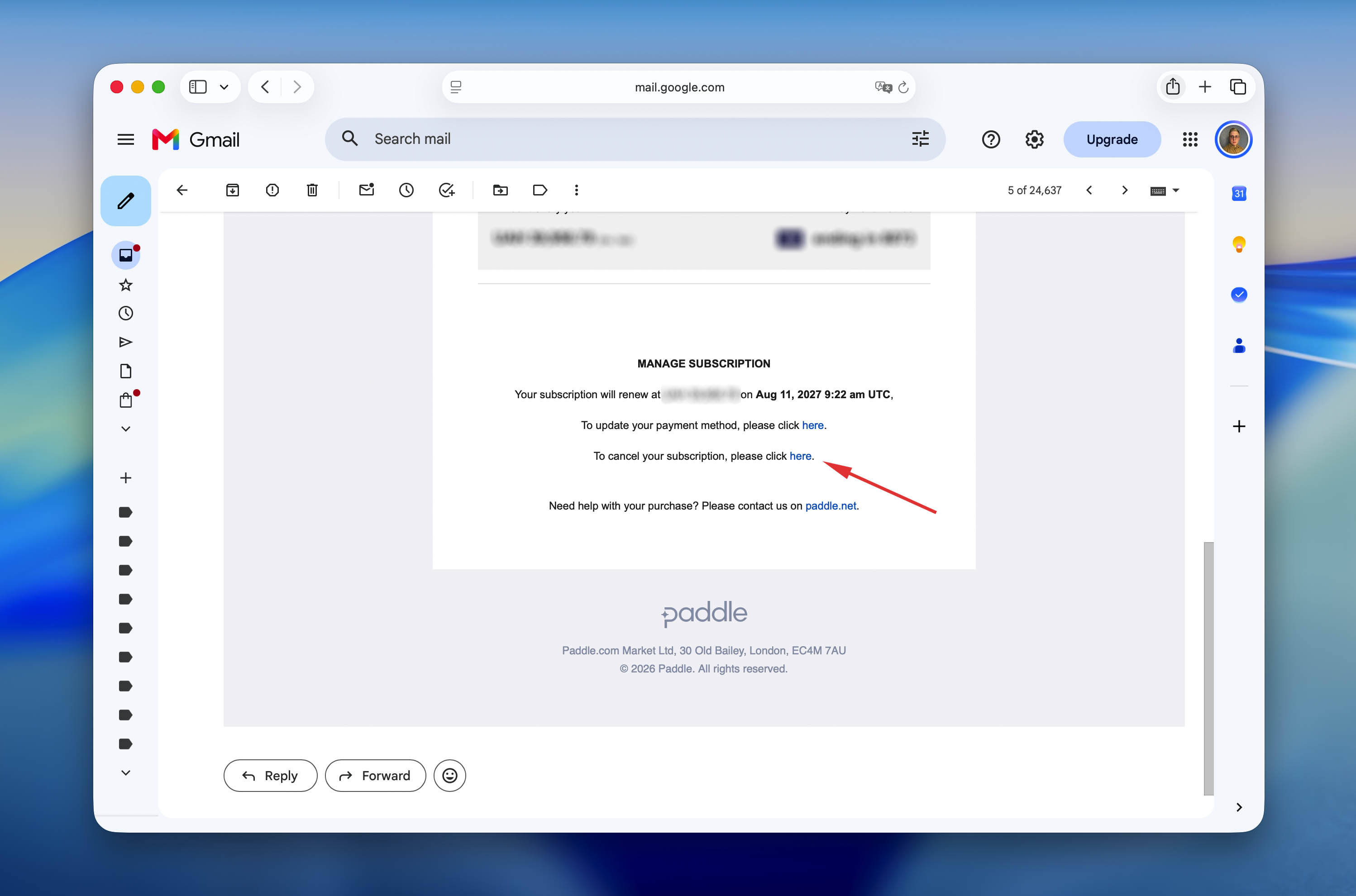
Both options will take you to the same Customer Portal.
Step 2: Sign In
- Enter the email address used to purchase Disk Drill Enterprise.
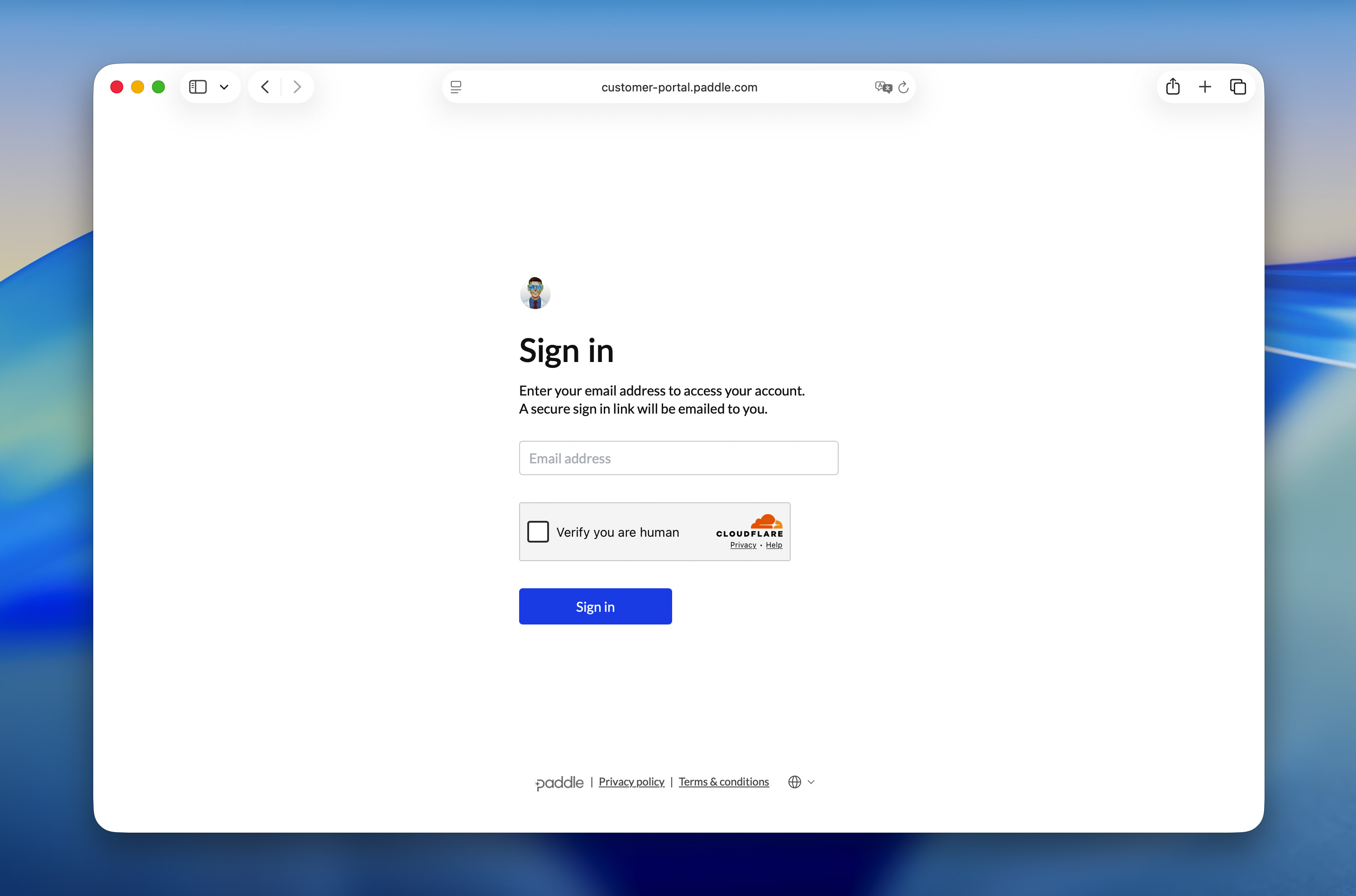
- Click Sign in.
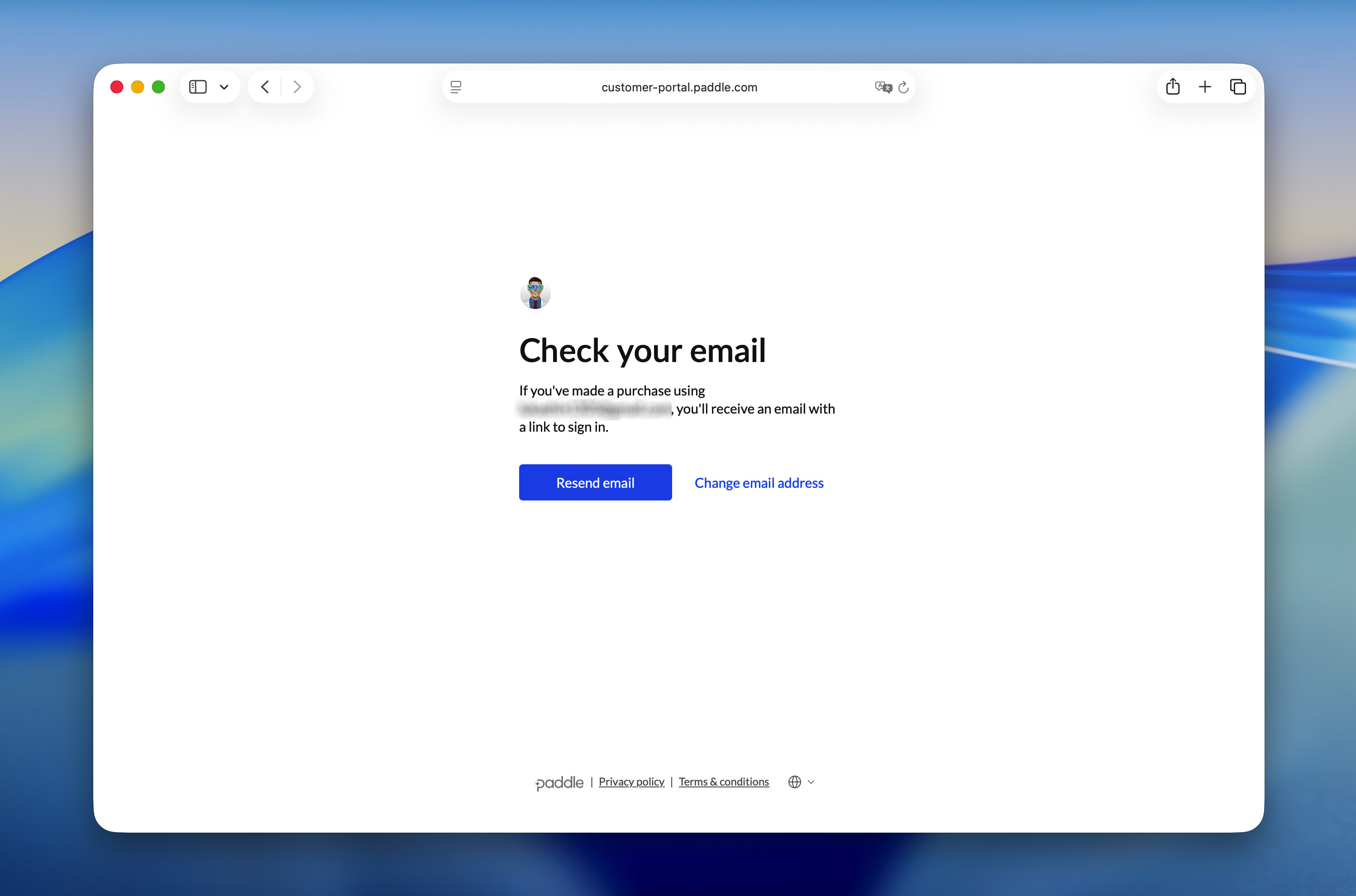
- A secure sign-in link will be sent to your email.
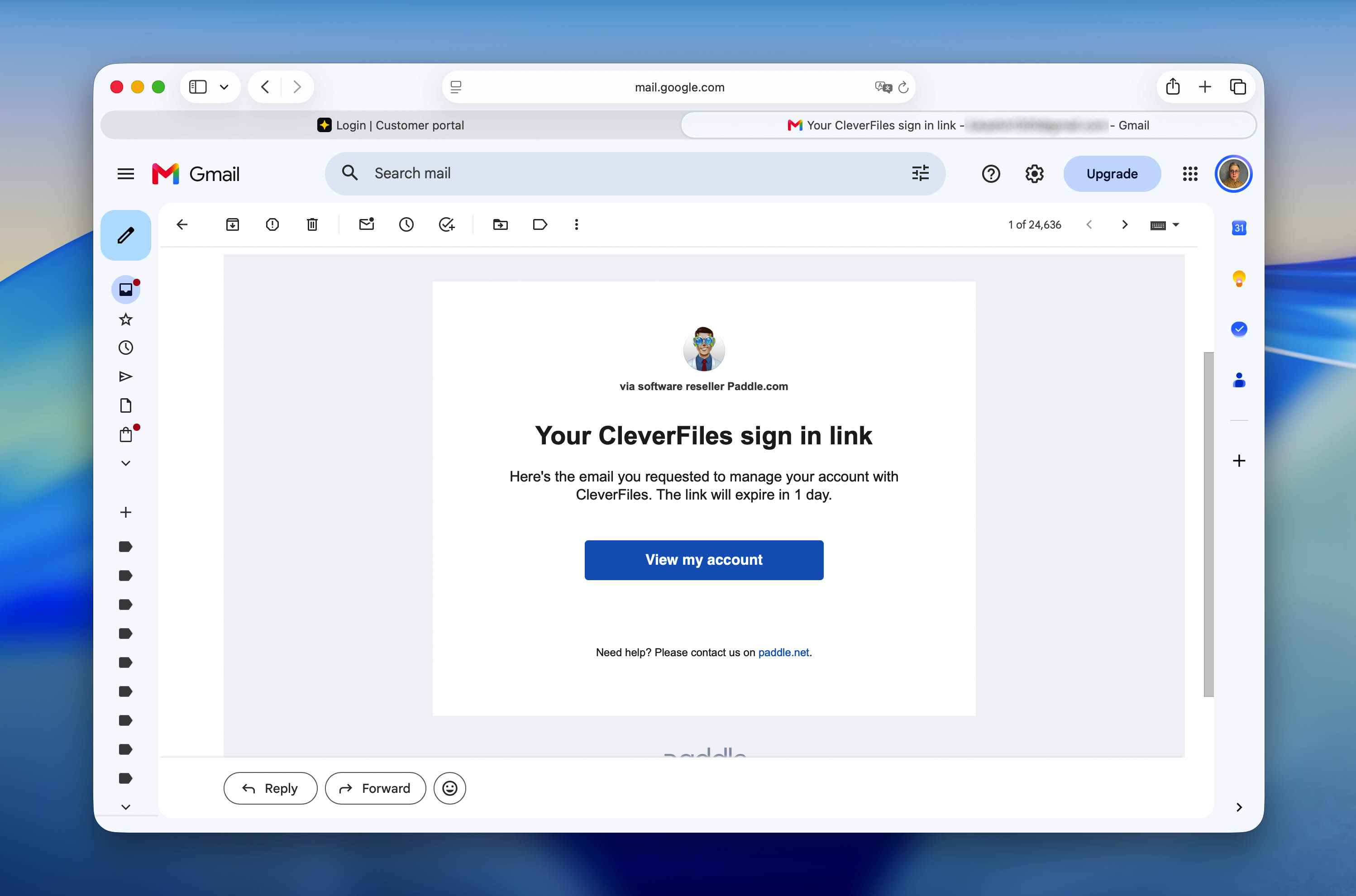
Open the email and click the secure sign-in link to access your subscription dashboard.
Step 3: Cancel the Subscription
After signing in:
- Open the Subscriptions section.
- Select your Disk Drill Enterprise subscription.
- Click Cancel subscription.
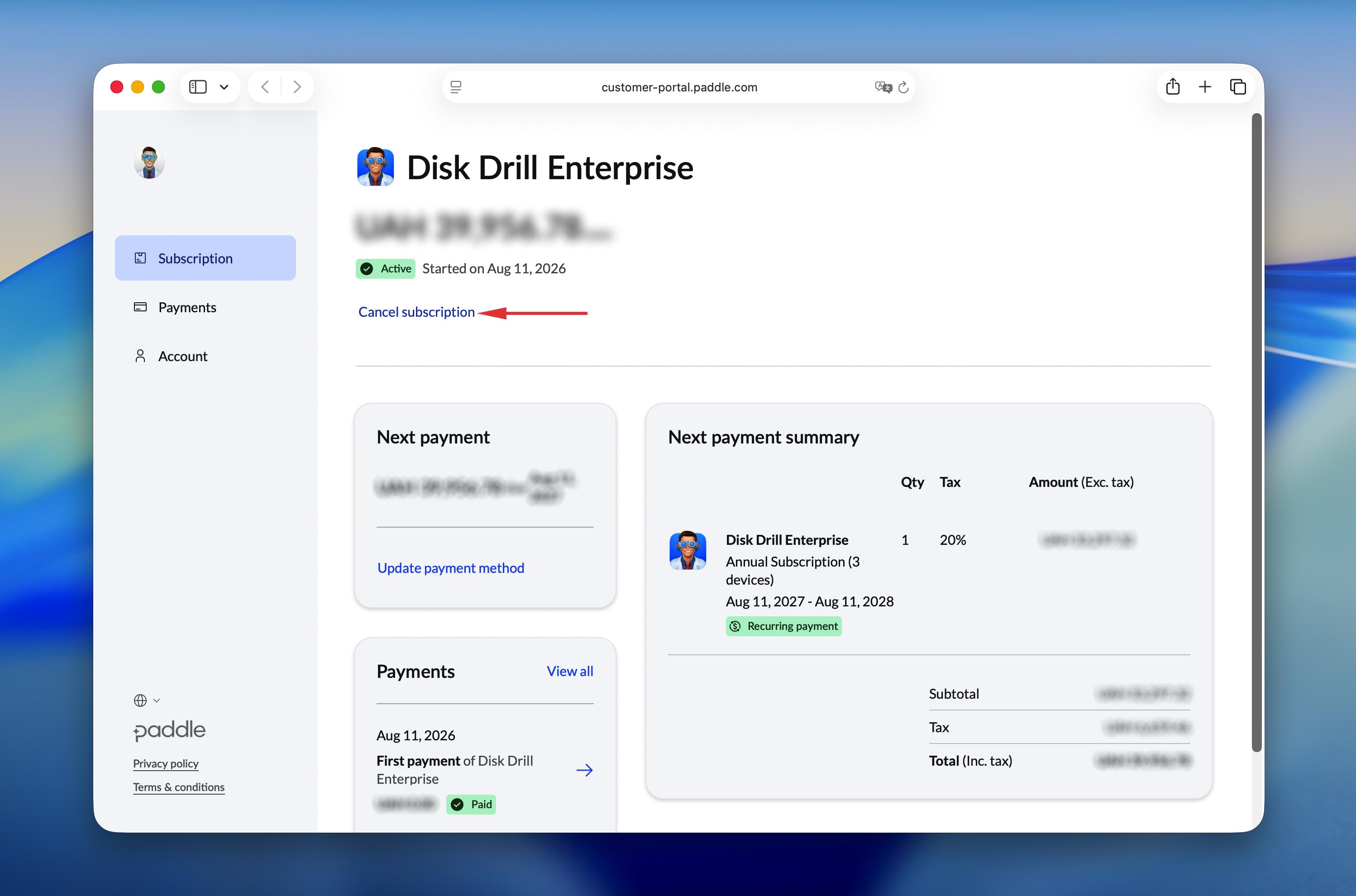
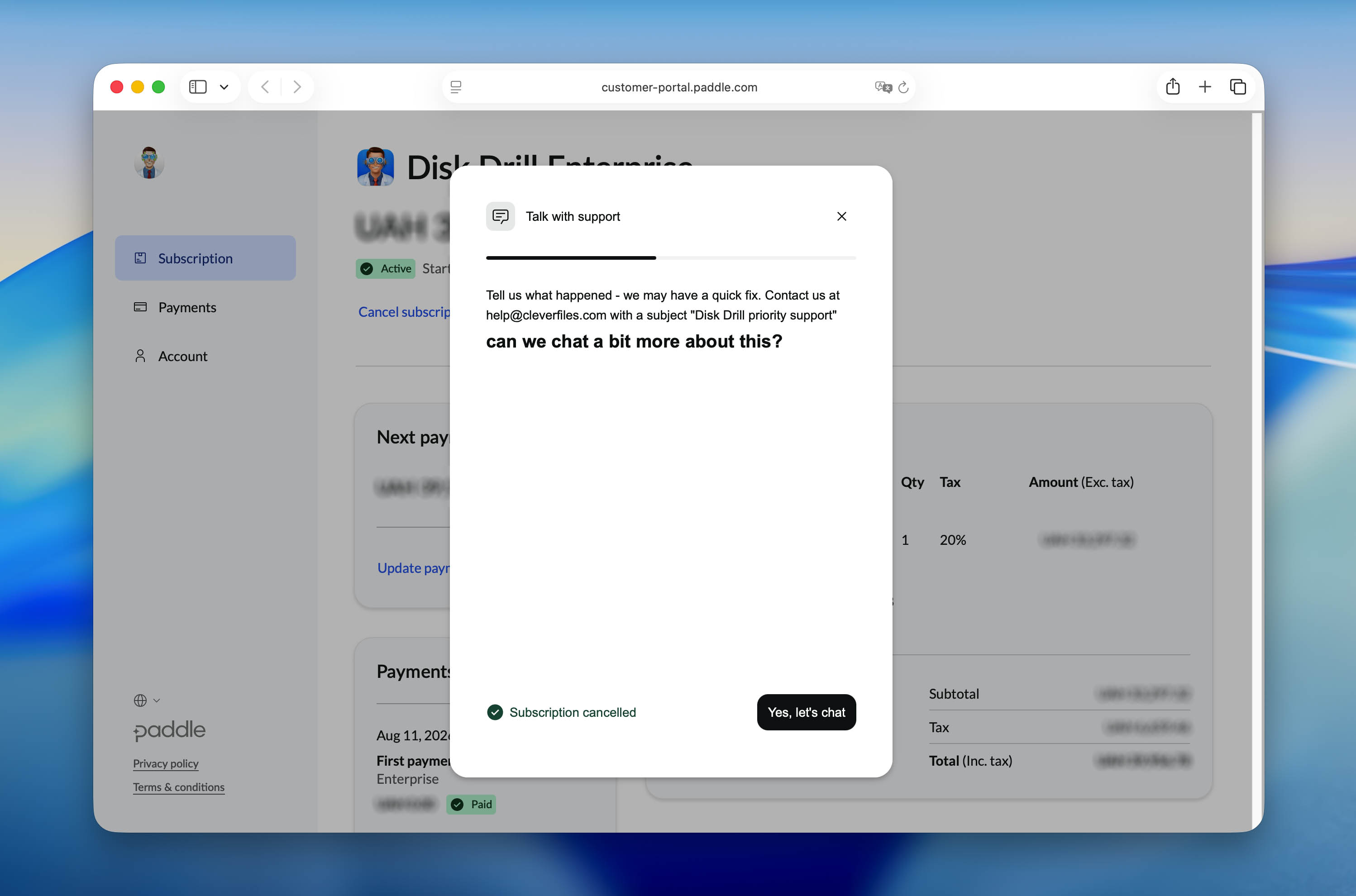
- Confirm the cancellation in the pop-up window.
What Happens Next?
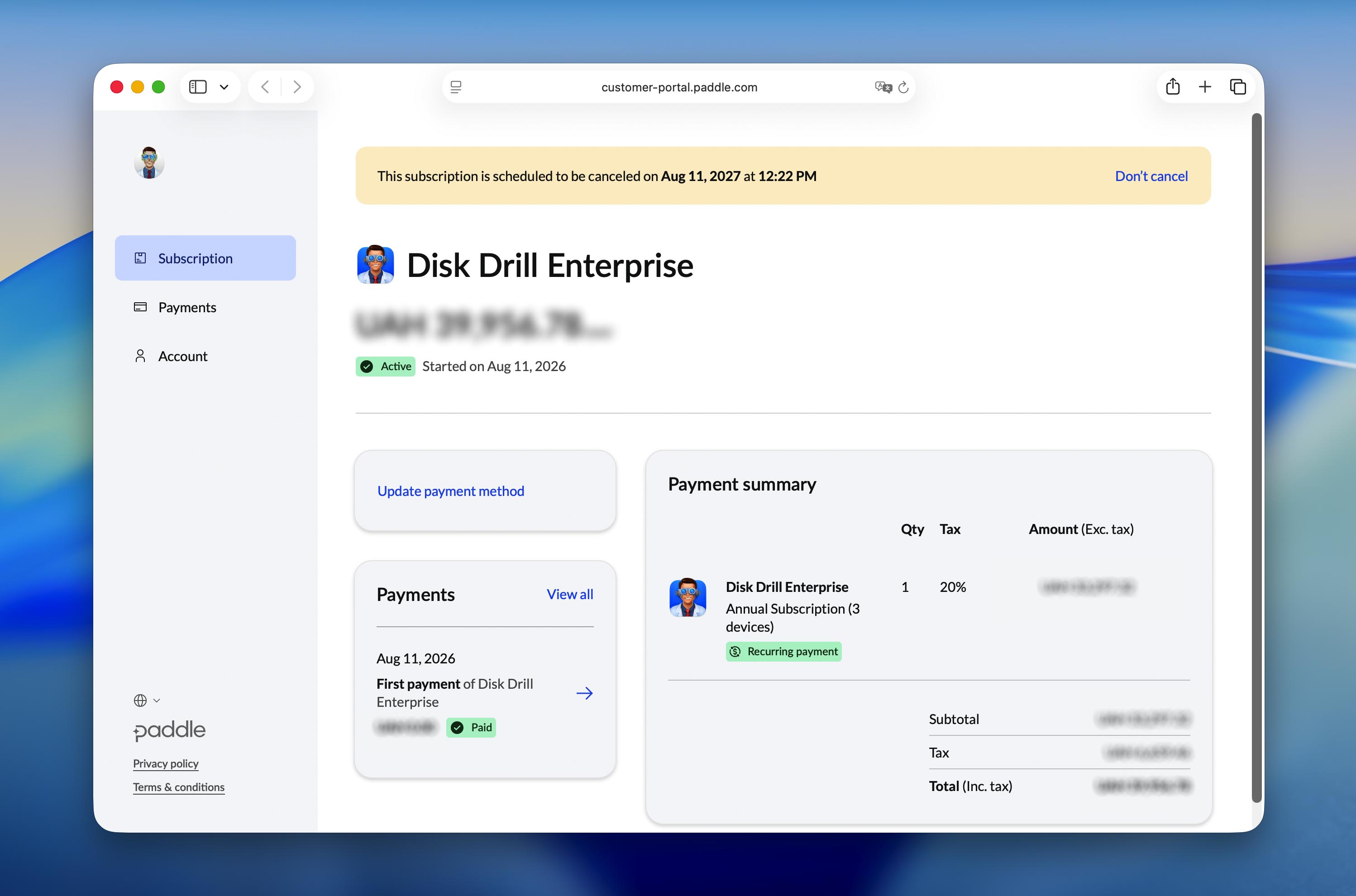
You will see a confirmation message that the subscription is scheduled to end.
A cancellation confirmation email will also be sent to the email address used for the purchase. If you do not receive it, check your Spam folder.
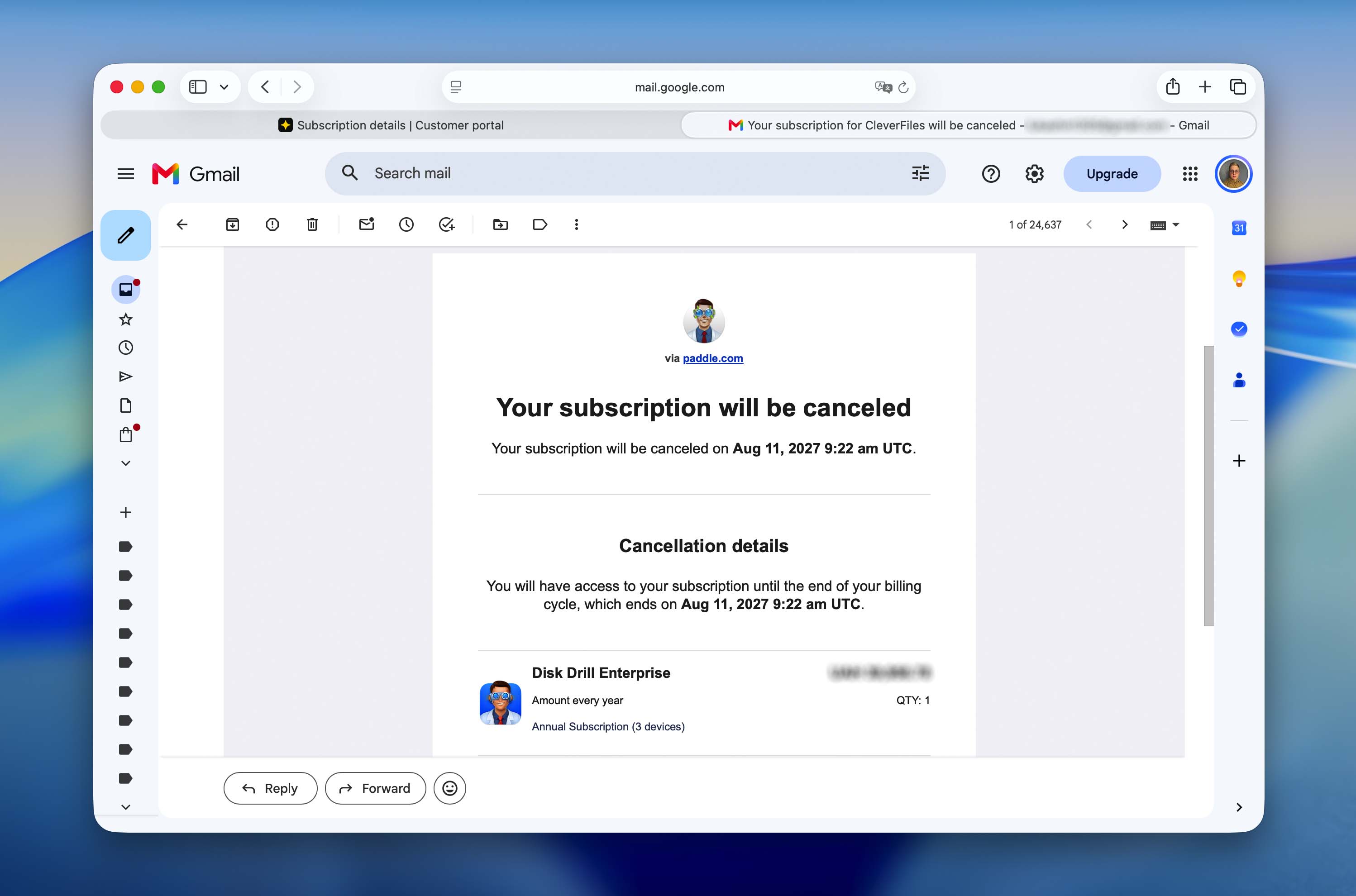
Your Disk Drill Enterprise license will remain active until the end of the current paid billing period. It will not renew after that date.
If your subscription is not listed or you cannot complete the cancellation, contact our Support Team.
Change the Number of Devices
Disk Drill Enterprise pricing is based on the number of licensed devices.
If you need to increase or reduce the number of devices covered by your subscription, contact our Enterprise team. Include the email address used for the purchase, your order number, and the number of devices you need.
Update Payment Details
First, sign in to the Paddle Customer Portal using the steps described above.
After opening your subscription dashboard:
- Go to the Subscriptions section.
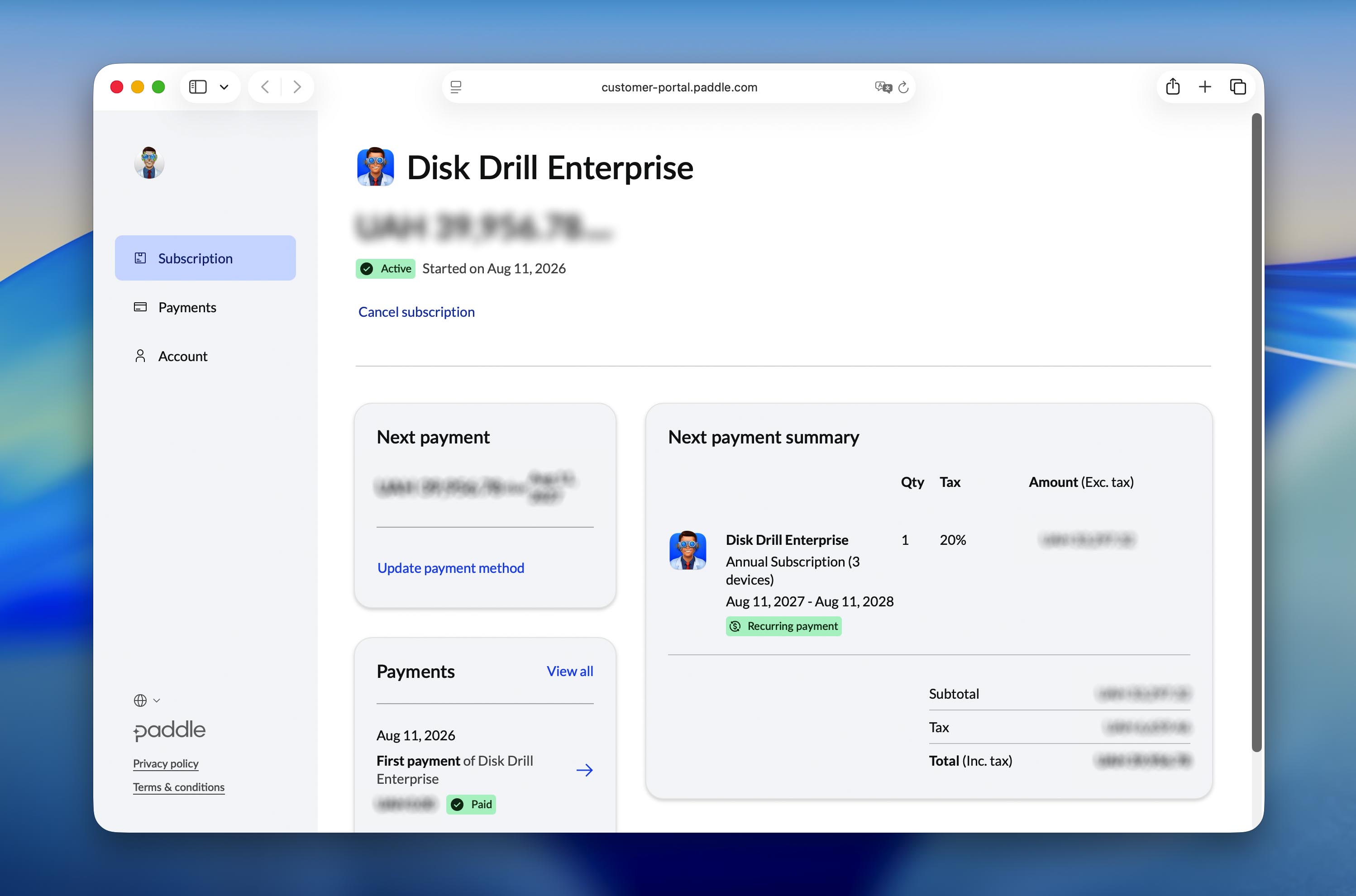
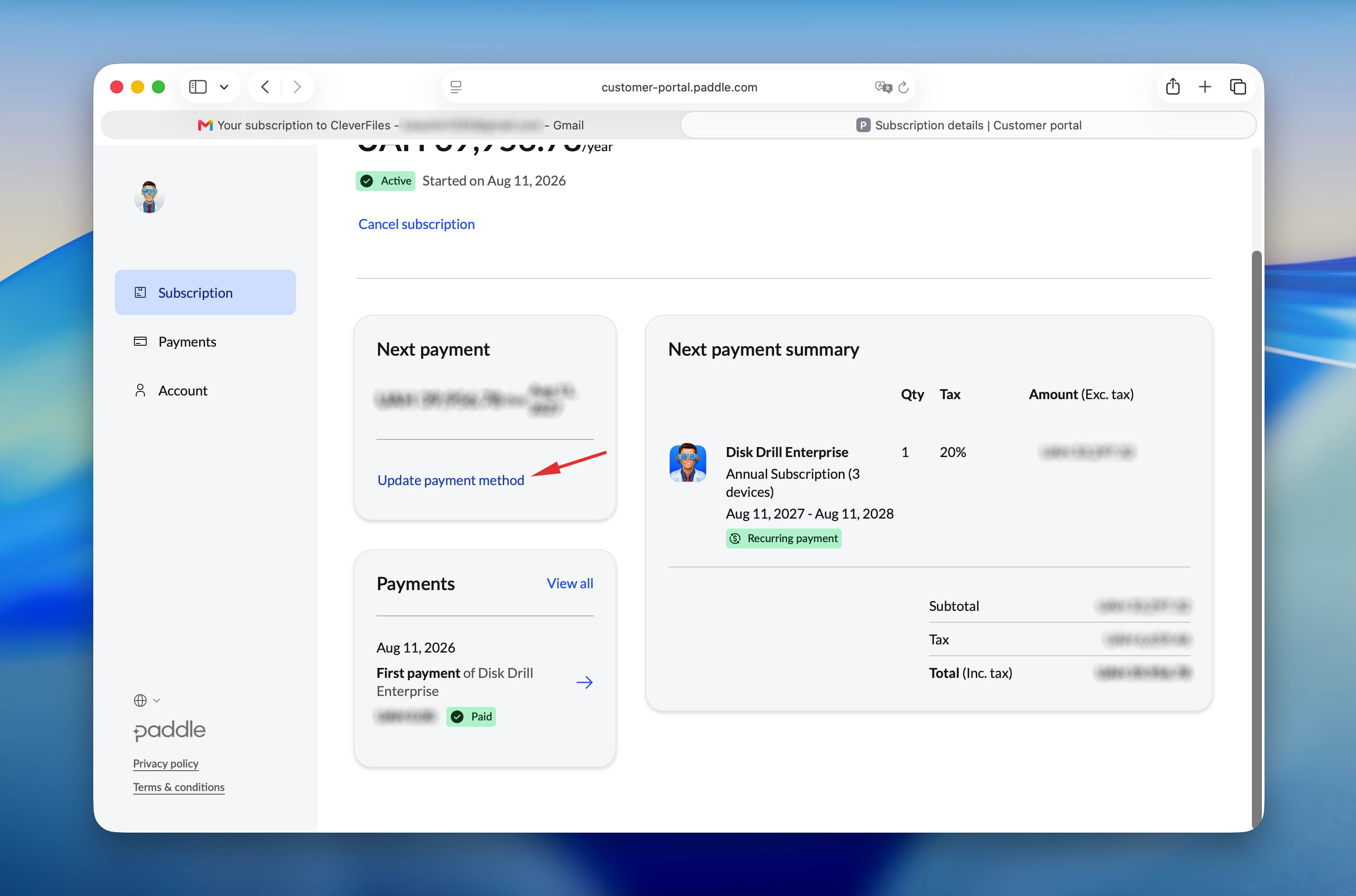
- Click Update payment method.
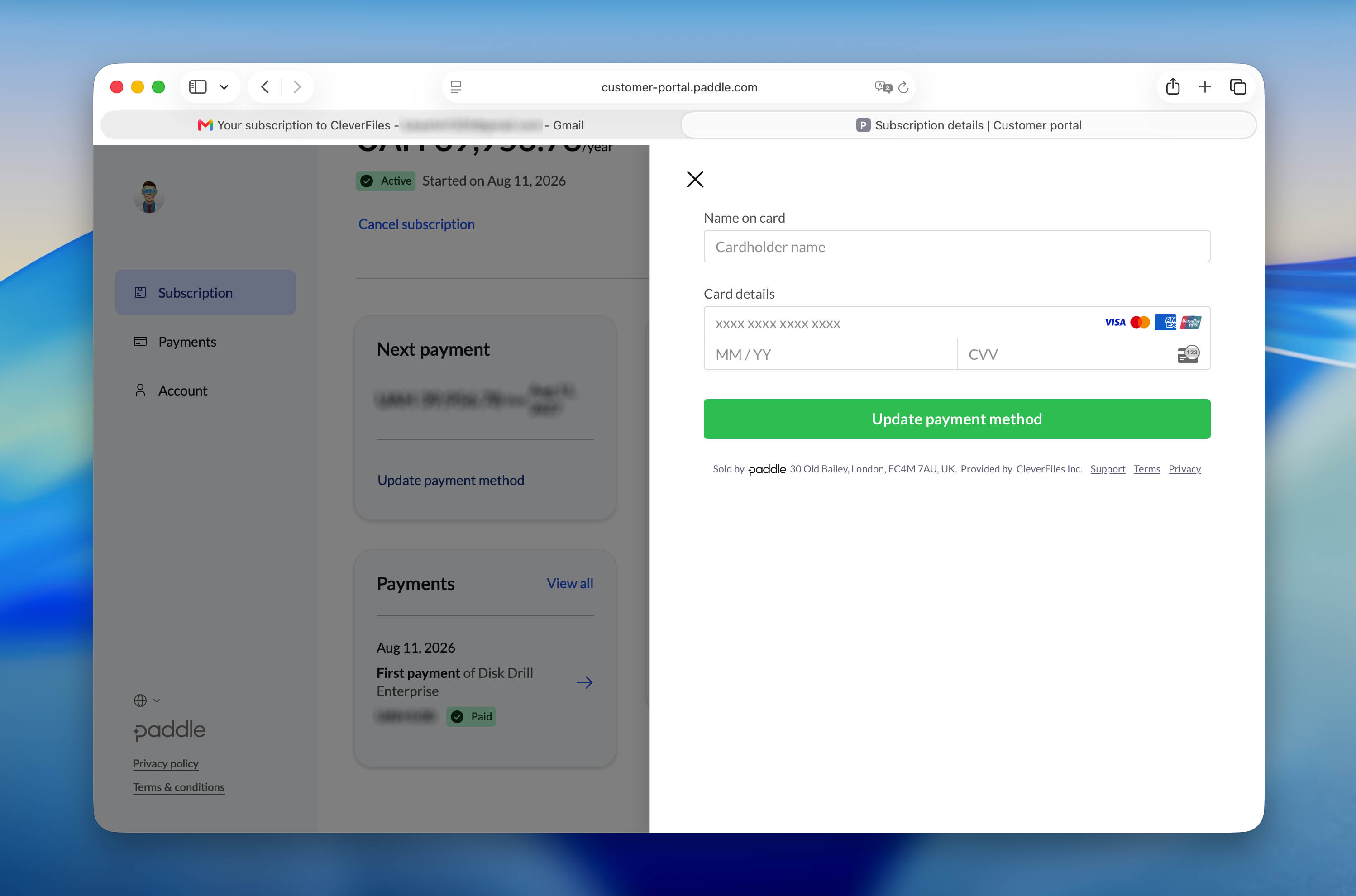
- Follow the on-screen instructions to save your new payment details.
Refunds
Disk Drill Enterprise is a digital software product delivered through an activation code.
Because access to the product is provided immediately after purchase, purchases are generally final.
Before purchasing, you can use Disk Drill Basic to scan your storage devices and preview recoverable files.
If you experience a technical issue, believe there was an error with your purchase, or would like us to review a refund request, contact our Support Team. Requests are reviewed on a case-by-case basis.
For full details, please refer to our Refund Policy.