





一、准备条件
系统:Windows Server2008,Windows Server 2008 R2;
软件:
1、SharePoint Server 2010 Beta:http://www.microsoft.com/downloads/details.aspx?displaylang=en&FamilyID=77c30c6c-47fc-416d-88e7-8122534b3f37
2、Microsoft Visual Studio 2010 Ultimate Beta :http://www.microsoft.com/downloads/details.aspx?displaylang=en&FamilyID=dc333ac8-596d-41e3-ba6c-84264e761b81
3、Microsoft® SQL Server® 2008 Enterprise Evaluation: Trial Experience for Developers:http://www.microsoft.com/downloads/details.aspx?displaylang=en&FamilyID=6b10c7c1-4f97-42c4-9362-58d4d088cd38
4、Office 2010 beta
二、主体
阅读该Demo需要有moss 2007 开发WF 的基础。下载代码
2010 相对于2007创建workflow简单了许多,2010已经将关联任务的内容类型内置到Workflow的Elements.xml文件中,初始化表单和关联表单都可以直接创建。
1、表单
初始化表单:
2010中初始化表单已经将创建流程实例的代码自动生成,只需在 GetInitiationData()方法中将初始化表单的数据返回即可。
任务表单:
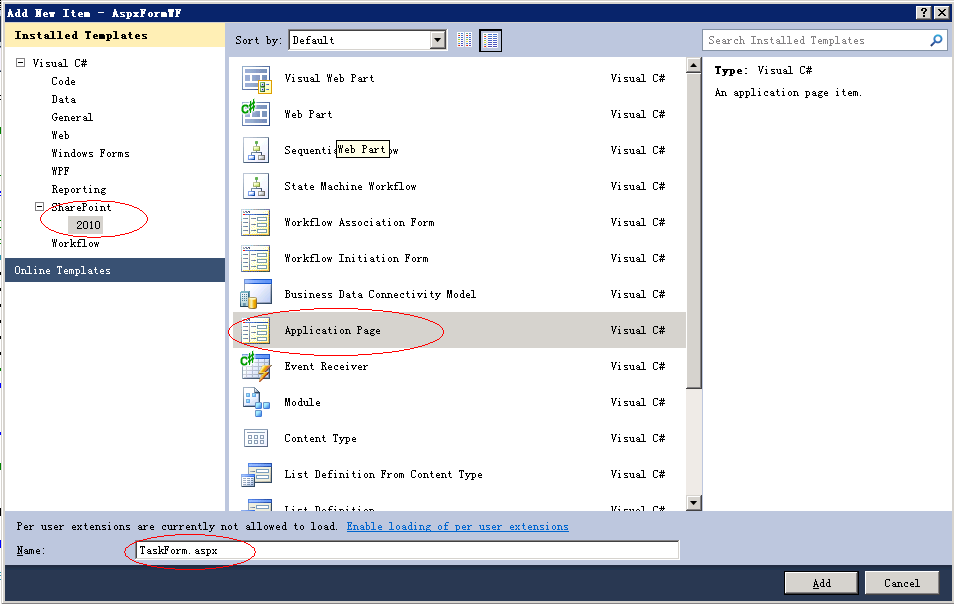
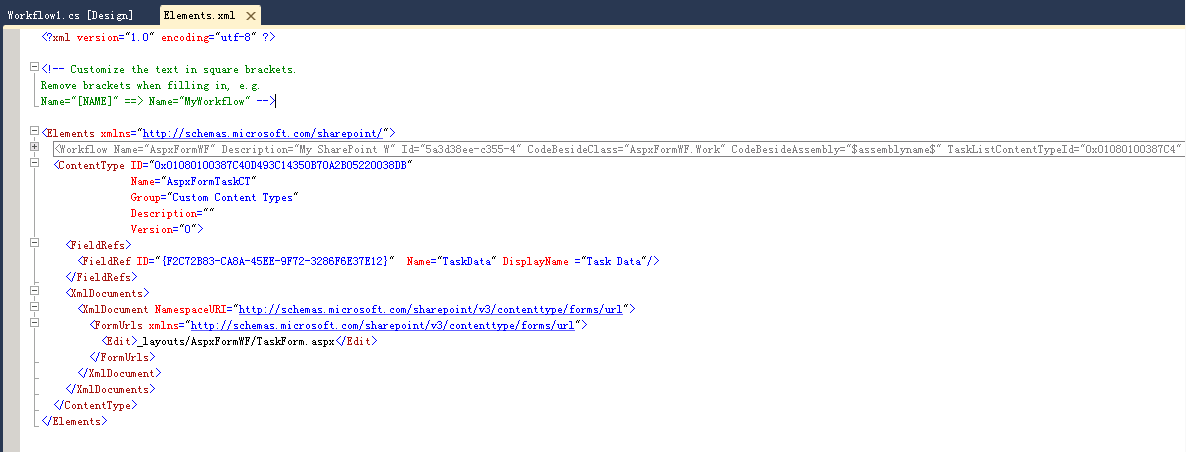
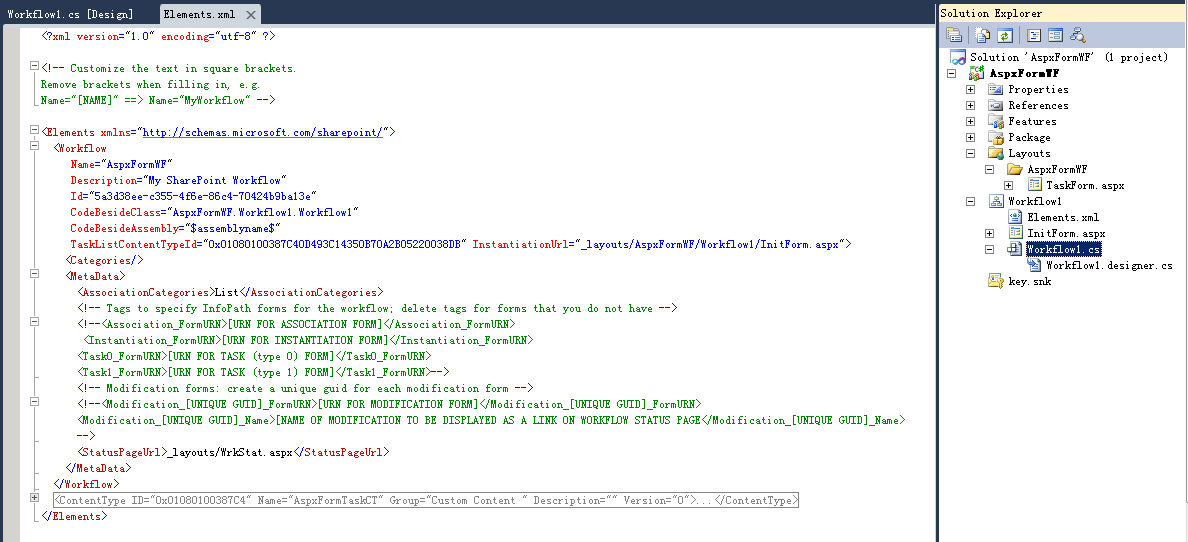
在工程中添加新项选择应用程序模板,创建任务表单.将表单与关联任务的内容类型连续起来。在任务的内容类型的节点中ContentType〉XmlDocuments>XmlDocument〉FormUrls〉Edit添加任务表单页面。通过Workflow节点的属性TaskListContentTypeId与流程关联。
下列以创建任务表单为例,如下图:
新建项目:

选择模板,SharePoint下面的2010,在选择2010模板下的Application Page。
2、流程设计器
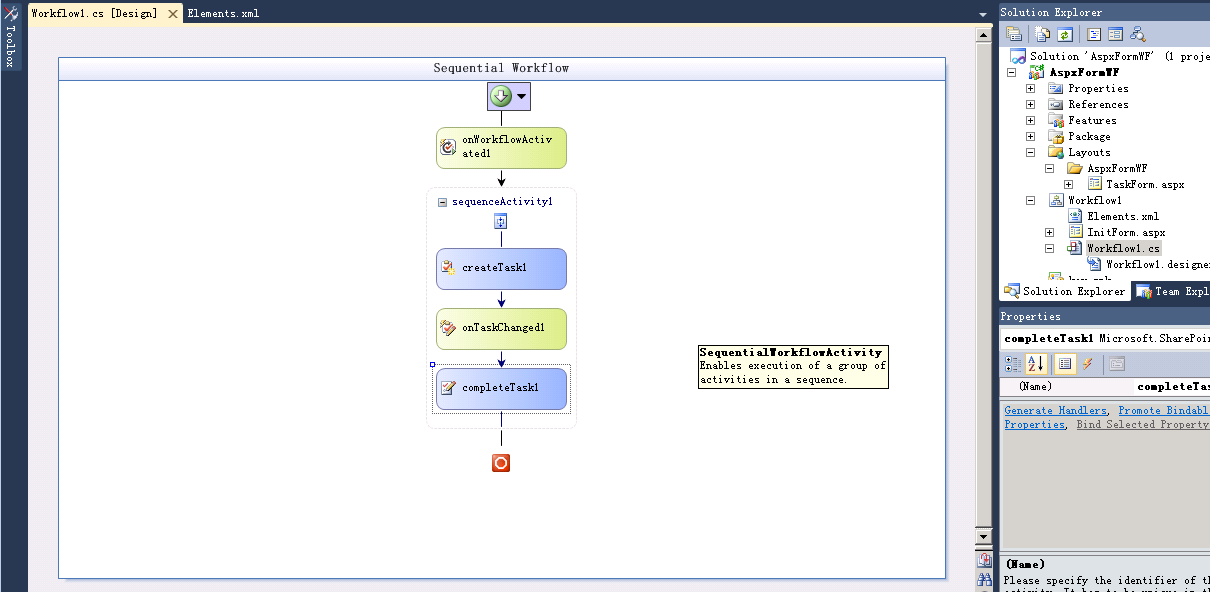
打开vs2010,创建顺序工作流:
如下图:
3、代码
初始化表单GetInitiationData()的代码:
//Build the AssociationData XML
StringBuilder associtionDataXML = new StringBuilder();
associtionDataXML.AppendLine("<?xml version=\"1.0\" encoding=\"UTF-8\" standalone=\"yes\"?>");
associtionDataXML.AppendLine("<workflow>");
associtionDataXML.AppendLine("<" + this.txtApprover.ID + ">");
associtionDataXML.AppendLine(this.txtApprover.Text);
associtionDataXML.AppendLine("</" + this.txtApprover.ID + ">");
associtionDataXML.AppendLine("</workflow>");
//End of Build the AssociationData XML
return associtionDataXML.ToString();
任务表单的代码:
protected void btnReject_Click(object sender, EventArgs e)
{
Hashtable htData = new Hashtable();
htData["TaskStatus"] = "Completed";
htData["TaskData"] = "Reject";
SPListItem _taskItem = this.Web.Lists[new Guid(this.Request.QueryString["List"])].GetItemById(Convert.ToInt32(this.Request.QueryString["ID"]));
SPWorkflowTask.AlterTask(_taskItem, htData, true);
Guid workflowInstanceId = new Guid(_taskItem["WorkflowInstanceID"].ToString());
_workflowInstance = new SPWorkflow(this.Web, workflowInstanceId);
this.RedirectToListDefaultView();
}
protected void btnApproved_Click(object sender, EventArgs e)
{
Hashtable htData = new Hashtable();
htData["TaskStatus"] = "Completed";
htData["TaskData"] = "Approved";
SPListItem _taskItem = this.Web.Lists[new Guid(this.Request.QueryString["List"])].GetItemById(Convert.ToInt32(this.Request.QueryString["ID"]));
SPWorkflowTask.AlterTask(_taskItem, htData, true);
Guid workflowInstanceId = new Guid(_taskItem["WorkflowInstanceID"].ToString());
_workflowInstance = new SPWorkflow(this.Web, workflowInstanceId);
this.RedirectToListDefaultView();
}
/// <summary>
/// 跳转到列表默认视图页面
/// </summary>
protected void RedirectToListDefaultView()
{
SPUtility.Redirect(this.WorkflowInstance.TaskList.DefaultViewUrl, SPRedirectFlags.UseSource, this.Context);
}
流程设计器活动的代码
活动的属性:
#region Properties
public Guid workflowId = default(System.Guid);
public SPWorkflowActivationProperties workflowProperties = new SPWorkflowActivationProperties();
public Guid TaskId = default(System.Guid);
public SPWorkflowTaskProperties TaskProperties = new Microsoft.SharePoint.Workflow.SPWorkflowTaskProperties();
public String TaskOutcome = default(System.String);
private string _approver;
private string _approvalResult;
#endregion
启动流程:
private void onWorkflowActivated1_Invoked(object sender, ExternalDataEventArgs e)
{
workflowId = workflowProperties.WorkflowId;
if (!string.IsNullOrEmpty(workflowProperties.InitiationData))
{
XmlDocument AssociationDataXML = new XmlDocument();
AssociationDataXML.LoadXml(workflowProperties.InitiationData);
_approver = AssociationDataXML.FirstChild.NextSibling.InnerText.ToString().Trim();
}
}
创建任务:
private void createTask1_MethodInvoking(object sender, EventArgs e)
{
TaskId = Guid.NewGuid();
TaskProperties.AssignedTo = _approver;
TaskProperties.Title = "Test Title";
}
审批任务:
private void onTaskChanged1_Invoked(object sender, ExternalDataEventArgs e)
{
_approvalResult = TaskProperties.ExtendedProperties["TaskData"].ToString();
if (_approvalResult == "Approved")
{
this.TaskOutcome = "同意!";
}
else if (_approvalResult == "Reject")
{
this.TaskOutcome = "拒绝!";
}
}
}
4、 xml文件
Workflow的Elements.xml的任务内容类型节点ContentType
Workflow的Elements.xml的流程Workflow节点
5、效果图
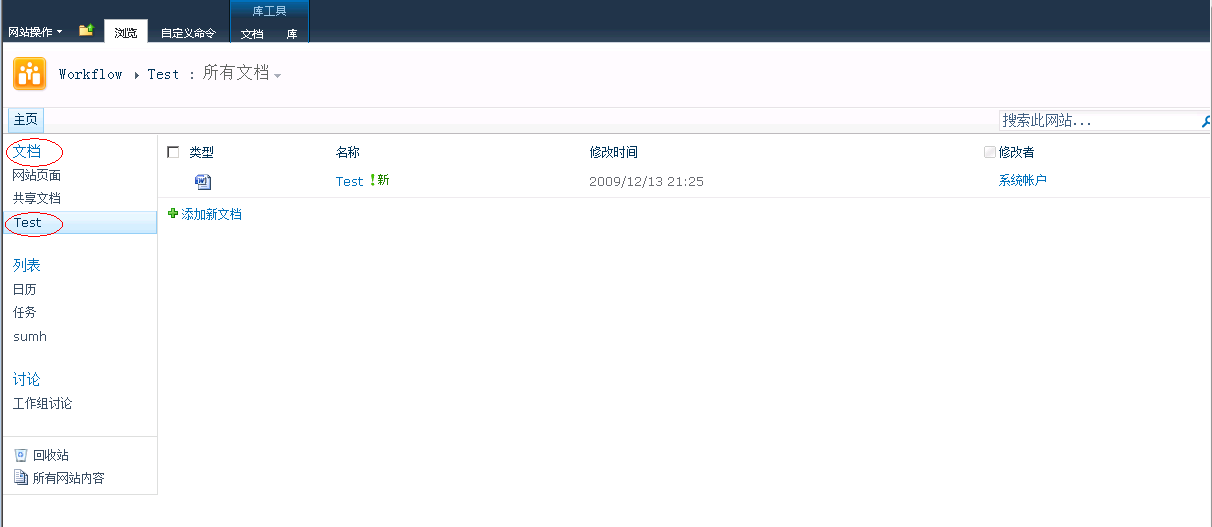
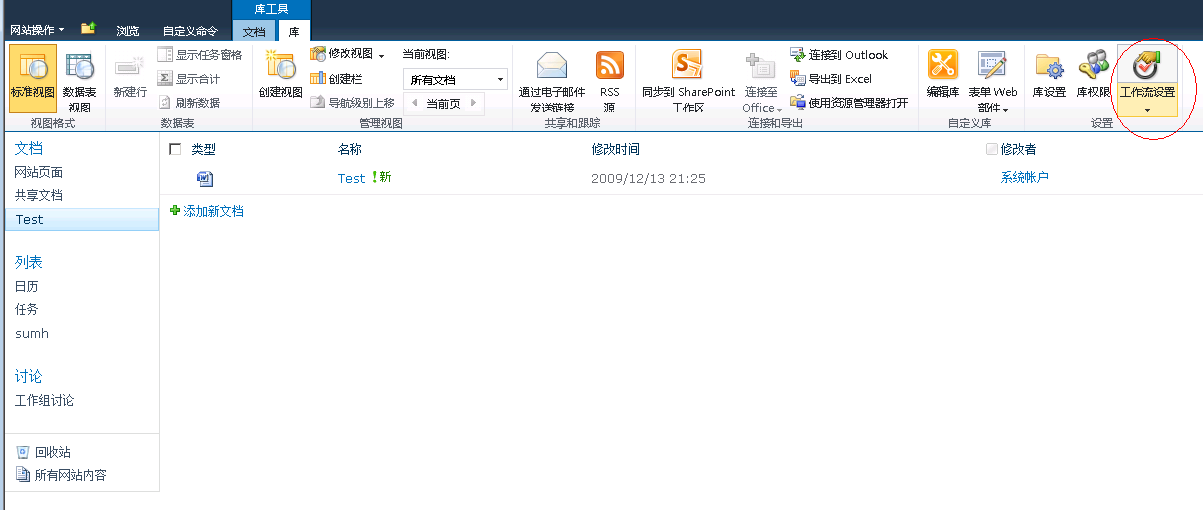
打开SharePoint站点,给Test文档库添加工作流;
Test 文档库
工作流设置
添加工作流

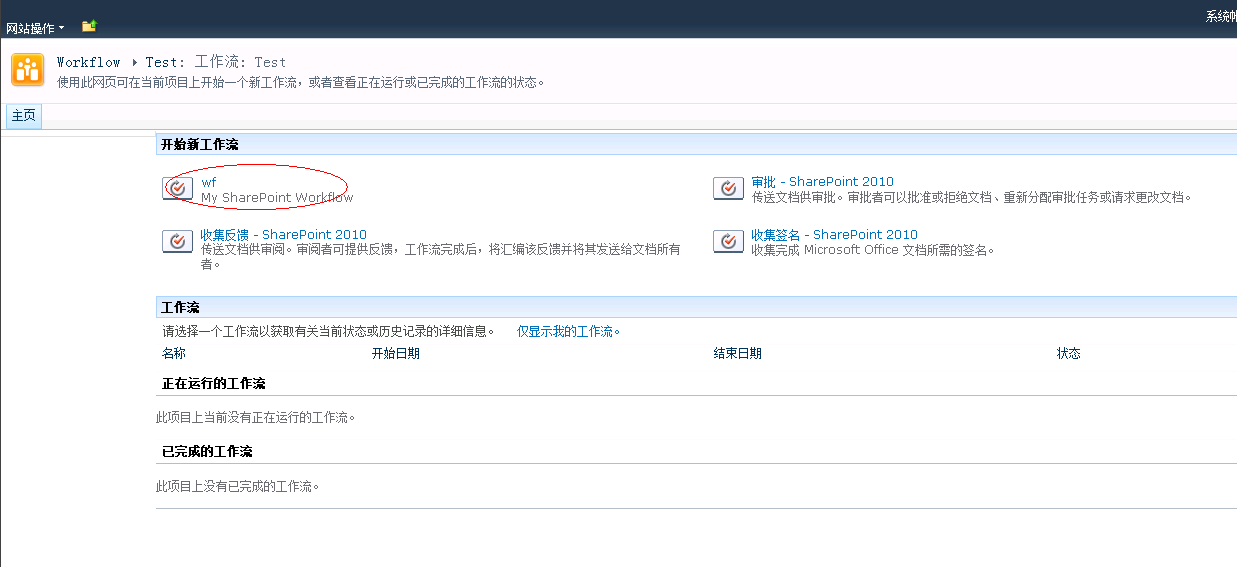
选择该Demo的工作流模板
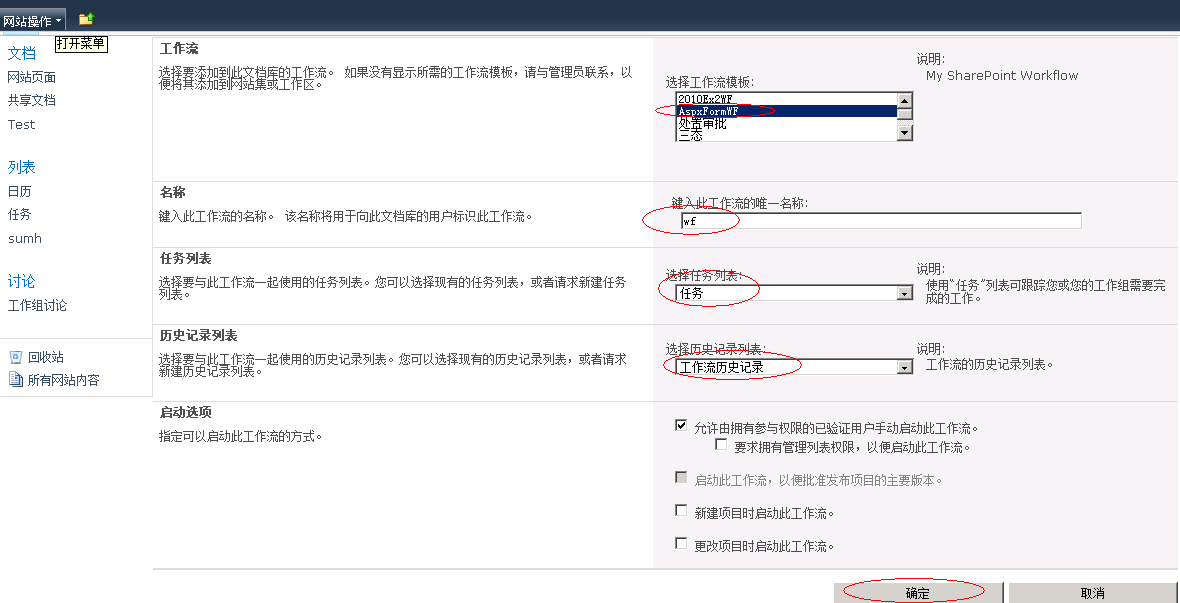
创建wf工作流
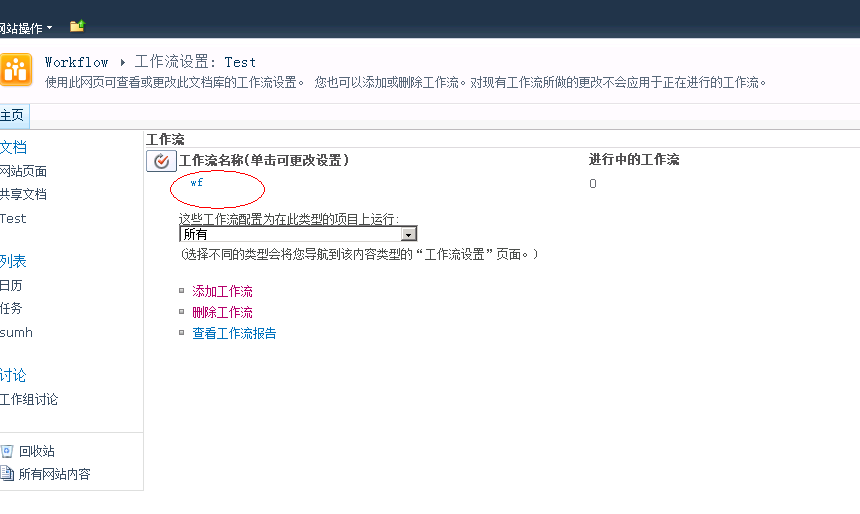
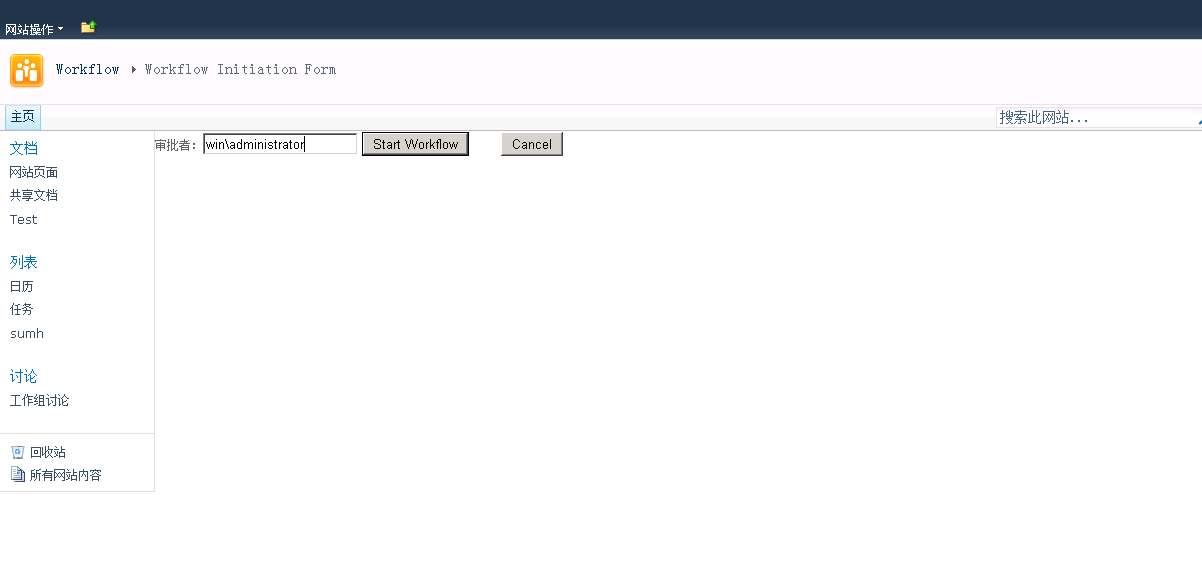
启动流程
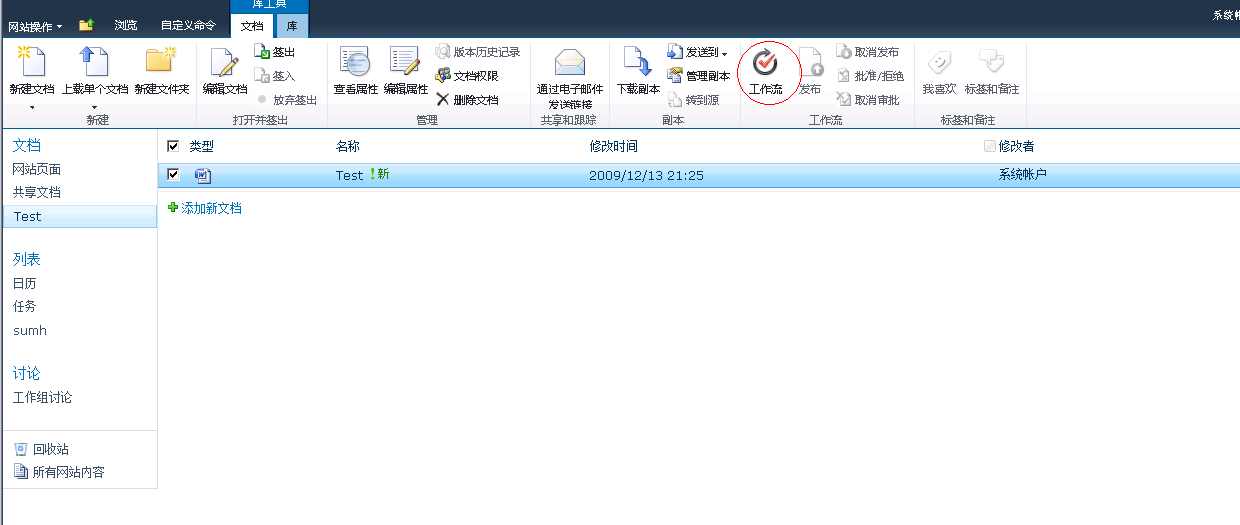
选择创建好的流程模板
链接到初始化表单,填写一级审批者;
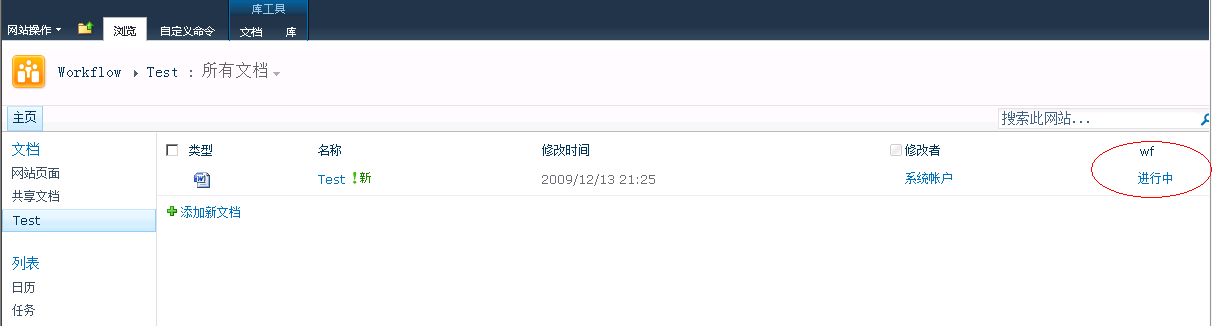
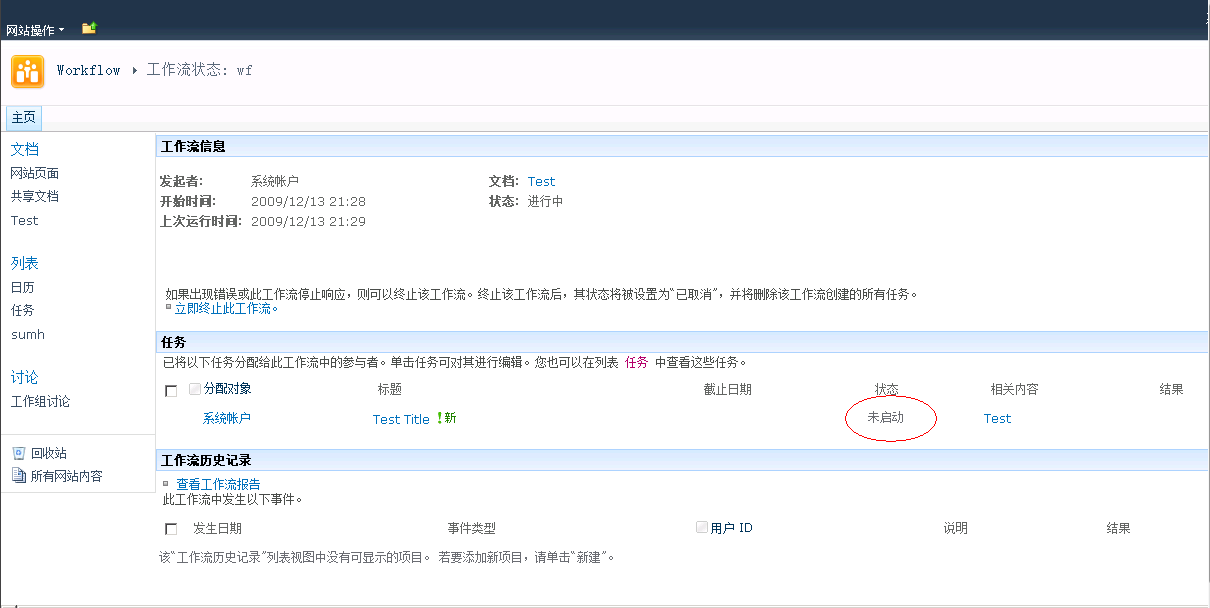
流程已启动并给管理员分配任务,点击进行中,进入流程管理页面;
流程管理页面,任务列表中有未启动的任务。
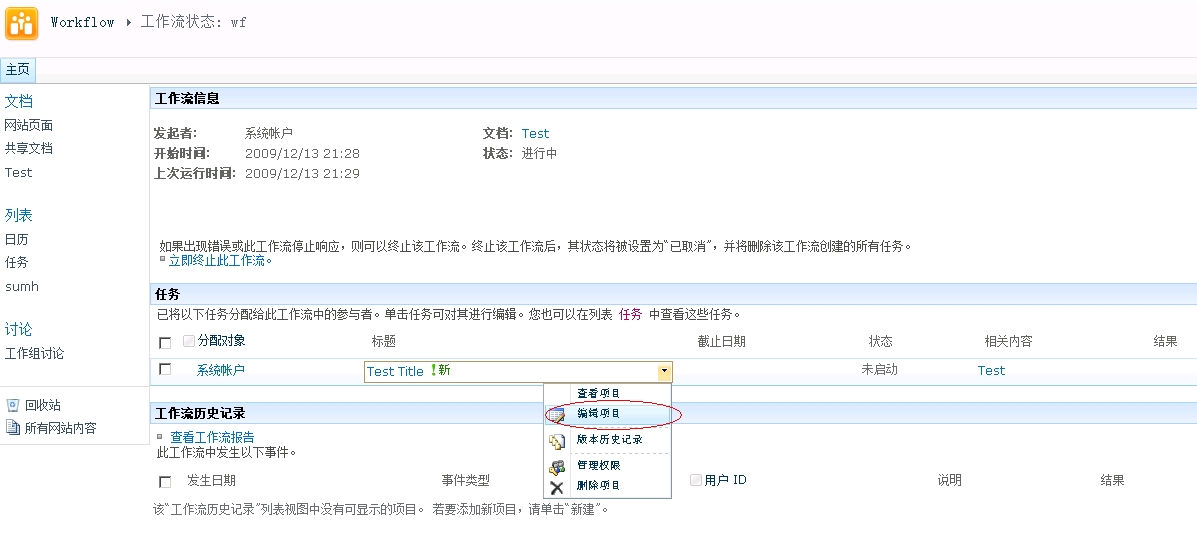
编辑任务
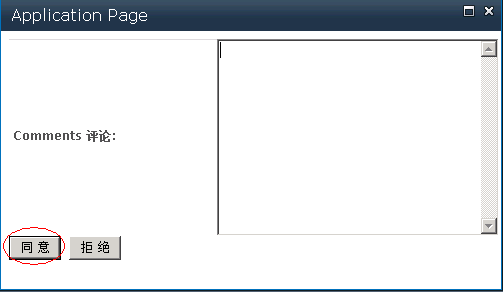
弹出任务审批表单,审批流程。
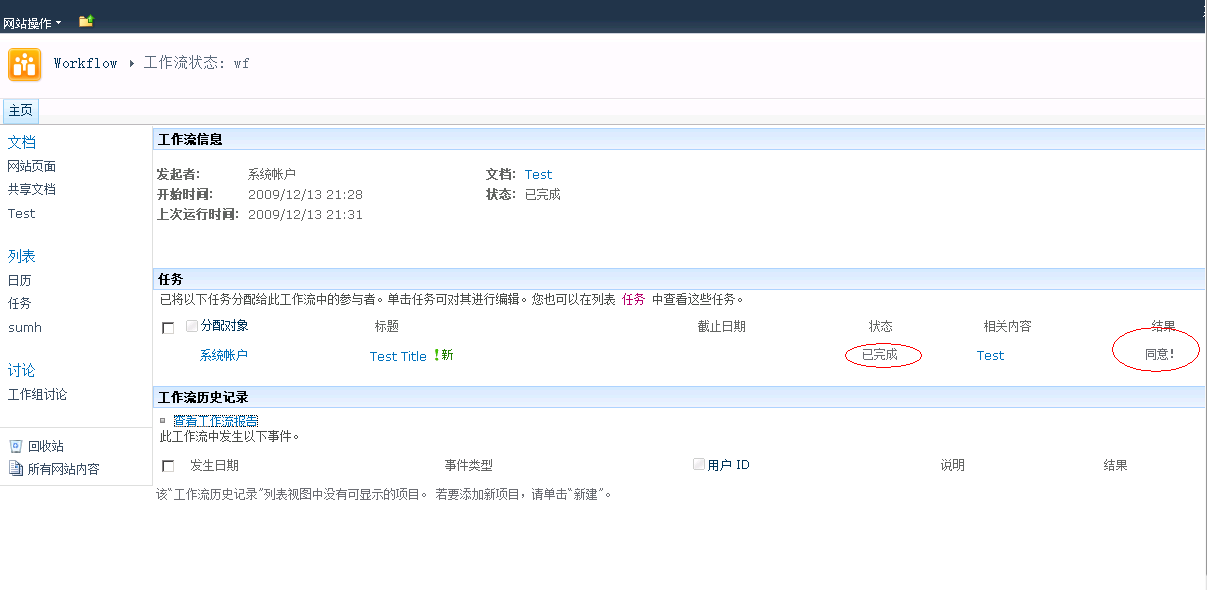
审批完成
此内容由惯性聚合(RSS阅读器)自动聚合整理,仅供阅读参考。 原文来自 — 版权归原作者所有。