


惯性聚合 高效追踪和阅读你感兴趣的博客、新闻、科技资讯
阅读原文 在惯性聚合中打开

推荐订阅源

U
Unit 42
罗磊的独立博客
T
Tailwind CSS Blog
奇客Solidot–传递最新科技情报
奇客Solidot–传递最新科技情报
Jina AI
Jina AI
V
V2EX
美团技术团队
阮一峰的网络日志
阮一峰的网络日志
酷 壳 – CoolShell
酷 壳 – CoolShell
月光博客
月光博客
量子位
MyScale Blog
MyScale Blog
G
Google Developers Blog
M
MIT News - Artificial intelligence
L
LangChain Blog
Microsoft Azure Blog
Recent Announcements
MongoDB | Blog
MongoDB | Blog
N
Netflix TechBlog - Medium
有赞技术团队
有赞技术团队
让小产品的独立变现更简单 - ezindie.com
D
DataBreaches.Net
云风的 BLOG
云风的 BLOG
B
Blog

Latest from Windows Central

"An unmatched upgrade opportunity": Intel's new Core Series 3 mobile CPUs target "value buyers"… "There are over 5,700 combinations.": I attended Panasonic's USS Intrepid press conference and saw 10Gbps, Wi‑Fi 7 and on‑device AI in the new Toughbook 56, but should you swap out your Toughbook 55? "We "So Mac folks feel comfortable": Microsoft Microsoft thinks you'll want an Xbox Controller and 1 year of Microsoft 365 and Xbox Game Pass over a MacBook Neo "Microsoft fired the skilled people, leaving flowchart followers": Microsoft's Security Response Center is being blamed for the zero-day BlueHammer exploit leak, but I can't tell who's right "Thank you to every Greymane": Crimson Desert shows no signs of slowing down, topping over 5 million sales… "Another all-round excellent mini PC:" Beelink's discounted desktop is fantastic for intensive work and… Xbox's Starfield gets Nintendo Switch 2 rating days after its PS5 release, keeping hopes for a port of Bethesda's RPG alive — here's what we know "The stuff that we're seeing is really well put together": Xbox game publishing chief says Forza Horizon 6 takes him back to the golden years of racing games Microsoft's Xbox games lead Matt Booty says its studios are in a "culture of cultures" and work together more than you think — Blizzard is even helping with Fable Rumored feature coming to Steam that will help you track prices, and Microsoft should copy it immediately for Xbox and… Xbox and Best Buy want to help you build your first video game in 2026 Microsoft prepares display upgrades and two stage launch for new Surface Pro and Surface Laptop with Intel and… Someone discovered Seagate's Xbox Storage Expansion cards can be used on PC — which has made their value more… ID@Xbox makes a bold claim — “Games launching day one into Game Pass… do very well on other platforms… Before Forza Horizon 6 takes us to Japan, let's remember where the legend began almost 14 years ago "Users can now simply ask what happened": AppControl's optional AI integration gives you in-depth PC diagnostic history in plain English — It works with popular LLMs, but I'll use offline models for added security Our friends at Tom's Guide are upgrading: Here's what it means, and how our sister site's overhaul… "Quantity over quality is not always the answer": WWE 2K26 comes close to being the best in the world, but yearly releases are holding it back I "This is one headset that absolutely will not disappoint anyone": Our favorite Xbox headset raises the bar for sound quality with a price that's lower than I expected "One of the better laptops I’ve encountered and one I’d happily use daily": This high-end ThinkPad is a solid bet for professionals — especially after this generous discount I've finally found a loophole to block a specific type of YouTube ads, and it won’t cost you a dime: Just a… www.windowscentral.com "The Lotus guys probably figured it didn't matter to be wrong": Excel thinks 1900 was a leap year because of a small shortcut taken in the '80s — I'll think of this next time I want to cut corners Starfield's sales on PlayStation 5 make me wonder why Xbox even bothered... was this worth devaluing exclusivity? Overwatch Season 2 is LIVE! Xbox Your Xbox Storage Expansion Cards can have a life after the console if you get a simple adapter for your PC
Hate the Windows 11 Taskbar? Here’s the ultimate wa...
richard.devi · 2026-04-22 · via Latest from Windows Central
An image of a Lenovo ThinkPad showing the Windows Central homepage open in Google Chrome with a Windows Vista style Taskbar thanks to the RetroBar app.
A modern laptop, but with a little Windows Vista flair. (Image credit: Windows Central | Edited with Gemini)

Let's face it; Windows 11 might look pretty sleek, but it's regressed in many ways from prior versions. One such being the Taskbar.

It's restrictive, loaded with stuff you're probably turning off anyway, and let's not forget that we're still waiting on Microsoft giving us the ability to move it to the top of the screen if we want to.

Article continues below

Image

1

of

3

A screenshot of Windows 11 using the RetroBar app to display a classic Windows Taskbar.
Give your PC a little Windows XP flavor. (Image credit: Windows Central)

The core concept of RetroBar is that it's not simply a skin; it's a complete Taskbar replacement that replaces the existing Windows 11 version. So you're not just slapping some paint on what sits there already.

Instead, it brings back a series of classic Taskbars, from Windows 95 right through Windows 98, Windows Me, Windows 2000, Windows XP, Longhorn, and Windows Vista. If it's before Windows 7, you can have it on your modern PC with RetroBar.

RetroBar also gives you the freedom to put the Taskbar on any edge of the display you so wish, even the top, as well as bring back that classic one button per window feel we used to have, and it's fully compatible with modern apps. You can have a Windows 95-themed Taskbar button for the Windows 11 Xbox app, which is a little bizarre but very cool.

There's also the ability to apply your own custom themes beyond those included if you wish, and it'll support multi-monitor setups just fine.

A screenshot showing the settings for the RetroBar app, displayed over a Windows XP Zune-themed Taskbar.

RetroBar is very customizable, including the ability to add custom themes if the nostalgic ones don't do it for you. (Image credit: Windows Central)

Setting up RetroBar is as simple as downloading the latest release from its GitHub repo and installing it. It uses almost no system resources, and it's entirely non-destructive. If you want to stop using it, you can simply right-click and exit, and you'll have the regular Windows 11 Taskbar back on screen.

Right-clicking on the clock opens up the settings, and from here you have a number of choices, the main one being how you want it to look. You've got options that include the classic blue Windows XP theme and some more niche alternatives, including Longhorn and the Zune-themed Windows XP Taskbar.

You can also enable RetroBar at boot so you don't need to manually launch it every time you start up your PC, show the clock, or hide the clock; it's about as full-featured as you could want from a tool that's designed to give your PC an element of the past.

Image

1

of

2
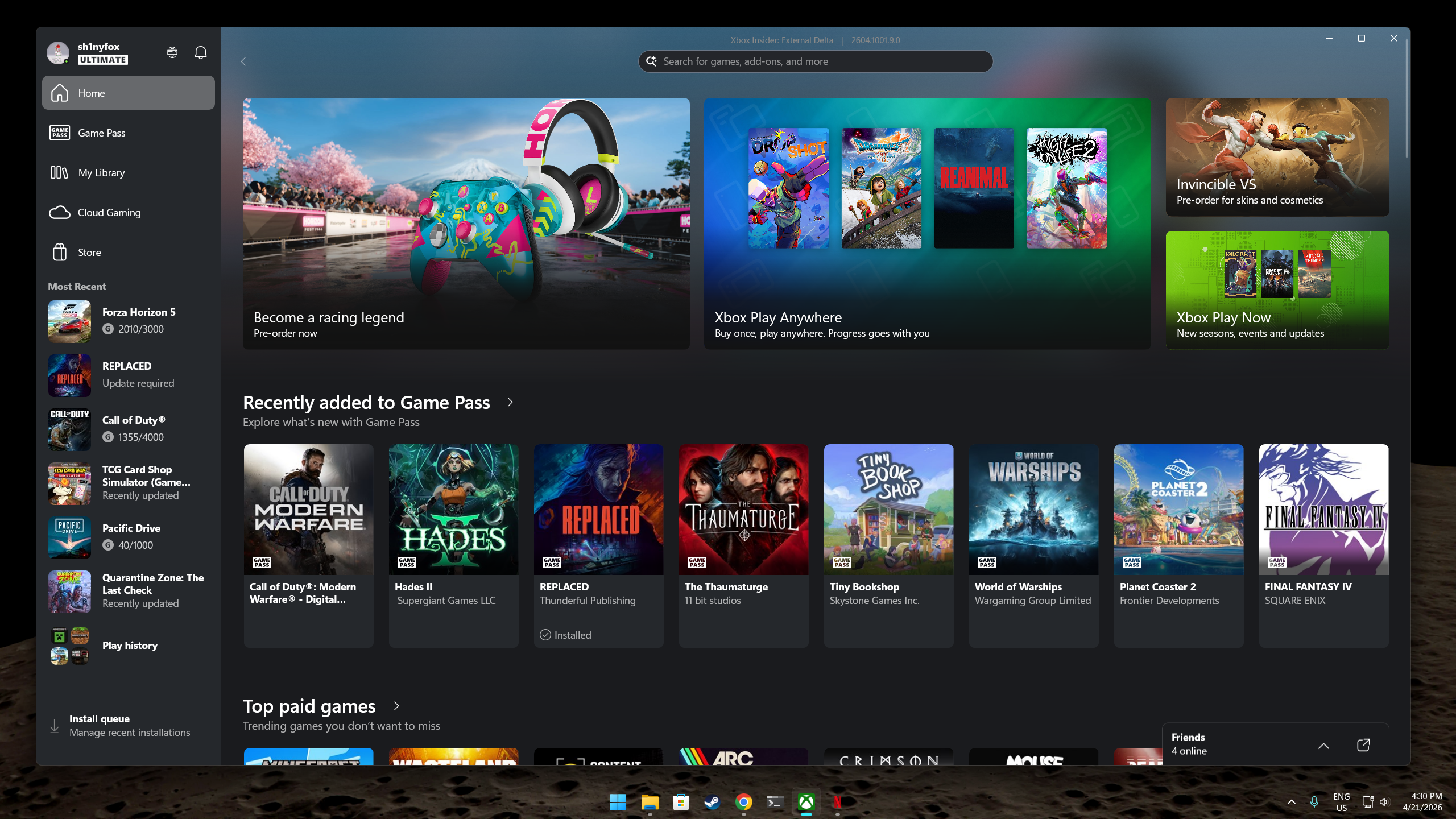
Screenshots of the Windows 11 desktop with the Xbox app open full screen.
The standard Windows 11 Taskbar (albeit tweaked with TranslucentTB).(Image credit: Windows Central)

RetroBar is an absolute win for those who yearn for a taste of the glory days, those who were too young to experience them firsthand, and just those who want a little more control over their Taskbar without using heftier Windows 11 customization tools.

It's completely free, and since it's hosted on GitHub, you can have a little poke around in the code if you wish. Oh, and not forgetting, there's a native ARM64 build, too, so you can happily use it on your Snapdragon-powered laptop. I'm loving my new old Windows Vista-style Taskbar complete with matching window previews!

Which version of Windows was your favorite? Let us know in the comments if you’re team XP, team 98, or another version!


Click to join us on r/WindowsCentral

Join us on Reddit at r/WindowsCentral to share your insights and discuss our latest news, reviews, and more.


Richard Devine is the Managing Editor at Windows Central with over a decade of experience. A former Project Manager and long-term tech addict, he joined Mobile Nations in 2011 and has been found in the past on Android Central as well as Windows Central. Currently, you'll find him steering the site's coverage of all manner of PC hardware and reviews. Find him on Mastodon at mstdn.social/@richdevine

You must confirm your public display name before commenting

Please logout and then login again, you will then be prompted to enter your display name.