惯性聚合 高效追踪和阅读你感兴趣的博客、新闻、科技资讯
阅读原文 在惯性聚合中打开

推荐订阅源

P
Privacy International News Feed
Martin Fowler
Martin Fowler
D
Docker
Y
Y Combinator Blog
云风的 BLOG
云风的 BLOG
U
Unit 42
T
Tailwind CSS Blog
J
Java Code Geeks
G
Google Developers Blog
MongoDB | Blog
MongoDB | Blog
阮一峰的网络日志
阮一峰的网络日志
WordPress大学
WordPress大学
月光博客
月光博客
大猫的无限游戏
大猫的无限游戏
美团技术团队
F
Fortinet All Blogs
N
News and Events Feed by Topic
Exploit-DB.com RSS Feed
Hacker News - Newest:
Hacker News - Newest: "LLM"
The GitHub Blog
The GitHub Blog
cs.AI updates on arXiv.org
Recorded Future
Recorded Future
N
Netflix TechBlog - Medium
Google DeepMind News
Hacker News: Ask HN
Hacker News: Ask HN
L
LINUX DO - 最新话题
Microsoft Security Blog
N
News and Events Feed by Topic
I
Intezer
TaoSecurity Blog
TaoSecurity Blog
NISL@THU
NISL@THU
小众软件
小众软件
博客园 - 聂微东
博客园 - Franky
有赞技术团队
有赞技术团队
P
Palo Alto Networks Blog
爱范儿
爱范儿
H
Hacker News: Front Page
C
Cyber Attacks, Cyber Crime and Cyber Security
C
Cisco Blogs
P
Proofpoint News Feed
I
InfoQ
Google DeepMind News
OSCHINA 社区最新新闻
OSCHINA 社区最新新闻
Vercel News
Vercel News
H
Heimdal Security Blog
C
Cybersecurity and Infrastructure Security Agency CISA
Application and Cybersecurity Blog
Threat Intelligence Blog | Flashpoint
量子位

博客园 - cdboy

.Net8新特性 EF Core 中原生SQL、存储过程、视图的使用 EF Core DBFirst 和Code First小结 软件自动发布自动化之配置文件修改 Logstash日志搜集 Windows Service插件服务开源 Linq通用分页数据查询方法 .Net 通用配置文件读取方法 Asp.net 主题中CSS文件的缓存问题 Asp .net 4.0 中ViewStatus 使用 RssTookit使用小结 Windows Live Writer 分享到插件 Windows Resx资源文件编辑工具 IIS 7 中设置文件上传大小限制设置方法 多语言资源文件帮助 转帖:正则表达式的与或非 vs2010使用PostSharp 1.5 插件式服务架构 多语言资源工具之制作类库资源文件
window service 插件服务插件开发
cdboy · 2011-10-09 · via 博客园 - cdboy

1、新建一个Window类库项目,如下图所示:
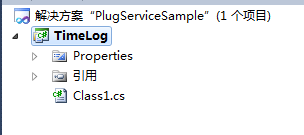
image

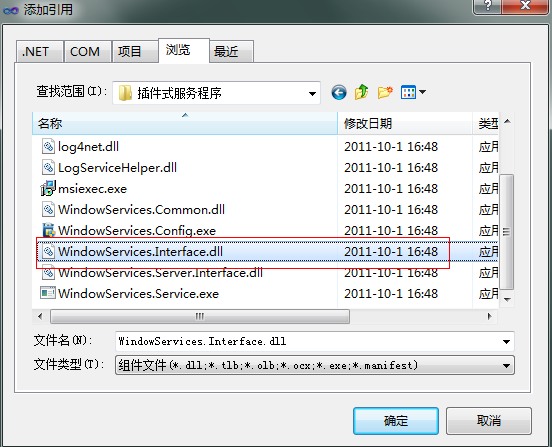
2、添加插件接口引用:

image

3、引用命名空间

image

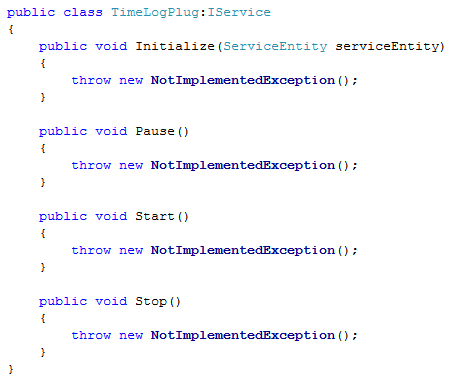
4、TimeLogPlug类实现接口IService

image

5、在类上加入属性定义:

image

6、完整实现类如下:

   1: using System;
   2: using System.Collections.Generic;
   3: using System.Text;
   4:  
   5: using WindowServices.Interface;
   6: using System.ComponentModel;
   7:  
   8: namespace TimeLog
   9: {
  10:     [DisplayName("时间日志服务")]
  11:     [Description("每10秒写入日志文件一个时间。")]
  12:     [System.Runtime.InteropServices.Guid("2301DE7F-22A0-415E-9E35-0BE71BD62C76")]
  13:     [Serializable]
  14:     public class TimeLogPlug:IService
  15:     {
  16:         private ServiceEntity _serviceEntity;
  17:         private bool _isRuning;
  18:         public void Initialize(ServiceEntity serviceEntity)
  19:         {
  20:             _serviceEntity = serviceEntity;
  21:         }
  22:  
  23:         public void Pause()
  24:         {
  25:         }
  26:  
  27:         public void Start()
  28:         {
  29:             _isRuning = true;
  30:             using (var sw = System.IO.File.AppendText("d:\\timelog.txt"))
  31:             {
  32:                 sw.WriteLine("插件【{0}】正在运行。\n", _serviceEntity.Name);
  33:             }
  34:             while (_isRuning)
  35:             {
  36:                 using (var sw =System.IO.File.AppendText("d:\\timelog.txt"))
  37:                 {
  38:                     sw.WriteLine("当前时间:{0:yyyy-MM-dd HH:mm:ss}\n",DateTime.Now);
  39:                 }
  40:                 System.Threading.Thread.Sleep(10000);
  41:             }
  42:         }
  43:  
  44:         public void Stop()
  45:         {
  46:             _isRuning = false;
  47:         }
  48:     }
  49: }

7、打包插件
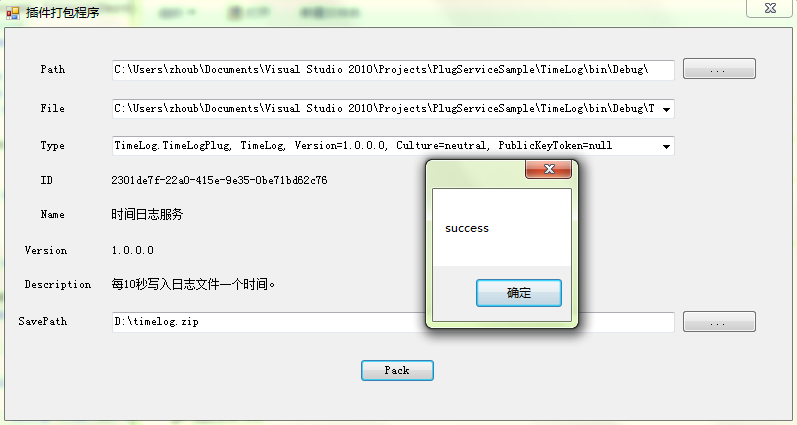
image

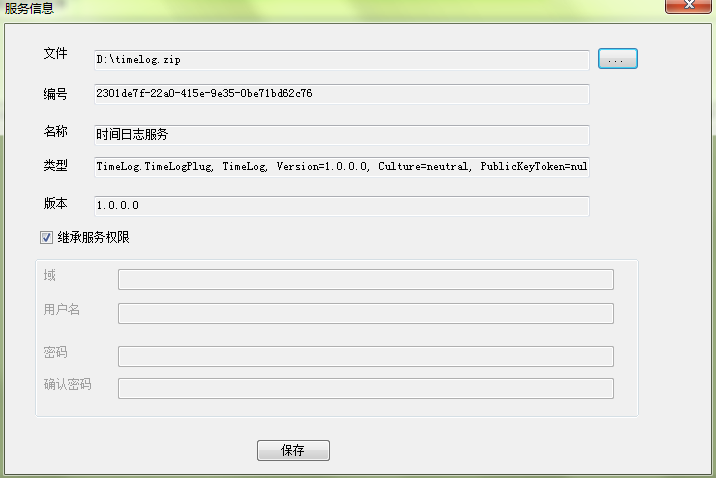
8、安装插件

image

image

image

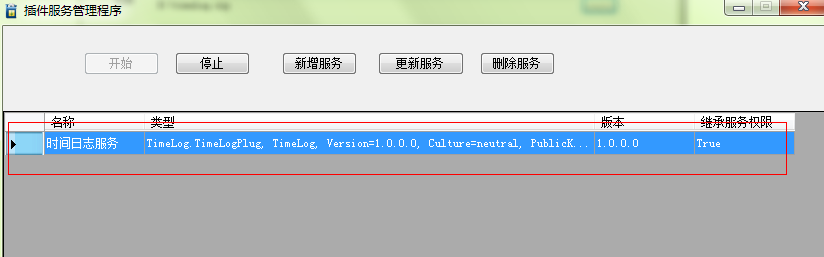
安装成功

image

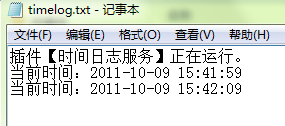
9、运行结果

image

10.示例打包

Download