惯性聚合 高效追踪和阅读你感兴趣的博客、新闻、科技资讯
阅读原文 在惯性聚合中打开

推荐订阅源

N
News and Events Feed by Topic
WordPress大学
WordPress大学
Vercel News
Vercel News
CTFtime.org: upcoming CTF events
小众软件
小众软件
L
LangChain Blog
雷峰网
雷峰网
D
DataBreaches.Net
博客园 - 三生石上(FineUI控件)
Threat Intelligence Blog | Flashpoint
T
Tor Project blog
NISL@THU
NISL@THU
Scott Helme
Scott Helme
量子位
S
Security Affairs
T
Threat Research - Cisco Blogs
博客园_首页
云风的 BLOG
云风的 BLOG
D
Docker
AWS News Blog
AWS News Blog
腾讯CDC
博客园 - 聂微东
The GitHub Blog
The GitHub Blog
U
Unit 42
Recent Announcements
Apple Machine Learning Research
G
Google Developers Blog
T
The Exploit Database - CXSecurity.com
MongoDB | Blog
MongoDB | Blog
Stack Overflow Blog
Stack Overflow Blog
cs.AI updates on arXiv.org
L
LINUX DO - 热门话题
Cyber Security Advisories - MS-ISAC
The Last Watchdog
The Last Watchdog
C
Cybersecurity and Infrastructure Security Agency CISA
IT之家
IT之家
W
WeLiveSecurity
P
Privacy & Cybersecurity Law Blog
F
Full Disclosure
L
Lohrmann on Cybersecurity
The Hacker News
The Hacker News
Exploit-DB.com RSS Feed
Y
Y Combinator Blog
S
Security @ Cisco Blogs
C
Cyber Attacks, Cyber Crime and Cyber Security
C
Check Point Blog
C
CXSECURITY Database RSS Feed - CXSecurity.com
N
News and Events Feed by Topic
PCI Perspectives
PCI Perspectives
I
InfoQ

博客园 - 迷你软件

Test post from Metablog Api 博文阅读密码验证 - 博客园 ASP.NET中的Menu控件在谷歌浏览器下显示异常的解决办法 符合标准的正常工作的对联广告(漂浮广告JS代码) C#:按钮颜色设置 用相对定位实现简单的图片边框阴影效果 如何识别 SQL Server 的版本 2010最危险的编程错误(转) NopCommerce学习:MSSQL 2005 排序规则导致中文编码错误 URL解码时,为什么将加号解码为空? 获取本机MAC地址 IPv4 to Integer C# 用SQL语句执行存储过程 1.3.6.1.2.1 - SNMP MIB-2 MIB MODULE HOST-RESOURCES-MIB Simple SNMP with SimpleSnmp 浅谈多线程中数据的绑定和赋值 - 迷你软件 - 博客园 SNMP基础简介 SNMP windows OIDs
MySQL 主从同步延迟监控
迷你软件 · 2022-09-25 · via 博客园 - 迷你软件

MySQL5.7和8.0支持通过 replication_applier_status 表获同步延迟时间,当从库出现延迟后,该表中的字段 REMAINING_DELAY 记录延迟秒数,当没有延迟时,该字段值为NULL,官方对该字段介绍如下:

REMAINING_DELAY If the replica is waiting for DESIRED_DELAY seconds to pass since the source applied an event, this field contains the number of delay seconds remaining. At other times, this field is NULL. (The DESIRED_DELAY value is stored in the replication_applier_configuration table.)

官方介绍:https://dev.mysql.com/doc/mysql-perfschema-excerpt/5.7/en/performance-schema-replication-applier-status-table.html

因此,我们可以监控该字段判断是否有延迟,当有延迟时,通知相关人处理。

最简单的办法是通过现有的监控工具来监控。

第一步: 

注册监控账号,有邮箱就能注册,很简单,网址:https://dataalert.cn/

第二步: 

选择数据源,点击右上角添加
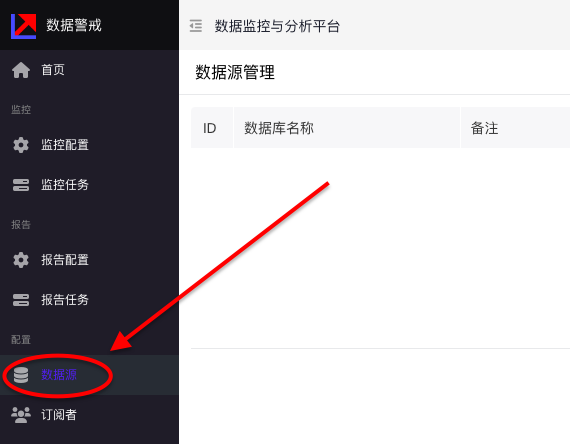
 

注意:数据源中的数据库需要指定 performance_schema

第三步: 

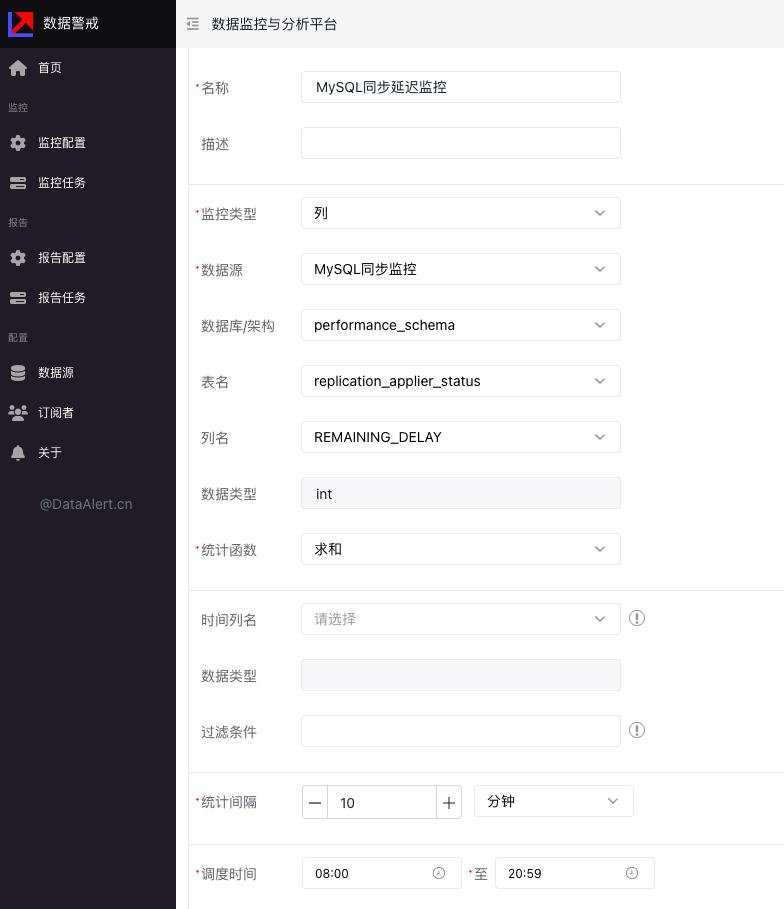
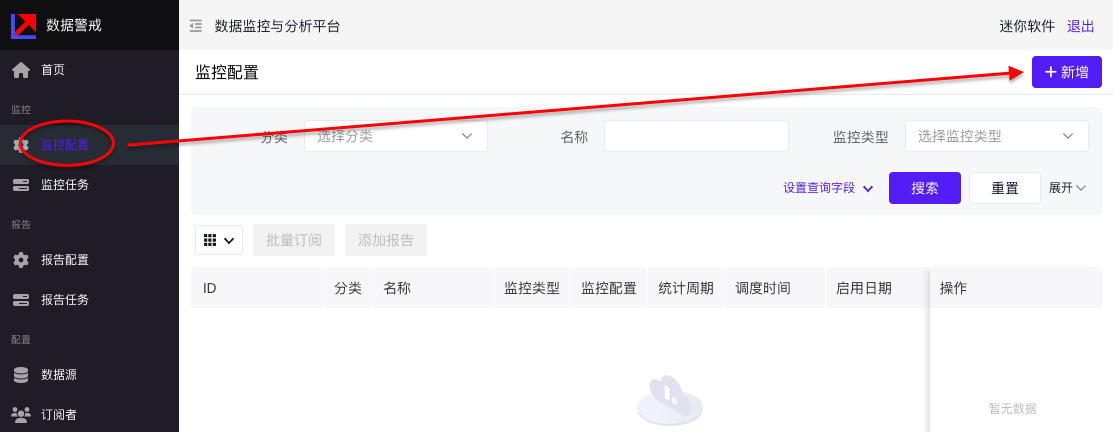
选择监控配置,点击右上角添加
 

上面配置表示从早上8:00到晚上20:59之间,每10分钟监控一次 replication_applier_status 表中的 REMAINING_DELAY 字段的值。

第四步: 

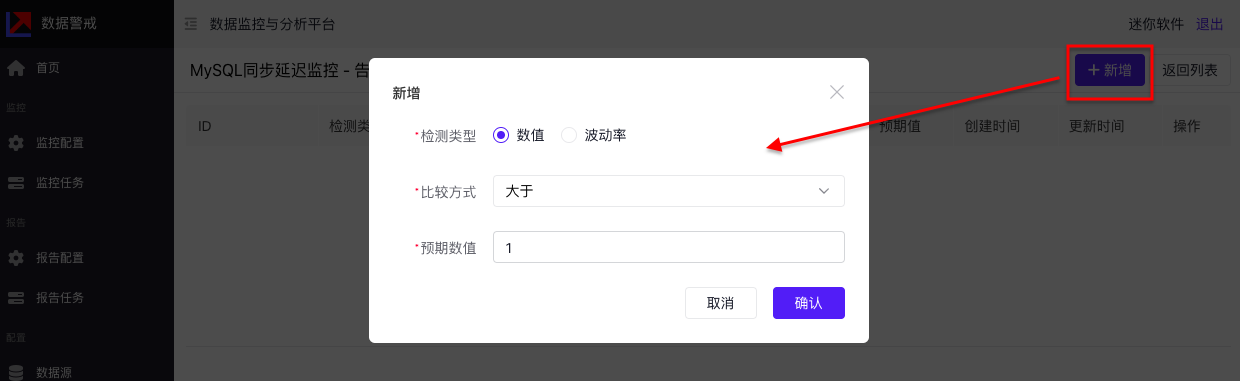
配置异常告警,点击告警规则进行配置
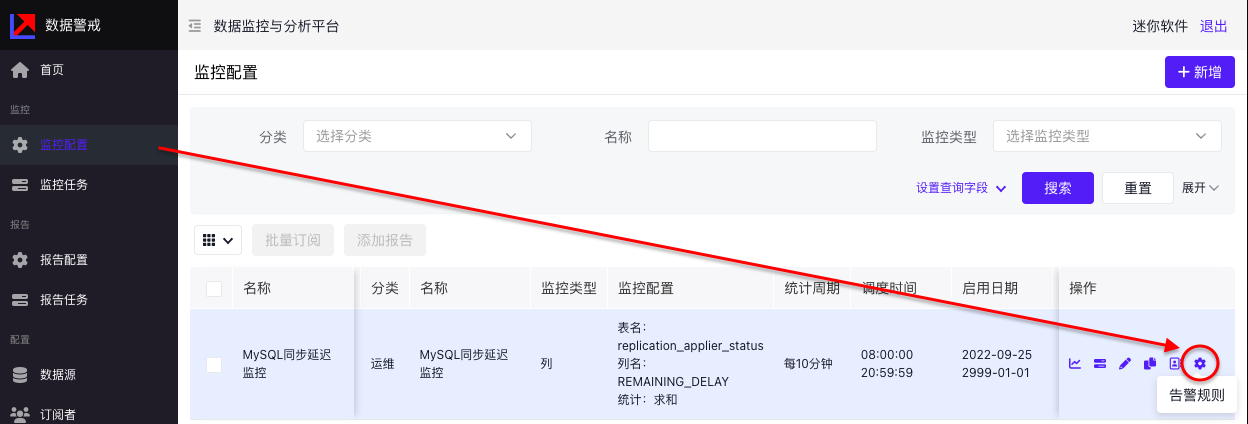
上面配置表示,只要监控的REMAINING_DELAY值大于1,就会进行报警。

第五步:

配置报警接收人,先配置订阅者,再到监控配置中选择订阅 
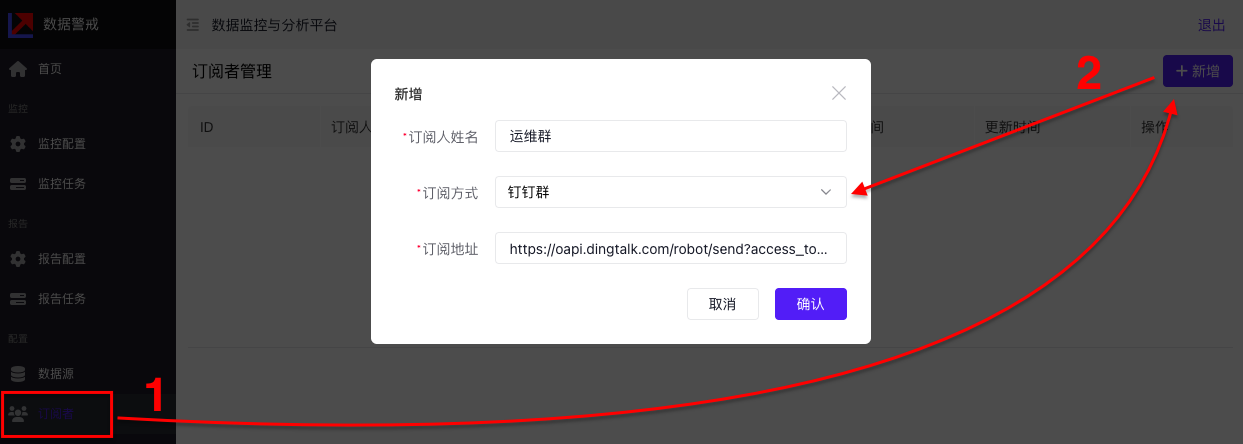
注:订阅地址为钉钉群的自定义机器人Webhook,获取方式参考(只看文章中的步骤一): https://open.dingtalk.com/document/robots/custom-robot-access
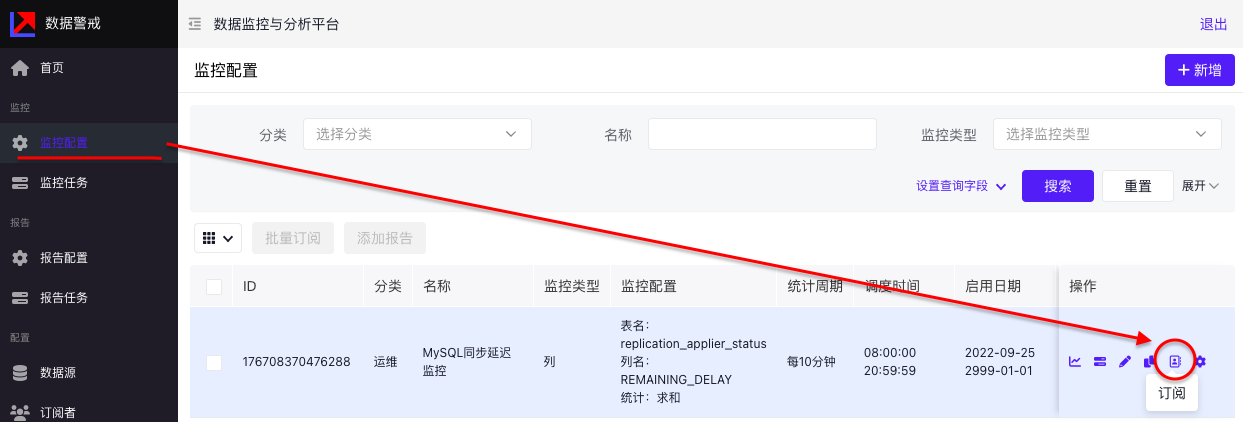
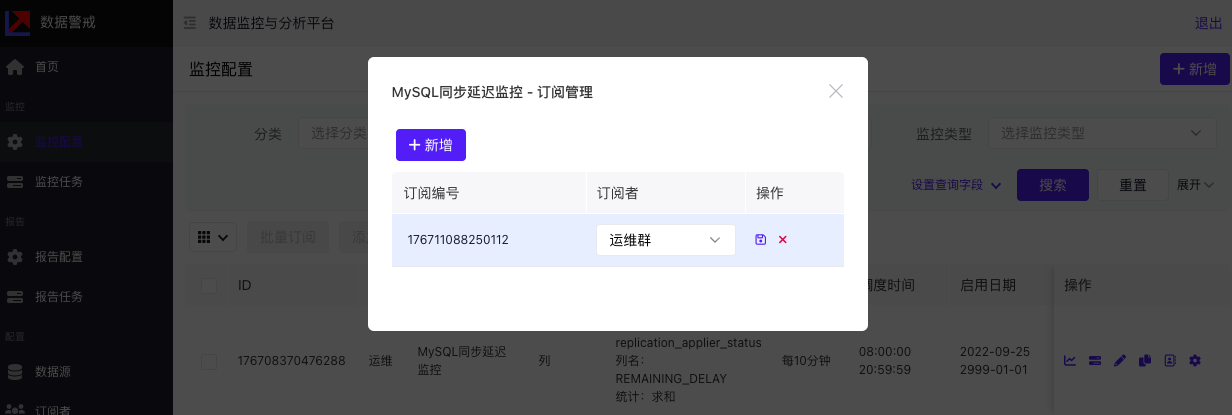
 

选择上一步配置好的订阅者即可,此时,当有告警时会通知到对应的钉钉群,可以在群里直接进行告警后续出处理。

至此,监控搞定~


你也可以在首页看到相关统计数据即告警信息等。
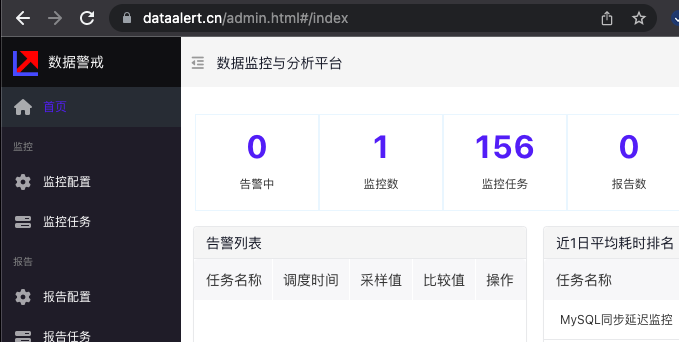
 

当然,该方法除了监控MySQL同步延迟外,还可监控所有基于数据库的数据,如订单量监控,新增用户数监控等各种业务指标监控,对监控的数据也可以配置报告,定时推送监控指标。

传送门:https://dataalert.cn